

Support WebP – Upload webp files in wordpress without hassle
This plugin will help you to upload webp format image in WordPress media library regardless of the theme. That is, it works with every theme.
Plugin info
Maintenance & Compatibility
Maintenance score
Maintained • Last updated 164 days ago • 5 reviews
Is Support WebP – Upload webp files in wordpress without hassle abandoned?
Likely maintained (last update 164 days ago).
Compatibility
Similar & Alternatives
Explore plugins with similar tags, and compare key metrics like downloads, ratings, updates, support, and WP/PHP compatibility.
Description
Nowadays, webp is an oft used image format preferred by modern applications that offer better-looking image compared to the popular format like JPEG, PNG or GIF. Along with being better looking, webp images are considerably smaller and make your website faster. The problem with WordPress is that it doesn’t support webp image natively. This is where this plugin comes in; with this plugin, you can enable webp support in any WordPress site regardless of theme.
See plugin’s GitHub repo Support Webp
Features
- Ability to use webp image
- Supports all theme
- Devoid of any bloatware; it’s programmed in PHP to reduce overhead and has negligible impact on your website’s loading time.
- Free and continuous updates for compatibility and new features are always on the horizon
PRIVACY POLICY
This plugin does not collect, log, sell or trade any kind of information about your website. You can easily verify that this plugin is not phoning home using a network traffic inspector like WireShark.
ABOUT THE MAKER
I am Sayedul Sayem, a Bangladeshi full-stack WordPress developer and free and open source enthusiast. You can contact me at my LinkedIn for consultation or just to say hello. I love talking to new people. So don’t hesitate.
Installation
- Upload the plugin folder after extracting it to the “/wp-content/plugins/support-webp” directory. Alternately, install the plugin through the WordPress plugins screen directly.
- Activate the plugin through the ‘Plugins’ screen in WordPress
- Now go to media from WordPress dashboard and you can upload webp images.
For a more detailed explanation, check out the following documentation.
Frequently Asked Questions
Yes. You don’t need to do anything else other than activating the plugin.
Review feed
Screenshots
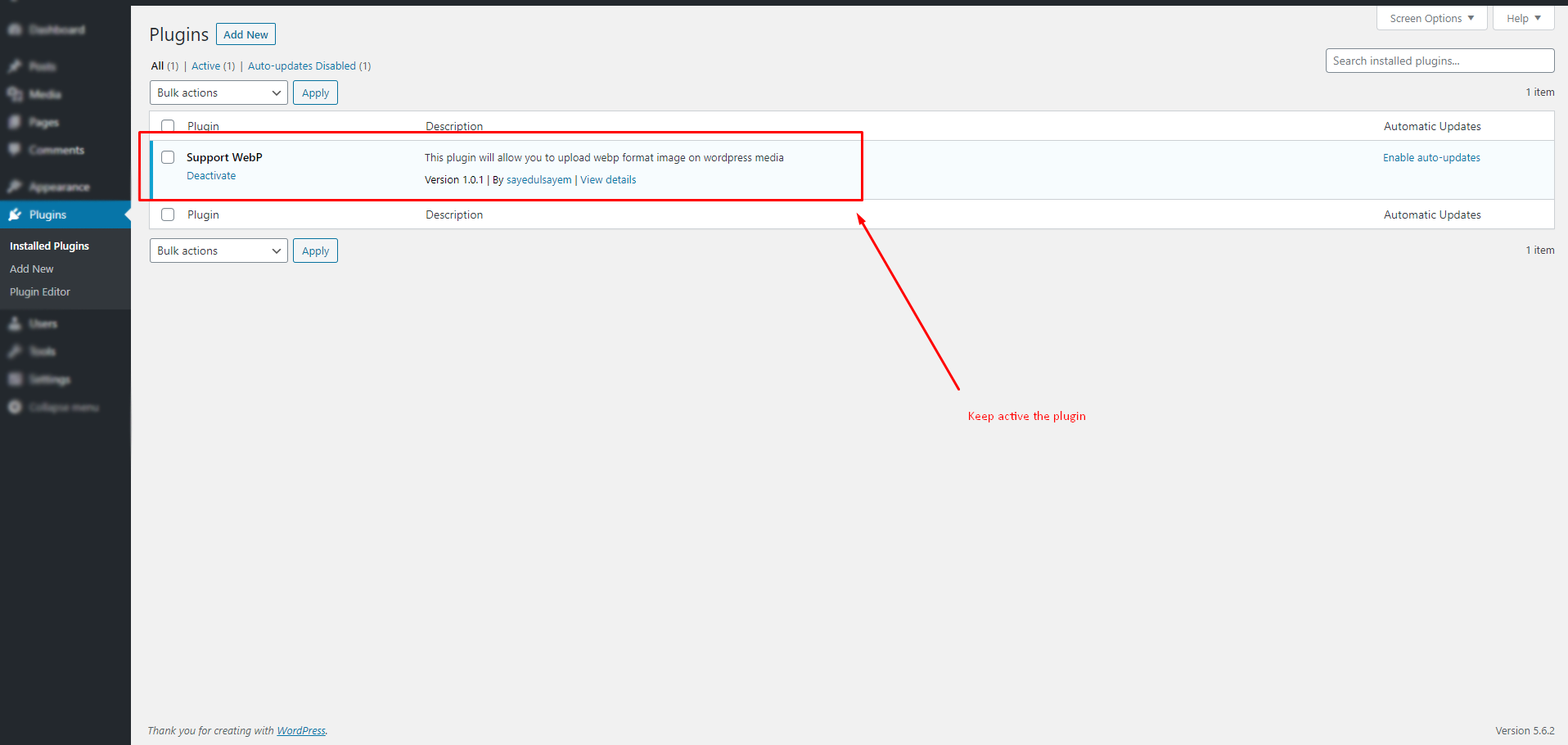
Activate the plugin.

Select webp image during upload.

It will be uploaded and you will get a preview of it.
Changelog
1.1.0
- Add: .pot file for translation.
- Fix: compatibility with WordPress 6.8.x
1.0.1
- Add: Legacy support for lower version of php.
- Tweak: Optimize code quality for better performance.
1.0.0
- Initial release.