

Smart YouTube and Twitch Embed
Easily embed responsive lazy loading YouTube/twitch videos, playlists, and channels using shortcodes. Also add a secondary fallback video for when vid …
Plugin info
Maintenance & Compatibility
Maintenance score
Possibly abandoned • Last updated 1907 days ago • 1 reviews
Is Smart YouTube and Twitch Embed abandoned?
Possibly abandoned (last update 1907 days ago).
Compatibility
Similar & Alternatives
Explore plugins with similar tags, and compare key metrics like downloads, ratings, updates, support, and WP/PHP compatibility.
Description
Easily embed responsive lazy loading YouTube/twitch videos, playlists, and channels using shortcodes. Also add a secondary fallback video for when videos are unavailable/private
Installation
- Upload plugin to the /wp-content/plugins
- Activate the plugin through the ‘Plugins’ menu in WordPress
- Go to settings to see how shortcodes work and enjoy 😀
Frequently Asked Questions
yes, you can set the width to anything you want, and the height can auto-adjust to a 16:9 ratio if not set. To make the width dynamic, set it to a %
the plugin can embed the uploads playlist from your channel.
yes, the plugin also supports twitch embeds.
the plugin supports multiple ways of inputing the id.
you can get the id from the url where you would normaly find it when watching youtube videos, or going to playlists/channels.
you can also copy the full url and use that as the id.
this same method also works for twitch.
youtube and twitch both use a different algorithm for generating there random url’s.
this plugin uses thoes patterns to try and fix the url.
the plugin then checks if the url returns a 404 or 403 header (meaning the video is either unavailable or private)
if the video does not exist, it will run the same process on your fallback video, and won’t include the embed, if the url does not exist.
note: simetimes twitch does not return a 404 header
Review feed
Screenshots

an example of what YouTube uploads embed from a channel looks like
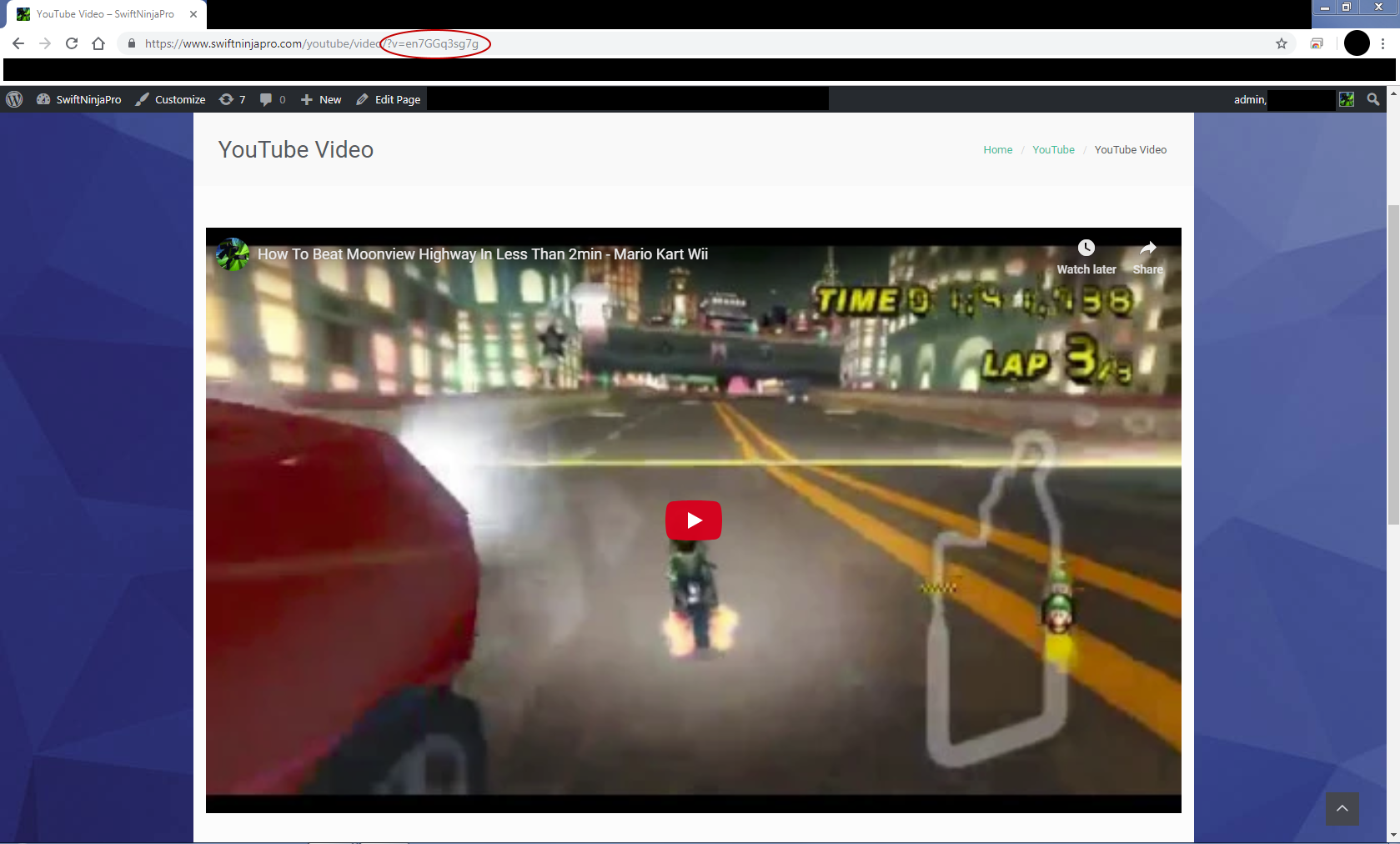
an embed which is set by the url query variable ?v=youtubeVideoId
Changelog
2.3.7
replaced youtube popular uploads embed with youtube channel uploads embed (now that YouTube fixed that url)
2.3
replaced youtube channel uploads embed with youtube popular uploads embed
added option to disable youtube or twitch support, to improve performance if only one is needed
added option to add alternate shortcode name
added shortcode attribute “url” as an alias for “id”
2.2
added support for youtu.be urls
2.1
added a nice border radius around video iframes
made javascript functions wait for DOMContentLoaded to improve page loading speeds
2.0
Rebuilt Plugin
– old shortcodes are still supported
– “type” attribute is no longer needed (this is now auto detected)
– you can now use the full url of the video as you would normaly find it when watching a youtube/twitch video
– you can now choose to autoplay youtube videos
– you can now choose to mute youtube videos
– you can now set an exact height (if not set, a 16/9 ratio will be calculated)
– improved support for youtube and twitch videos
1.4
Added wordpress translation to title and description
1.3
added dns-prefetch of youtube
added prefetch url for youtube videos
1.2
auto height now works
added support for twitch videos
1.1
added option type=”auto”
auto will automatically select if the type is a video or playlist, based on whats available on YouTube.
auto is the new default option for type, if not set.
auto also works for fallbacktype.
1.0
First Version