

SWPanel AI Builder
Create and edit your website using AI. Generate and modify content directly inside the WordPress block editor with SWPanel AI Builder.
Plugin info
Maintenance & Compatibility
Maintenance score
Maintained • Last updated 127 days ago
Is SWPanel AI Builder abandoned?
Likely maintained (last update 127 days ago).
Compatibility
Similar & Alternatives
Explore plugins with similar tags, and compare key metrics like downloads, ratings, updates, support, and WP/PHP compatibility.
Description
SWPanel AI Builder brings powerful AI tools into WordPress, helping users create professional websites and content quickly, with minimal effort.
Key Features
AI Assistant in the Gutenberg Editor
Access a sidebar with smart actions to:
– Improve grammar and structure.
– Correct spelling and punctuation.
– Shorten or lengthen text blocks.
– Generate new text from simple prompts.
Full AI Website Builder (Wizard)
Once activated and connected with your SWPanel API token, the plugin opens a multi-step builder where users:
1. Describe the purpose and tone of the website.
2. Choose single-page or multi-page structure.
3. Select colors and style preferences.
The plugin then generates a complete basic website with AI-written pages (home, about, services, etc.), ready to customize or publish.
Benefits
- Save time on content creation and website setup
- No coding skills required
- Seamless integration with WordPress block editor
- Professional-looking results in minutes
External services
SWPanel-AI is a SaaS (software-as-a-service) connector plugin that uses an external API to power two main features:
- A website-generation wizard that creates a basic site structure based on user-provided inputs (title, description, styles, structure, etc.).
- AI tools inside the Gutenberg editor that allow users to generate, improve, or rewrite text and obtain related images.
The plugin sends data to the external API only when the user performs an action that requires processing (such as creating a website via the wizard, generating text, improving content, obtaining images, …).
The plugin also makes one automatic background request approximately once per hour to validate the user’s API token. This request includes the API token (sent as a bearer token) and the site domain. This is required to ensure the token remains valid and to prevent errors during AI generation. No other automatic background requests are made.
To provide these services and improve the accuracy of AI-generated results, the plugin may send the following data to the API:
- WP language
- WP version
- PHP version
- The site domain (URL)
- A unique site identifier (anonymized UUID)
- The Bearer Token
- Site title
- Site description
- Generated description (if created using the plugin)
- Selected tone
- Selected preview configuration
- Selected sections
- Selected headers
- Selected images
- Selected pages (only identifiers or metadata, not full content; sometimes only the page URL is sent to generate navigation elements)
- User-provided text prompts (any text the user enters for AI processing during the wizard or in the editor)
This data is required to generate accurate AI results and to ensure the service functions correctly.
We do not collect WordPress user accounts, emails, passwords, or personal data unless the user explicitly includes such information in an AI prompt.
By activating the SWPanel-AI plugin and using any AI generation feature, you agree to the privacy policy and terms of service:
This service is provided by “SWPanel”:
- https://swpanel.com/en/legal
- https://swpanel.com/en/legal/privacy
External assets
This plugin loads Font Awesome and FusionCharts scripts and styles from “SWPanel” external servers to provide the plugin’s user interface and charts. These files are only used for styling and visual elements inside the plugin. No personal or sensitive user data is sent.
Including these assets externally allows us to reduce the plugin size and avoid increasing the download size.
Installation
- Upload the plugin files to the
/wp-content/plugins/swpanel-aidirectory or install it via the WordPress Plugin Directory. - Activate the plugin through the ‘Plugins’ screen in WordPress.
- Enter your SWPanel API token in the plugin settings.
- Use the AI Website Builder wizard to generate a basic site by entering your idea, tone, and visual preferences.
- Open any page or post in the block editor to use AI tools for editing and generating text directly.
Frequently Asked Questions
Yes. You’ll need an active SWPanel account with an AI license and an API token to use the plugin.
Yes. Based on a brief input (e.g., what your business does), the plugin can generate pages like homepage, about, services, and contact.
You can generate content in multiple languages depending on your input, but the plugin UI is currently available in English, Spanish and Catalan.
Review feed
Screenshots
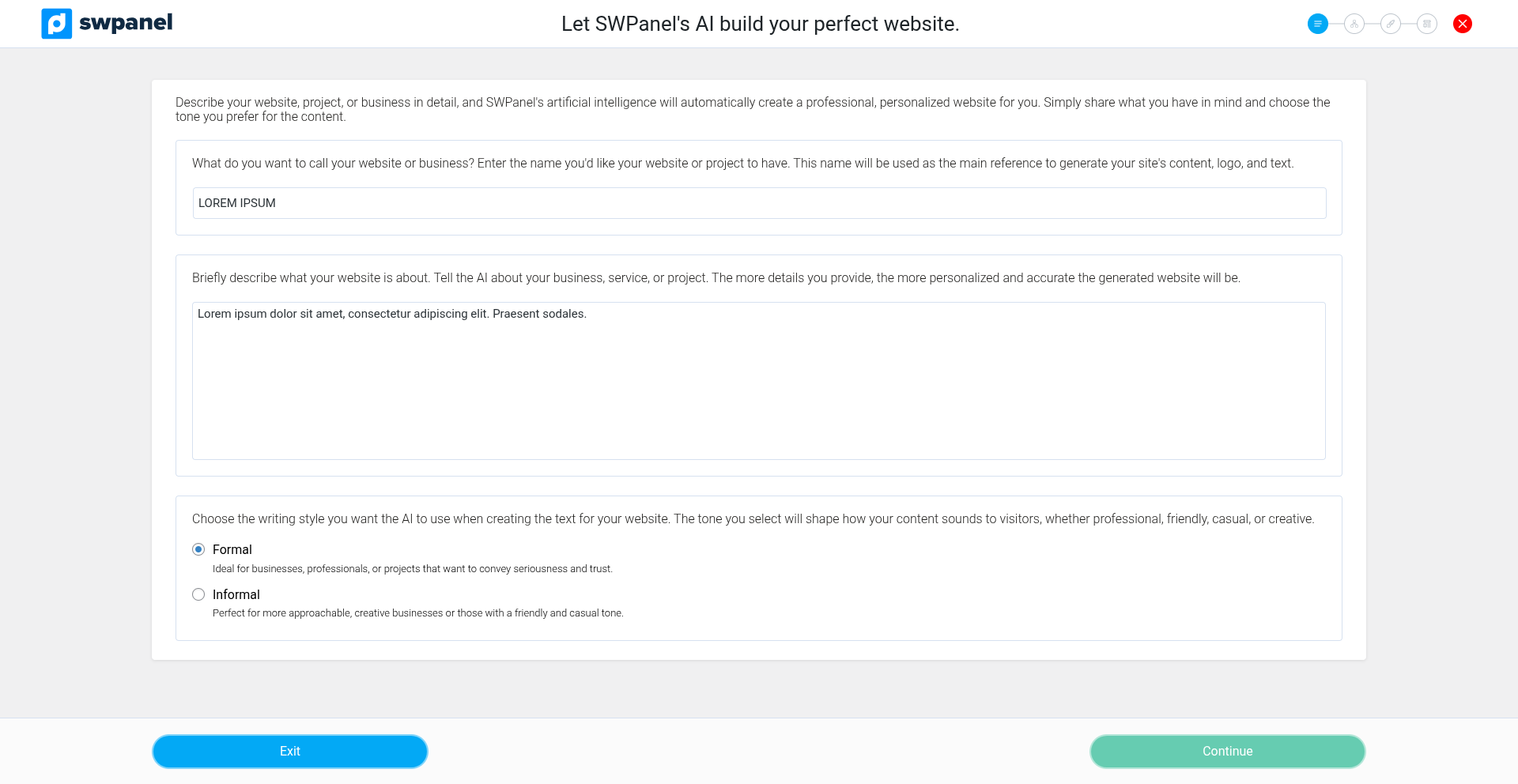
Enter the basic details of your website: title, description, and tone.
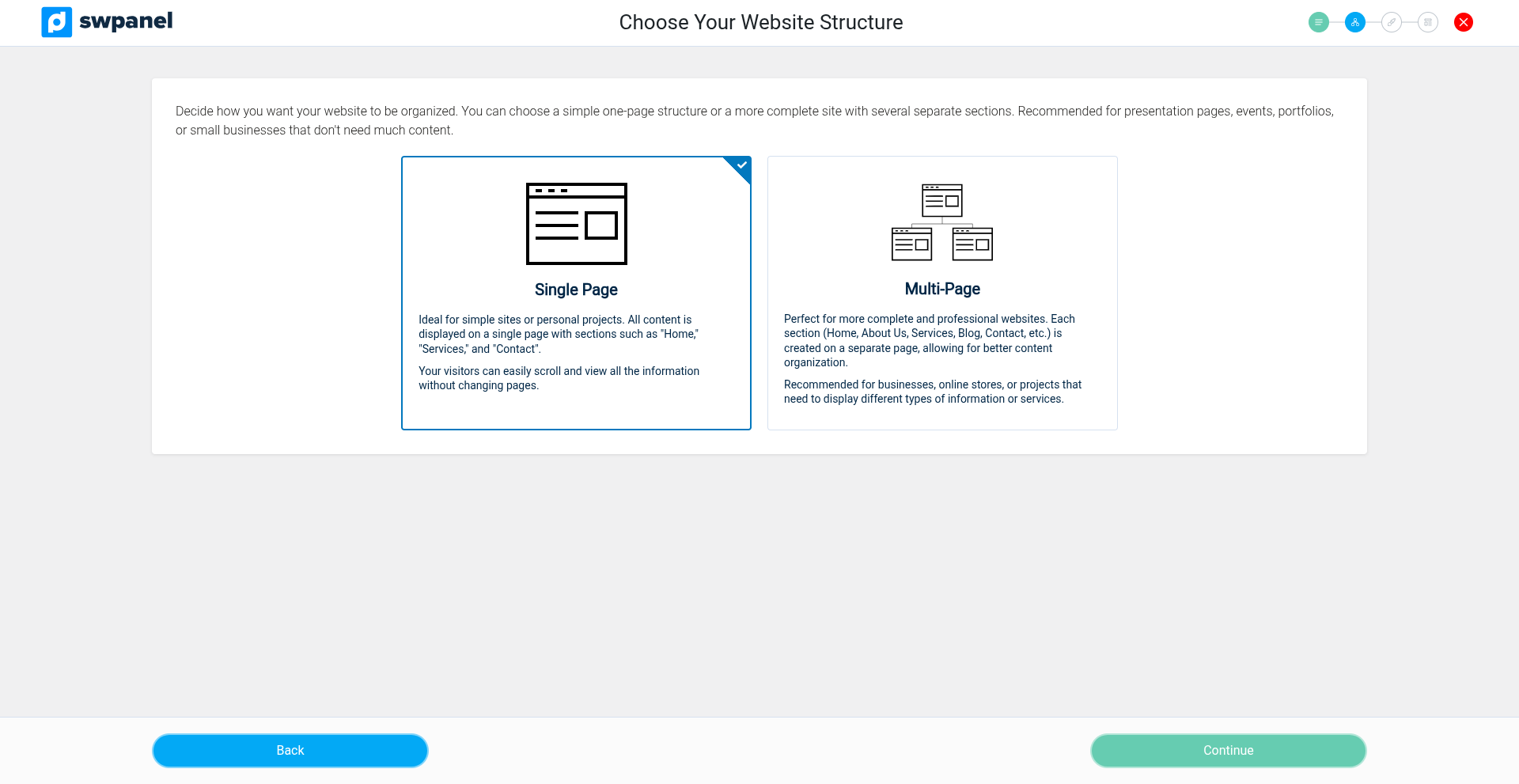
Select the structure for your site (single page or multi-page).
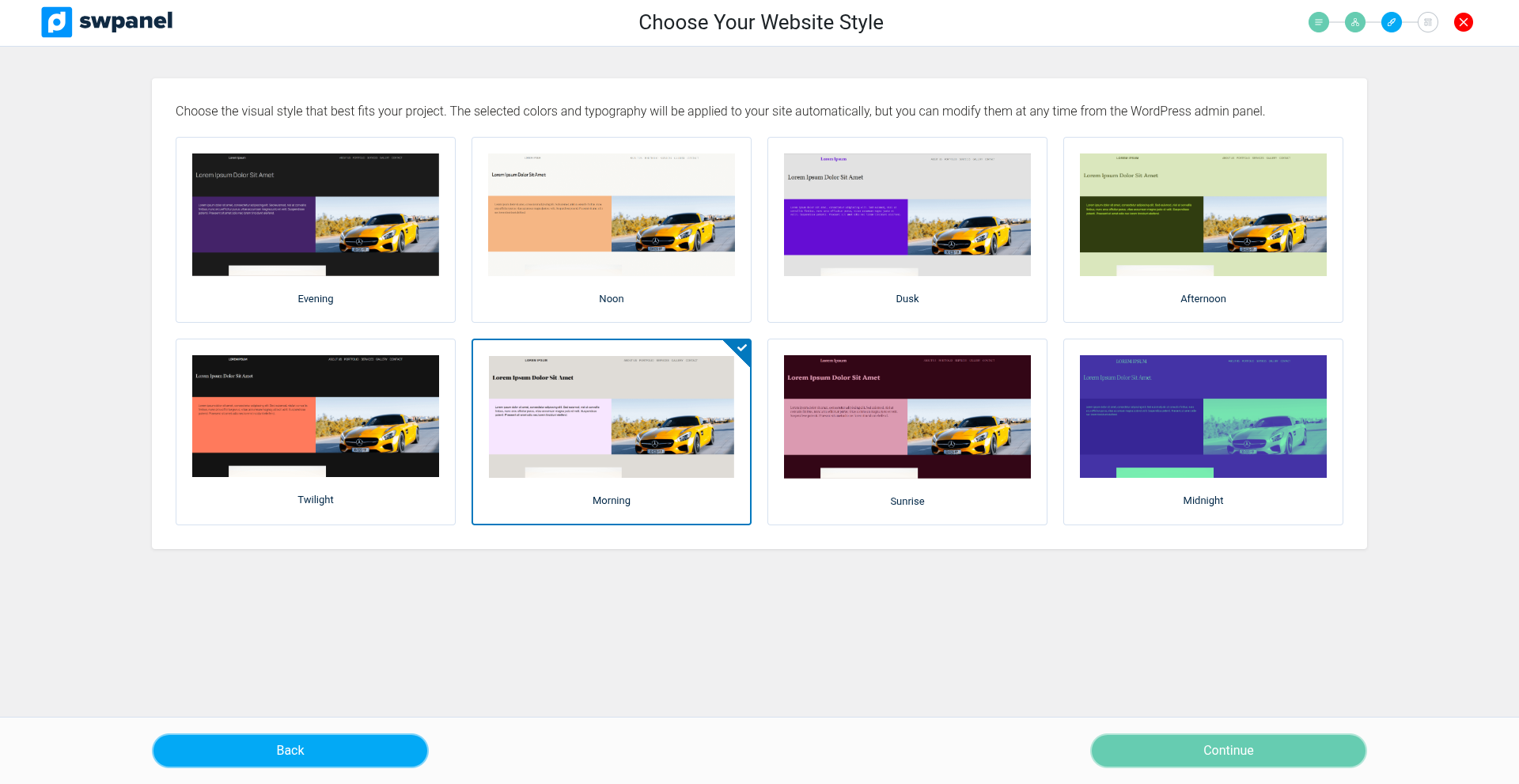
Choose the visual style, colors, and design preferences.
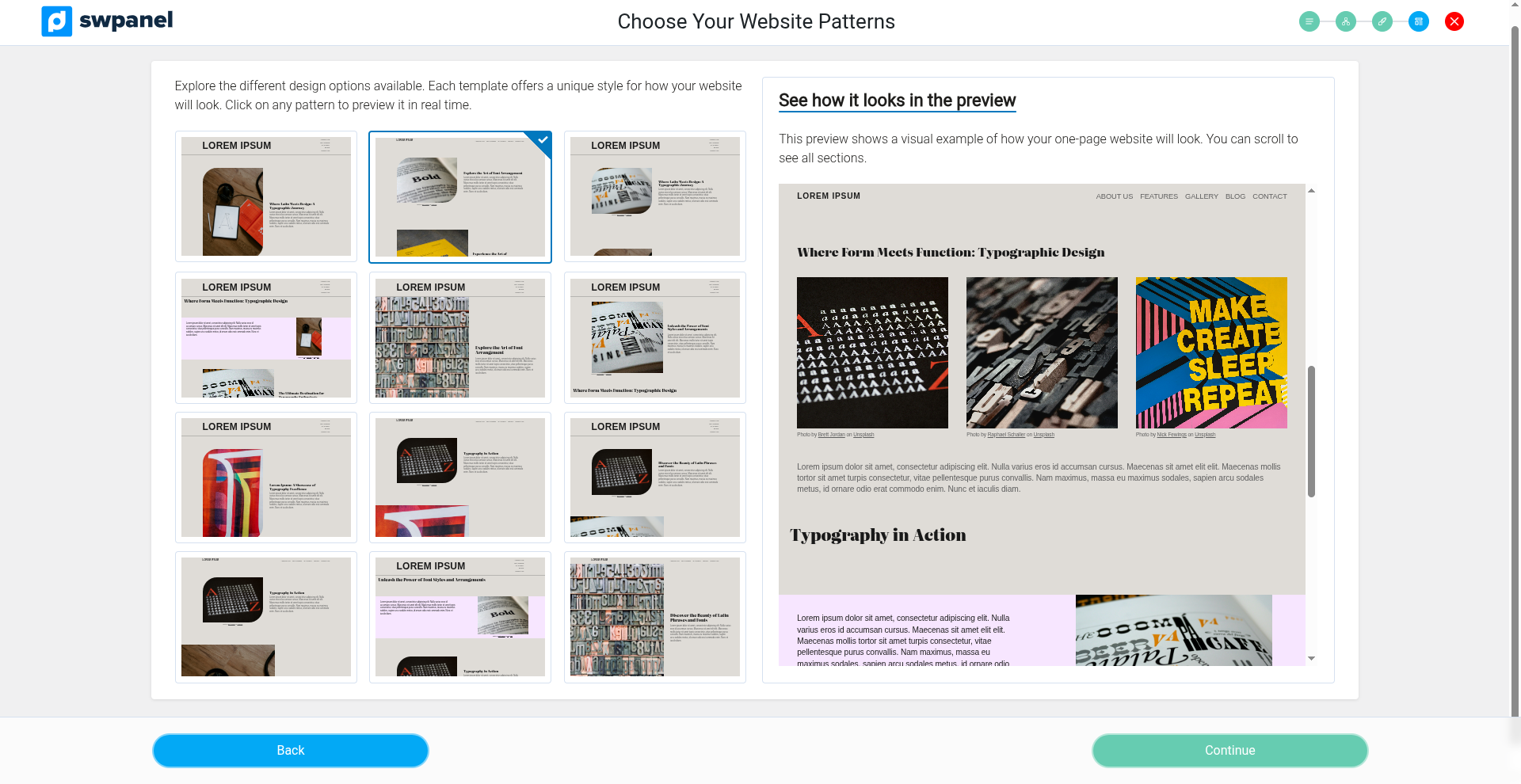
Pick a layout pattern to finalize the website generation.
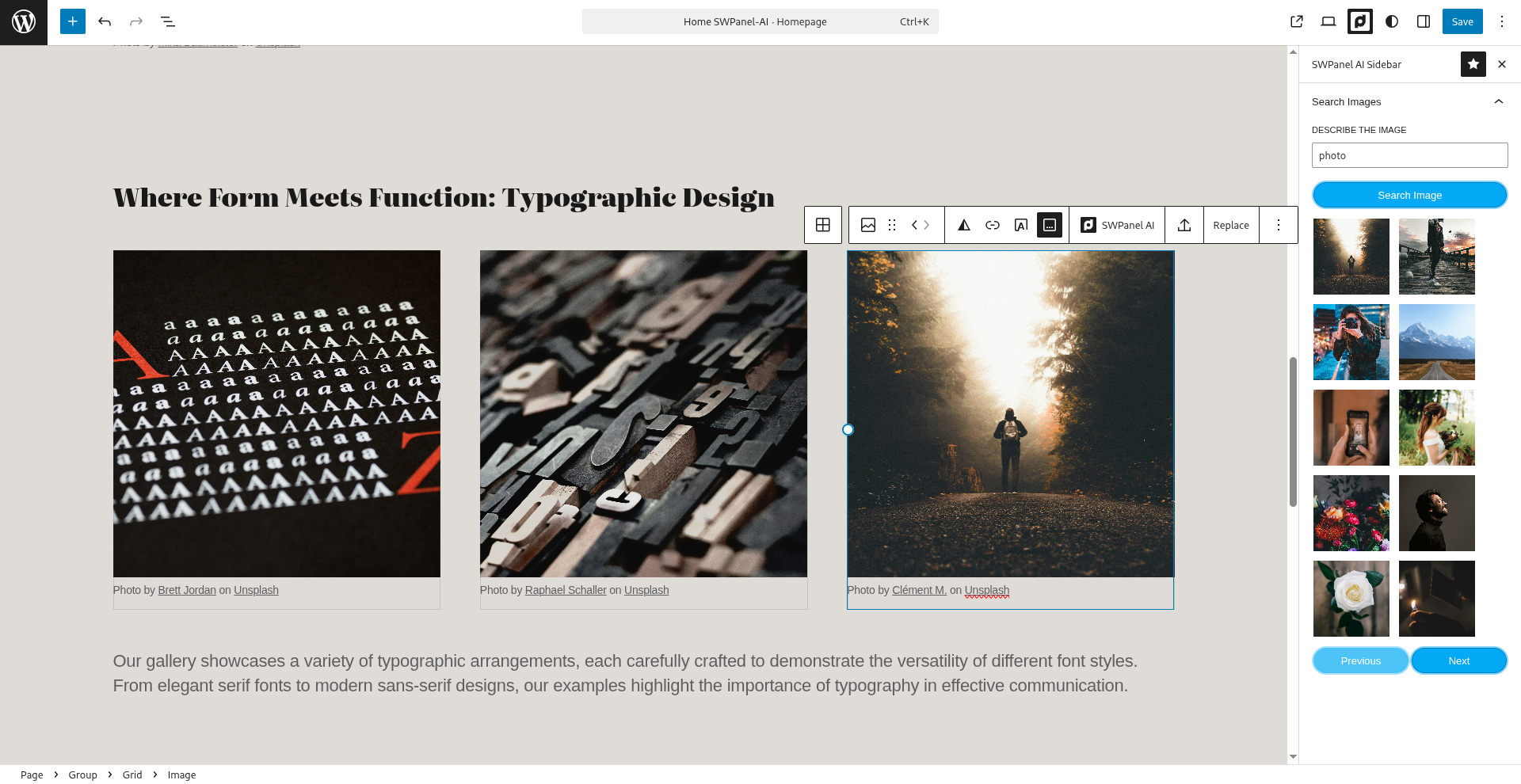
Use the AI sidebar in the Gutenberg editor to obtain related images.
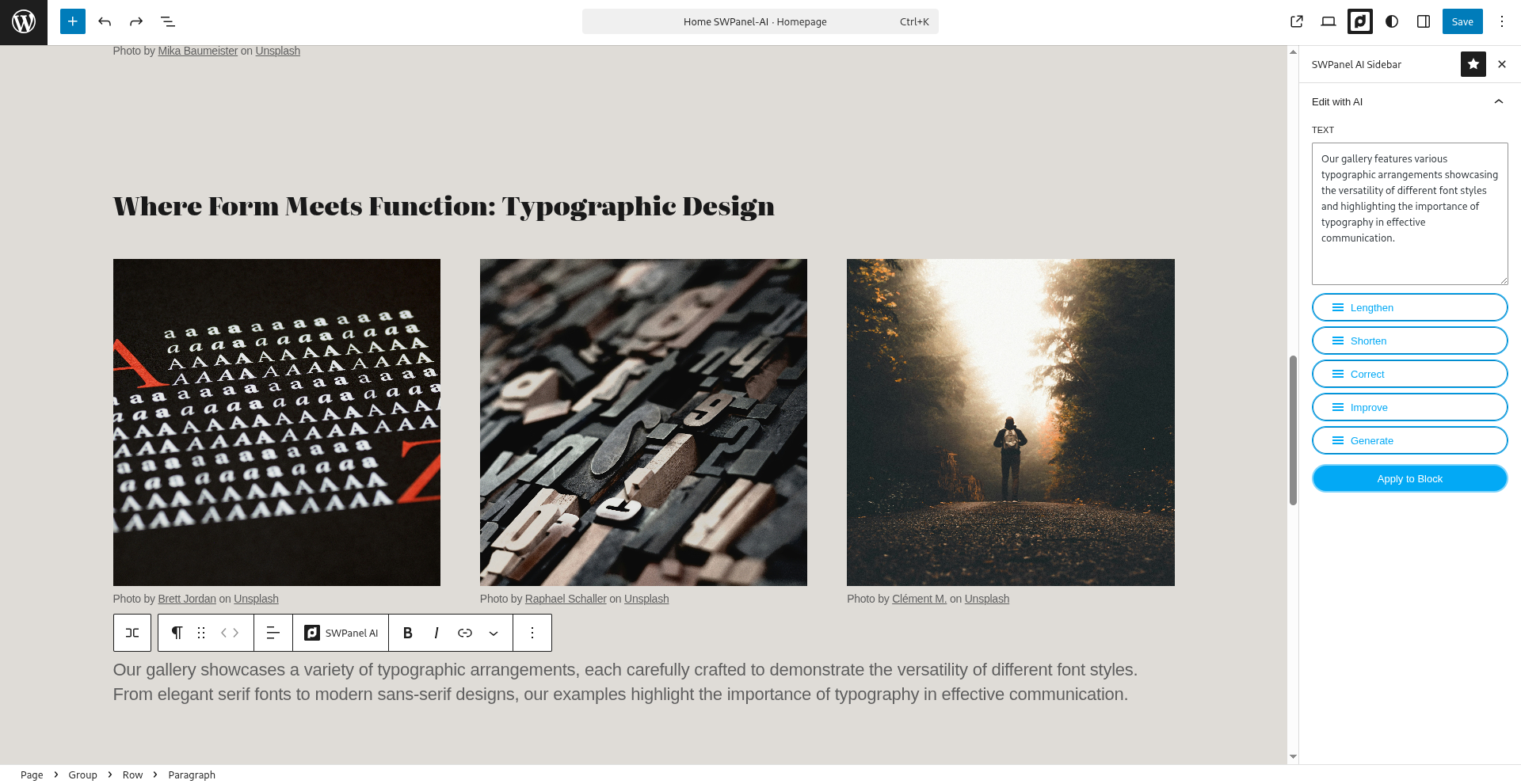
Generate, improve, or rewrite text directly inside Gutenberg using the AI tools.
Changelog
1.0.0
- Initial release with AI content editing and page generation.
- Gutenberg integration.
- Token-based API access.