

Sync Forms with Brilliant Directories
Easily sync WordPress form submissions to Brilliant Directories with the ‘Sync Forms with Brilliant Directories’ plugin. Automatically create Members …
Plugin info
Maintenance & Compatibility
Maintenance score
Stale • Last updated 247 days ago • 1 reviews
Is Sync Forms with Brilliant Directories abandoned?
Likely maintained (last update 247 days ago).
Compatibility
Similar & Alternatives
Explore plugins with similar tags, and compare key metrics like downloads, ratings, updates, support, and WP/PHP compatibility.
Description
Easily sync WordPress form submissions to Brilliant Directories with the ‘Sync Forms with Brilliant Directories’ plugin. Automatically create Members and Leads using Contact Form 7, WPForms, Ninja Forms, Gravity Forms, Elementor Forms, and more plugin support coming soon. Just install, connect your BD account, and start syncing. Don’t have a BD account? Activate your free trial here: https://www.brilliantdirectories.com/trial.
Key Benefits for WordPress Users
- Boost Community Engagement – Automatically create Members or Leads in your Brilliant Directories site from WordPress form submissions.
- Effortless Lead Capture – Build high-converting landing pages in WordPress to collect leads and register members directly into your BD database.
- Reliable Data Storage – Unlike some form plugins, every submission is saved in your BD database for centralized access and management.
- Seamless Plugin Integration – Currently supports Contact Form 7, with WPForms, Ninja Forms, and Gravity Forms coming soon.
- Enhanced Tracking Capabilities – Pass UTM parameters, campaign IDs, and other custom data with each submission to power your analytics.
- Quick, No-Code Setup – Connect your form plugin and BD account in minutes—no technical skills required.
Key Features
- Automatic Member/Lead Creation – Instantly generate Members or Leads in BD from WordPress form submissions.
- Custom Field Mapping – Map WP form fields to BD fields, including custom fields and SEO metadata.
- Multi-Plugin Support – Works with Contact Form 7. Support for WPForms, Ninja Forms, and Gravity Forms is coming soon.
- Manual & Scheduled Syncs – Choose instant syncing or set automated schedules to keep your BD site updated.
- Landing Page Integration – Sync submissions from WordPress landing pages directly into BD in real time.
- Intuitive Admin Interface – Easily manage sync settings from your WordPress dashboard—no coding needed.
External Services
This plugin embeds an iframe from Brilliant Directories to provide tutorial videos, FAQs, and additional plugin-related information within the plugin settings page.
Service: Brilliant Directories
What data is sent:
When accessing the plugin settings page, the plugin loads an iframe from https://get.brilliantdirectories.com/wordpress-form-sync-plugin-iframe.
This iframe may load resources such as Google Fonts, YouTube videos, and stylesheets from external sources.
A session management cookie is set by Brilliant Directories for maintaining session security.
Privacy & Terms:
Brilliant Directories Privacy Policy
Brilliant Directories Terms of Service
Support
If you have any issues or need help, please visit our support forum or contact us at [email protected].
Installation
- Upload the plugin files to the
/wp-content/plugins/sync-forms-with-brilliant-directoriesdirectory, or install the plugin through the WordPress plugin screen. - Activate the plugin through the ‘Plugins’ screen in WordPress.
- Go to the plugin settings page by navigating to Brilliant Directories in the WordPress admin sidebar.
- Add your Brilliant Directories API key and configure other necessary settings.
Frequently Asked Questions
Yes, a Brilliant Directories account is required to sync your WordPress form submissions. You can create a free account at https://www.brilliantdirectories.com/free-trial.
You can generate your API key from your Brilliant Directories dashboard. Follow this guide: How to Generate API Key.
Once the plugin is installed, you can submit feedback and report issues directly from the plugin settings. Our team prioritizes critical issues and popular feature requests.
No, past form submissions will not be synced. However, once the plugin is set up, it will immediately begin syncing new form submissions from the connected forms.
The plugin will skip any submissions where the email address already exists on your Brilliant Directories site, preventing duplicate records.
The plugin syncs form submissions to your Brilliant Directories site automatically based on the settings you configure, including field mapping and custom data.
In the Field Mapping section, you can map each form field from WP to the corresponding field in BD. This ensures accurate data transfer from your forms to BD.
Yes, you can add custom fields (such as UTM parameters) to be passed along with each submission. This data will be transferred to BD along with the form submission.
You cannot select the same Create Action (e.g., Member or Lead) for the same form. If an action already exists for the form, it will be automatically disabled to prevent duplication.
Currently, the plugin is not tested on WordPress Multisite, but we may add support in a future update.
If you disable the plugin, the syncing process will stop, but all previously synced records will remain on your Brilliant Directories site.
Review feed
Use Your WordPress Site as a Smart Landing Page for Your Directory
Screenshots
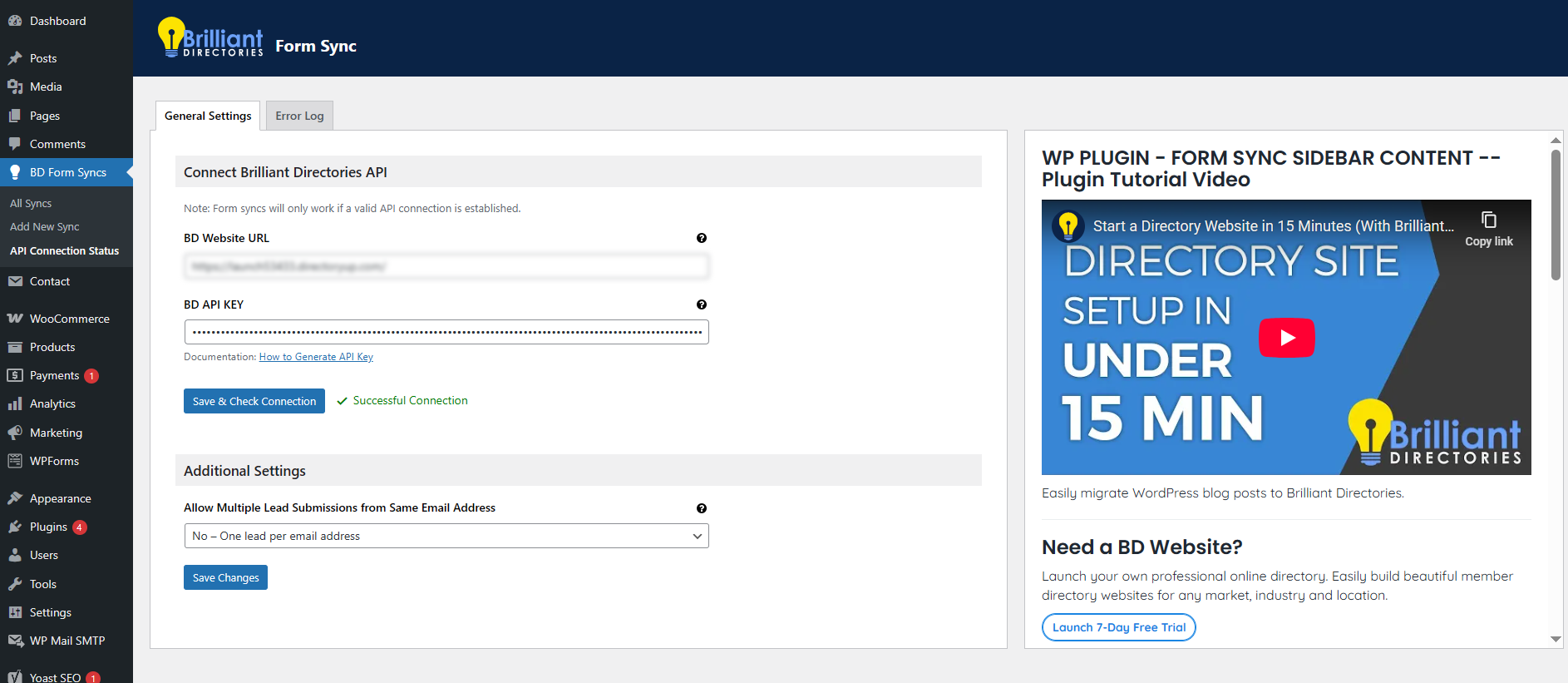
Screenshot of the General settings.
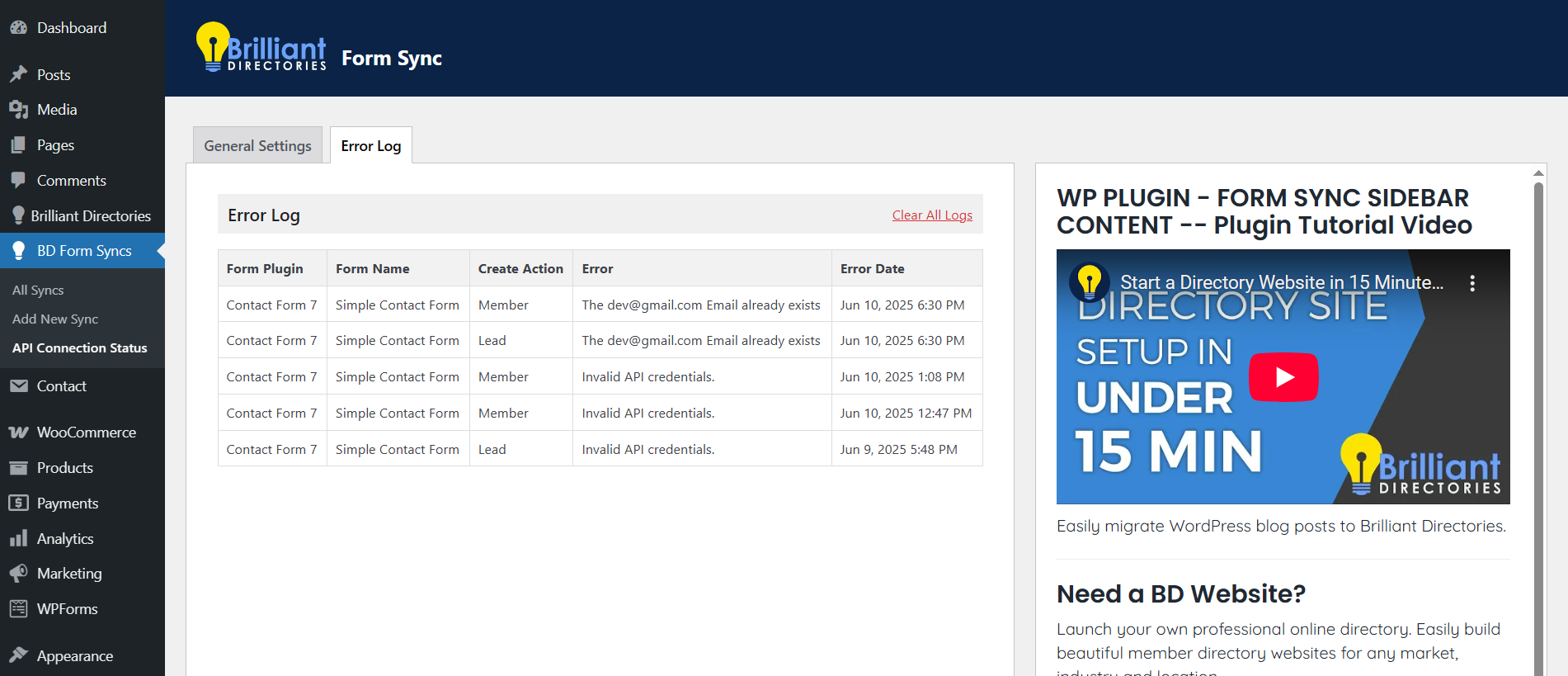
Screenshot of the Troubleshooting.
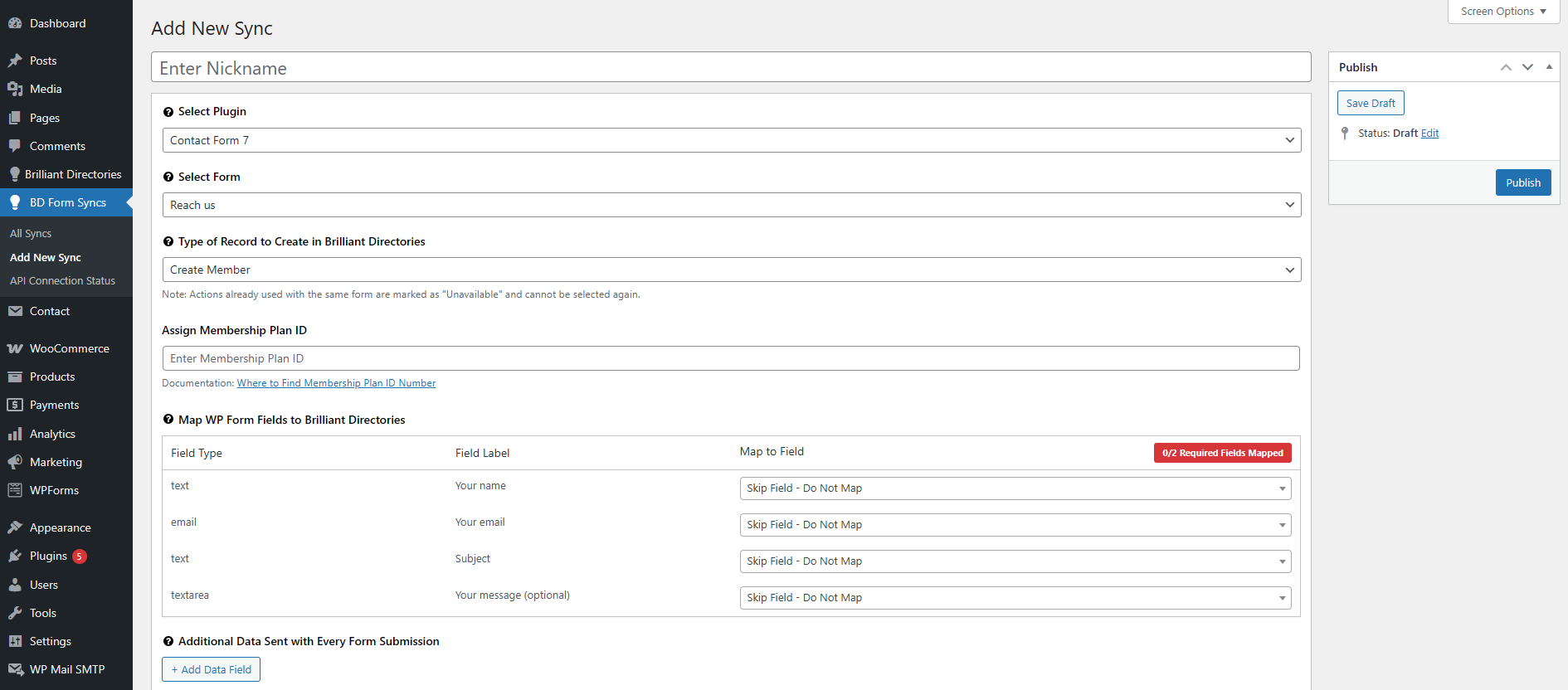
Screenshot of the Add New Sync.
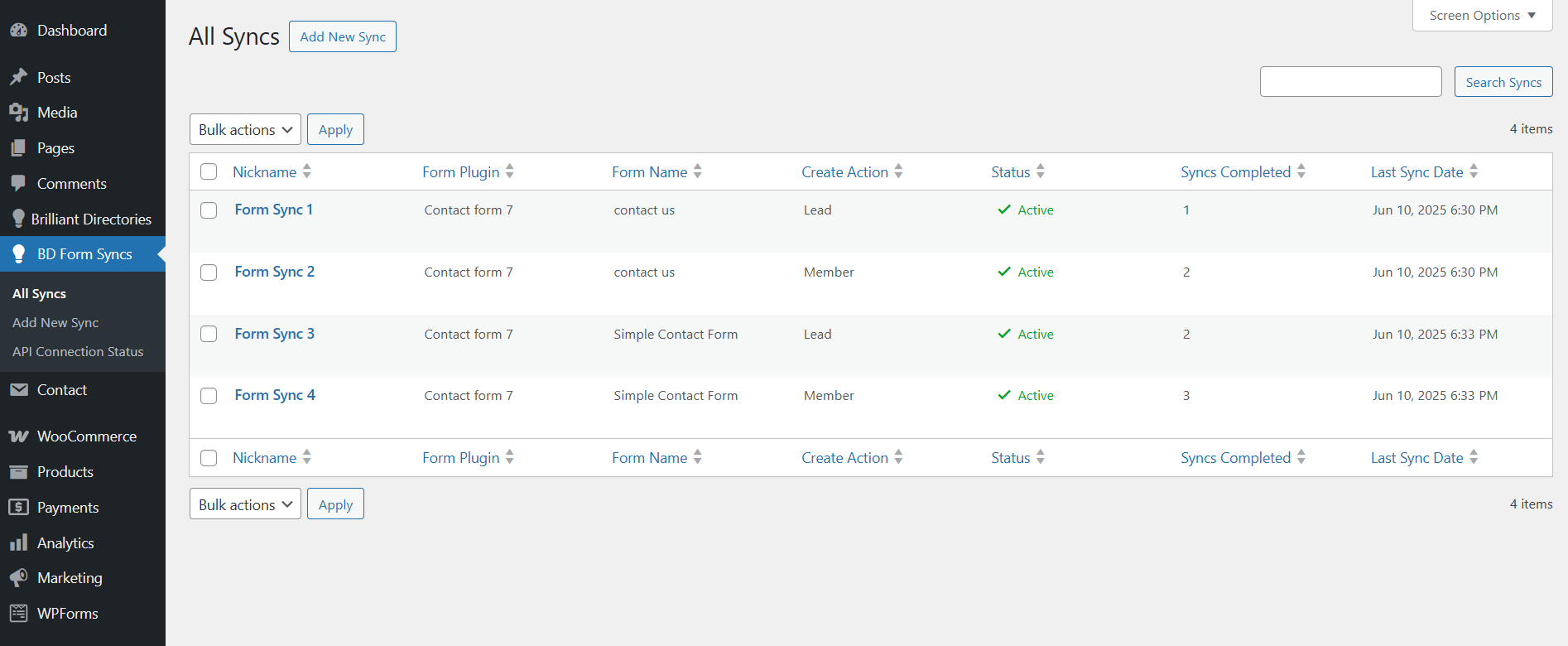
Screenshot of the All Syncs.
Changelog
1.3.0
- Integrated Elementor Forms support for syncing form submissions.
1.2.1
- Bug fixes and improvements.
1.2.0
- Integrated Gravity Forms support for syncing form submissions.
1.1.0
- Integrated Ninja Forms support for syncing form submissions.
- API Field Validation Improvements: Enhanced validation logic for API fields to ensure more accurate and secure data handling.
1.0.1
- Integrated the WPForms to the Form syncs.
1.0.0
- Initial release of the plugin.
- Features include Sync Forms with Brilliant Directories, settings page.