

T(-) Countdown
Display and configure multiple countdown timers in years, months, weeks, days, hours and seconds in a number of different styles.
Plugin info
Maintenance & Compatibility
Maintenance score
Possibly abandoned • Last updated 1631 days ago • 6 reviews
Is T(-) Countdown abandoned?
Possibly abandoned (last update 1631 days ago).
Compatibility
Similar & Alternatives
Explore plugins with similar tags, and compare key metrics like downloads, ratings, updates, support, and WP/PHP compatibility.
Description
T(-) Countdown is a customisable countdown timer that can display years (optional), months (optional), weeks (optional), days, hours and seconds. This plugin is the next generation of T(-) Countdown Widget. Note: a dedicated sidebar widget is not included as shortcodes can now be used in most sidebars.
Installation
- Old-school: upload the
t-countdownfolder to the/wp-content/plugins/directory via FTP. - Hipster: Ironically add T(minus) Countdown via the WordPress Plugins menu.
- Activate the Plugin
- Add the shortcode to a post or page.
- Test that the this plugin meets your demanding needs.
- Tweak the css files for premium enjoyment.
- Rate the plugin and verify that it works at wordpress.org.
Frequently Asked Questions
A complete list of shortcode options has been provided to answer this exact question.
Community translation for T(-) Countdown has been set up.
- Tee—As in Tea for Two, or Tee off time
- Minus—As in the opposite of plus (+)
- T Minus—As in “This is Apollo Saturn Launch Control. We’ve passed the 11-minute mark. Now T minus 10 minutes 54 seconds on our countdown for Apollo 11.”
Yes, yes… Twinpictures is on Facebook.
Ah yes! @Twinpictures is on the Twitter.
Review feed
Screenshots
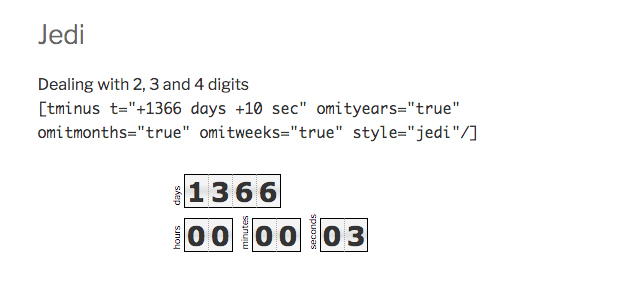
Style: jedi

Style: TIE-fighter

Style: darth

Style: carbonate

Style: carbonate-responsive
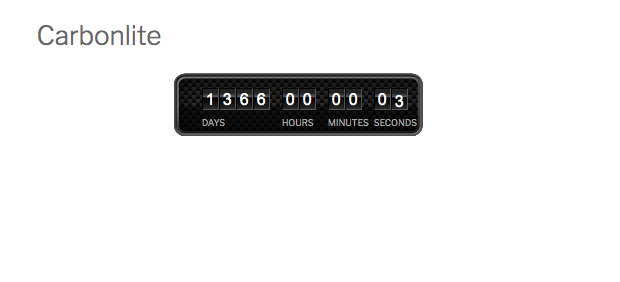
Style: carbonlite

Style: c-3po and c-3po-mini

Style: cloud-city

Style: hoth

Style: naboo

Style: sith

Style: circle


Changelog
2.4.8
- updated links to new documentation
- options page fields escaped
- can target external elements on launch
- improvements to get around cashed pages
2.4.7
- fixed issue with default display units and toggles in block
- added debug attribute to shortcode for troubleshooting caching issues
- uses rest-api to recalculate time if page has been cached
- manages cached pages and timezones better
- js script is minified
2.4.6
- added %this_year% and %this_easter% time placeholders
- added omitseconds fixed issue with day label
- resolved issue with timezones
2.4.5
- added Gutenberg block
- fine tuned css on some styles
- countdown will show 00:00:00 by default if already launched
2.4.4
- fixed issue if only days are being displayed
2.4.3
- check if functions exist to prevent conflicts with legacy plugin
2.4.2
- added missing screenshots
- cleaned up plugin options page
2.4.1
- deactivate legacy plugin if activated
- removed unused functions
2.4.0
- plugin relaunched as the next generation of T(-) Countdown Widget
- get_styles() is now a static function
- uses PHP DateTime function for date calculation
- new timezone attribute to target time to different timezone
- weeks are no longer limited to 3 digits
- added optional years and months with omityears and omitmonths attributes
- all styles are css optimised and were rebuilt to support more than three digits