

Plugin info
Maintenance & Compatibility
Maintenance score
Stale • Last updated 304 days ago
Is The Countdown Timer abandoned?
Likely maintained (last update 304 days ago).
Compatibility
Similar & Alternatives
Explore plugins with similar tags, and compare key metrics like downloads, ratings, updates, support, and WP/PHP compatibility.
Description
The Countdown Timer offers a user-friendly countdown block that lets you quickly set up a timer for events, product launches, special offers, and more.
Its main features include:
- Designed to be minimal: no unnecessary menu items, just a simple tool under the Tools tab.
- Built for the WordPress ecosystem: uses official components for a seamless experience.
- Customizable time settings: easily set the target time, date, and time zone.
- Flexible units display: choose which units to display – years, months, weeks, days, minutes, seconds.
- Styling options: adjust colors, backgrounds, margins, alignment, border radius, and separators to seamlessly match your site’s design.
- Optimized performance: the plugin separates editor scripts from front-end scripts, ensuring that only the essential code is loaded on the live site.
Usage
- Go to Tools > The Countdown Timer to create a new timer.
- Customize your timer: set the date, time, appearance, and behavior.
- Click Publish to save it.
- Copy the shortcode and paste it anywhere – in a post, page, or widget.
Development
This plugin uses React for its front-end interface. The complete unminified source code is available at:
- GitHub repository: https://github.com/KonstantinPankratov/WordPress-Plugin-Countdown-Timer
To build the plugin from source:
1. Clone the repository
2. Run cd react
3. Run npm install
4. Run npm run build
Installation
From within WordPress
- Go to Plugins > Add New.
- Search for The Countdown Timer.
- Install & activate it.
- Go to Tools > The Countdown Timers to add your first timer.
Manually
- Upload the the-countdown-timer folder to the /wp-content/plugins/ directory.
- Go to Plugins & activate The Countdown timer.
- Go to Tools > The Countdown Timers to add your first timer.
Frequently Asked Questions
After inserting the Countdown Timer block in the editor, use the sidebar options to set the target date, time, time zone, and customize the appearance (fonts, colors, layout, etc.).
Review feed
Screenshots
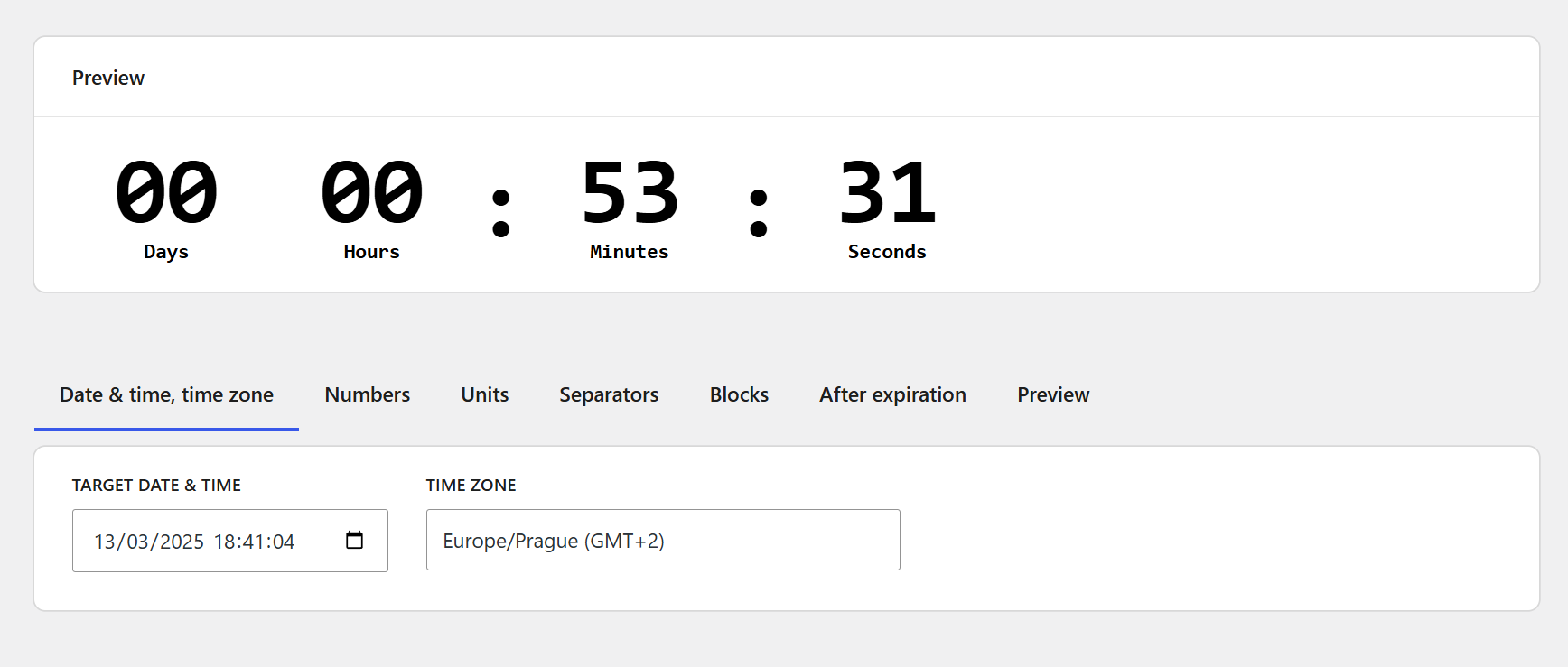
Set date, time, and timezone – Easily configure the countdown target time.
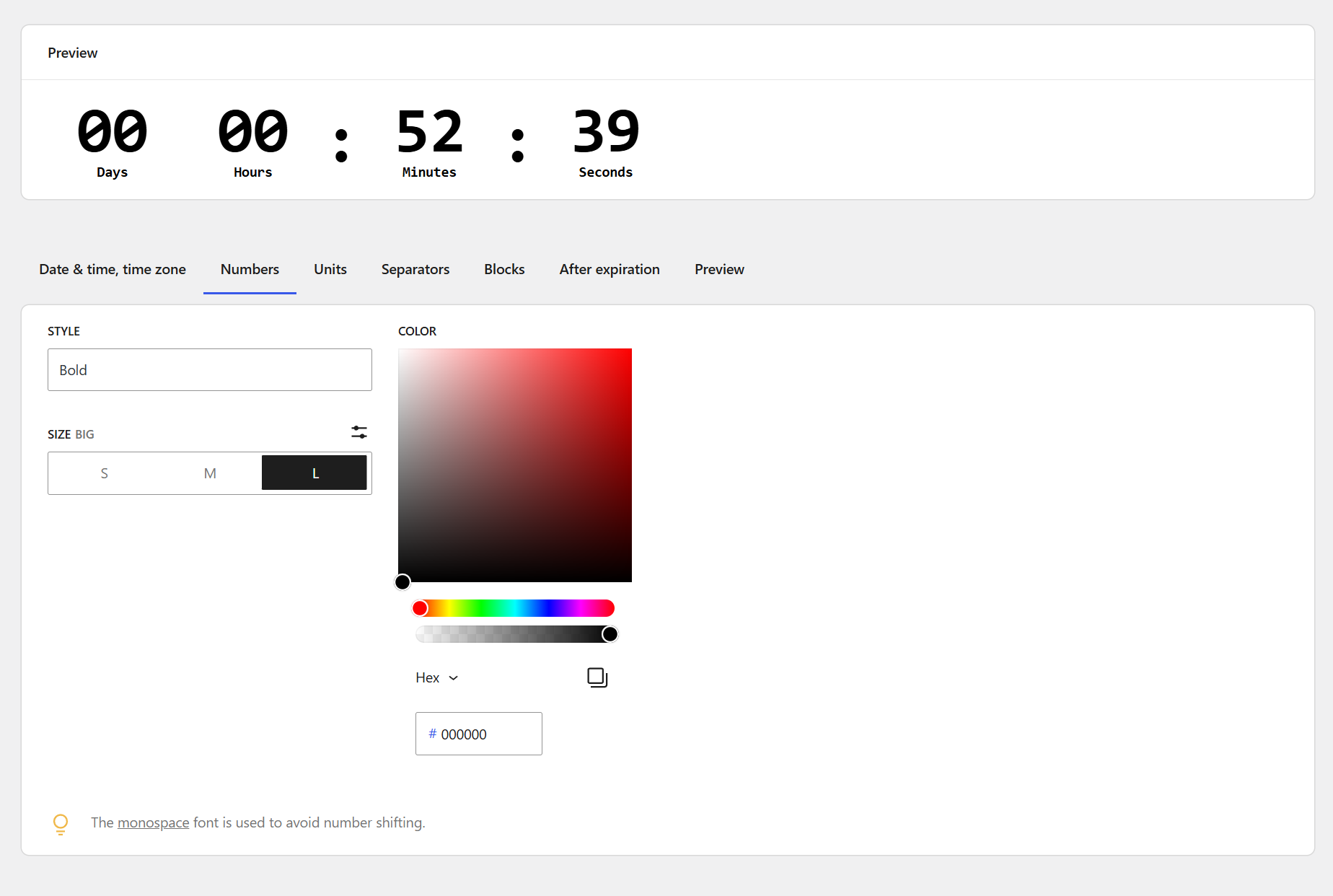
Customize number appearance – Adjust font styles, sizes, and colors for numbers.
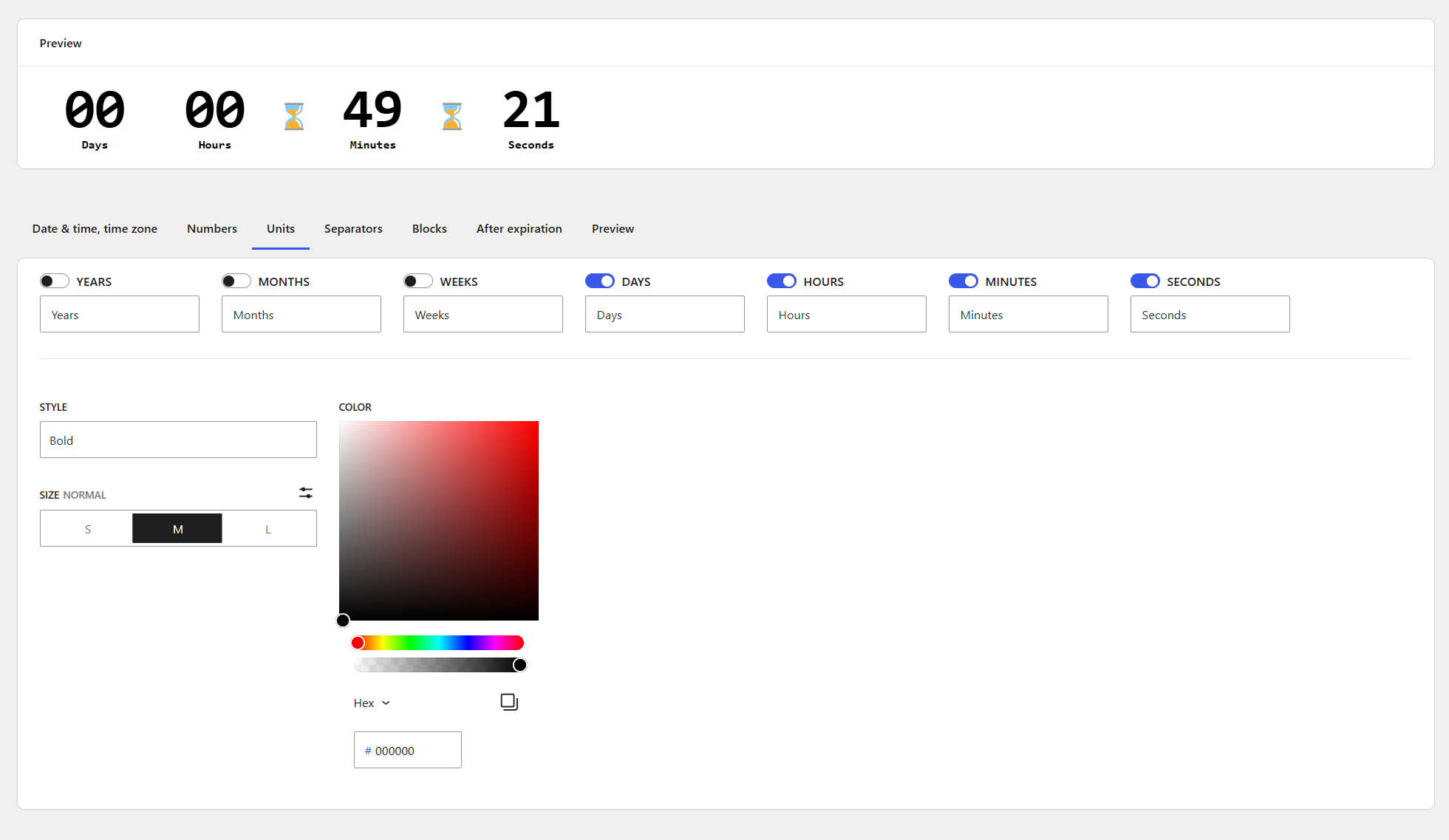
Control unit display – Choose which time units (years, months, days, etc.) to show.
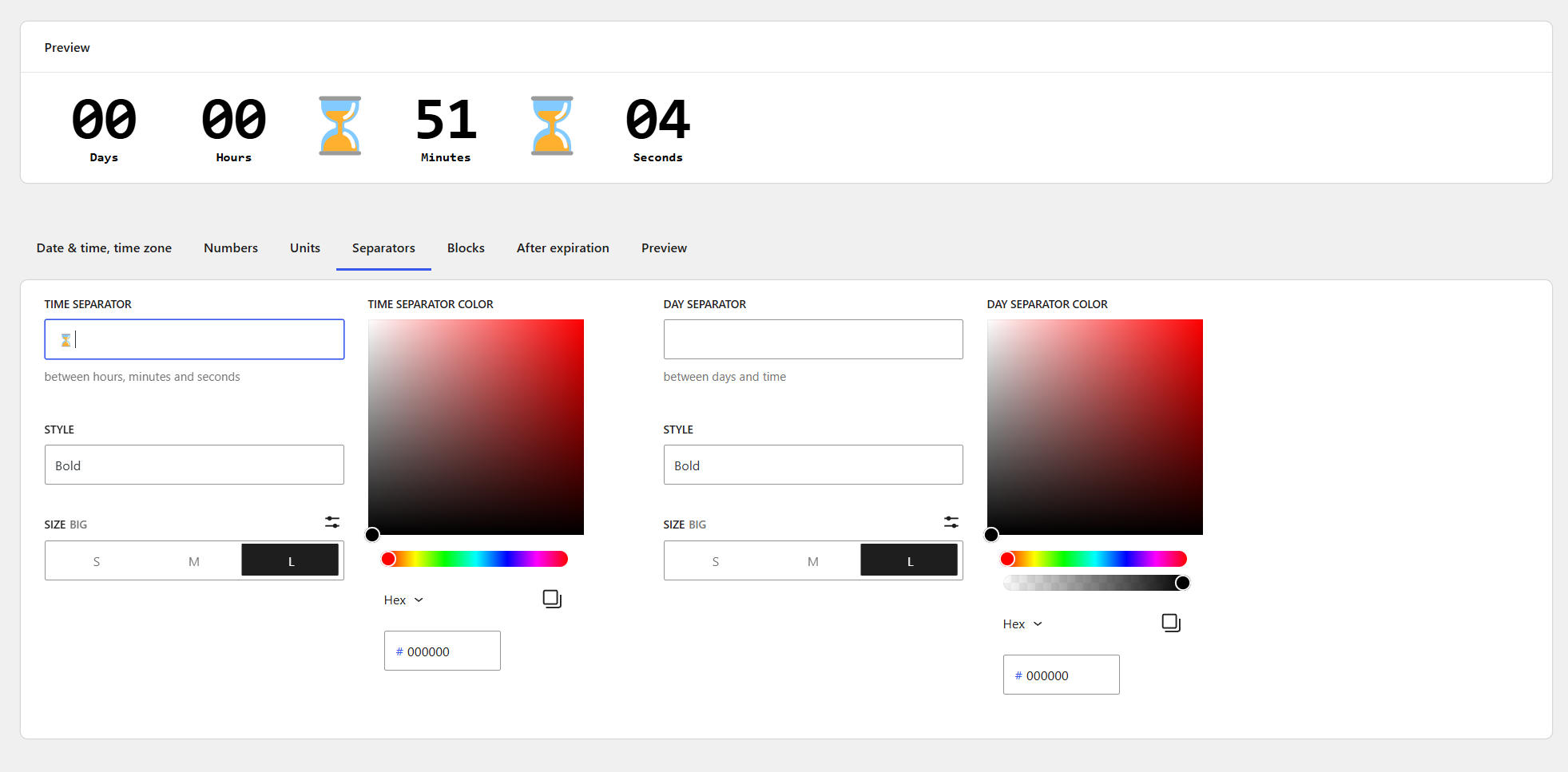
Modify separators – Customize how the countdown sections are visually divided.
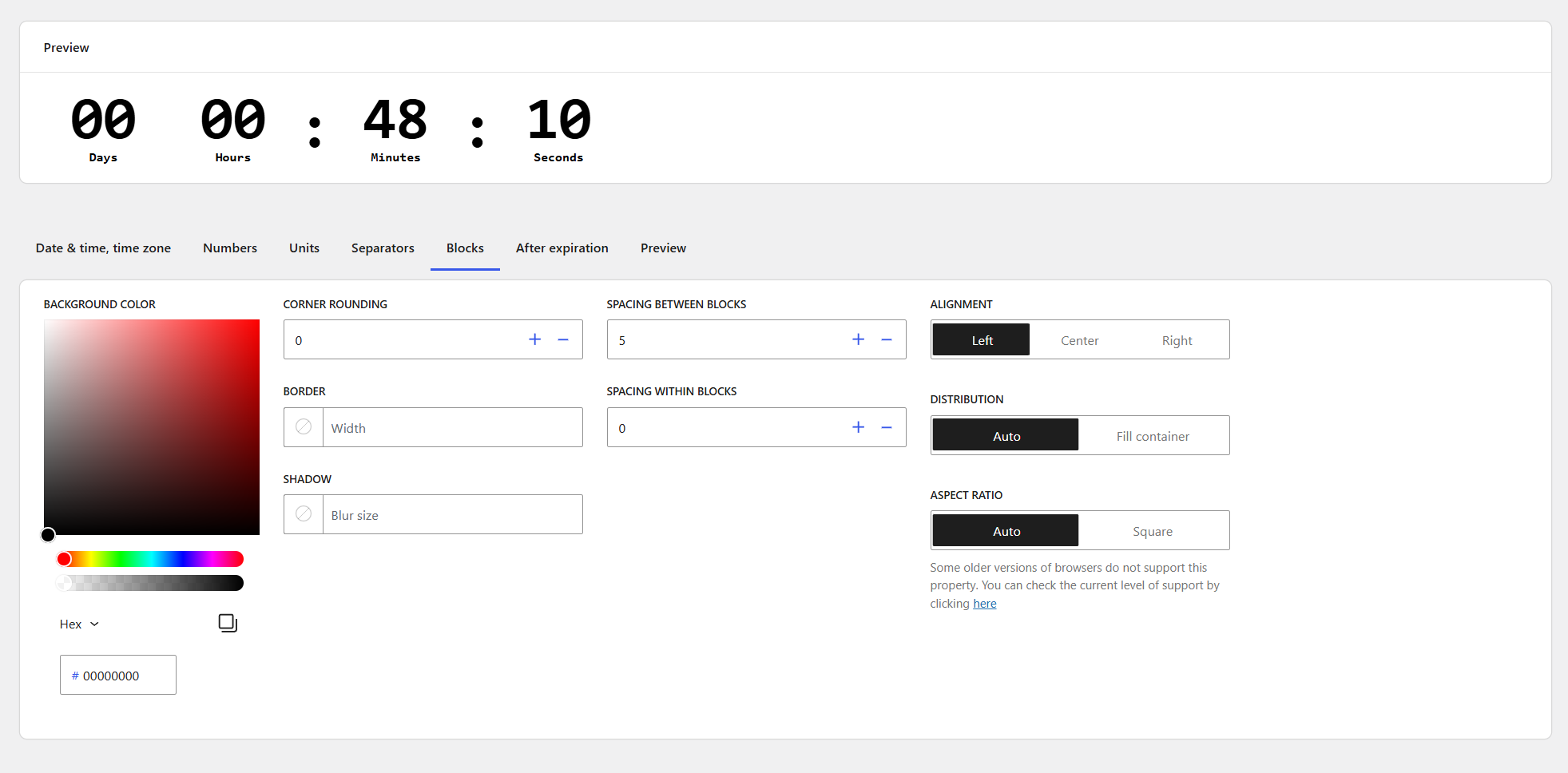
Style countdown blocks – Fine-tune padding, background, borders, and alignment.
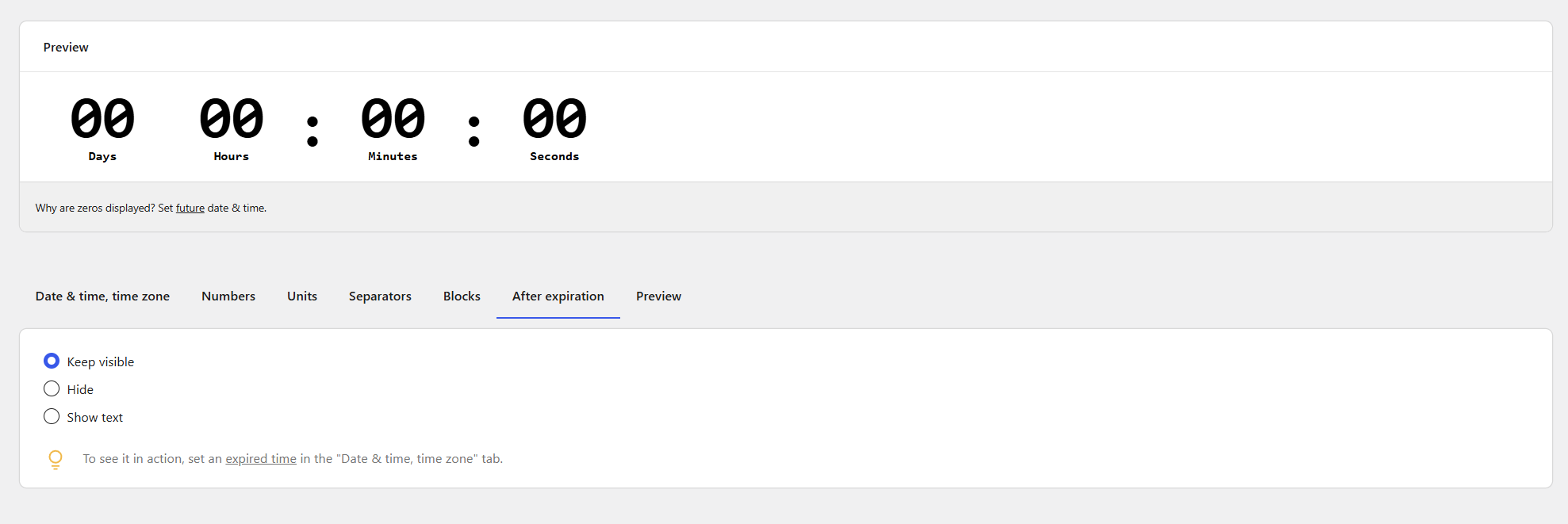
Set post-expiration display – Define what happens when the countdown reaches zero.
Changelog
1.0.0
- Initial release.