

Easy Mega Menu Plugin for WordPress – ThemeHunk
Free, fast, and user-friendly mega menu plugin for WordPress & WooCommerce. Add pages, posts, widgets, products, text, and custom links effortlessly.
Plugin info
Maintenance & Compatibility
Maintenance score
Stale • Last updated 281 days ago
Is Easy Mega Menu Plugin for WordPress – ThemeHunk abandoned?
Likely maintained (last update 281 days ago).
Compatibility
Similar & Alternatives
Explore plugins with similar tags, and compare key metrics like downloads, ratings, updates, support, and WP/PHP compatibility.
Description
ThemeHunk Megamenu Plus
Looking to enhance your WordPress menu? ThemeHunk Megamenu is your go-to plugin! This free, lightning-fast solution offers complete styling options for both normal and mega menus. Whether you’re adding pages, posts, widgets, products, text, or custom links, this plugin has you covered. Perfect for various website types including shops, agencies, blogs, and magazines, ThemeHunk Megamenu ensures your menu stands out while maintaining functionality. This is an easy-to-use responsive drop-down menu builder. You can add background images and colour separately for each menu. Elevate your site’s navigation effortlessly with ThemeHunk Megamenu!
Key Features:-
- Drag and Drop Mega Menu Builder.
- 150+ Free Icon Collections.
- 100% Responsive for All Devices.
- Styling Options for the Default Menu.
- Styling Options for Megamenu.
- Display menu using Automatic Integration, Block, Widget or Shortcode.
- Support page, post, widgets, products, text and custom link in the mega menu.
- Unlimited row and column builder.
Installation
- Upload the
themehunk-megamenu.zipto the/wp-content/plugins/directory - Activate the plugin through the ‘Plugins’ menu in WordPress
- Get started from Dashboard > Megamenu-plus
Frequently Asked Questions
Just upload the themehunk-megamenu-plus.zip to the /wp-content/plugins/ directory, and then activate it from ‘Plugins’ menu in WordPress.
Review feed
Screenshots
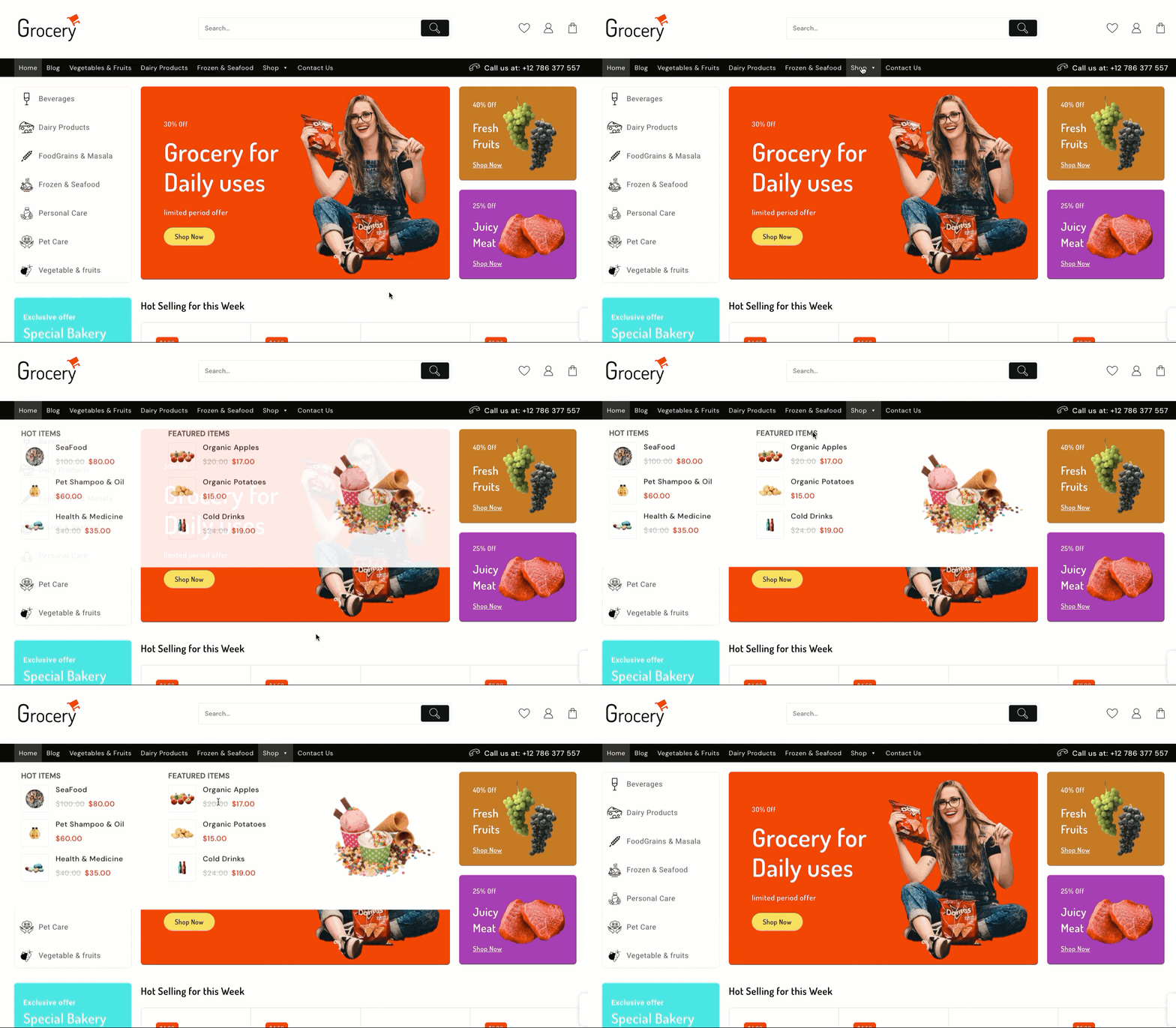
Drag & Drop Modules
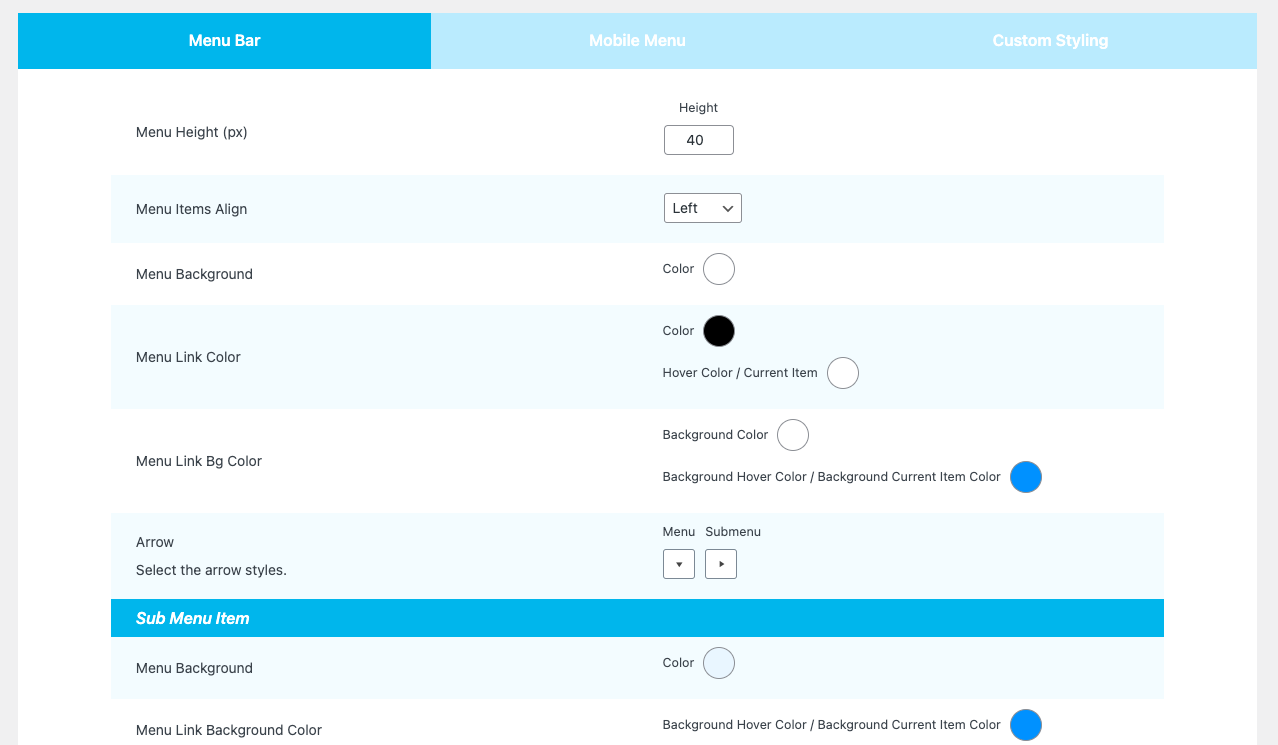
Default menu styling

Background Styling

Changelog
1.1.2
- Update : Dashicon Enque.
1.1.1
- Fix : nonce issue fix.
1.1.0
- Fix : nonce issue fix.
- Style: style issue fixed.
1.0.9
- Fix : Ajax issue fix.
- Update: Tested With WordPress 6.4
1.0.8
- Tested With WordPress 6.1
1.0.7
- Notify Updated.
1.0.6
- Notify iframe added.
1.0.5
- Notify image and text updated.
1.0.4
- Notify issue fixed add.
1.0.3
- Notify Banner add.
1.0.2
- style issue fixed.
1.0.1
- Theme compitable issue fixed.
1.0.0
Initial release