
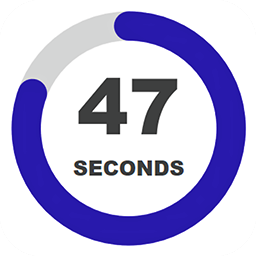
Countdown Timer
Countdown Timer is a 100% free and customizable plugin, which allows you to create countless countdown models that suit the style of your website.
Plugin info
Maintenance & Compatibility
Maintenance score
Possibly abandoned • Last updated 2021 days ago • 3 reviews
Is Countdown Timer abandoned?
Possibly abandoned (last update 2021 days ago).
Compatibility
Similar & Alternatives
Explore plugins with similar tags, and compare key metrics like downloads, ratings, updates, support, and WP/PHP compatibility.
Description
The Countdown Timer Plugin is a 100% free and 100% customizable plugin, it will allow you to create different countdown models for your website. You can customize a number of parameters in order to make the plugin look exactly the way you want; you will also have the option of adding to the Timer the visual effect of circles in different versions.
The Countdown Timer plugin has 8 timer templates by default, so you can load and customize them at your will, you can also create your own template from scratch.
You must enter the target date and time and the Timer Countdown plugin will automatically calculate the remaining time and display it on the pages of your website that has the [timer-countdown] shortcode. You will be able to display the remaining time in years, months, days, hours, minutes, and seconds; or any configuration you decide. The remaining time will be calculated taking into account the time of your WordPress installation and not the local time of each connected user. In that way when the count reaches zero, it will reach zero for all users at the same time, regardless of where in the world they are.
Features
- Linear and circular Timer
- 100% customizable
- 100% free
- Save/Load Timers
- 8 default timer templates
- Font Options (Family, weight, color, etc)
- Hide on mobile option
- Individual and Global Options
- Box Shadow Effect
- Border Radius Effect
- Flash and Smooth backwards (Circles)
- Square and round Stroke (Circles)
- Stroke Width (Circles)
- Smooth and ticks transition (Circles)
- Side by side and vertical position
- Goal Message option
- Hide timer on goal option
How to use it
Just copy and paste the [timer-countdown] shortcode into the pages of your website > where you want the timer to be displayed.
Installation
- Upload the plugin folder ‘TimerCountDown’ to the ‘/wp-content/plugins/’ directory, or install the plugin through the WordPress plugins screen directly.
- Activate the plugin through the ‘Plugins’ screen in WordPress
Frequently Asked Questions
Does the plugin uses my local time to calculate the remaining time?
NO, it uses your wordpress installation time (which could be the sames as your local time).
Is there is unavailable options that I can’t access unless I pay?
NO, the plugin is 100% free, have fun with it 😉
Can I hide the “years” and “months” label from the timer
Yes, I have include more than 120 parameters and options, so you will be able to customize almost everything
Review feed
Screenshots

Set Goal Date and Time (Settings)

Labels (Settings)

Text Options (Settings)

Load/Save Timers (Settings)

Timer1 (Frontend)

Timer2 (Frontend)

Timer3 (Frontend)

Timer4 (Frontend)

Timer5 (Frontend)

Timer6 (Frontend)

Timer7 (Frontend)

Timer8 (Frontend)
Changelog
1.0
- Initial release.