

Tockify Events Calendar
Tockify Calendar is a modern attractive website calendar. Beautiful. Intuitive. Super-Customizable. Lightning Fast.
Plugin info
Maintenance & Compatibility
Maintenance score
Maintained • Last updated 116 days ago • 18 reviews
Is Tockify Events Calendar abandoned?
Likely maintained (last update 116 days ago).
Compatibility
Similar & Alternatives
Explore plugins with similar tags, and compare key metrics like downloads, ratings, updates, support, and WP/PHP compatibility.
Description
WordPress 5 and 6 Notice
WordPress 5 and 6 users should only use Tockify Plugin version 2.0.1 or later – preferably the latest version.
About Tockify Calendar
Tockify Calendar is a modern attractive web calendar with an engaging and easy to use design that’s perfect for the desktop and mobile web. It’s image rich, lightning fast, highly customizable and blends seamlessly into any site. Our simple yet powerful editor makes creating and managing events a joy.
As well as the main calendar there’s a mini-calendar that’s been carefully designed to work well in small spaces like a sidebar.
The Tockify WordPress plugin provides a WordPress shortcode and Widget that makes it easy to add your Tockify calendar to any WordPress site.
We also provide a Tockify Block for visual editing with WordPress 5.
This plugin can be used with both the free and the subscription editions of Tockify Calendar.
Tockify Calendar Features
- Month, Agenda and Pinboard style layouts.
- Attractive Mini Calendar widget that’s great for sidebars and other small spaces.
- Highly customizable appearance.
- Live sync with Google Calendar.
- Social sharing to Facebook, Twitter etc.
- Ticket/Call To Action buttons.
- Embed Video from YouTube, Vimeo or Facebook.
- Customizable RSVP forms.
- Accept and approve community submitted events.
- Simple, powerful editor with complex repeating events support and built in image cropping.
- Built in tag and text based search.
- Built in maps and directions.
- iCalendar support so people can subscribe with, for example, their phone’s built in calendar.
- Continuous calendar backup.
-
Blends seamlessly into your site. Probably the world’s least widgetty widget.
Language Support
With the help of our community we’ve been able to make Tockify available in these languages:
- French
- German
- Spanish
- Portuguese
- Dutch
- Danish
- Swedish
- Norwegian
- Polish
- Italian
- Finnish
- Czech
- Slovak
- Slovenian
- Romanian
- Russian
- Turkish
- Greek
- Arabic
- Persian
- Chinese (traditional)
- Hebrew
- Welsh
- Korean
- Catalan
- Icelandic
- Galacian
- Faroese
If your language isn’t there yet and you’d like to help just contact us at [email protected] and together we’ll make it happen.
Installation
This plugin lets you add a Tockify Calendar to your WordPress site so you’ll need a (free) Tockify Calendars account before you start. You can get one from the Tockify Website.
The easiest way to install the Tockify Calendar plugin is to log in to your WordPress dashboard, go to Plugins >> Add New, search for Tockify Calendar, and click to install. You can also download the zip file from this page and upload it from the Plugins >> Add New > Upload page.
More information and details about how to use the Tockify plugin and shortcode are on the Tockify Website’s WordPress Page
Frequently Asked Questions
- Docs page on the Tockify Calendars website.
- FAQ page on the Tockify Calendars website.
- Tockify For WordPress page on the Tockify Calendars website.
- You can also contact support@tockify.com – we’re quick to respond!
Review feed
Screenshots

Pinboard style calendar.
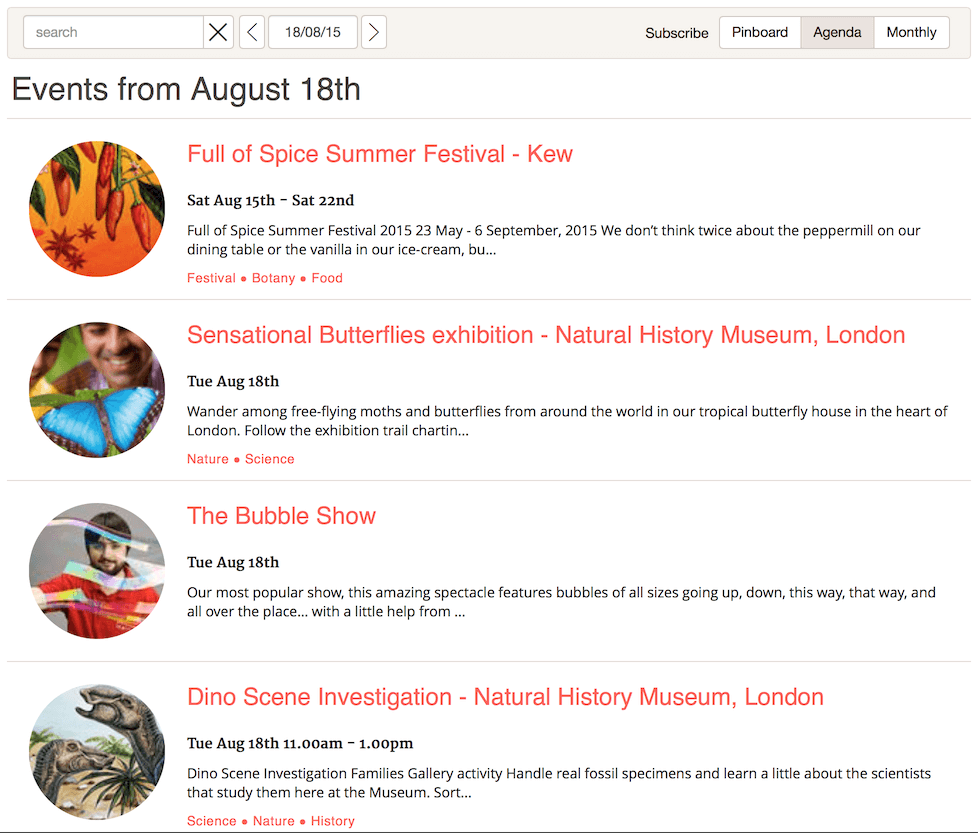
Agenda/List style calendar.
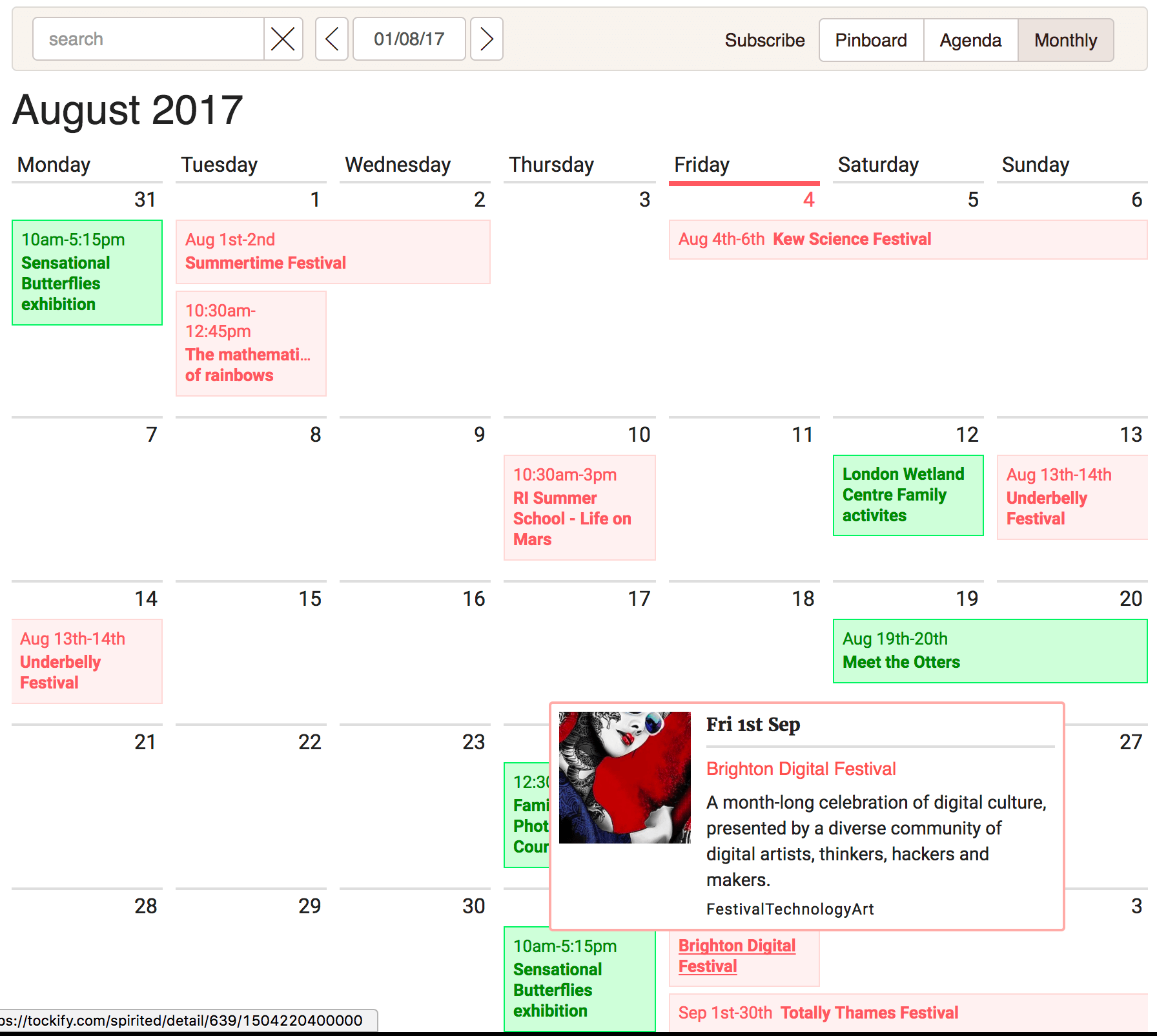
Month grid style calendar.

Event Details page.

Mini Calendar widget for sidebars and small spaces.
Changelog
2.3.1
- Tested with WordPress 6.9
2.3.0
- Tested with WordPress 6.8
- Added extra validation for shortcode and block attributes to remove malicious values
2.2.13
- Tested with WordPress 6.7.1
2.2.12
- Tested with WordPress 6.6.2
2.2.11
- Tested with WordPress 6.5.2
2.2.10
- Tested with WordPress 6.4.1
2.2.9
- Tested with WordPress 6.3
2.2.8
- Tested with WordPress 6.2.2
2.2.7
- Tested with WordPress 6.1
2.2.6
- Tested with WordPress 6.0.2
- Updated some JS dependencies
2.2.5
- Tested with WordPress 6.0.1
- Updated some JS dependencies
2.2.4
- Tested with WordPress 5.9.3
2.2.3
- Fixed backwards compatibility with WP 5.1
2.2.2
- Tested with WordPress 5.8.1
2.2.1
- Tested with WordPress 5.7
2.2.0
- Tested with WordPress 5.6
- Updated third party js libs used in Tockify visual block
2.1.5
- Tested with WordPress 5.5
2.1.4
- Tested with WordPress 5.4
2.1.3
- Tested with WordPress 5.3
2.1.2
- Safer initialization code to deal with rare race in debug mode
- Tested with WordPress 5.2.1
2.1.1
- Tested with WordPress 5.2
2.1.0
- Tested with WordPress 5.1.1
- Provide dropdown list of user’s calendars
- Added tag filter support to block editor
- Support all embed code attributes
- Added maximum events to show to mini calendar
2.0.6
- Tested with WordPress 5.0.3
- Added tag filter support to widget
2.0.5
- Tested with WordPress 5.0.1
2.0.4
- README changes
2.0.3
- Keep notice for WordPress 5 users to top of README
2.0.2
- Added notice for WordPress 5 users to top of README
2.0.1
- Critical Fix for removed wp_get_jed_locale_data function
- First WordPress 5 compatible version. Everyone using WordPress 5 should upgrade
2.0.0
- Gutenberg Editor Block for visual management of the calendar in the WordPress Editor
- Removed unused custom menu
- Note: Not yet compatible with WordPress 5
1.3.14
- Brazilian timezone fixes
1.3.13
- Fixed typos in docs
1.3.12
- Tested with WordPress 4.9.8
1.3.11
- Added Video Embedding
1.3.10
- Tested with WordPress 4.9.7
1.3.9
- Added Persian Language Support
1.3.8
- Tested with 4.9.6
1.3.7
- Added Turkish Language Support
1.3.6
- Added Slovenian Language Support
1.3.5
- Fix for WordPress 3.x users
1.3.4
- Tested with 4.9.5
1.3.3
- Added Romanian Language Support
1.3.2
- Added Slovak Language Support
1.3.1
- Added Finnish Language Support
1.3.0
- Added new languages, named themes for sharing between calendars and address book
1.2.23
- Added Customizable RSVP Forms
1.2.22
- Tested with WordPress 4.9.4
1.2.21
- Tested with WordPress 4.9.1
- recreates calendar if a theme with pushState based navigation removes it from the DOM
1.2.20
- Tested with WordPress 4.8.1
- Updated Month view screenshot
1.2.19
- Added Icelandic language support
1.2.18
- Added Arabic language support
1.2.17
- Tested with WordPress 4.8
1.2.16
- Tested with WordPress 4.7.3
- Added ability to make script load asynchronously
1.2.15
- Tested with WordPress 4.7.2
- Added data-cfasync=”false” attribute to script to stop Cloudflare caching
1.2.14
- Tested with WordPress 4.7
1.2.13
- Tested with WordPress 4.6
1.2.12
- Tested with WordPress 4.5.3
1.2.11
- Added Chinese (Traditional) language support
1.2.10
- Changed description to make it clear that there are free and subscription versions of Tockify Calendar
1.2.9
- Tested with WordPress 4.5.2
1.2.8
- Tested with WordPress 4.5.1
1.2.7
- Added Korean language support
1.2.6
- Updated compatibility to indicate support for WordPress 4.5
1.2.5
- Added Welsh language support
1.2.4
- Fixed a problem where some themes were preventing the calendar from loading when using pushState transitions
1.2.3
- Added Russian language support
1.2.2
- Added Polish language support
1.2.1
- Added Czech language support
1.2
- WordPress 4.4 compatible
- Google Calendar Synchronization
- Support for embedding the mini events calendar using the shortcode
1.1.1
- Fixed bad commit
1.1
- Added Mini Calendar Widget
1.0.7
- Added Faroese
1.0.6
- Added 10 languages
1.0.5
- Minor docs improvements
- Tested with WordPress 4.3.1
1.0.4
- Added settings page
- Tested with WordPress 4.3
1.0.3
- Now supports all config attributes
1.0
- This is the beginning