

Maintenance 14/100755d since update
Active installs
10,000
Downloads
184,974
Reviews
16
Age
10.1y
Plugin info
Total downloads: 184,974
Active installs: 10,000
Total reviews: 16
Average rating: 5
Support threads opened: 1
Support threads resolved: 0 (0%)
Available in: 10 language(s)
Contributors: 2
Last updated: 3/9/2024 (755 days ago)
Added to WordPress: 3/11/2016 (10 years old)
Minimum WordPress version: 4.9
Tested up to WordPress version: 6.5.7
Minimum PHP version: 7.0
Maintenance & Compatibility
Maintenance score
Possibly abandoned • Last updated 755 days ago • Support resolved 0% • 16 reviews
14/100
Is XO Event Calendar abandoned?
Possibly abandoned (last update 755 days ago).
Compatibility
Requires WordPress: 4.9
Tested up to: 6.5.7
Requires PHP: 7.0
Developers
Similar & Alternatives
Explore plugins with similar tags, and compare key metrics like downloads, ratings, updates, support, and WP/PHP compatibility.
Store Vacation for WooCommerce
Rating 4.6/5 (167 reviews) • Active installs 10,000
WP Snow Effect
Rating 4.9/5 (373 reviews) • Active installs 4,000
Availability Calendar
Rating 4.8/5 (5 reviews) • Active installs 1,000
Holiday Mode for WooCommerce
Rating 4.5/5 (4 reviews) • Active installs 700
Christmas Countdown Widget
Rating 5.0/5 (10 reviews) • Active installs 400
Description
XO Event Calendar is a simple event calendar plugin.
Functions
- Adds an event custom post type and taxonomy.
- Supports custom post type template.
- Displays holiday on the calendar.
- Supports WordPress multisite.
Operating environment
The Blocks is available in WordPress version 5.8 and above.
Installation
- Upload the
xo-event-calendarfolder to the/wp-content/plugins/directory. - Activate the plugin through the Plugins menu in WordPress.
Frequently Asked Questions
No FAQ available
Review feed
No reviews available
Screenshots

Event calendar

Simple calendar
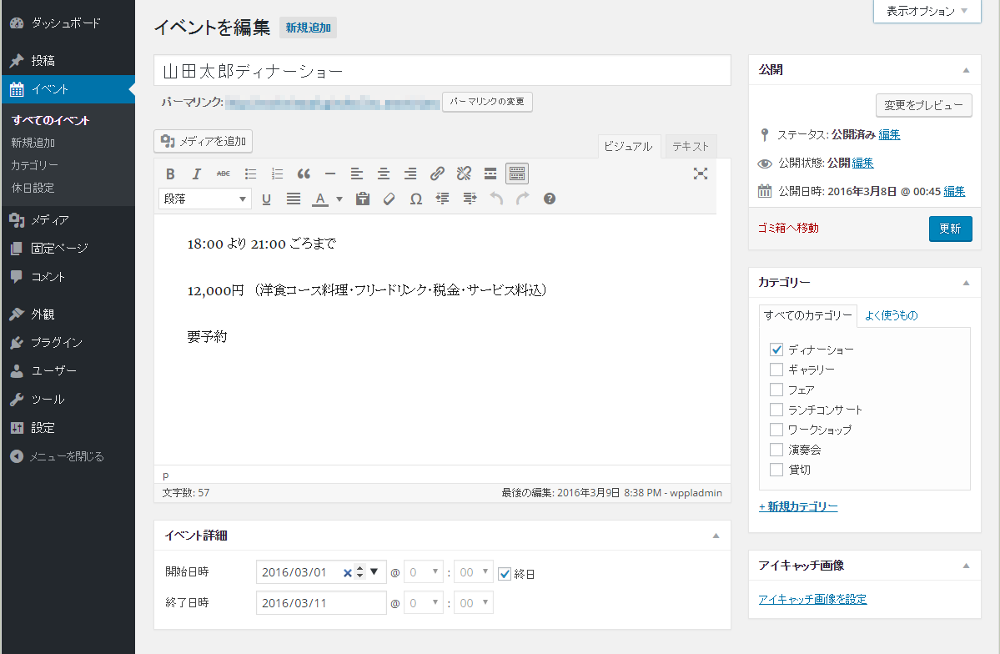
Edit event

Event category

Holidays setting
Changelog
3.2.10
- Supported WordPress 6.5.
- Updated the apiVersion to 3.
3.2.9
- Fixed an issue where non-admin users received an error when setting up a calendar block.
3.2.8
- Fixed XSS vulnerability.
- Adhered WordPress coding standards 3.0.1.
3.2.7
- Fixed a bug in the display of the event calendar when “Specify initial display month” was specified.
3.2.6
- Changed so that columns in the event list on the management screen can be customized.
- Supported WordPress 6.4.
3.2.5
- Fixed a bug in the simple calendar.
3.2.4
- Fixed a bug with monthly feed in multiple months of the calendar.
3.2.3
- Fixed a bug that an error message may be displayed in the calendar widget.
- Supported WordPress 6.3.
3.2.2
- Fixed a bug in
xo_event_calendarshortcode.
3.2.1
- Fixed a bug in the display of the simple calendar.
- Added parameters to
xo_event_fieldshortcode.
3.2.0
- Added
xo_event_fieldshortcode.
3.1.4
- Fixed a bug in the display of events in the calendar.
3.1.3
- Fixed a bug that a block error may occur in the calendar block.
3.1.2
- Fixed a bug that the time was initialized when editing an event post.
3.1.1
- Fixed a bug that caused an error message to appear in versions prior to PHP 7.3.
3.1.0
- Added option not to delete posts and settings data on uninstall.
- Supported WordPress 6.2.
- Bumped minimum PHP version to 7.0.
- Tweaked the CSS.