

TryLoom – Virtual Try On for WooCommerce
The #1 AI-Powered Virtual Dressing Room for WooCommerce. Turn customer selfies into professional fashion model shots instantly.
Plugin info
Maintenance & Compatibility
Maintenance score
Maintained • Last updated 121 days ago
Is TryLoom – Virtual Try On for WooCommerce abandoned?
Likely maintained (last update 121 days ago).
Compatibility
Similar & Alternatives
Explore plugins with similar tags, and compare key metrics like downloads, ratings, updates, support, and WP/PHP compatibility.
Description
GIVE YOUR CUSTOMERS THE “MODEL” EXPERIENCE.
TryLoom is not just a try-on tool; it is an AI Fashion Studio built directly into your WooCommerce store.
Most customers take photos in bad lighting with messy backgrounds (bedrooms, bathrooms, etc.). TryLoom fixes this.
Our advanced Generative AI takes your customer’s photo, dresses them in your product, and transports them into a professional virtual studio.
The result? A high-end, consistent, and beautiful fashion photo that gives them the confidence to buy.
🚀 WHY STORE OWNERS CHOOSE TRYLOOM?
- Zero 3D Models: Works with your standard flat-lay product images. No expensive 3D assets needed.
- Professional Consistency: We automatically replace messy user backgrounds with a clean, high-end studio cyclorama (soft grey/white). Every try-on looks like a pro photoshoot.
- One-Click Setup: Install, connect, and go. No complex configuration or developer knowledge required.
- Boost Confidence: Help customers visualize the “vibe” and style of the product on themselves instantly.
🔥 POWERFUL FEATURES
- 📸 AI Virtual Studio: Our AI automatically removes cluttered backgrounds and generates a professional studio environment with perfect lighting. This ensures your product colors always look accurate, regardless of the user’s original lighting.
- Smart Outfit Logic: Automatically detects if a user needs a full outfit change (e.g., generating matching jeans if a user tries on a hoodie while wearing a dress).
- Fast Cloud Processing: All heavy lifting happens on our secure cloud servers, ensuring your website stays lightning fast.
- Mobile Optimized: A sleek, responsive popup that works perfectly on iPhone and Android devices.
- Fully Customizable: Match your brand! Change button colors, placement, and theme (Light/Dark) directly from the settings.
- Usage Analytics: Track how many customers are using the try-on feature directly from your WordPress dashboard.
🛍️ PERFECT FOR EVERY FASHION STORE
- Apparel Brands: T-shirts, Hoodies, Jackets, Coats.
- Boutiques: Dresses, Skirts, Blouses, Tops.
- Streetwear: Oversized fits, Graphic Tees.
- Accessories: Hats, Caps, Shoes.
💡 SAAS CONNECTION
This plugin acts as a connector to the TryLoom Cloud Platform.
Because AI image generation requires immense computing power, it cannot run directly on your WordPress hosting. Instead, we process images on our specialized cloud GPUs.
* A valid API connection (free or paid) is required for the plugin to function.
* Start for Free: The plugin includes a free tier so you can test the magic immediately. No credit card required for the free trial.
Support
For support, visit ToolTeek Support or open an issue on the WordPress plugin forum.
Privacy
This plugin handles user-uploaded images with care.
Images are processed via a secure API and stored only as configured.
Ensure your site’s privacy policy covers image uploads and processing.
The plugin does not share data with third parties beyond the API used for generation.
External Services (API)
This plugin relies on the TryLoom Cloud API (maintained by ToolTeek) to function.
Because AI image generation requires significant computational resources, it cannot run directly on your WordPress hosting environment. Instead, user images and product data are sent to our secure cloud infrastructure for processing and the result is returned to your site.
- Service: TryLoom Cloud API (hosted on
us-central1-try-on-proxy-by-toolteek.cloudfunctions.net) - Used For: Authenticating the API connection (
/cloudConnection) and performing AI image generation (/fashionTryOn). - Data Sent: Site URL, API credentials, product ID, product image, and the user’s uploaded photo.
- Privacy Policy: https://tryloom.toolteek.com/privacy-policy/
- Terms and Conditions: https://tryloom.toolteek.com/terms-and-conditions/
Credits
Developed by ToolTeek.
Icons from Font Awesome (MIT/SIL OFL/CC BY 4.0 Licensed).
Powered by the TryLoom API.
Installation
- Upload the
tryloomfolder to the/wp-content/plugins/directory. - Activate the plugin through the Plugins menu in WordPress.
- Go to Admin Menu TryLoom to configure the plugin.
- Ensure WooCommerce is installed and active.
- Click “Start for Free” to automatically connect to our cloud service (or enter your Pro key).
Manual Installation
- Download the plugin ZIP file.
- In your WordPress dashboard, go to Plugins Add New Upload Plugin.
- Upload the ZIP file and activate.
Frequently Asked Questions
No! That is the magic of TryLoom. We use Generative AI to interpret your standard 2D product photos (flat lay or mannequin). You do not need expensive 3D assets.
To ensure the best possible lighting and color accuracy for your products, TryLoom automatically places the user in a “Virtual Studio” setting. This removes distracting elements (like messy rooms) and ensures the focus remains 100% on your clothing.
Yes, TryLoom is designed to work with any standard WooCommerce theme. The “Try On” button automatically hooks into the product page. If you have a custom layout, you can use the [tryloom] shortcode to place it anywhere.
Absolutely. The popup interface is fully responsive and designed for a “thumb-friendly” mobile shopping experience.
The plugin is free to download and includes a Free Tier for the API service so you can test it out. For higher volume stores, we offer affordable subscription plans.
Images are stored securely in a protected directory on your server (wp-content/uploads/tryloom/). They are not publicly accessible without authentication. You can disable the ‘Enable Try On History’ option at any time in the dashboard.
Review feed
Screenshots
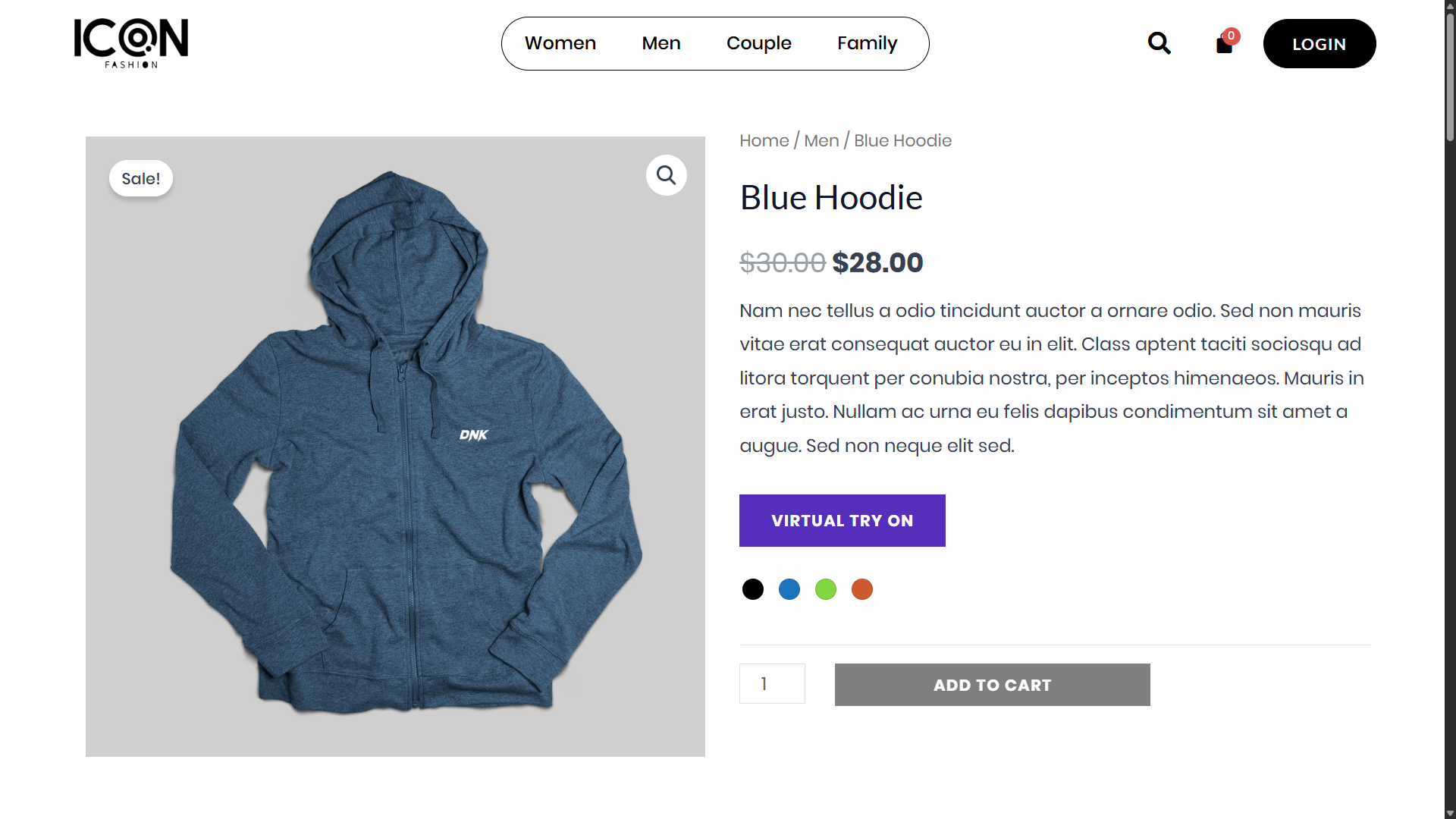
Product Page with Try-On Button – “Try On” button on a WooCommerce product page.
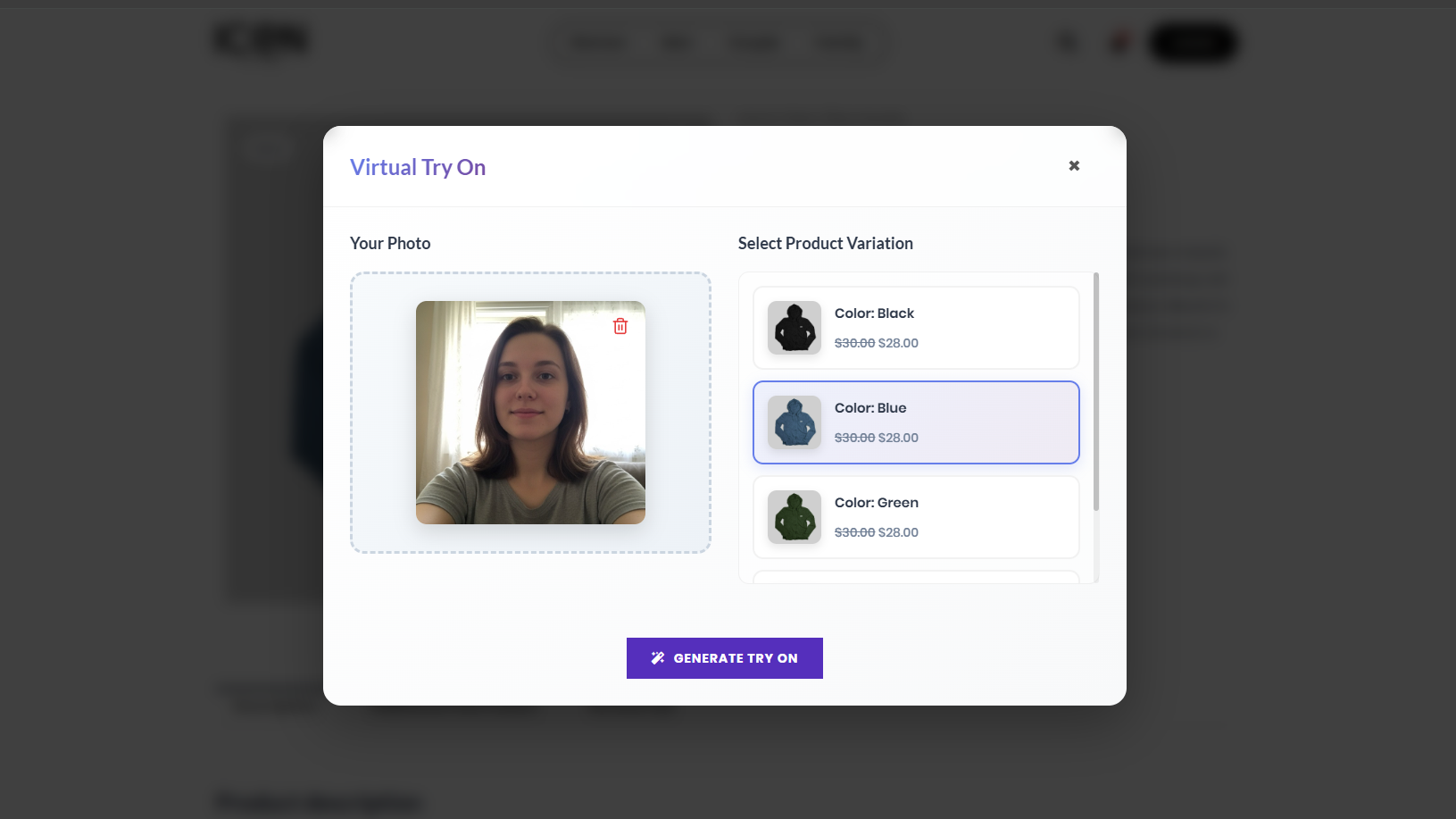
Try-On Popup – User uploads photo and selects variation.
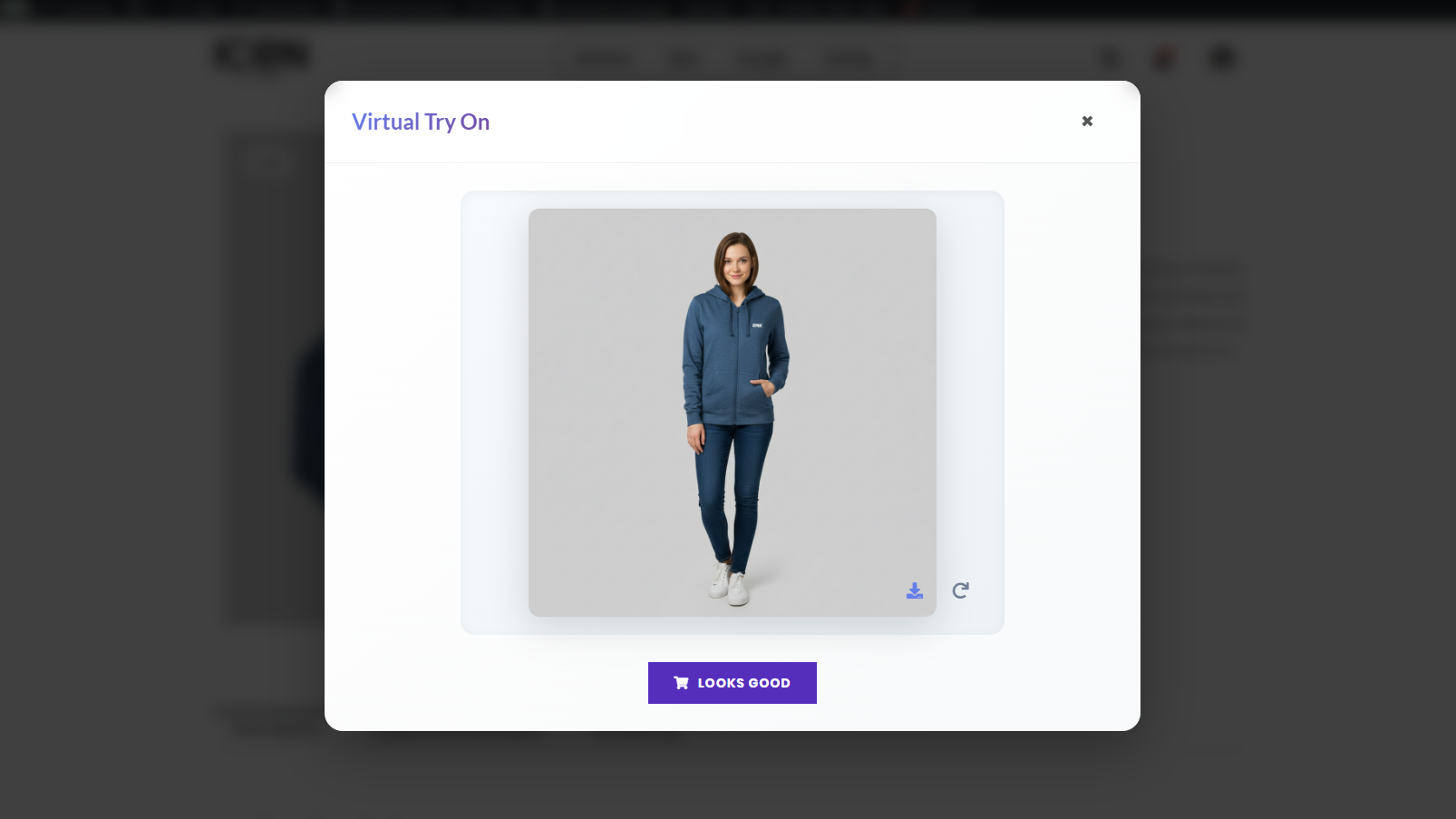
Generated Result – Virtual try-on image with download and retry options.
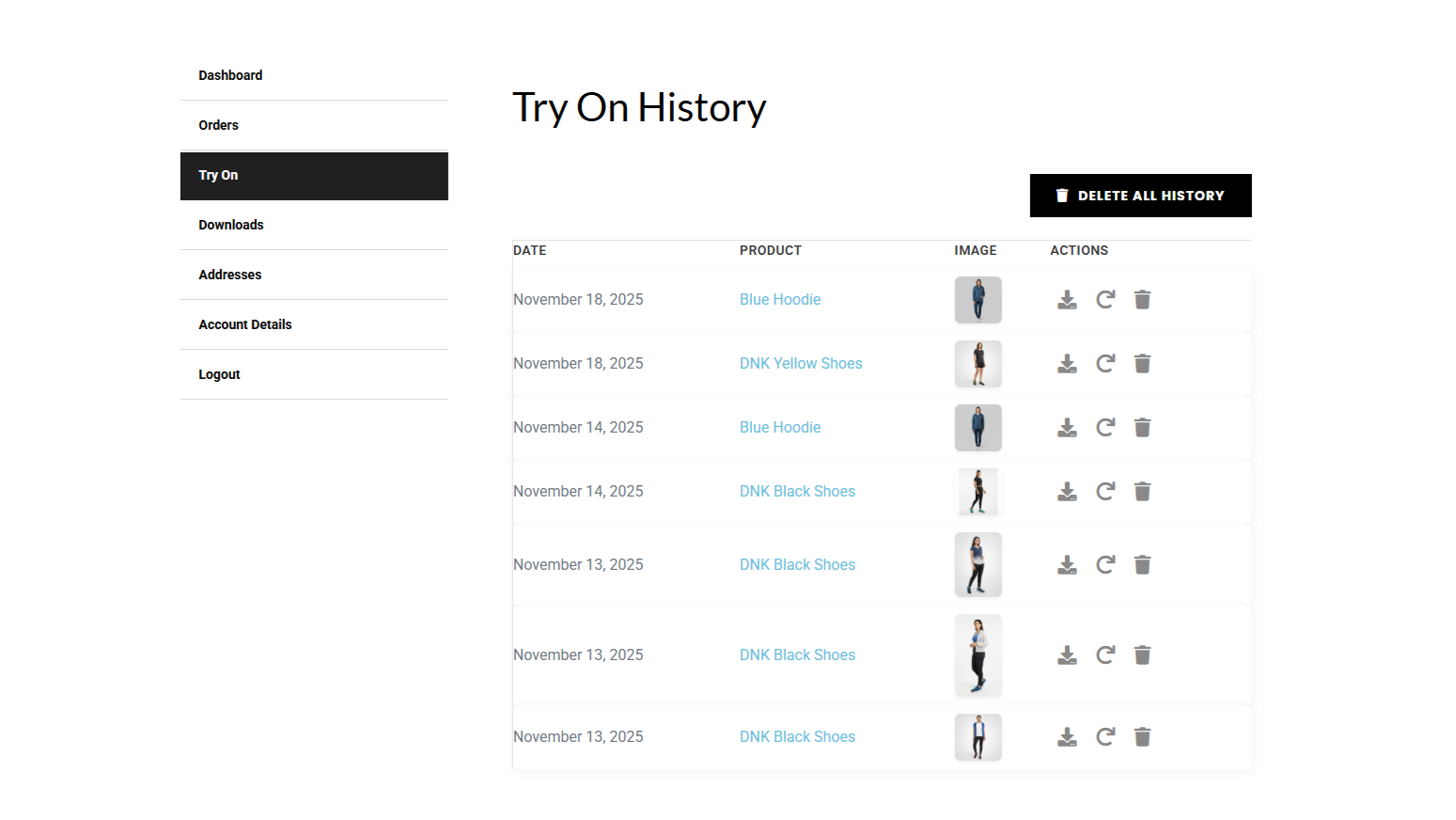
Account Tab – User manages saved photos and history.
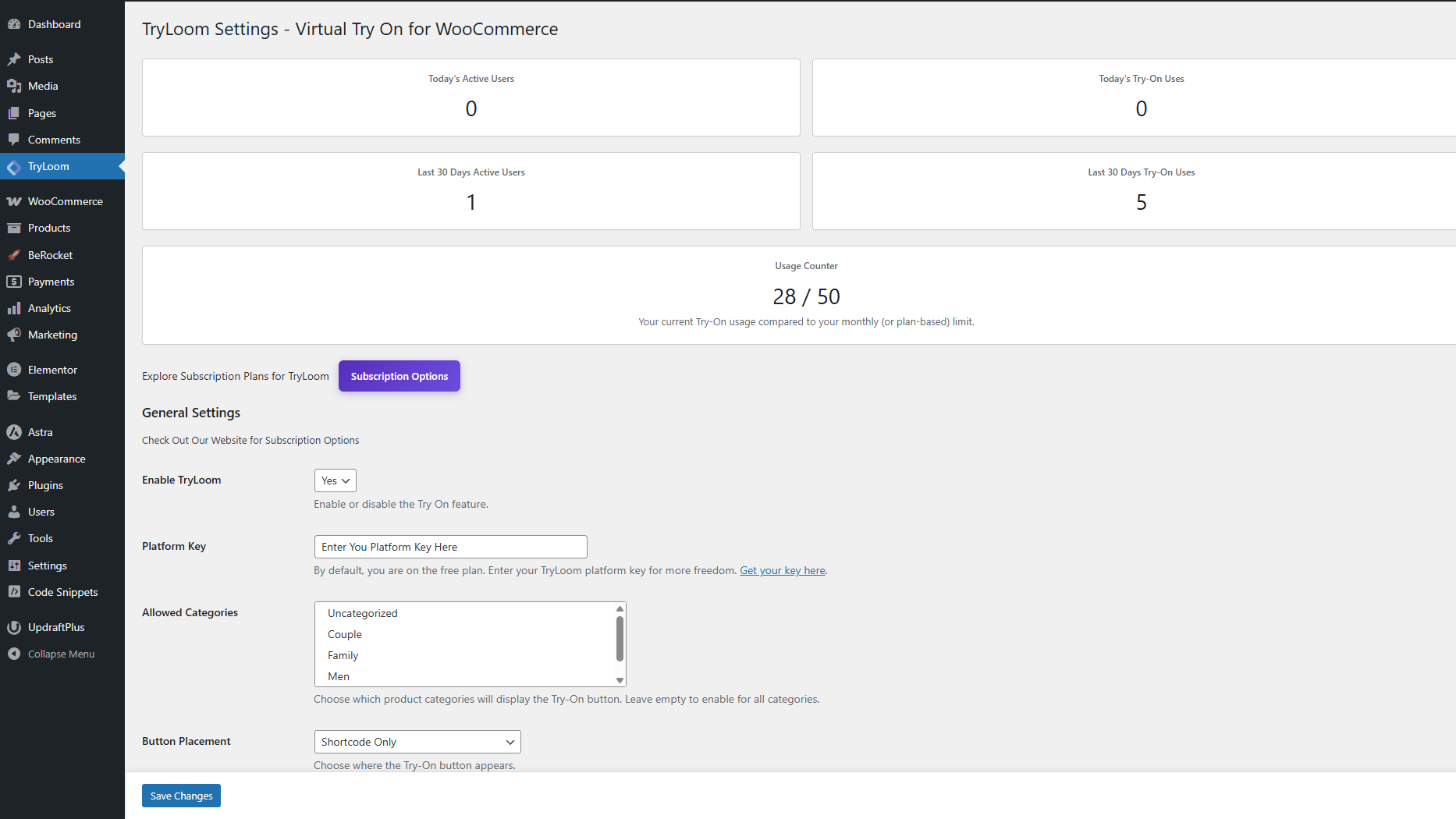
Admin Settings – Configuration options in the WordPress dashboard.
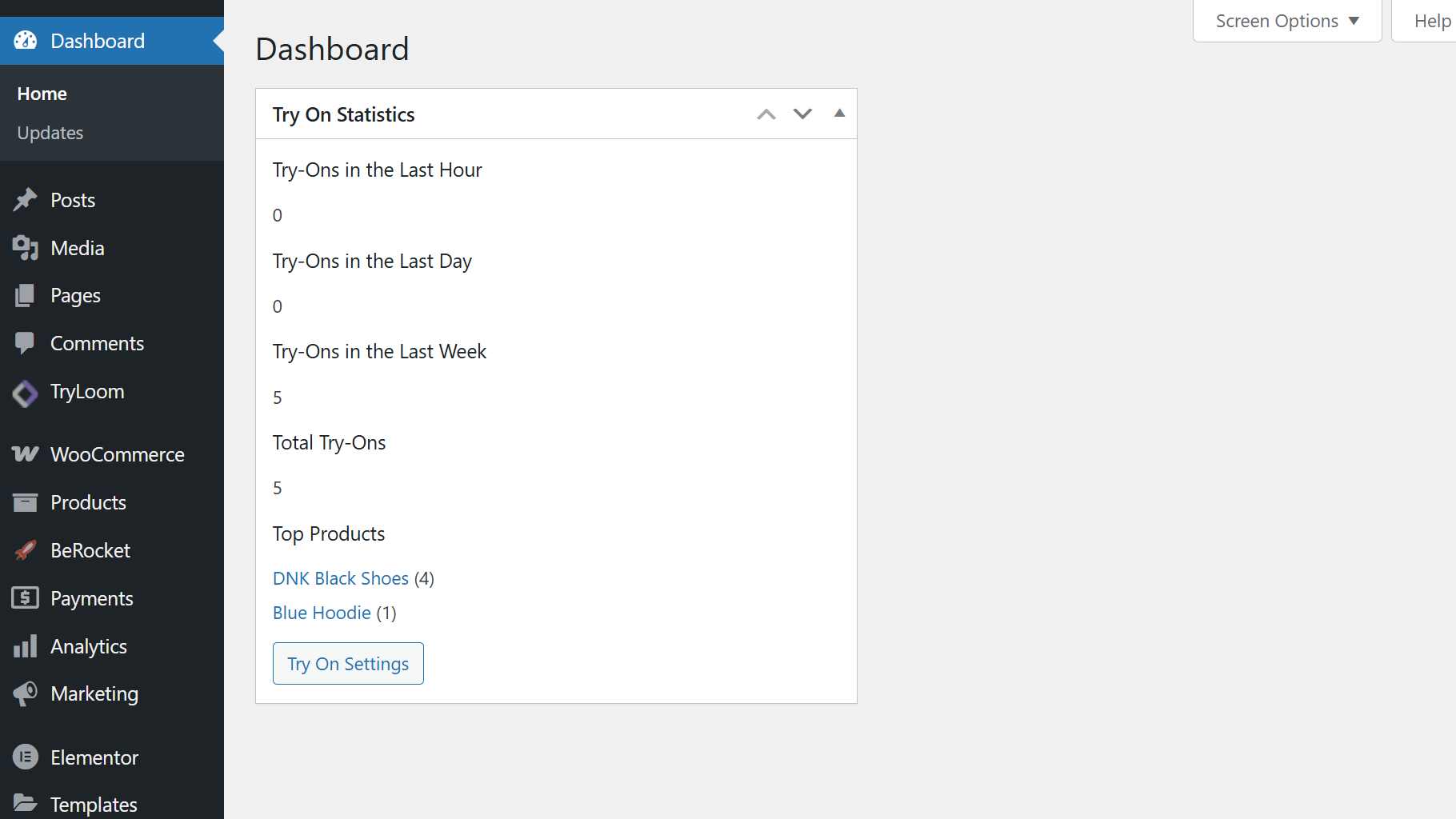
Dashboard Widget – Usage statistics overview.
Changelog
1.0.5
- Fix: Updated external service documentation to match specific API domain.
- Fix: Implemented late escaping for inline styles.
- Fix: Replaced echo with readfile for binary image output.
1.0.4
- Security: Added nonce verification for GET requests (pagination and image protection).
- Security: Fixed file path resolution to use wp_upload_dir() for all server setups.
- Security: Added validation for local file paths before using WP_Filesystem.
- Security: Sanitized custom CSS before adding inline styles.
- Fix: Improved binary image data output with proper documentation.
1.0.3
- Security: Added nonce verification to all AJAX handlers and REST API endpoints.
- Security: Implemented WP_Filesystem for safe file operations and remote requests.
- Fix: Updated filter prefixes to avoid namespace conflicts.
- Fix: Refactored file path resolution logic using WordPress standards.
- Improved: Added detailed documentation for external API services.
1.0.2
- Fixed image loading issues in popup after generation.
- Improved error handling and image fallback mechanisms.
- Removed guest user option from allowed user roles.
1.0.1
- Fixed minor bug in try-on popup.
- Improved image handling.
1.0.0
- Initial release: Core virtual try-on functionality, admin settings, user account integration, and API support.