

TryMyLook Virtual Try-On
AI-powered virtual try-on for WooCommerce. Let customers try on products before they buy.
Plugin info
Maintenance & Compatibility
Maintenance score
Maintained • Last updated 132 days ago
Is TryMyLook Virtual Try-On abandoned?
Likely maintained (last update 132 days ago).
Compatibility
Similar & Alternatives
Explore plugins with similar tags, and compare key metrics like downloads, ratings, updates, support, and WP/PHP compatibility.
Description
Transform your WooCommerce store with TryMyLook’s AI-powered virtual try-on technology. Give your customers the confidence to purchase by showing them exactly how clothing and accessories will look on them.
Key Features
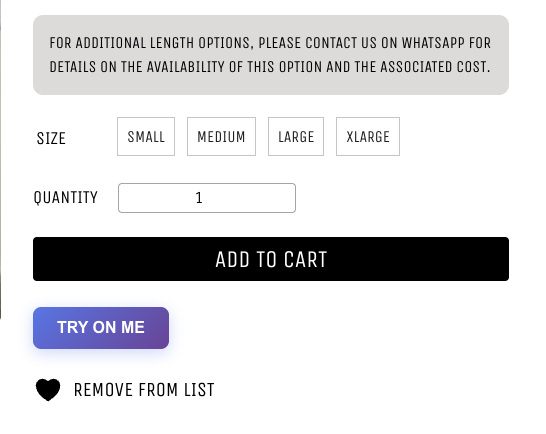
- One-Click Virtual Try-On – Add a beautiful “Try On Me” button to any product page
- Easy Photo Upload – Drag & drop or browse to upload customer photos
- Multiple Product Views – Let customers try on different product angles
- AI-Powered Generation – Advanced AI creates realistic try-on images in 30-60 seconds
- Download Results – Optional feature to let customers save their try-on images
- Fully Customizable – Configure button text and features from WordPress admin
- Mobile Responsive – Works perfectly on all devices and screen sizes
- Secure & Private – All processing happens via secure API, no data stored
How It Works
- Customer clicks “Try On Me” on a product page
- Uploads their photo (drag & drop or file browser)
- Selects which product image/angle to try on
- Clicks “Generate” and waits 30-60 seconds
- Views realistic try-on result
- Optional: Downloads the image for later
Perfect For
- Fashion & Apparel Stores
- Jewelry & Accessories
- Eyewear & Sunglasses
- Hats & Headwear
- Any wearable products
Requirements
- Active WooCommerce installation
- TryMyLook API key (sign up at https://trymylook.app)
Technical Details
API Integration
The plugin communicates with TryMyLook’s REST API:
* POST /api/v1/wordpress/generate – Submit try-on request
* GET /api/v1/wordpress/status/{id} – Check generation status
Browser Support
- Chrome/Edge (latest)
- Firefox (latest)
- Safari (latest)
- Mobile browsers (iOS Safari, Chrome Mobile)
Performance
- Minimal JS/CSS footprint
- Only loads on WooCommerce product pages
- Async processing – doesn’t block page load
- Optimized for mobile networks
Security
- API key stored securely in WordPress options
- AJAX requests protected with WordPress nonces
- File upload validation and size limits
- Secure HTTPS communication with API
Support
For support, documentation, or feature requests:
* Visit: https://trymylook.app/docs
* Email: [email protected]
Privacy
This plugin connects to TryMyLook’s external API service to generate virtual try-on images. When customers use the try-on feature:
* Their uploaded photo is sent to TryMyLook’s servers
* The photo is processed to generate a try-on image
* Photos are not permanently stored
* No personal information is collected beyond the image
For more details, see TryMyLook’s privacy policy at https://trymylook.app/privacy
Installation
Automatic Installation
- Go to Plugins Add New
- Search for “TryMyLook Virtual Try-On”
- Click “Install Now” and then “Activate”
- Go to Settings TryMyLook to configure
Manual Installation
- Download the plugin ZIP file
- Go to Plugins Add New Upload Plugin
- Choose the ZIP file and click “Install Now”
- Activate the plugin
- Go to Settings TryMyLook to configure
After Installation
- Sign up at https://trymylook.app to get your API key
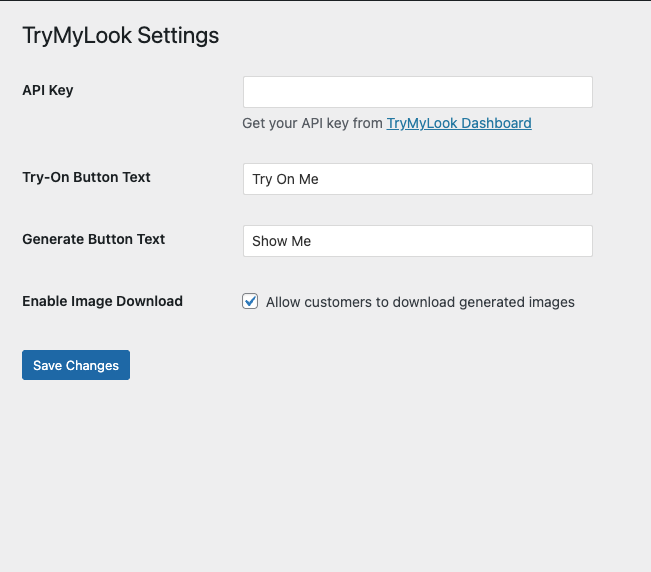
- Go to WordPress Admin Settings TryMyLook
- Enter your API key
- Customize button text (optional)
- Enable/disable download button
- Save changes
- Visit any product page to see the “Try On Me” button
Frequently Asked Questions
Yes, you need to sign up at https://trymylook.app to get an API key. The plugin communicates with TryMyLook’s AI service to generate virtual try-on images.
The plugin itself is free, but you need a TryMyLook subscription for the AI processing. Visit https://trymylook.app/pricing for current plans.
The plugin supports JPEG, PNG, and WebP images. Maximum file size is 10MB per image.
Typically 30-60 seconds depending on image size and current server load. The plugin shows a loading indicator while processing.
Yes! You can enable the download button in the plugin settings (Settings TryMyLook).
Absolutely! The plugin is fully responsive and works great on phones, tablets, and desktops.
No, the plugin only loads its resources on product pages and the processing happens on TryMyLook’s servers, not yours.
Yes, you can customize the button text in the settings. For advanced styling, you can add custom CSS to your theme.
The plugin shows clear error messages if something goes wrong. Common issues:
– Invalid API key (check your settings)
– Poor quality images (use clear, well-lit photos)
– Generation limit reached (upgrade your plan)
Customer photos are only used for generating the try-on image and are not permanently stored by TryMyLook.
Review feed
Screenshots
"Try On Me" button on product page
Modal with photo upload interface
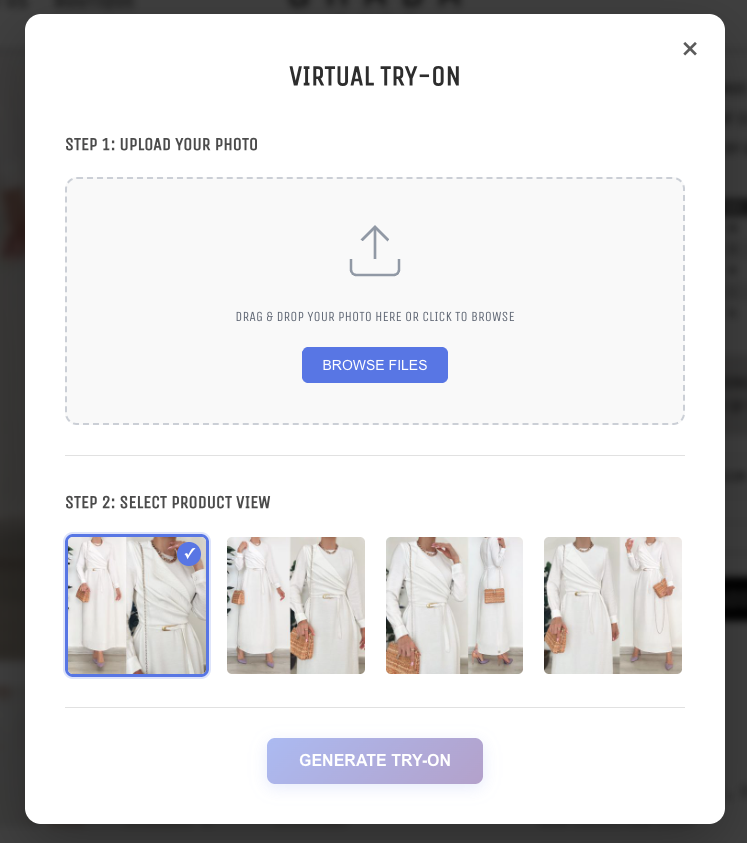
Product image selection
Changelog
1.0.3
- Fixed: File upload dialog no longer opens twice when clicking Browse Files button
- Updated: Text domain changed to ‘trymylook-virtual-try-on’ for WordPress.org compliance
- Updated: All translation functions now use proper escaping (esc_html_e)
- Removed: Deprecated load_plugin_textdomain() call (WordPress.org handles this automatically)
- Security: Improved input sanitization with wp_unslash() for POST variables
- Security: Enhanced file upload validation and sanitization
1.0.2
- Fixed: Now sends full-size product images instead of thumbnails to the API
- Improved: Added fallback logic to get the highest quality image available
- Improved: Added console logging for debugging image URLs
- Enhancement: Better compatibility with different WooCommerce themes
1.0.1
- Fixed: Added WooCommerce HPOS (High-Performance Order Storage) compatibility
- Updated: Declared compatibility with WooCommerce 9.0
- Updated: Added “Requires Plugins” header for better dependency management
1.0.0
- Initial release
- WooCommerce product page integration
- Virtual try-on modal interface
- Photo upload with drag & drop
- Product image selection
- AI generation with status polling
- Result display with download option
- Admin settings page
- Mobile responsive design
- API key authentication
- Error handling and user feedback