

TW Login Alert & Tracker
Track who logs in and when — and receive instant email alerts for every login event.
Plugin info
Maintenance & Compatibility
Maintenance score
Maintained • Last updated 122 days ago
Is TW Login Alert & Tracker abandoned?
Likely maintained (last update 122 days ago).
Compatibility
Similar & Alternatives
Explore plugins with similar tags, and compare key metrics like downloads, ratings, updates, support, and WP/PHP compatibility.
Description
TW Login Alert & Tracker is a lightweight yet powerful plugin designed to help administrators monitor login activity and enhance site security.
It automatically tracks every user login and saves the date/time to their profile. A new “Last Login” column appears in the WordPress Users list, helping you quickly view user activity.
The plugin also sends real-time email notifications to the site administrator each time a user logs in, including when the admin logs in. You now have full control over these alerts with a dedicated Settings page where you can enable or disable email notifications as needed.
No configuration is required on activation. However, the Login Alert Settings page (under Settings) gives you the flexibility to toggle notifications anytime.
Features:
- Tracks each user login and records the timestamp as user meta
- Adds a “Last Login” column to the Users admin table
- Sends real-time email alerts to the site administrator on every login
- Settings page with checkbox to enable or disable email alerts
- Emails are sent from a smart “[email protected]” address dynamically
- Fully supports all WordPress user roles (admins, editors, customers, etc.)
- Built-in Tutorial page for guidance
- Lightweight, fast, and requires no configuration out of the box
License
This plugin is licensed under the GPL-2.0+ License. You can freely use, modify, and distribute it under the terms of this license. See the full license at: https://opensource.org/licenses/GPL-2.0
Installation
- Upload the plugin folder to
/wp-content/plugins/, or install it via the WordPress plugin dashboard. - Activate the plugin through the Plugins menu.
- Visit Users All Users to see the new Last Login column.
- Log in with any account to test email alerts.
Frequently Asked Questions
Yes. If enabled, every successful login triggers an email alert to the admin, including their own login.
Yes, email alerts are enabled by default when the plugin is activated. You can disable them anytime via the settings page.
Absolutely. Navigate to TW Login Alert & Tracker Settings, and simply uncheck the option to stop receiving login email alerts.
This page lets administrators enable or disable email notifications for user logins. When enabled (default), an email alert is sent to the site admin on every login. Disabling the checkbox will stop the email alerts, but login tracking will still continue in the background.
Go to the WordPress admin sidebar and click on TW Login Alert & Tracker Settings. You can also access it via the “Settings” link under the plugin name on the Plugins page.
The plugin sends login alerts to the site’s admin email (set in Settings General).
Yes. It works with any standard WordPress user including WooCommerce customers, editors, etc.
Not in this version. Email templates will be editable in a future update.
Review feed
Screenshots

Screenshot 1: Displays a "Last Login" column on the Users list page in the WordPress admin panel.

Screenshot 2: Allows administrators to enable or disable email alerts for login activity.
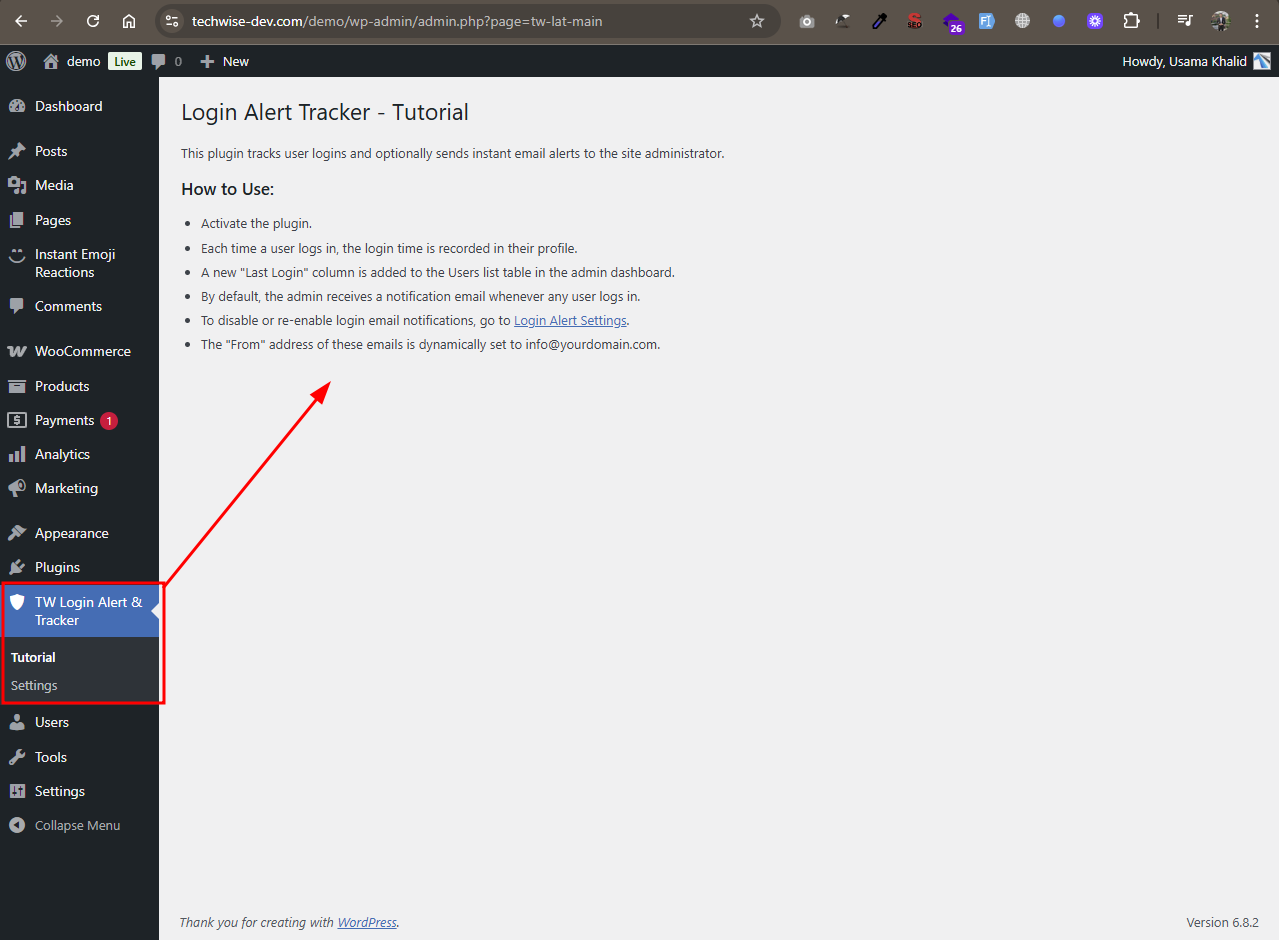
Screenshot 3: Provides helpful guidance and usage instructions for the plugin.
Changelog
1.0.0
- Initial release
- Track user logins and store last login time.
- Added “Last Login” column to Users admin page.
- Sends email alert to admin on login event.