

Maintenance 22/1001403d since update
Active installs
400
Downloads
3,402
Reviews
5
Age
5.9y
Plugin info
Total downloads: 3,402
Active installs: 400
Total reviews: 5
Average rating: 5
Support threads opened: 0
Support threads resolved: 0 (0%)
Available in: 1 language(s)
Contributors: 4
Last updated: 5/30/2022 (1403 days ago)
Added to WordPress: 5/13/2020 (5 years old)
Minimum WordPress version: 5.7
Tested up to WordPress version: 6.0.11
Minimum PHP version: 5.6.20
Maintenance & Compatibility
Maintenance score
Possibly abandoned • Last updated 1403 days ago • 5 reviews
22/100
Is Tweaks for Elementor abandoned?
Possibly abandoned (last update 1403 days ago).
Compatibility
Requires WordPress: 5.7
Tested up to: 6.0.11
Requires PHP: 5.6.20
Languages
Similar & Alternatives
Explore plugins with similar tags, and compare key metrics like downloads, ratings, updates, support, and WP/PHP compatibility.
Layout Grid Block
Rating 4.7/5 (13 reviews) • Active installs 200,000
SiteOrigin CSS
Rating 4.9/5 (152 reviews) • Active installs 100,000
YayMail – WooCommerce Email Customizer
Rating 4.8/5 (279 reviews) • Active installs 50,000
Visual CSS Style Editor
Rating 4.1/5 (89 reviews) • Active installs 40,000
Child Theme Creator by Orbisius
Rating 4.0/5 (45 reviews) • Active installs 10,000
Style Kits – Advanced Theme Styles for Elementor
Rating 4.7/5 (44 reviews) • Active installs 10,000
Description
Tweaks for Elementor is simple plugin with few features to disable the default Fonts and CSS files of Elementor and Hello Elementor Theme
Installation
Installing from the WordPress control panel
- Go to the page “Plugins > Add New”.
- Input the name “Tweaks for Elementor” in the search field
- Find the “Tweaks for Elementor” plugin in the search result and click on the “Install Now” button, the installation process of plugin will begin.
- Click “Activate” when the installation is complete.
Installing with the archive
- Go to the page “Plugins > Add New” on the WordPress control panel
- Click on the “Upload Plugin” button, the form to upload the archive will be opened.
- Select the archive with the plugin and click “Install Now”.
- Click on the “Activate Plugin” button when the installation is complete.
Manual installation
- Upload the folder
tweaks-for-elementorto a directory with the plugin, usually it is/wp-content/plugins/. - Go to the page “Plugins > Add New” on the WordPress control panel
- Find “Tweaks for Elementor” in the plugins list and click “Activate”.
Frequently Asked Questions
Most of tweaks based on css, so if you don’t see any changes on the frontend side, try to regenerate the files via Elementor Tool
Review feed
Seredniy
Маст хев для всех, кто использует Елементор
Спасибо, супер плагин. Маленький, да удаленький. Особенно порадовала помощь в ручной активации лицензии плагина основного.
Screenshots
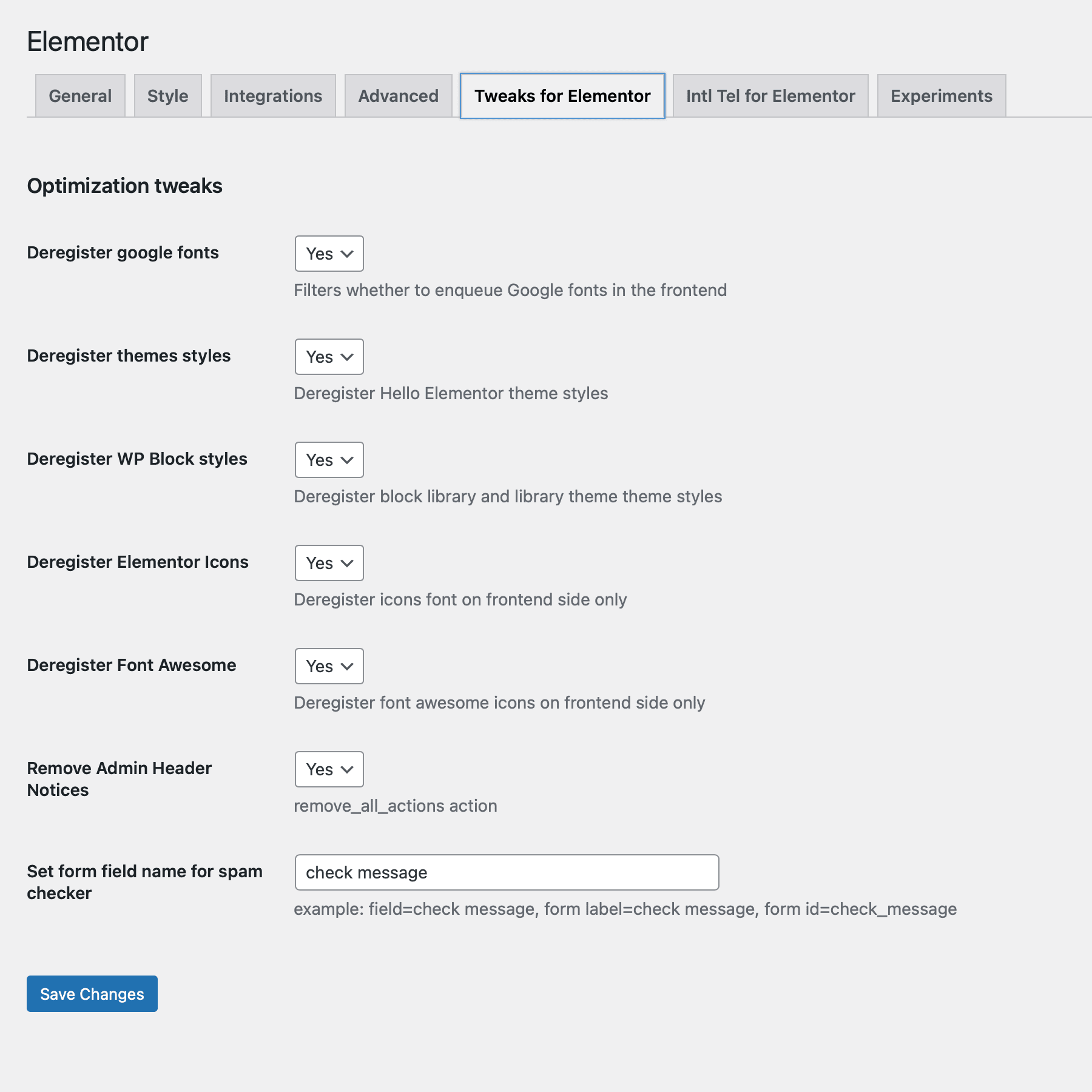
Tweaks for Elementor Settings screen
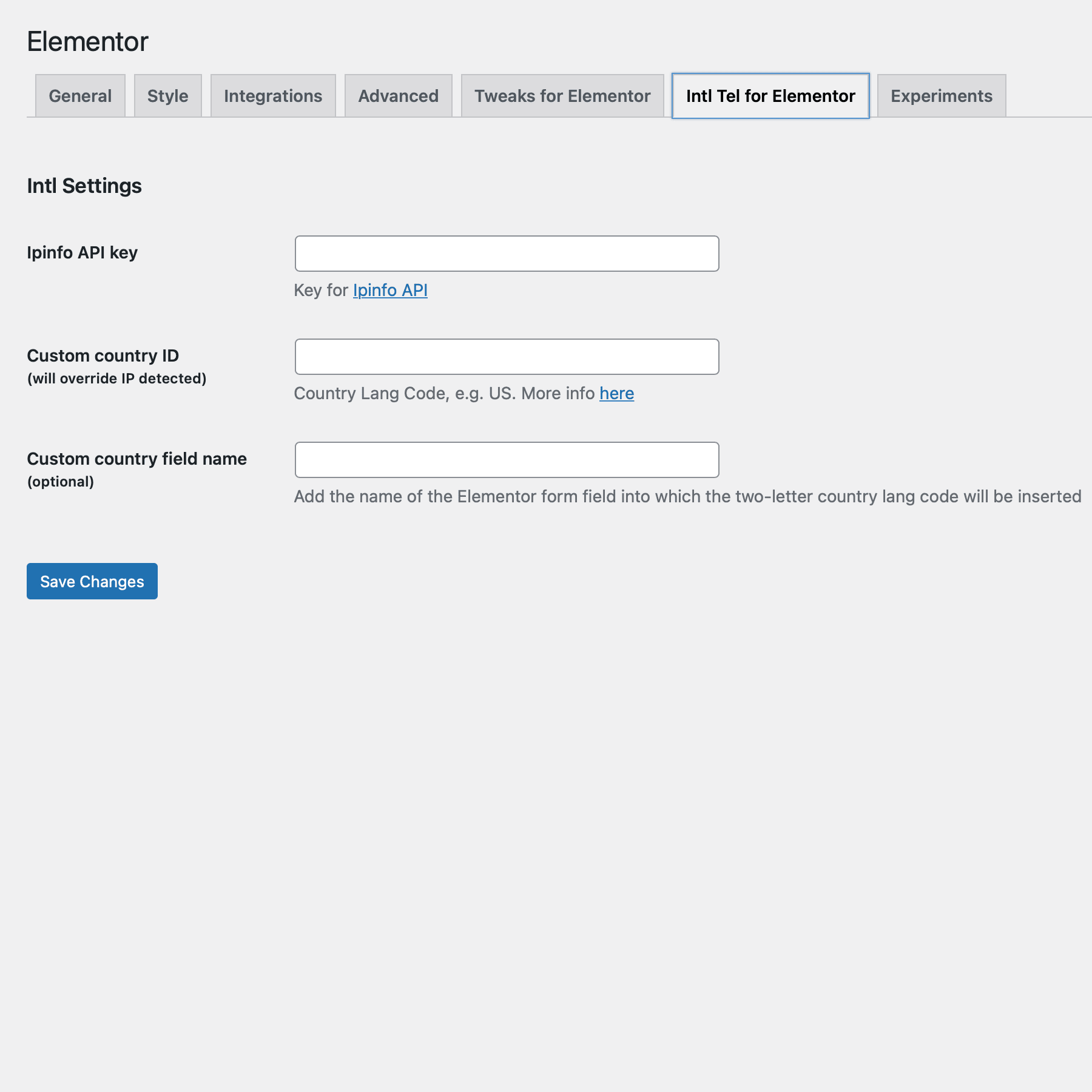
Intl tel Settings screen
Changelog
1.0.6 (30.05.2022)
- Tweak: Intl tel input support Elementor Forms in Popup
- Chore: Checking with the last versions of Elementor Pro, WordPress 6.0
1.0.5 (24.11.2021)
- New: Force Dashicons deregister on frontend side.
- New: Unload elementor translations.
1.0.4 (30.07.2021)
- New: Spam checker with mail skipping
- New: Hide admin header notices
- Tweak: License option removed from the settings
1.0.3 (18.10.2020)
- New: country code custom field supporting
1.0.2.1 (18.10.2020)
- Fix: country code to input and validation error
1.0.2 (10.10.2020)
- New: added intl tel input support with geo detection based on ipinfo.io service
- Fix: On theme style deregister body margin to 0
1.0.1 (13.05.2020)
- Fix: banner for wp.org
- Fix: readme.txt changes
- New: Manual activation link
- Tweak: Admin meta with link to GitHub repository
- Tweak: Meta to plugin settings
1.0.0 (12.05.2020)
- Plugin init