

UM Bootstrap Carousels
This plugin allows you to create and manage bootstrap 4 carousels.
Plugin info
Maintenance & Compatibility
Maintenance score
Possibly abandoned • Last updated 2384 days ago
Is UM Bootstrap Carousels abandoned?
Possibly abandoned (last update 2384 days ago).
Compatibility
Similar & Alternatives
Explore plugins with similar tags, and compare key metrics like downloads, ratings, updates, support, and WP/PHP compatibility.
Description
Create
Create references to carousels using WordPress admin panel. Each carousel reference lets you add and manage individual items.
Implement with ease
Including the carousel is as easy as adding a shortcode to your page. Details for the shortcode for each carousel are included in the editor.
If you don’t want to manually include bootstrap, each carousel editor allows you the option to include it automatically on any page you add the shortcode with that slider’s id.
Basic Style
This release includes a basic style for your carousel. To enable it, select a slider, click Settings, and select the “basic” style from the dropdown.
It eliminates some of the requirements for configuring a usable bootstrap 4 carousel including:
* Making Containing images responsive : No matter the dimensions, the image will fill the carousels space responsively
* Making Other elements responsive : As the viewport changes size, the text changes size the indicators shift responsively
* Basic Design : Includes Google font Raleway, and a transparent block to help visually offset the text color from images
The plan is to include more styles in later releases
Installation
- Upload the plugin files to the
/wp-content/plugins/um-bootstrap-carouselsdirectory, or install the plugin through the WordPress plugins screen directly. - Activate the plugin through the ‘Plugins’ screen in WordPress
- Begin Creating bootstrap 4 carousels by clicking Carousels (wp admin menu) > Add Slider/Carousel
- Manage Existing Carousels by clicking Carousels (wp admin menu) > Carousels (Dropdown) and select your carousel
- Change Settings for Carousels by clicking Carousels (wp admin menu) > Carousels (Dropdown) > Settings
Frequently Asked Questions
What is Bootstrap?
Bootstrap is an awesome front-end library for projects on the web. Out of the box, you can hack together a pretty cool front end without worrying about backwards compatibility, while saving you a ton of time by facilitating many time consuming aspects of front end design for you.
What version of bootstrap does this require?
Bootstrap 4.3
Should I enable automatic bootstrap inclusion?
This plugin is for people already planning to use bootstrap 4, so if you already included bootstrap, the answer is no. If you haven’t included it, then yes. Keep in mind that it only enqueues bootstrap on the pages where you include Carousels.
Screenshots and additional info coming soon!
Review feed
Screenshots

Add a new carousel reference by clicking "Add Slider/Carousel"

View a carousel reference by clicking the "Carousels" dropdown and selecting it
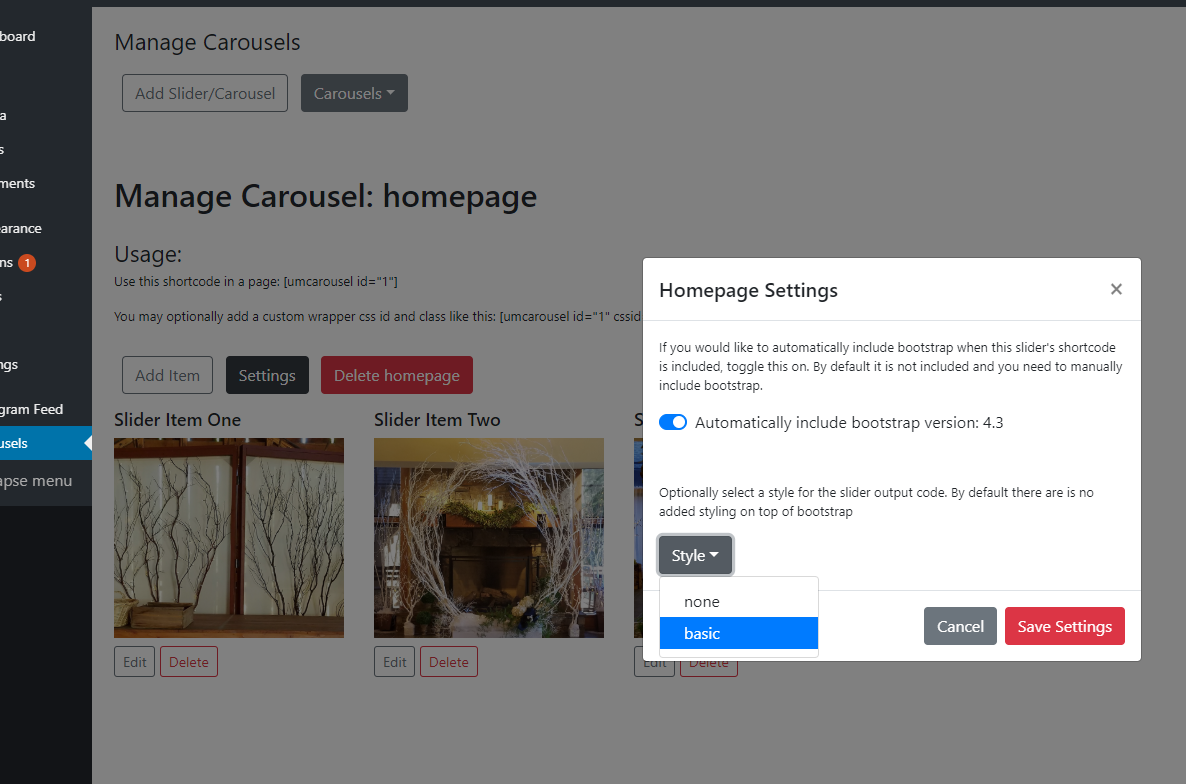
Change settings for a carousel in "Settings"
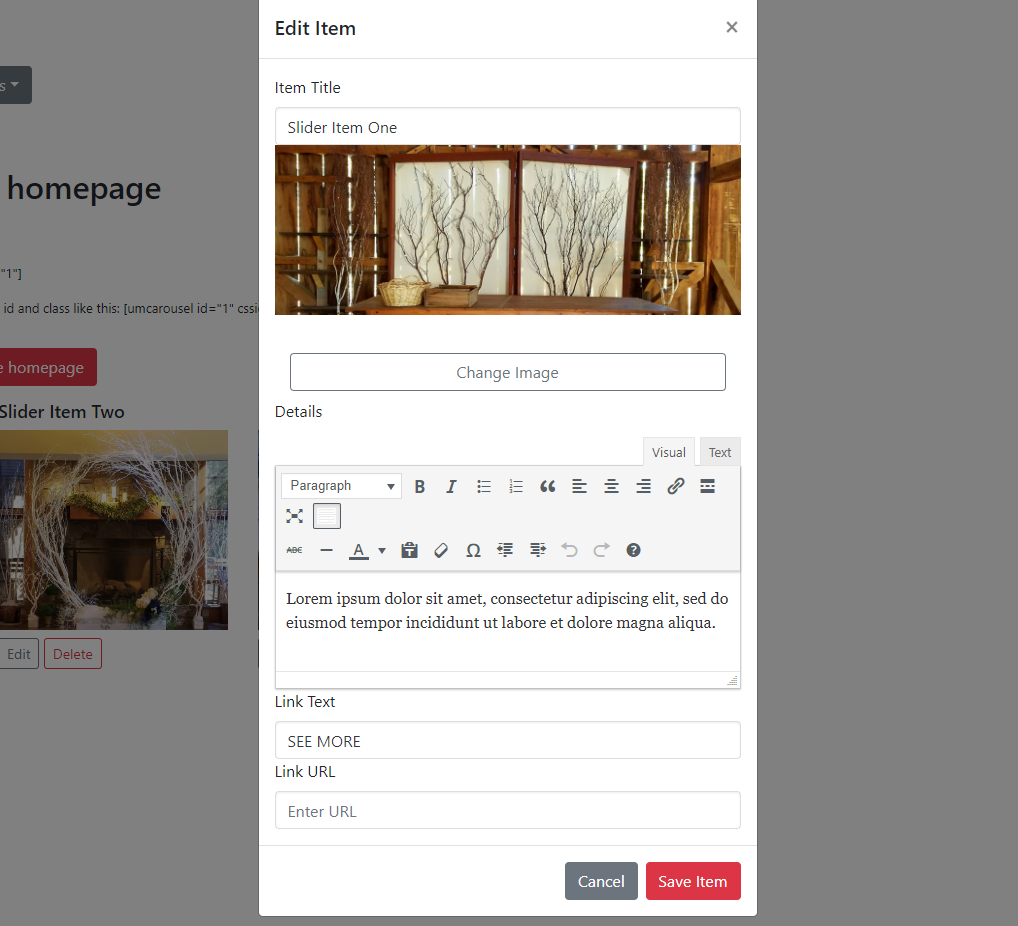
Edit individual Items with TinyMCE

An implemented carousel on the frontend using the "basic" style
Changelog
1.0.2
- Fixed a bug related to image thumbnail resizing in admin
1.0.3
- Modified bootstrap inclusion in admin facing pages to only be specific to this plugin