

Zedna Universal Ads
Insert Google Adsense anywhere you want without any settings. You need just your pub-id (link in the settings page).
Plugin info
Maintenance & Compatibility
Maintenance score
Possibly abandoned • Last updated 2213 days ago • 1 reviews
Is Zedna Universal Ads abandoned?
Possibly abandoned (last update 2213 days ago).
Compatibility
Similar & Alternatives
Explore plugins with similar tags, and compare key metrics like downloads, ratings, updates, support, and WP/PHP compatibility.
Description
Insert Google Adsense into widget area and don´t worry about any settings. You can also insert a shortcode to your content and set ad format if you want.
Features:
-
Google Ads widget allow multiple ads on the page
-
Shortcode to insert your ad to content
-
No settings needed, just insert your pub-id and show your ads.
Shortcode:
[google_ad data_ad_slot='' data_ad_format='auto']
data_ad_slot:
-you can specify which exact ad you want to display
data_ad_format:
-auto
-rectangle
-horizontal
-vertical
Installation
- Upload
google_ads_universalfolder to the/wp-content/plugins/directory - Activate the plugin through the ‘Plugins’ menu in WordPress
- Go to settings and insert yout pub-id
Frequently Asked Questions
How can i set ads dimensions?
You can´t, Google will do it for you. This plugin do it for you as simple as possible.
Review feed
Ads are adding automatically
Screenshots
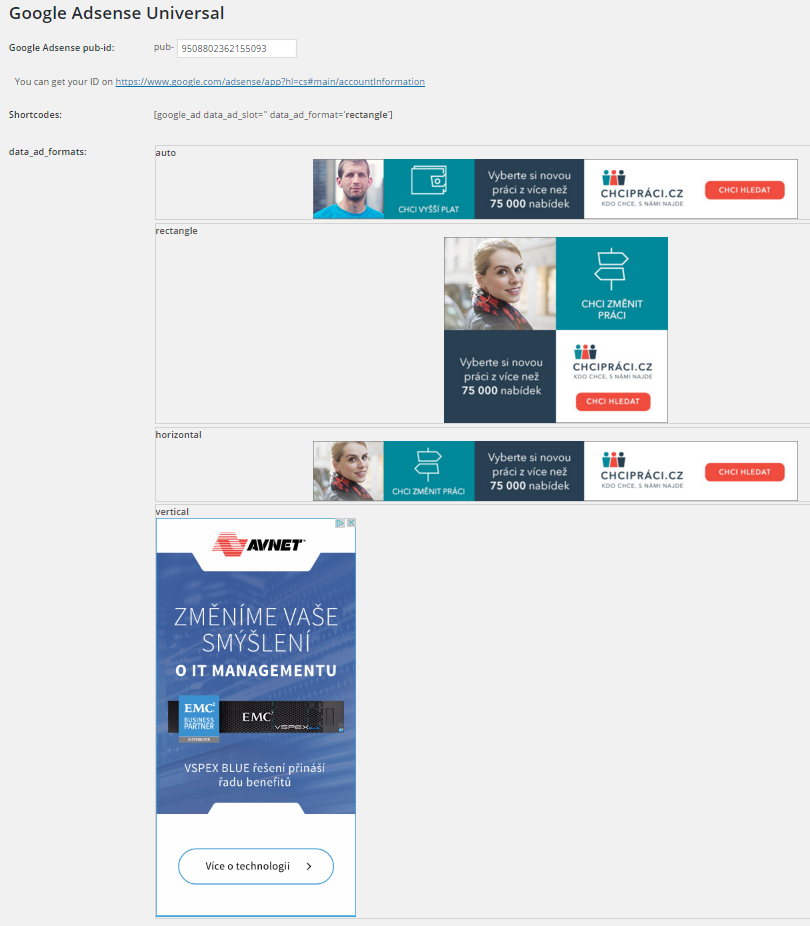
Ad formats
Changelog
1.0
- First version