

Increase Maximum Upload File Size
Increase maximum upload file size limit to any value. Increase upload limit - upload large files.
Plugin info
Maintenance & Compatibility
Maintenance score
Possibly abandoned • Last updated 964 days ago • 101 reviews
Is Increase Maximum Upload File Size abandoned?
Possibly abandoned (last update 964 days ago).
Compatibility
Similar & Alternatives
Explore plugins with similar tags, and compare key metrics like downloads, ratings, updates, support, and WP/PHP compatibility.
Description
Increase upload file size limit to any value with one click.
Plugin automatically detects upload limits set by WordPress and by the server / hosting provider, and displays them.
Access plugin’s settings from the main WP admin menu.
Please read the maximum possible values displayed in the plugin and if needed contact your hosting provider.
If you need help, please use the official plugin support forum. We reply to all messages ASAP!
Installation
The usual, automatic way;
- Open WordPress admin, go to Plugins, click Add New
- Enter “increase maximum upload” in search and hit Enter
- Plugin will show up as the first on the list, click “Install Now”
- Activate & open plugin’s settings page located in the main admin menu
Or if needed, install manually;
- Download the plugin.
- Unzip it and upload to /wp-content/plugins/
- Open WordPress admin – Plugins and click “Activate” next to the plugin
- Activate & open plugin’s settings page located in the main admin menu
Frequently Asked Questions
Yes, it works with all servers. But, please know that server adjusted limits can’t be changed from a WordPress plugin. If the server set limit is 16MB you can’t increase it to 128MB via WordPress. You have to email your hosting provider and ask them to increase the limit. Install the plugin and it’ll tell you what the limits are and what to do.
You can report any security bugs found in the source code of the site-reviews plugin through the Patchstack Vulnerability Disclosure Program. The Patchstack team will assist you with verification, CVE assignment and take care of notifying the developers of this plugin.
Review feed
Screenshots
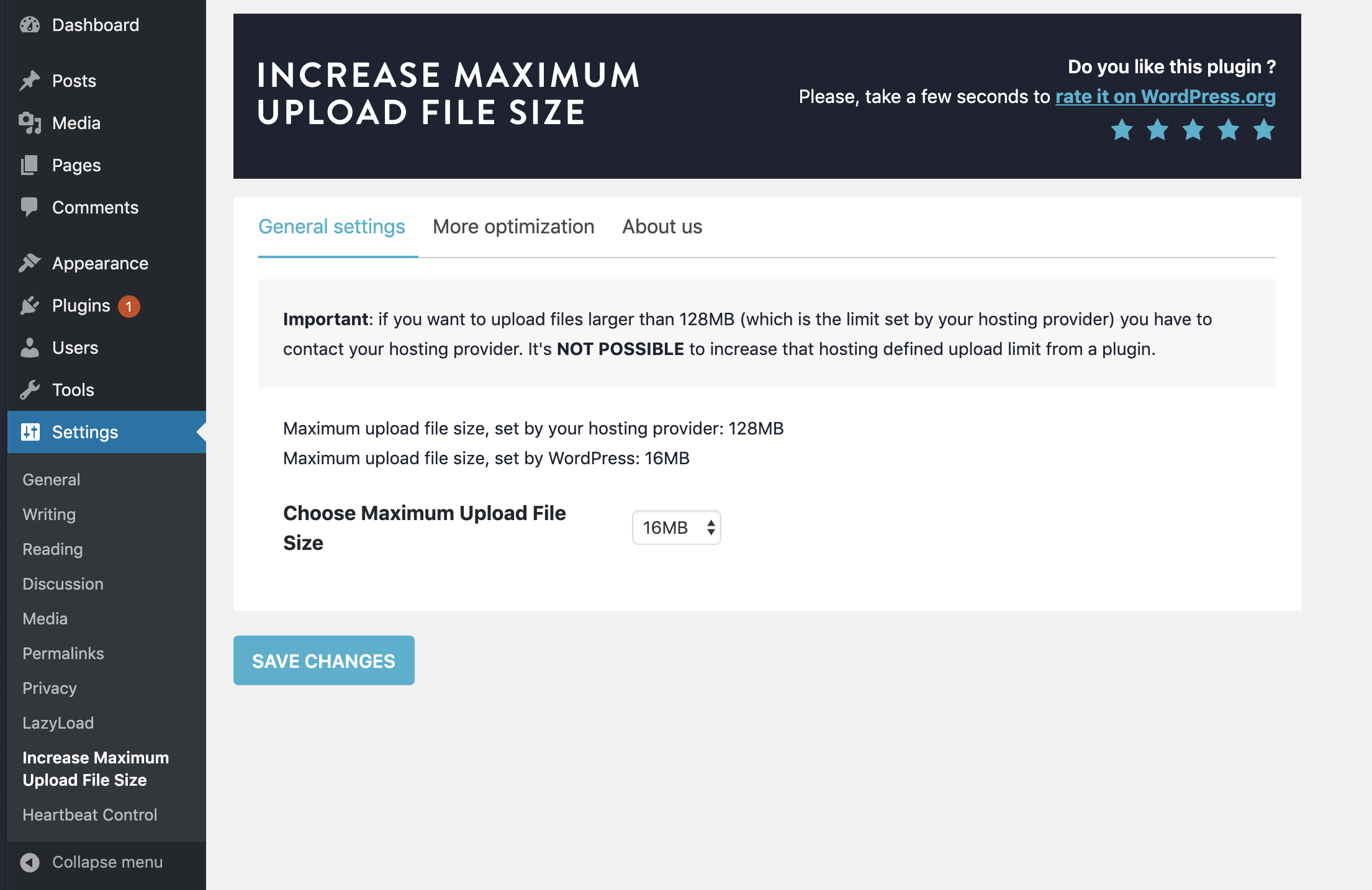
Increase maximum file upload size with one click
Changelog
v2.0.4
- 2019/11/16
- Fix: Avoid plugin to display twice in the plugin listing.
v2.0.3
- 2019/11/13
- Fix: The plugin does not have a valid header.
v2.0.1
- 2019/11/13
- Regression fix: Avoid auto-deactivation after upgrading to 2.0.
v2.0
- 2019/11/04
- Revamp the settings page.
v1.35
- 2019/08/12
- better messages to clearly communicate max upload file size limits
- minor changes
- 309,800 downloads
v1.3
- 2019/05/23
- almost complete plugin rewrite
- 50k installations, 257k downloads
v1.0
- 2014/09/28
- initial release