
VertyCal
Appointment Calendar layout vertically for mobile readability. Front-side form private. Front-side readable to public selectable.
Plugin info
Maintenance & Compatibility
Maintenance score
Possibly abandoned • Last updated 1303 days ago
Is VertyCal abandoned?
Possibly abandoned (last update 1303 days ago).
Compatibility
Similar & Alternatives
Explore plugins with similar tags, and compare key metrics like downloads, ratings, updates, support, and WP/PHP compatibility.
Description
Schedule based vertical table data application to post service calls or list events. Front side calendar is viewable by the public and the input functions restricted to a log in access only.
Features
- Display your agenda or service calls in a list style
- Add a date, time, notes like address or contact
- Tabbed sections of Scheduler, Add New and Options
- Full size clock with seconds, displays well on cellular phones
- Select month and year with jQuery Datepicker
- Options page to select various functions
- Secure front-side log in script
- Mobile layout primary design
- Export all scheduled tasks
- Add notation for each entry and edit if admin
- Update notation, delete entry, view notation options
- Entry can only be appended if you are logged in
- Entries can be viewed without login
- Vertical display of dates works very nicely on a mobile device.
License
Author: Larry Judd Oliver – Tradesouthwest @tradesouthwest, tradesouthwest.com
Copyright: 2019
License: GPL (see index.php)
Additional License
Open Source software
Clock: https://codepen.io/seanfree/pen/NrRrvZ
Installation
This section describes how to install the plugin and get it working.
- Upload the plugin files to the
/wp-content/plugins/plugin-namedirectory, or install the plugin through the WordPress plugins screen directly. - Activate the plugin through the ‘Plugins’ screen in WordPress
- Use the Scheduler->VertyCal Settings screen to configure the plugin
If you are using the files from jQuery UI in your theme or plugin, please be aware of a change. With 4.6 you can omit calling these files and enqueue the default datepicker which will use the built-in defaults from WordPress.
https://plugins.svn.wordpress.org/woocommerce-quick-donation/trunk/includes/admin/metabox_framework/js/jqueryui/datepicker-i18n/
/* translators: jQuery date format, see http://api.jqueryui.com/datepicker/#utility-formatDate */
Frequently Asked Questions
Documentation is located at http://vertycal.net/documentation/
Review feed
Screenshots

Banner

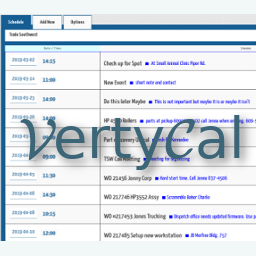
View of front side vertical calendar

Single page view with file access

Admin options page

Admin side columns

Styled vertical calendar
Changelog
1.0.31
- corrected deprecation errors
1.0.3
- fixed typos
- moved stable ver to trunk
- cleaned misc code base
- tested on WP 5.8 and PHP 7+
1.0.22
- added options getter to set empty or not set checkbox values.
1.0.21
- added tested markdown
- moved stable to trunk
1.0.2
- fixed cpt categories not saving
1.0.1
- removed PHP filters, added WP filters in send mail templates
- changed some short slugs to full slug
- cleaned strings in sing-content file
1.0.0
- Initial release