

Video Dashboard
Easily embed YouTube videos in your admin dashboard area with Video Dashboard.
Plugin info
Maintenance & Compatibility
Maintenance score
Possibly abandoned • Last updated 687 days ago • 6 reviews
Is Video Dashboard abandoned?
Possibly abandoned (last update 687 days ago).
Compatibility
Similar & Alternatives
Explore plugins with similar tags, and compare key metrics like downloads, ratings, updates, support, and WP/PHP compatibility.
Description
Video Dashboard allows you to quickly and easily embed YouTube or Vimeo videos in the dashboard of your WordPress site. A settings area allows you to specify up to 50 YouTube or Vimeo video URLs that you would like to show up in the backend of your website. You can then choose the minimum role that is able to see it in their dashboard. If you only want Administrators to see them, you can do that!
Possible future upgrades will include more precise role control and more robust video embedding options.
For more info, please visit our site.
Installation
- Extra the contents of the .zip file and upload
video-dashboardto the/wp-content/plugins/directory - Activate the plugin through the ‘Plugins’ menu in WordPress
- Add some videos to the dashboard by going to Settings -> Video Dashboard and following the instructions there
Frequently Asked Questions
Right now Video Dashboard supports YouTube and Vimeo videos.
Review feed
Screenshots
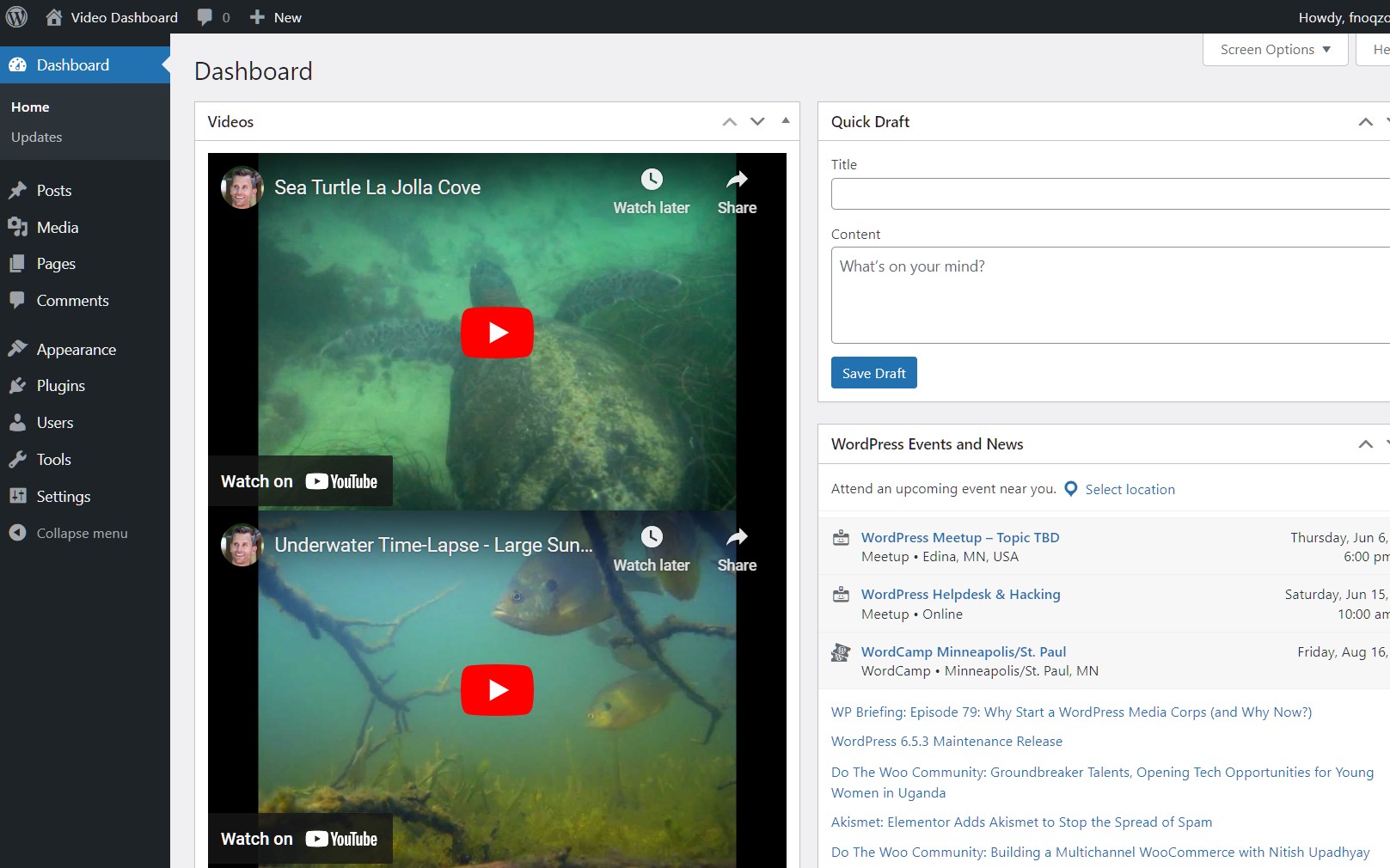
The plugin in action. Videos are embedded directly into the dashboard screen.

The admin screen for Video Dashboard. Options include the ability to select the number of videos that will be displayed and which roles will have the ability to see the videos in the dashboard.
Changelog
1.2.1.1
- removed extra folder within the plugin structure
1.2.1
- nothing has changed but SVN is terrible and I’m just trying to get the plugin to update
1.2.0
- Tested on WordPress 4.8.3
1.1.1
- Added Vimeo support
- Changed Changed meta box title from “YouTube Videos” to “Videos”
- Changed wording of error message when given video URL does not include a valid YouTube or Vimeo ID
1.1
- Fixed PHP notices for video URLs upon plugin initialization
- Fixed a bug where blank video URLs would display as broken videos
- Tested and found working with WordPress 4.5.3
- Tested with different WordPress versions