

Visual Website Optimizer
VWO is the all-in-one platform that helps you conduct visitor research, build an optimization roadmap, and run continuous experimentation.
Plugin info
Maintenance & Compatibility
Maintenance score
Maintained • Last updated 119 days ago • 6 reviews
Is Visual Website Optimizer abandoned?
Likely maintained (last update 119 days ago).
Compatibility
Similar & Alternatives
Explore plugins with similar tags, and compare key metrics like downloads, ratings, updates, support, and WP/PHP compatibility.
Description
This plugin simplifies the process of adding the VWO SmartCode to your WordPress site and enables automatic tracking of WooCommerce events like product views, add-to-cart actions, and completed purchases. It also offers optional server-side tracking to bypass client-side blockers and improve event reliability.
Key Features
- Easy VWO SmartCode integration
- Automatic WooCommerce event tracking
- Event-level data passed to VWO for advanced reporting
- Support for asynchronous and synchronous SmartCode types
- Optional server-side tracking for more accurate analytics
- Works seamlessly with WooCommerce
Configuration and Setup
Configuring General Settings
- Go to Settings > VWO.
- Enter your VWO Account ID.
- Choose your preferred code type:
- Asynchronous (Recommended): Loads faster, doesn’t block elements.
- Synchronous: Not recommended for performance reasons.
- Click Save Changes.
Configuring WooCommerce Settings
- Open the WooCommerce tab in the VWO settings.
- Enable WooCommerce Event Tracking.
- Enable the specific events you want to track:
- Product Viewed
- Add to Cart
- Product Removed From Cart
- Purchase Order
- Click Save Changes.
Configuring Server-Side Tracking (Optional)
- Enable Server-Side Tracking from the WooCommerce tab.
- Click Save Changes.
Verifying Event Tracking in VWO
- Log in to your VWO account.
- Go to Data360 > Events.
- Perform sample actions on your WooCommerce store.
- Check the events list in Data360.
- Register any events listed under “Unregistered Events”.
WooCommerce Events Imported Into VWO
Product Viewed
- Event API Name:
woocommerce.productViewed - Payload:
- price, currency, productId, productTitle, productUrl, productCategory, productSku, quantity, variantId
Add To Cart
- Event API Name:
woocommerce.addToCart - Payload:
- price, currency, productId, productTitle, productUrl, productCategory, productSku, quantity, variantId
Remove from Cart
- Event API Name:
woocommerce.removeFromCart - Payload:
- price, currency, productId, productTitle, productUrl, productCategory, productSku, quantity, variantId
Purchase
- Event API Name:
woocommerce.purchase - Payload:
- orderId, productId, productSku, productPrice, productQuantity, discount, shippingPrice, totalTax, totalPrice, currencyCode
Installation
- Log in to your WordPress dashboard.
- Navigate to Plugins > Add New.
- Click “Upload Plugin” and select the plugin ZIP file.
- Click “Install Now”, then “Activate”.
- Go to Settings > VWO to configure your plugin.
Frequently Asked Questions
You can find your VWO Account ID in your VWO dashboard under Account Settings.
Yes, server-side tracking is available and can be enabled in the WooCommerce tab of the plugin settings.
- Product Viewed
- Add to Cart
- Remove from Cart
- Purchase (Order Completed)= I can’t see any code added to my header or footer when I view my page source =
Your theme needs to have the header and footer actions in place before the</head>and before the</body>
No, this plugin is sufficient by itself
Review feed
Screenshots
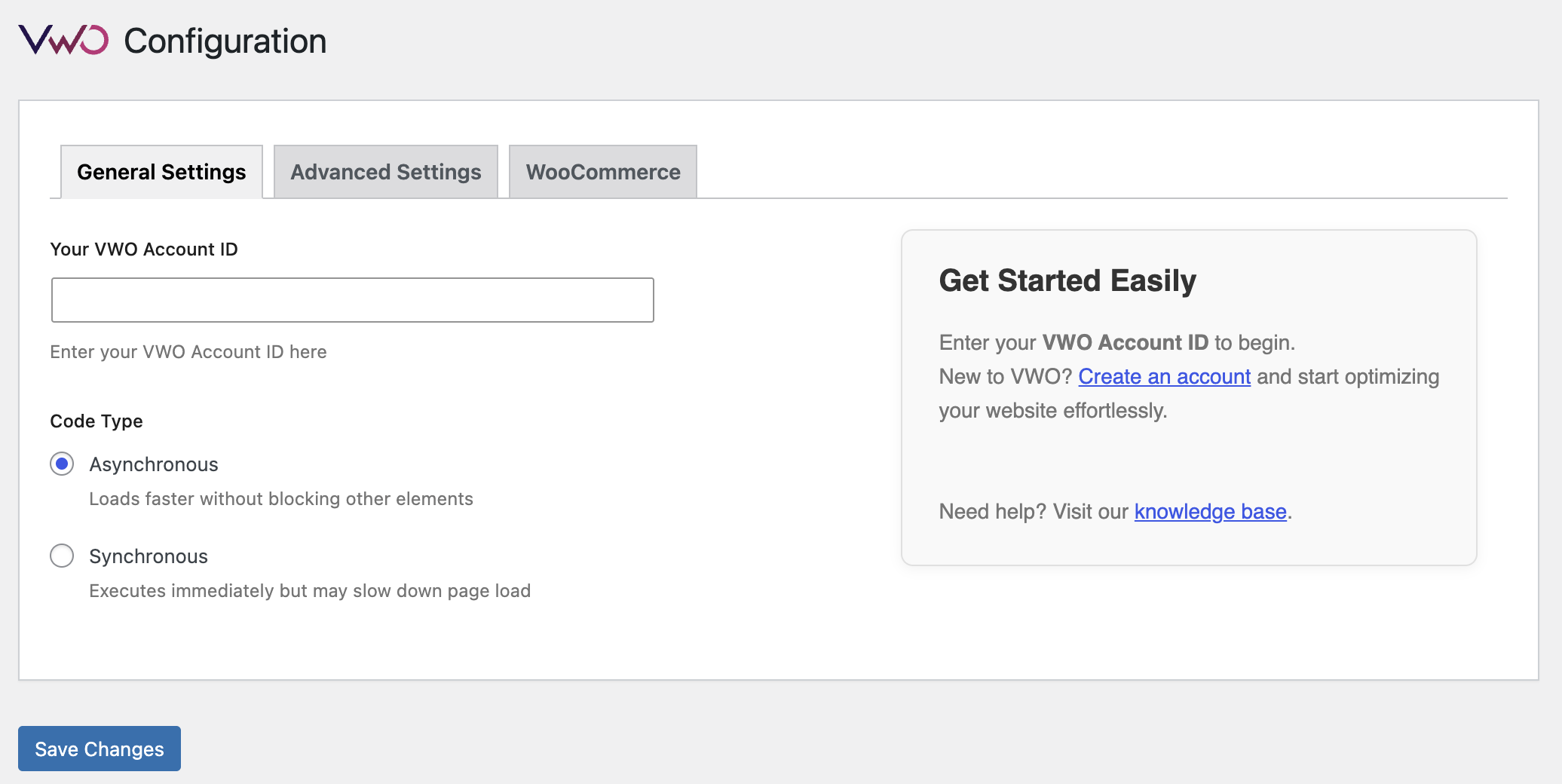
General Settings
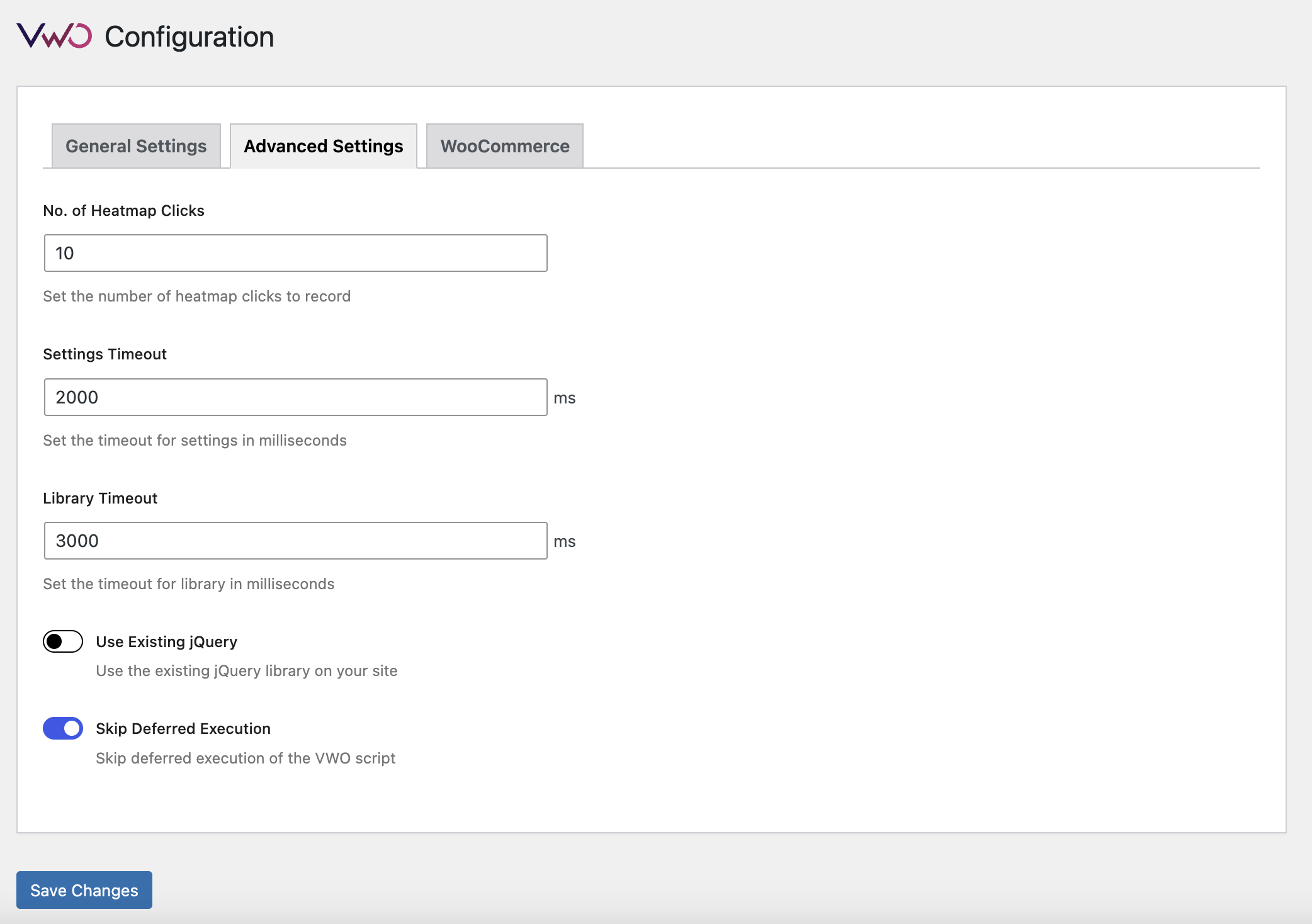
Advanced Settings
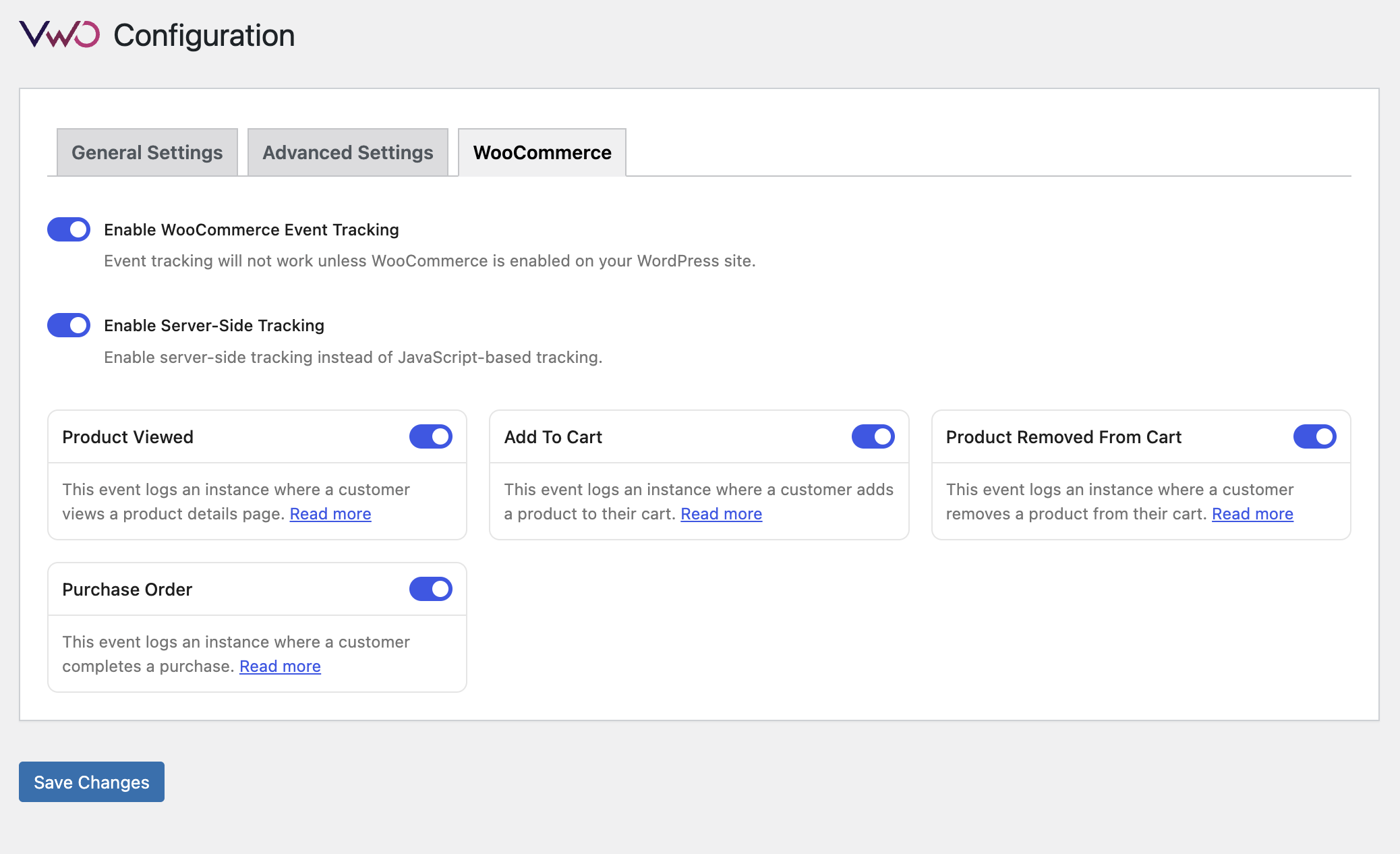
WooCommerce Settings
Changelog
4.10
- VWO scripts are now always excluded from Jetpack Boost’s script deferral.
4.9
- VWO SmartCode 2.2 updated
- Improved SmartCode performance and reliability
4.8
Major update: New settings UI, WooCommerce support added, and multiple bug fixes. Upgrade recommended for improved tracking and compatibility.
4.7
- Minor bug fix
4.6
- Revamped plugin settings UI for improved usability.
- Added support for WooCommerce event tracking (Product Viewed, Add to Cart, Purchase, etc.).
- Optional server-side tracking for WooCommerce events added.
- Multiple bug fixes and performance improvements.
4.5
- Tested with latest version
- VWO SmartCode 2.1 updated
4.4
- Tested with latest version
- Minor bug fix
4.3
- Minor bug fix
4.2
- Tested with latest version
- VWO SmartCode 2.1 updated
4.1
- Tested with latest version
- PHPCS Errors resolved
- WP Rocket support added
4.0
- Tested with latest version
- VWO SmartCode updated
3.9
- Tested with latest version
- Code improvement and add Rocket loader handling
3.8
- Tested with latest version
- Fix WP Rocket Issue
3.7
- Tested with latest version
- Fix Divi Frontend Editor Issue
3.6
- Tested with latest version
3.5
- Tested with latest version
- Rename label “Handle Rocket Loader Issue” to “Skip Deferred Execution”
- Set field default value of “Skip Deferred Execution” to “yes”
3.4
- Tested with latest version
- Code improvement and add Rocket loader handling
3.3
- Tested with latest version
- Add new options in settings
3.2
- Tested with latest version
3.1
- Add Setting link in plugin listing page
3.0
- Update Logo and links
2.9
- Tested with latest version
2.8
- Tested with latest version
2.7
- Update Plugin Name, Author and Description
2.6
- Remove Conflict Errors
2.5
- Update tested upto version
2.4
- Update links
2.3
- Minor bug fix
2.2
- Bug fix to have default tolerance values when plugin is updated
2.1
- Better documentation
2.0
- Option to choose between asynchronous or synchronous code
- Updated code snippet
- Faster website loading
1.3
- code snippet updated
1.0.1
- use Website instead of Web in name of functions and readme (branding)
1.0
- First Version