

Vote It!
Vote It! Buttons for Blogpostings. Set very simple a digg, sphinn or another social-news-button in your blogpost.
Maintenance 20/1006263d since update
Active installs
10
Downloads
7,776
Reviews
0
Age
17.3y
Plugin info
Total downloads: 7,776
Active installs: 10
Total reviews: 0
Average rating: 0
Support threads opened: 0
Support threads resolved: 0 (0%)
Available in: 1 language(s)
Contributors: 1
Last updated: 12/26/2008 (6263 days ago)
Added to WordPress: 11/14/2008 (17 years old)
Minimum WordPress version: 2.5.3
Tested up to WordPress version: 2.7
Minimum PHP version: f
Maintenance & Compatibility
Maintenance score
Possibly abandoned • Last updated 6263 days ago
20/100
Is Vote It! abandoned?
Possibly abandoned (last update 6263 days ago).
Compatibility
Requires WordPress: 2.5.3
Tested up to: 2.7
Requires PHP: f
Similar & Alternatives
Explore plugins with similar tags, and compare key metrics like downloads, ratings, updates, support, and WP/PHP compatibility.
Recommended Links for WordPress
Rating 4.0/5 (1 reviews) • Active installs 10
Nobs • Share Buttons
Rating 4.7/5 (93 reviews) • Active installs 3,000
Social Media Icons Widget
Rating 4.9/5 (8 reviews) • Active installs 1,000
Tilt Social Share Widget
Rating 0.0/5 (0 reviews) • Active installs 300
RSS Feed Styles
Rating 5.0/5 (1 reviews) • Active installs 100
Social Site Sharer Links Widget
Rating 5.0/5 (1 reviews) • Active installs 50
Description
This plugin allows you to display a buttons which shows the voting for a social news message (digg,sphinn …) on your blog post.
You will find a collection of voting buttons for different social-news-services here.
Installation
- Download the Vote It! Plugin
- Unzip file
- Upload the folder “vote-it” into your /wp-content/plugins directory
- activate Plug-In
- configure Plugin using the settings page
- Have fun with Vote It! 🙂
Frequently Asked Questions
No FAQ available
Review feed
No reviews available
Screenshots
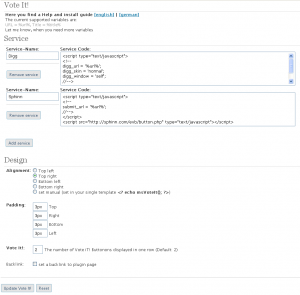
Screenshot of the configuration menu

Plugin in action
Changelog
No changelog available