

White Label CMS
Customise dashboard panels and branding, hide menus plus lots more.
Plugin info
Maintenance & Compatibility
Maintenance score
Stale • Last updated 336 days ago • Support resolved 33% • 112 reviews
Is White Label CMS abandoned?
Likely maintained (last update 336 days ago).
Compatibility
Developers
Similar & Alternatives
Explore plugins with similar tags, and compare key metrics like downloads, ratings, updates, support, and WP/PHP compatibility.
Description
The White Label CMS plugin is for developers who want to give their clients a more personalised and less confusing content management system.
For a overview of the changes in 2.0 version of the plugin please visit the Video User Manuals website.
Features
- Customize the login page
- Add your branding to the header and footer
- Customize the dashboard
- Control which menus appear for your client
- Setting up a customized dashboard can be done in seconds using the White Label CMS Wizard
Customize The Login Page
Impress your clients with a branded login page. Add yours or your client’s logo, add a background image and even control the CSS if you wish. Personalising the back end of WordPress will give your client the feeling that this is their website, not a generic website.
Add Your Branding to the Header and Footer
Stay top of mind with your client by adding your branding to the admin bar, menu or footer.
Customize the Dashboard
Are you tired of telling your clients to ignore everything on the Dashboard, but then still receive questions because they’re confused or have broken something?
With White Label CMS you can clear everything from the dashboard and add in your own dashboard panel. You can even add your own RSS feed so your clients can be kept up to date with what you are doing in your business. Which is much more relevant to your client than where and when the next WordPress Meetup is.
Add your own welcome dashboard, and now you can use an Elementor or Beaver Builder template to make it look beautiful.
Control with Menus Appear for Your Client
We have created a new feature called the White Label CMS admin which allows you to hide menus for other users. Setup is simple and gives clients admin access with some restrictions making it harder for them to stumble across settings and mess up the site.
Setup a Site in Seconds Using the Wizard
Setting up a customized dashboard is easy and quick using the White Label CMS Wizard. With just a few clicks, you can add your branding and your client’s details and be up and running in seconds.
There is so much that you can do with White Label CMS, but we want the experience to be simple. The Wizard allows you to set up a clutter-free, customized dashboard without having to scroll through all of the options that are available to you.
Installation
- Download the White Label CMS plugin
- Upload it to your plugins directory
- Go to the plugins directory and activate the plugin
- Go to Settings->White Label CMS and use the menu system to change the default values.
Frequently Asked Questions
For developers who handover websites to their clients and use WordPress as a CMS.
Your custom panel accepts html, so just write the markup as you normally would in html.
We have been using this for a number of months now, and we have found clients respond best when it is set up in the following fashion:
- Use the clients logo for the login (it gives the CMS a bit of a wow factor!)
- Use the clients logo in the header
- Use your own logo in the footer, and place a link back to your website
- Remove all panels from the dashboard (they have a lot of information that just confuses the client)
- Add your own panel. Personalise the experience for your client by welcoming them to their website. Provide links to the most relevant elements in the CMS. Provide a link back to your support system if you have one.
Got a feature request for WLCMS, let us know here.
Review feed
Screenshots
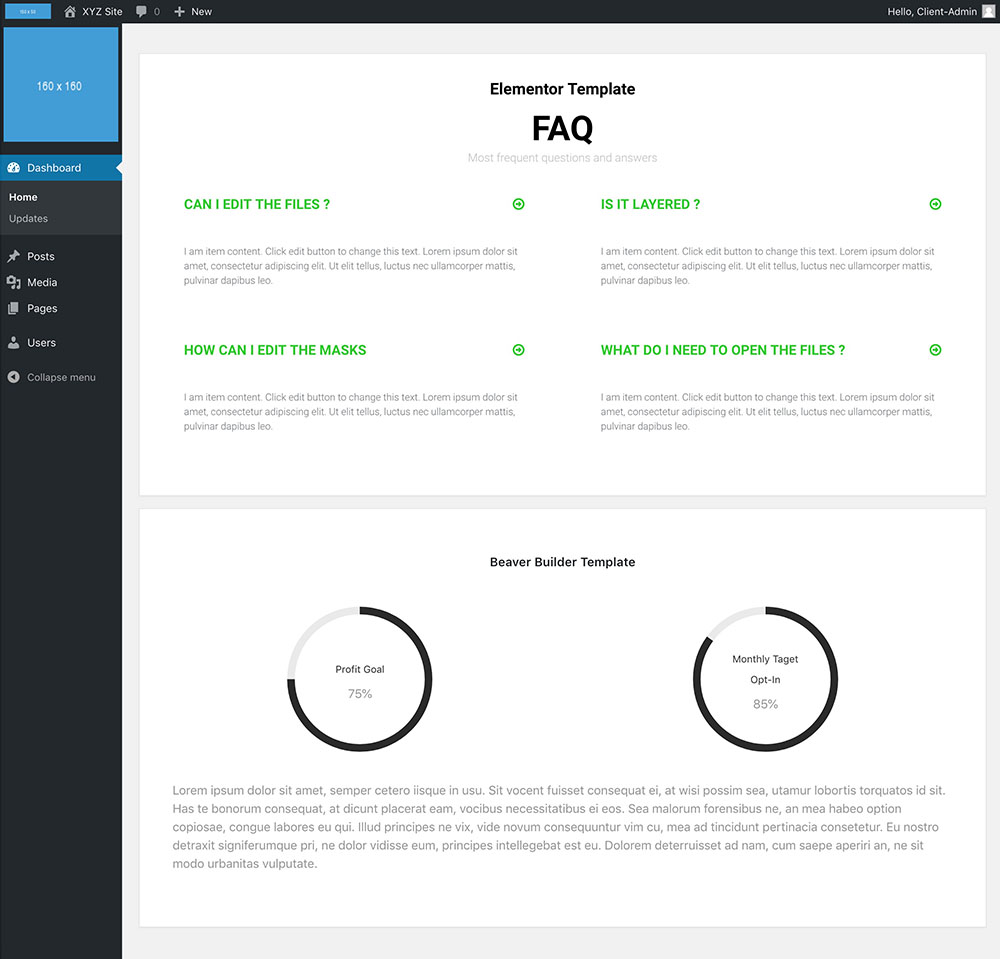
An example of how your clients dashboard could look
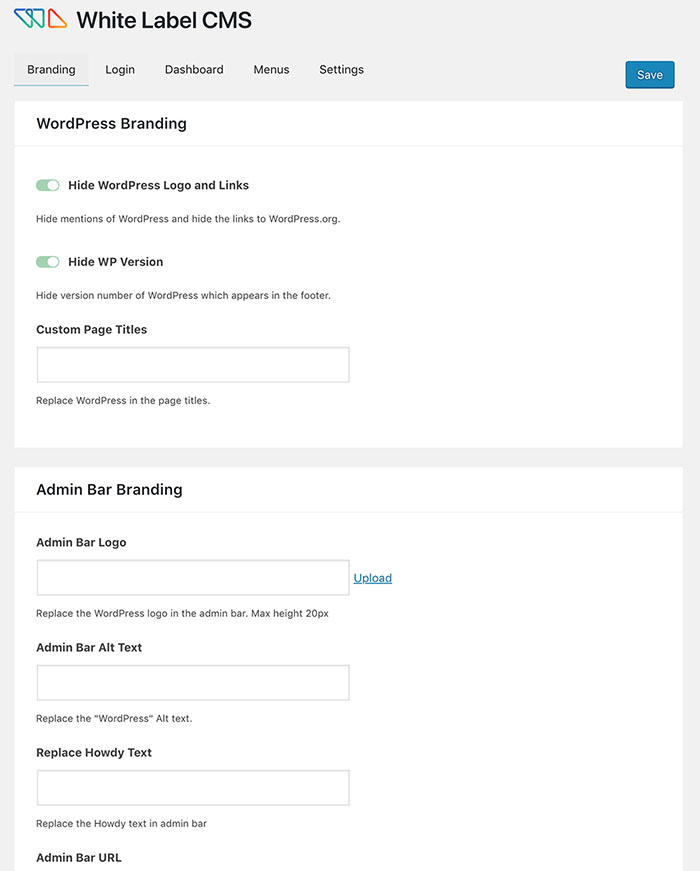
White Label CMS Setting: Branding

White Label CMS Setting: Login
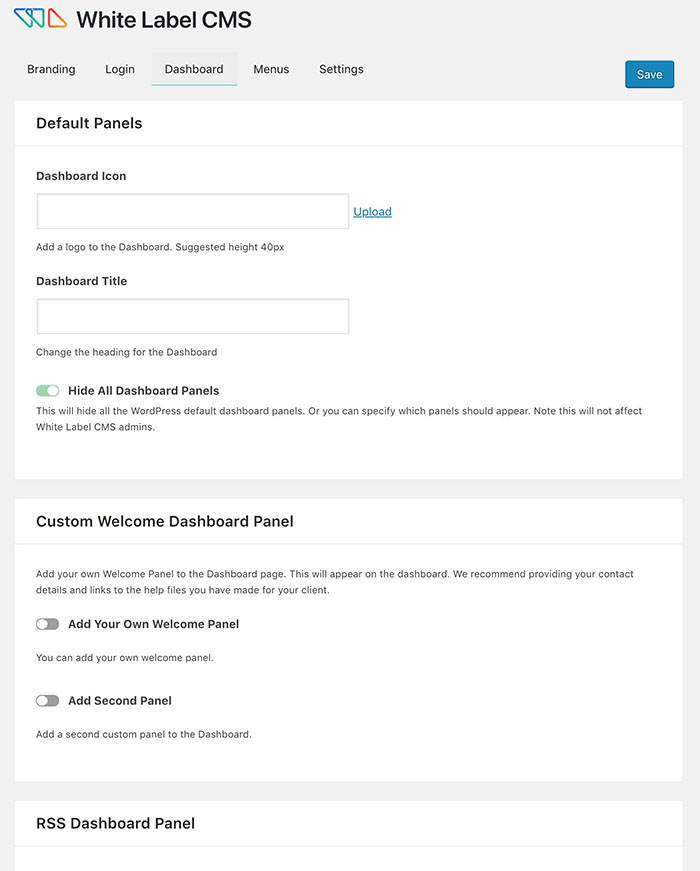
White Label CMS Setting: Dashboard

White Label CMS Setting: Menus

White Label CMS Setting: Settings

An example of a custom login
Changelog
2.7.8
- Minor bug fixes