

Quick View For WooCommerce
Quick View For WooCommerce plugin allows the customers to have a brief overview of every product in a light box.
Maintenance 44/100220d since update
Active installs
1,000
Downloads
96,269
Reviews
99
Age
9.7y
Plugin info
Total downloads: 96,269
Active installs: 1,000
Total reviews: 99
Average rating: 4.8
Support threads opened: 0
Support threads resolved: 0 (0%)
Available in: 3 language(s)
Contributors: 1
Last updated: 9/8/2025 (220 days ago)
Added to WordPress: 7/21/2016 (9 years old)
Minimum WordPress version: f
Tested up to WordPress version: 6.8.3
Minimum PHP version: f
Maintenance & Compatibility
Maintenance score
Stale • Last updated 220 days ago • 99 reviews
44/100
Is Quick View For WooCommerce abandoned?
Likely maintained (last update 220 days ago).
Compatibility
Requires WordPress: f
Tested up to: 6.8.3
Requires PHP: f
Similar & Alternatives
Explore plugins with similar tags, and compare key metrics like downloads, ratings, updates, support, and WP/PHP compatibility.
ThemeFarmer WooCommerce Quick View
Rating 0.0/5 (0 reviews) • Active installs 0
WooCommerce Tools
Rating 0.0/5 (0 reviews) • Active installs 3,000
Quick View WooCommerce
Rating 4.8/5 (73 reviews) • Active installs 2,000
Premium Quick View by Code Astrology
Rating 5.0/5 (2 reviews) • Active installs 100
Quick View for WooCommerce
Rating 0.0/5 (0 reviews) • Active installs 10
C4D Woo Quickview
Rating 0.0/5 (0 reviews) • Active installs 10
Description
Quick View For WooCommerce (Woo Quick View) allows users to get a quick look of products without opening the product page.Customers can navigate from one product to another using next and previous product button.
Go to Settings > Quick View.
Demo : https://woo.ciphercoin.com/
Features of Quick View For WooCommerce
- Add a button in product loop to open a modal window with the product summary using ajax
- Product image , title, price, quantity and add to cart button will be shown on popup.
- Disable “Quick View” on mobile.
- Set a label for the “Quick view” button.
- Easy to use
- Developer friendly & easy to customize
- Customize style of modal
Other WooCommerce Plugin
WooCommerce Abandoned Cart Recovery
Support : http://www.ciphercoin.com/contact/
Installation
- Download and extract plugin files to a wp-content/plugin directory.
- Activate the plugin through the WordPress admin interface.
- Done !
Frequently Asked Questions
No FAQ available
Review feed
No reviews available
Screenshots
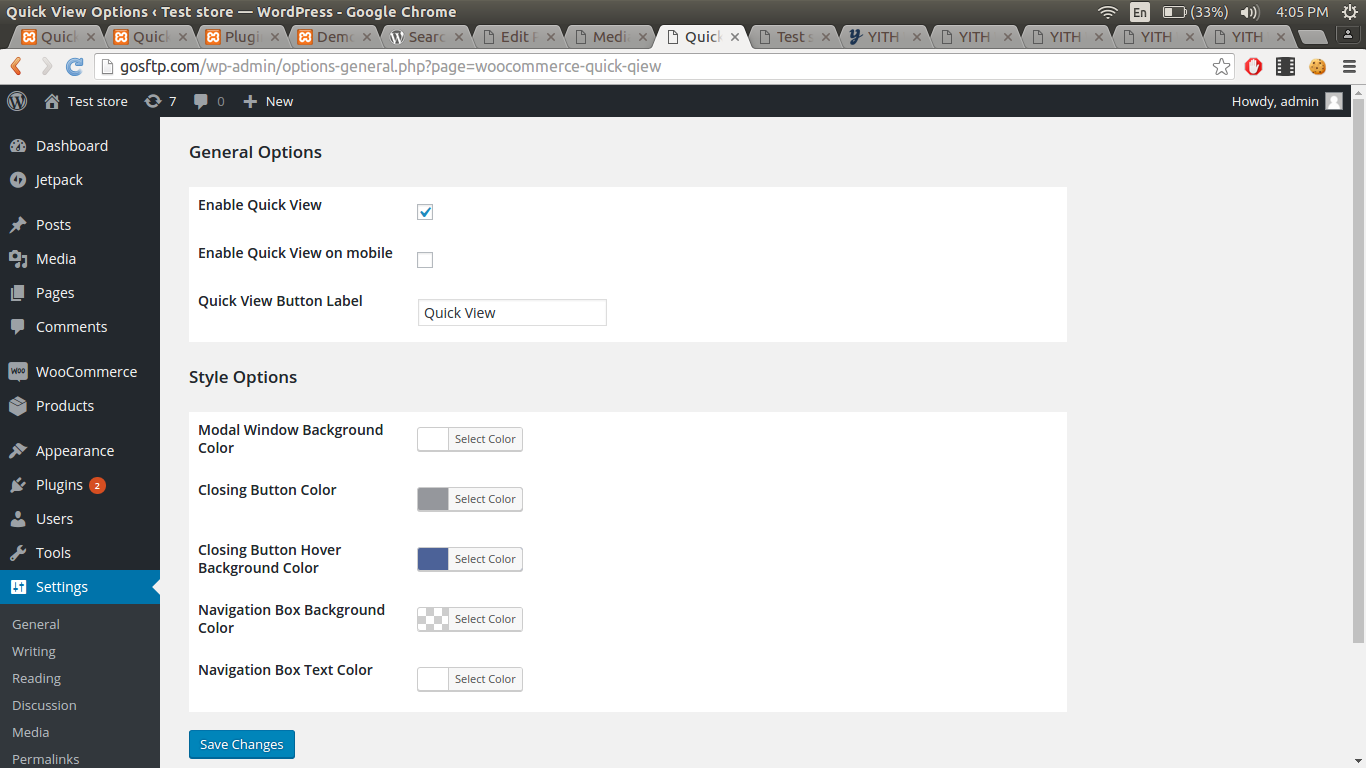
Admin
Changelog
No changelog available