

Breadcrumbs for WooCommerce
A simple plugin to style the WooCommerce Breadcrumbs or disable them altogether
Plugin info
Maintenance & Compatibility
Maintenance score
Maintained • Last updated 159 days ago • 13 reviews
Is Breadcrumbs for WooCommerce abandoned?
Likely maintained (last update 159 days ago).
Compatibility
Similar & Alternatives
Explore plugins with similar tags, and compare key metrics like downloads, ratings, updates, support, and WP/PHP compatibility.
Description
Breadcrumbs for WooCommerce is a simple WordPress plugin that helps you restyle the WooCommerce breadcrumbs. It also gives you the ability to disable them completely so they no longer display.
By changing the HTML surrounding your breadcrumbs, you’re able to provide better options for styling your breadcrumbs in different ways. For example, the default breadcrumbs simply display links with a separator character. Using Breadcrumbs for WooCommerce, you can change them to display as an unsorted list of links instead.
NOTE: This plugin wont actually style your breadcrumbs for you. It simply gives you the tools to change the HTML that wraps around your breadcrumbs.
Breadcrumbs for WooCommerce gives you the following settings
- Breadcrumb separator: This is the separator to use between each breadcrumb
- Wrap before: The opening HTML tag to wrap before all your breadcrumbs
- Wrap after: The closing HTML tag to wrap after all your breadcrumbs
- Before: The opening HTML tag to wrap before each individual breadcrumb
- After: The closing HTML tag to wrap after each individual breadcrumb
- Home text: The text to use for the ‘Home’ breadcrumb
- Home URL: The URL that the ‘Home’ breadcrumb links to
If need be, you can also disable the breadcrumbs completely by unticking the ‘Enable breadcrumbs’ checkbox. This will stop the breadcrumbs from displaying on your site.
If you notice there are a few less breadcrumb options on the settings page than you expected, then you’re mostly likely using a WooThemes Theme. WooTheme themes disable the WooCommerce breadcrumbs in favour of the WooFramework Breadcrumbs. The downside to this is that there aren’t quite as many options that can be changed with the WooFramework Breadcrumbs.
To see some examples of how you can style your WooCommerce Breadcrumbs, check out the plugin homepage.
Installation
- Upload the ‘woocommerce-breadcrumbs’ folder to your ‘/wp-content/plugins/’ directory
- Activate the plugin through the ‘Plugins’ menu in WordPress
- Go to the ‘Settings > Breadcrumbs for WC’ menu to update the plugin settings
Frequently Asked Questions
You’re most likely using a WooThemes theme. WooTheme themes disable the WooCommerce breadcrumbs in favour of the WooFramework Breadcrumbs and unfortunately there aren’t as many options that can be configured.
Certainly! On the settings page, simply untick the ‘Enable breadcrumbs’ checkbox and save your settings.
The easiest method is just to deactivate the plugin. Alternatively, simply tick the ‘Enable breadcrumbs’ checkbox and save your settings.
Storefront wraps their breadcrumbs with some custom HTML. This means you need to tweak your ‘Breadcrumb separator’, ‘Wrap before’ and ‘Wrap after’ settings. See this support post for more details.
Review feed
Perfect
Screenshots
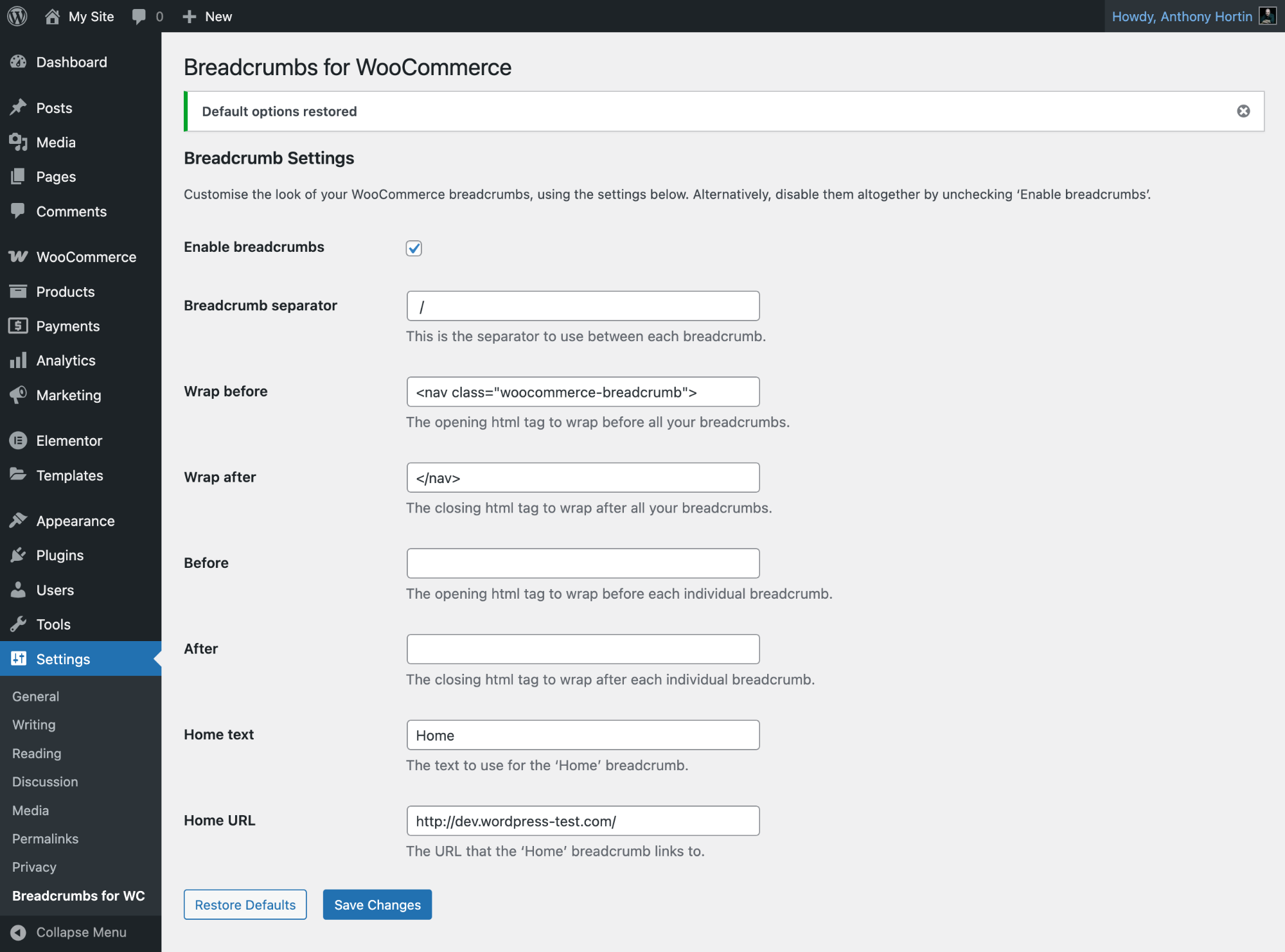
Breadcrumbs for WooCommerce default settings
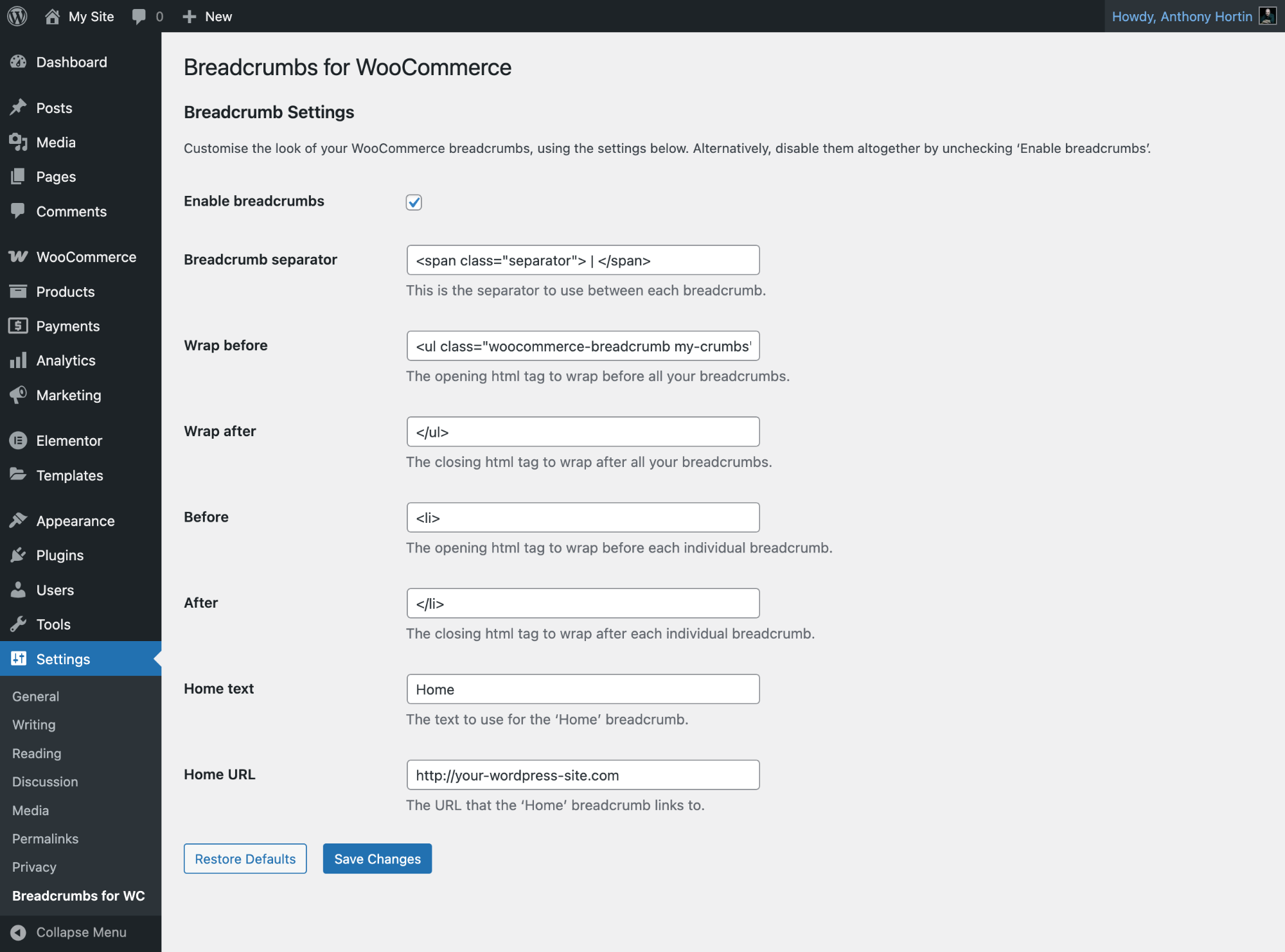
Breadcrumbs for WooCommerce settings
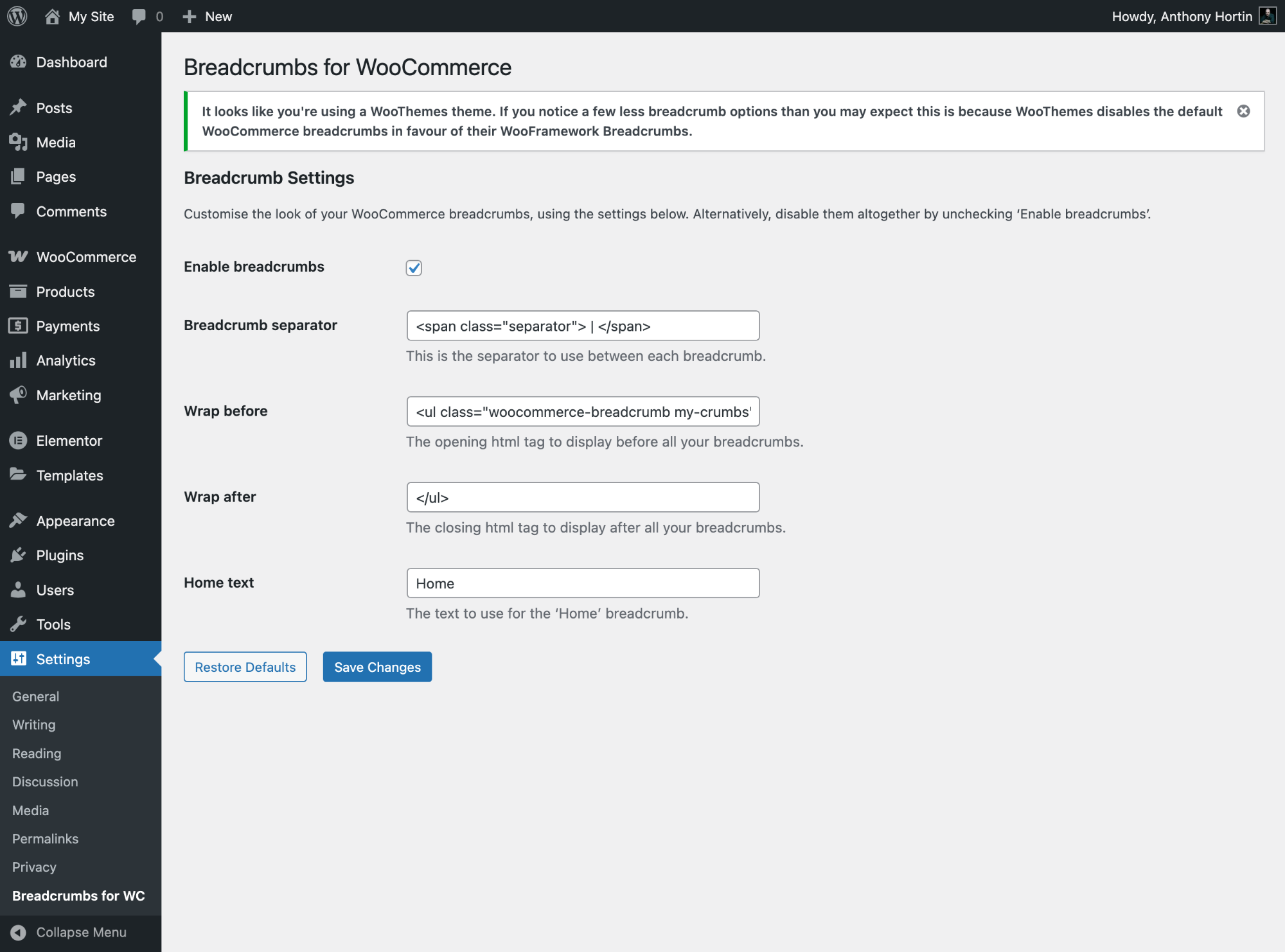
Breadcrumbs for WooCommerce settings for WooTheme Themes
Changelog
1.3.0
- Updated plugin name to avoid violating WooCommerce trademark
- Added requirement for WooCommerce into plugin header
1.2.0
- Fixed issue with text domain loading notice
- Updated WC Tested tags
1.1.0
- Declare compatibility with WooCommerce HPOS
1.0.8
- Moved loading of options from Constructor to help with translations by Falang plugin. Props @sbouey
1.0.7
- Fix display of Breadcrumb separator on settings page. Escape attribute when displaying value
- Fix breadcrumb removal for Storefront theme as it uses its own hook rather than the default WooCommerce hook
1.0.6
- Updated Breadcrumb separator setting to allow html tags
- Updated WC Tested tags
1.0.5
- Updated WC Tested tags
1.0.4
- Removed call to screen_icon() function as it’s now deprecated
- Added WC Tested tags to plugin header for compatibility check
1.0.3
- Updated version number as the .org directory doesn’t currently update the Last Updated date by simply updating the Tested up to value
1.0.2
- Fixed undefined index error due to checkbox sanitization
- Fixed misplaced braces
1.0.1
- Updated ‘Tested up to’ version to 3.9
- Added link to breadcrumb examples
1.0
- Initial version. Yay!