

Braintree for WooCommerce Payment Gateway
Accept PayPal, Credit Cards, and Debit Cards on your WooCommerce store.
Plugin info
Maintenance & Compatibility
Maintenance score
Maintained • Last updated 136 days ago • Support resolved 100% • 49 reviews
Is Braintree for WooCommerce Payment Gateway abandoned?
Likely maintained (last update 136 days ago).
Compatibility
Developers
Languages
Similar & Alternatives
Explore plugins with similar tags, and compare key metrics like downloads, ratings, updates, support, and WP/PHP compatibility.
Description
Accept all major cards, Apple Pay, and PayPal directly with PayPal Braintree for WooCommerce. Customers can save their card details or link a PayPal account for an even faster checkout experience.
Features
- No redirects — keep customers on your site for payment, reducing the risk of abandoned carts.
- Security first; PCI compliant, with 3D Secure verification and Strong Customer Authentication (SCA).
- Express checkout options, including Buy Now and PayPal Checkout buttons. Customers can save their card details, link a PayPal account, or pay with Apple Pay.
- Optimized order management; process refunds, void transactions, and capture charges from your WooCommerce dashboard.
- Route payments in certain currencies to different Braintree accounts (requires currency switcher).
- Compatible with WooCommerce Subscriptions and WooCommerce Pre-Orders.
Safe and secure — every time
Braintree’s secure Hosted Fields provide a seamless way for customers to enter payment info on your site without redirecting them to PayPal.
It’s PCI compliant and supports SCA and 3D Secure verification, so you always meet security requirements — without sacrificing flexibility. Plus, Braintree’s fraud tools protect your business by helping detect and prevent fraud.
Even faster checkouts
Customers can save their credit and debit card details or link a PayPal account to fast-forward checkout the next time they shop with you. Adding PayPal Checkout and Buy Now buttons to your product, cart, and checkout pages makes purchasing simpler and quicker, too.
Get paid upfront and earn recurring revenue
Take charge of how you sell online. PayPal Braintree supports WooCommerce Subscriptions — the perfect solution for earning recurring revenue. It’s also compatible with WooCommerce Pre-Orders, enabling you to accept payment upfront or as products ship.
Installation
Minimum Requirements
- PHP 7.4+ (you can see this under WooCommerce > Status)
- WooCommerce 8.1+
- WordPress 6.2+
- An SSL certificate
- cURL support (most hosts have this enabled by default)
Installation
Click here for instructions on installing plugins on your WordPress site. We recommend using automatic installation as the simplest method.
Updating
Automatic updates should work like a charm, though we do recommend creating a backup of your site before updating, just in case.
If you do encounter an issue after updating, you may need to flush site permalinks by going to Settings > Permalinks and clicking Save Changes. That will usually return things to normal!
Frequently Asked Questions
You’ve come to the right place. Our documentation for PayPal Braintree for WooCommerce includes detailed setup instructions, troubleshooting tips, and more.
Both! PayPal Braintree for WooCommerce supports payments with credit cards and PayPal. (You can also enable Apple Pay.)
Yes! PayPal Braintree supports tokenization (required for recurring payments) and is compatible with WooCommerce Subscriptions.
Support is available for 25 currencies, wherever Braintree is available. You can use your store’s native currency or add multiple merchant IDs to process other currencies via different Braintree accounts. To manage multiple currencies, you’ll need a free or paid currency switcher, such as Aelia Currency Switcher (requires purchase).
Yes! It’s supported in all countries where Braintree is available.
Yes; sandbox mode is available so you can test the payment process without activating live transactions. Woo-hoo!
You may need to enable PayPal in your Braintree account.
Sure thing! See our instructions on using PayPal Braintree without credit cards.
This extension should work with any WooCommerce-compatible theme, but you might need to customize your theme for a perfect fit.
First, review our documentation for troubleshooting tips and answers to common questions. If you need further assistance, please get in touch via the official support forum.
Review feed
Screenshots
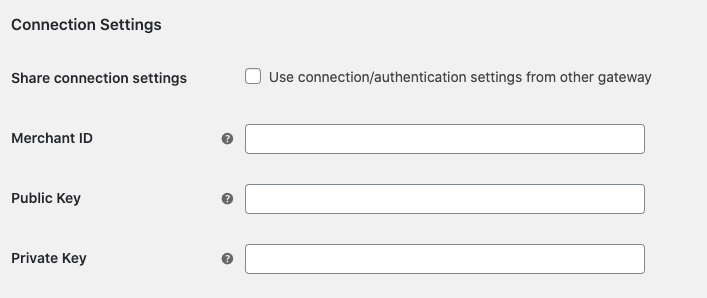
Enter Braintree credentials
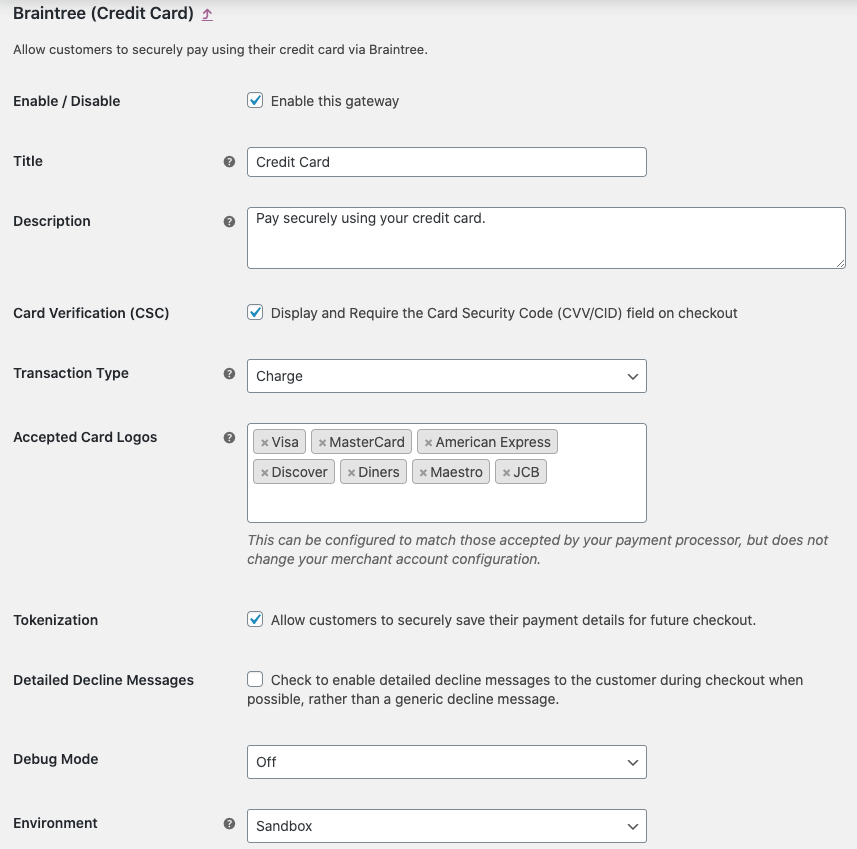
Credit card gateway settings
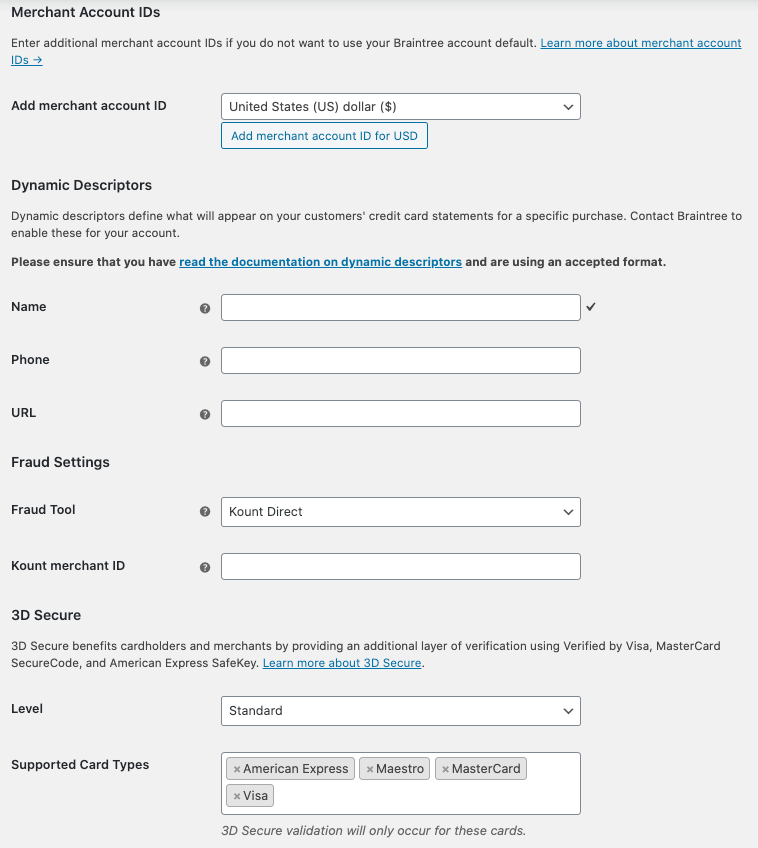
Advanced credit card gateway settings

PayPal gateway settings
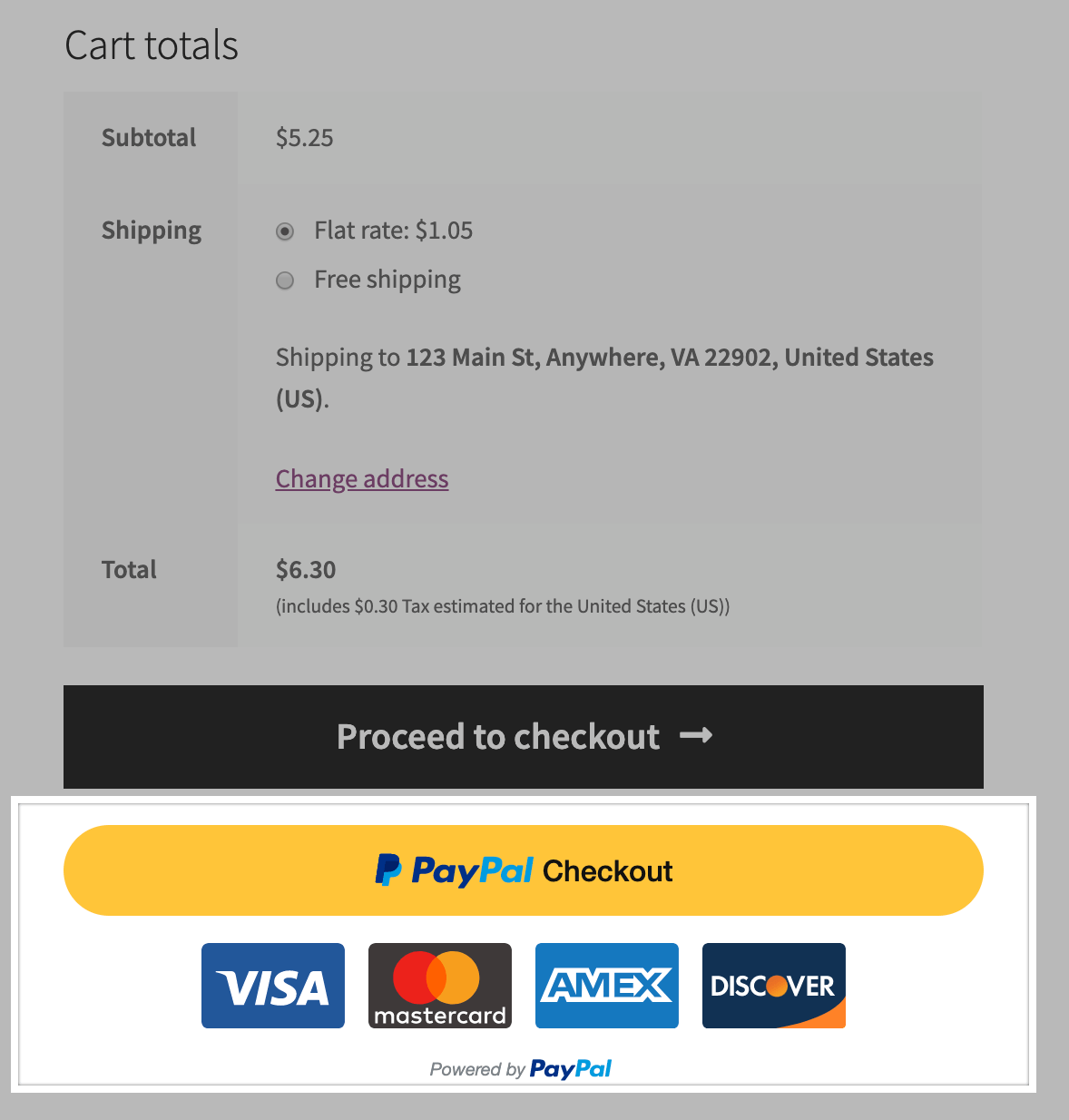
Checkout with PayPal directly from the cart
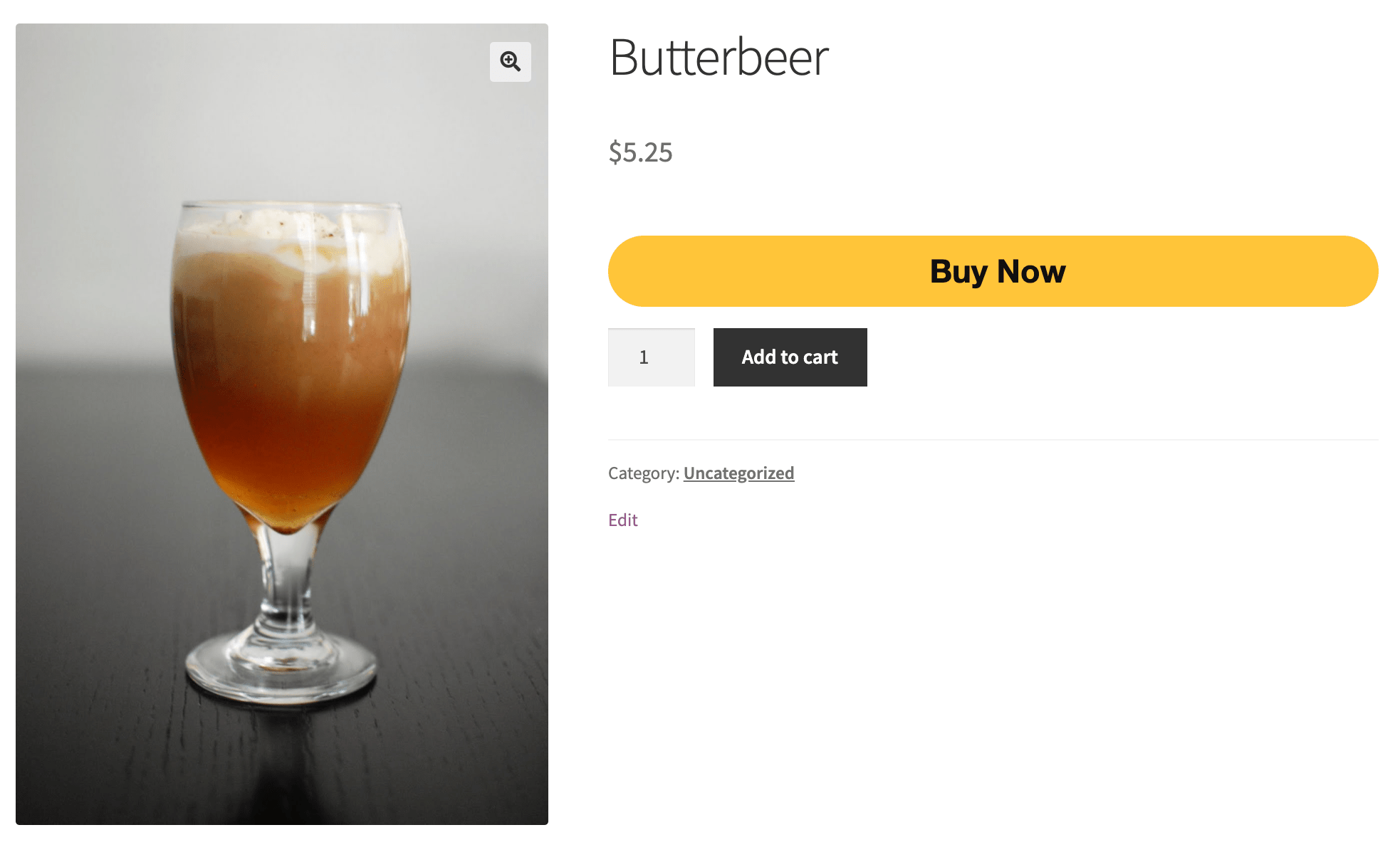
Checkout with PayPal directly from the product page
Changelog
3.5.1 – 2025-11-18
- Fix – Fix missing assets in the 3.5.0 release package
3.5.0 – 2025-11-17
Important Fixes and Updates
- Add – Apple Pay express payment support for WooCommerce Blocks Cart and Checkout pages.
- Add – Show Webhook URL configuration information.
- Fix – Allow changing shipping method in the Apple Pay modal.
- Fix – Issue with empty
_billing_address_indexinwp_postmetatable when using Apple Pay. - Fix – Fatal error when trying to register Blocks before the class is available.
- Dev – Bump WooCommerce “tested up to” version 10.3.
- Dev – Bump WooCommerce minimum supported version to 10.1.
- Dev – Update Braintree PHP SDK from 6.21.0 to 6.28.0.
- Dev – Update Braintree JS SDK from 3.94.0 to 3.129.1.
Internal Changes and Early Access Features
- Add – Add Early Access support for new payment methods (can be enabled on the WooCommerce Features page).
- Add – Early access support for Google Pay.
- Add – Early access support for Venmo.
- Add – Google Pay express payment support on product pages.
- Add – Google Pay express payment support for WooCommerce Cart and Checkout block pages.
- Add – Allow Google Pay to be used for Subscriptions.
- Add – Automatic customer account creation for subscription purchases through Google Pay when the user is not logged in.
- Tweak – Update Google Pay button height to match Apple Pay button.
- Tweak – Add support for using different logging severities and additional structured data.
- Dev – Prevent duplicate pages/products when setting up the test environment.
- Dev – Updates to our QIT GitHub Action workflow.
- Dev – Add new deploy workflow.
3.4.2 – 2025-10-08
- Add – Retry Braintree API call without Level3 request data after a processor 2046 error.
- Fix – Remove field
unitTaxAmountfrom Level 3 request data.
3.4.1 – 2025-09-24
- Fix – Error when placing orders with 3DS disabled on the Braintree account.
- Fix – Credit Card payments fail with Zero-Amount line items.
3.4.0 – 2025-09-15
- Add – Automatic customer account creation for subscription purchases through Apple Pay when the user is not logged in.
- Add – Ability to view transaction data in order page.
- Add – Include level 2 and level 3 data when creating transactions.
- Dev – Bump WooCommerce “tested up to” version 10.2.
- Dev – Bump WooCommerce minimum supported version to 10.0.