

Hide admin notices – Admin Notification Center
Keep your dashboard clean by grouping all the WordPress notice and hide them in a notification center.
Plugin info
Maintenance & Compatibility
Maintenance score
Possibly abandoned • Last updated 470 days ago • 14 reviews
Is Hide admin notices – Admin Notification Center abandoned?
Possibly abandoned (last update 470 days ago).
Compatibility
Developers
Similar & Alternatives
Explore plugins with similar tags, and compare key metrics like downloads, ratings, updates, support, and WP/PHP compatibility.
Description
Tired of having the top of your screen full of notifications coming from all the plugins you’ve installed?
Here is what you will be able to:
* Display or not the notifications depending on users roles.
* Group all your notifications in a notification center located at the right of your page.
* Use the bouton on the top bar to display / hide this notification center.
* Be informed when a new notification is present (thanks to a badge displayed on your admin bar)
* Select the notification types (information/warning/error) you want to be displayed in the notification center. And the ones you would like to be displayed at the top of your screen
* Don’t display notification containing spam words set by the user
Installation
You can download the package on wordpress.org and install it on your website or directly install it via the plugin installer on your backend.
Frequently Asked Questions
Review feed
Perfect
THANK YOU GOD (et Remi ;)
Essential plugin
Excellent plugin, easy to use, installs as a breeze
Simply a brilliant tool
Screenshots
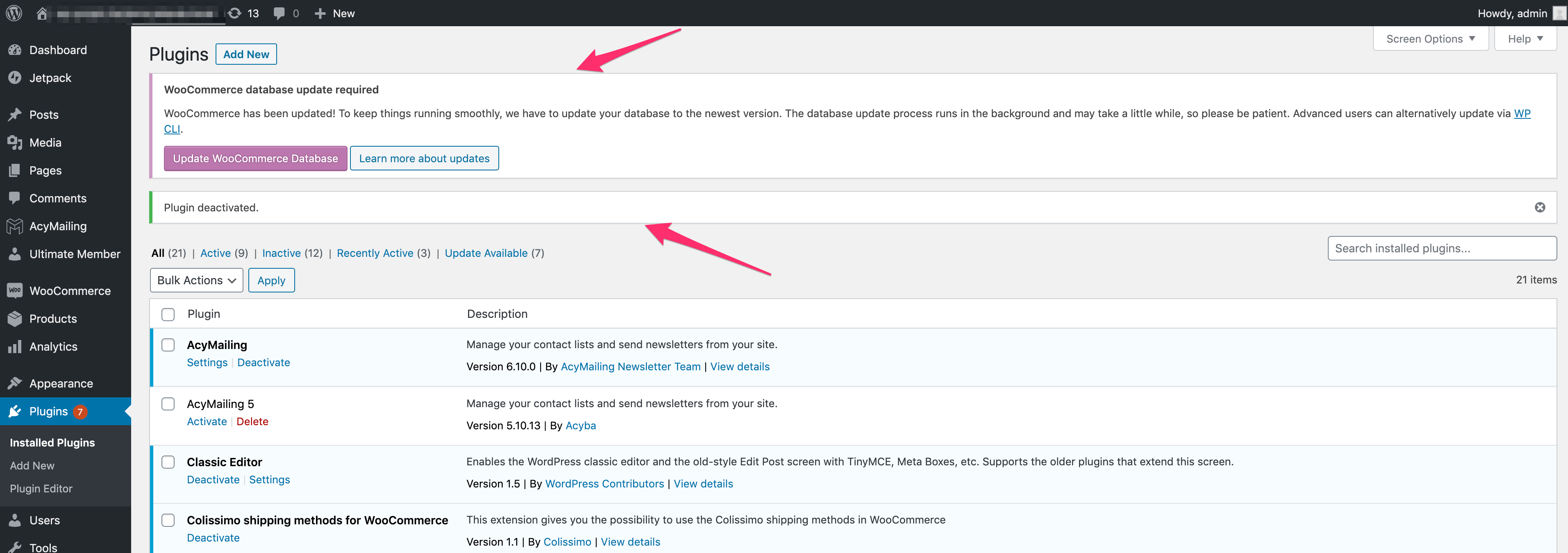
Screenshots of the pages "plugins installed" without the plugin
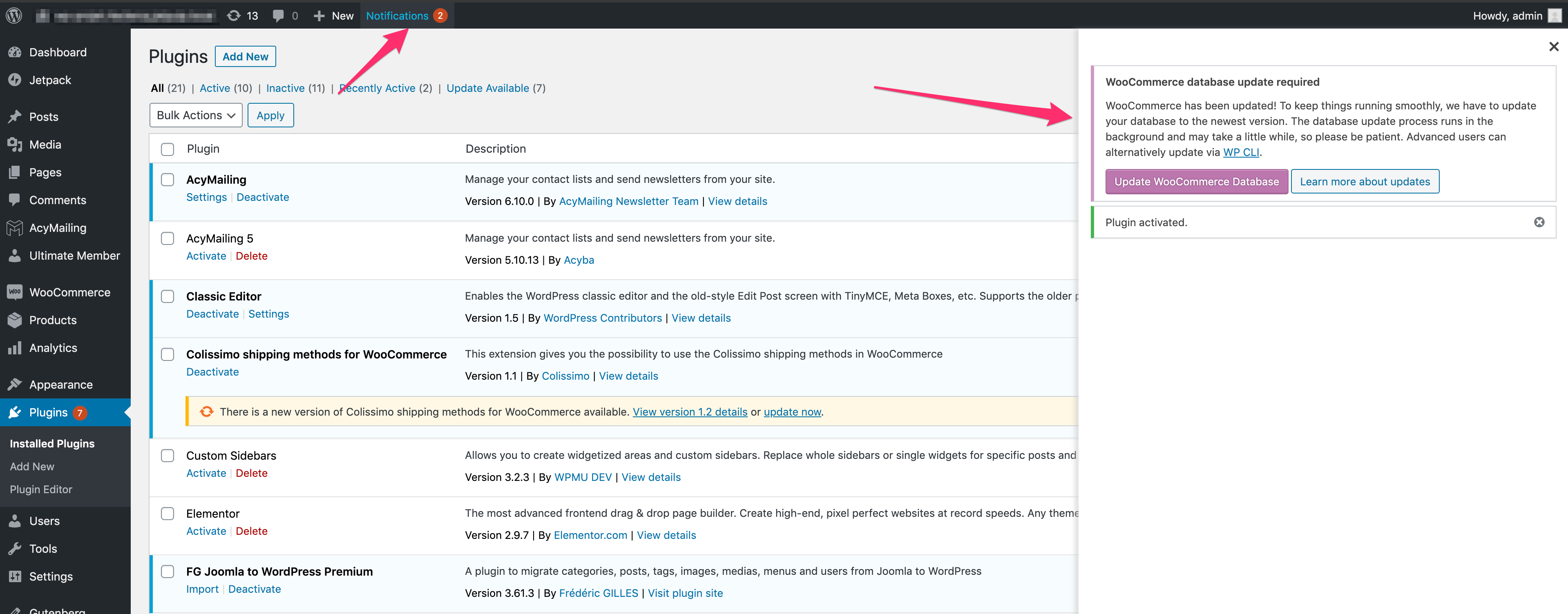
Screenshots of the pages "plugins installed" with the plugin
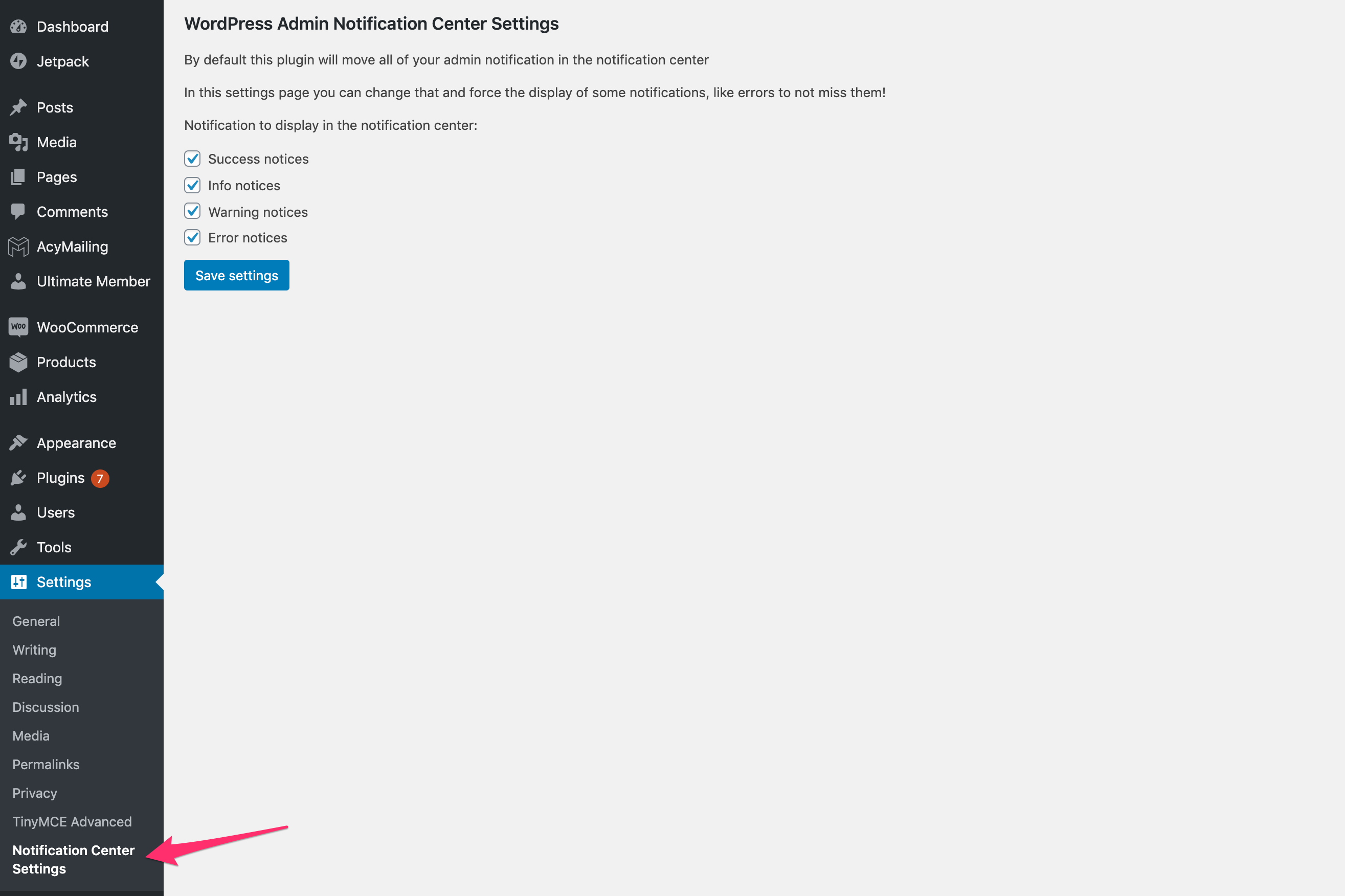
Screenshots of the plugin settings
Changelog
3.2.2
- Fix spam word displaying notices
3.2.0
- Fix notification number showing 0
3.0.0
- Store notice displayed in the admin
- Listing of all notices stored
- Change admin menu icon