

Plugin info
Maintenance & Compatibility
Maintenance score
Stale • Last updated 309 days ago • 2 reviews
Is WP Guest Bar abandoned?
Likely maintained (last update 309 days ago).
Compatibility
Similar & Alternatives
Explore plugins with similar tags, and compare key metrics like downloads, ratings, updates, support, and WP/PHP compatibility.
Description
WP Guest Bar displays a customizable WordPress admin bar for non-logged-in users.
Inspired by BuddyPress, it provides quick links (e.g., Log In and Register) for guests, improving user engagement and site navigation.
Features
- Home icon with site name and link (mobile-friendly)
- Login link with icon (mobile-friendly)
- Register link (if enabled)
- Customizable message area for guests
- WPML compatible and fully translatable
- Lightweight and performance-optimized
Demo: wpgov.it
Perfect for BBPress forums or any site looking to encourage user registration and interaction.
Installation
- Upload the entire folder to
/wp-content/plugins/or install via the WordPress plugin screen. - Activate the plugin through the ‘Plugins’ menu in WordPress.
- Configure settings as needed and enjoy!
Frequently Asked Questions
Yes, you can set a custom message for guests in the plugin settings.
WP Guest Bar is designed to work with most themes. For advanced customization, you may use custom CSS.
Review feed
Screenshots
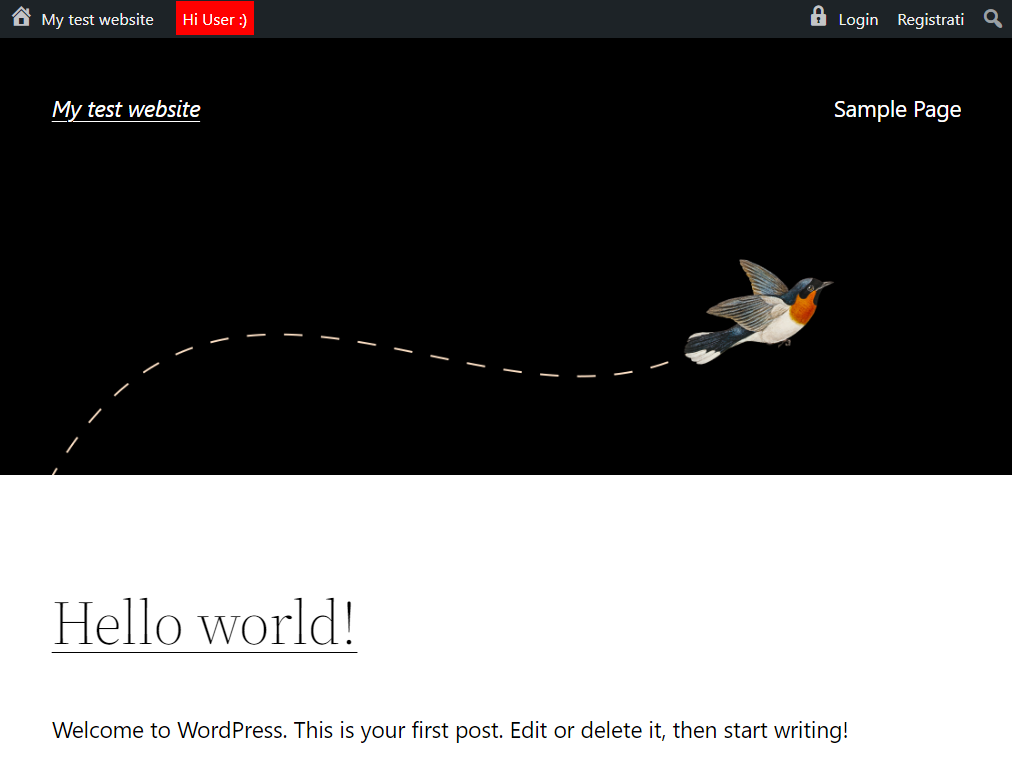
Desktop UI with custom message

Responsive mobile UI
Changelog
3.0.1 – 2025-05-29
- [NEW] Added new functions:
- Add your own logo in the admin bar
- Add custom links in the admin bar
- Improved documentation and code structure
- Updated compatibility for WordPress 6.9
2.3
- Compatibility check
- Minor changes
2.2 2024-05-24
- Compatibility check
- Minor changes
2.2 20231020
- Compatibility check
- Minor bugfix (thanks to R. Mészáros)
- Minor changes
2.1 20220901
- Compatibility check
- Minor changes
2.0 20220213
- [NEW] Login and registration are now aligned right
- [NEW] Full mobile support
- [NEW] Added homepage link with home dashicon
- [IMPROVED] Major performance improvements
- [IMPROVED] Complete object-oriented code refactoring
- WP compatibility check
- Readme and wordpress.org page improvements
1.2 – 16.07.2015
- Added option to show a top bar message
1.1.1 – 02.03.2015
- Minor changes
1.1 – 09.07.2014
- Removed WordPress logo for non-logged users
1.0 – 09.07.2014
- First release