

WP Upload Restriction
This plugin allows you to control upload of files based on file types and sizes.
Plugin info
Maintenance & Compatibility
Maintenance score
Stale • Last updated 270 days ago • 15 reviews
Is WP Upload Restriction abandoned?
Likely maintained (last update 270 days ago).
Compatibility
Similar & Alternatives
Explore plugins with similar tags, and compare key metrics like downloads, ratings, updates, support, and WP/PHP compatibility.
Description
This plugin allows you to restrict your site users from uploading files of certain types and control the maximum file upload size. Administrator can select the file types and file upload limit by user role. This plugin restricts users from uploading unwanted files using the WordPress media uploader.
It is very simple to use. You will be able give permissions role wise. To restore WordPress’s default selection, just deactivate the plugin.
Any issue? Please let me know (http://sajjadhossain.com/contact-me/).
Installation
- Upload
wp-upload-restrictionfolder to the plugins directory (/wp-content/plugins/). - Activate the plugin through the ‘Plugins’ menu in WordPress.
- Go to Settings > WP Upload Restriction settings page.
- Check/uncheck the extensions you want to allow/deny for each role.
- Check “Restrict upload size to” checkbox to restrict file upload size and enter the file size in MB.
- Save the changes.
To return back to WordPress’s default selection, just deactivate the plugin.
Frequently Asked Questions
Review feed
Screenshots

Settings - Restriction page
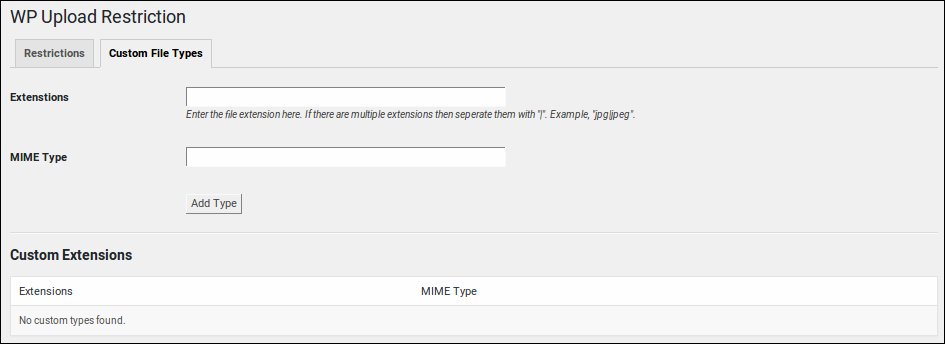
Settings - Custom File Type management page
Changelog
2.3.0
- Fixed: Settings were not saving when no mime types were selected.
- Tested with WP version 6.8
2.2.9
- Fixed: Limit unit was saving but not showing the actual selection.
- Tested with WP version 6.5.5
2.2.8
- Fixed security related issues.
2.2.3
- Minor fixes.
2.2.2
- New feature: Added option for selecting file size unit (MB and KB).
- Compatibility check.
2.2.0
- New feature: Added option for managing custom file type.
- UI improvements
2.1.0
- Role wise file upload size restriction added.
- Fixed some minor issues.
2.0.1
- Fixed design break in settings page.
2.0.0
- Restructured the plugin to add role wise restriction.