

Gravity Forms YMLP Add-on
Integrate the Gravity Forms contact form plugin with YMLP, a newsletter mailing list solution.
Plugin info
Maintenance & Compatibility
Maintenance score
Possibly abandoned • Last updated 4001 days ago
Is Gravity Forms YMLP Add-on abandoned?
Possibly abandoned (last update 4001 days ago).
Compatibility
Similar & Alternatives
Explore plugins with similar tags, and compare key metrics like downloads, ratings, updates, support, and WP/PHP compatibility.
Description
Integrate Gravity Forms with YMLP
Gravity Forms is the best form plugin for WordPress. YMLP is one of the best email marketing companies out there. It’s a match made in heaven!
Each form submission gets added to YMLP as a contact.
It takes a couple of minutes to set up, and from then on, you won’t have to worry about exporting your contact form submissions and importing them into your YMLP email group.
If you have questions, comments, or issues with this plugin, please leave your feedback on the Plugin Support Forum.
Installation
- Upload plugin files to your plugins folder, or install using WordPress’ built-in Add New Plugin installer
- Activate the plugin
- Go to the plugin settings page (under Forms > Settings > YMLP)
- Enter the information requested by the plugin.
- Click Save Settings.
- If the settings are correct, it will say so.
- Follow on-screen instructions for integrating with YMLP.
Frequently Asked Questions
How do I find my YMLP API Key?
To find your API key, log in to YMLP, then go to the Configuration tab and click on the sub-navigation link “API”.
How do I add fields to the Map Data Fields list?
To add more Data Fields, go to Manage Contacts → Manage Data Fields in YMLP.
What’s the license for this plugin?
This plugin is released under a GPL license.
Review feed
Screenshots
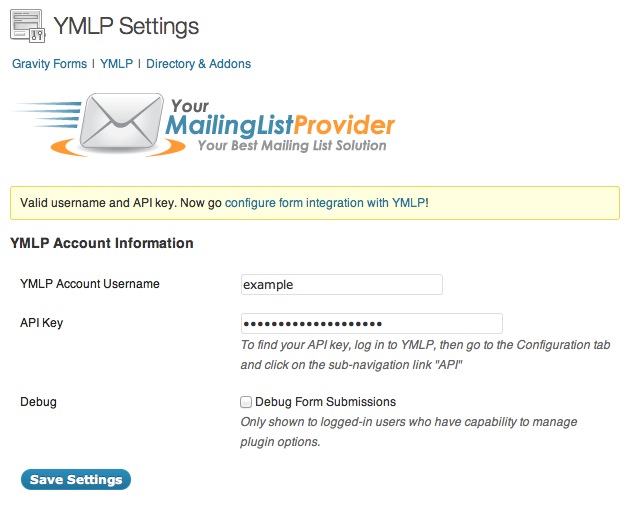
The Gravity Forms YMLP Add-on settings page

It's easy to integrate Gravity Forms with YMLP: set up a "Feed" and match up the fields you'd like sent to YMLP

Configure many integrations at once with multiple Gravity Forms
Changelog
1.0.2
- Fixed issue with incorrect formatting of some fields
- Added support for “Address (Full)” and “Name (Full)” data fields
1.0.1
- Fixed issue with incorrect formatting of date fields
1.0
- Liftoff!