

Zaprite Payment Gateway – Accept Bitcoin and Fiat payments in WooCommerce
Zaprite Payment Gateway is a WooCommerce payment gateway that allows you to accept Bitcoin, Lightning, Liquid and card payments.
Plugin info
Maintenance & Compatibility
Maintenance score
Maintained • Last updated 179 days ago • 2 reviews
Is Zaprite Payment Gateway – Accept Bitcoin and Fiat payments in WooCommerce abandoned?
Likely maintained (last update 179 days ago).
Compatibility
Similar & Alternatives
Explore plugins with similar tags, and compare key metrics like downloads, ratings, updates, support, and WP/PHP compatibility.
Description
Zaprite Payment Gateway for WooCommerce enables your ecommerce store to accept Bitcoin, Lightning, Liquid and card payments in one unified Checkout experience.
This plugin integrates seamlessly with your WooCommerce Checkout, providing a fast, secure, and low-cost payment option for your customers.
Features:
– Accept Bitcoin, Lightning and Liquid payments directly to your wallet.
– Accept card payments via Stripe or Square.
– Easy setup and configuration within WooCommerce settings.
– QR code generation for easy payments.
– Transaction history and CSV export for easy reconciliation.
Why Choose Zaprite?
– Lower transaction fees compared to traditional payment methods.
– Enhanced security and privacy for your customers.
– No intermediaries or third parties, receive payments directly.
Demo
To see a live demo, please visit https://woo.zaprite.dev.
Support
For support and feature requests, please visit https://zaprite.zendesk.com/hc/en-ca.
Additional Notes
Zaprite is not affiliated with or endorsed by WooCommerce or WordPress. This plugin is developed and maintained by Zaprite.
Pricing
Visit the Pricing page on our website to learn more about how we charge fees.
Installation
- Navigate to Plugins > Add New Plugin, then search for ‘zaprite’ in the
official WordPress directory. - Click ‘Install Now’, then once installed, click to Activate the plugin.
- Navigate to WooCommerce > Settings > Payments.
- Enable the Zaprite plugin, then click on ‘Manage’ to configure the payment
gateway settings.
Installation Video
Frequently Asked Questions
See our blog post for FAQ’s How To Connect Your WooCommerce Store.
Review feed
Screenshots

The API key from Zaprite for WooCommerce

Configure the plugin
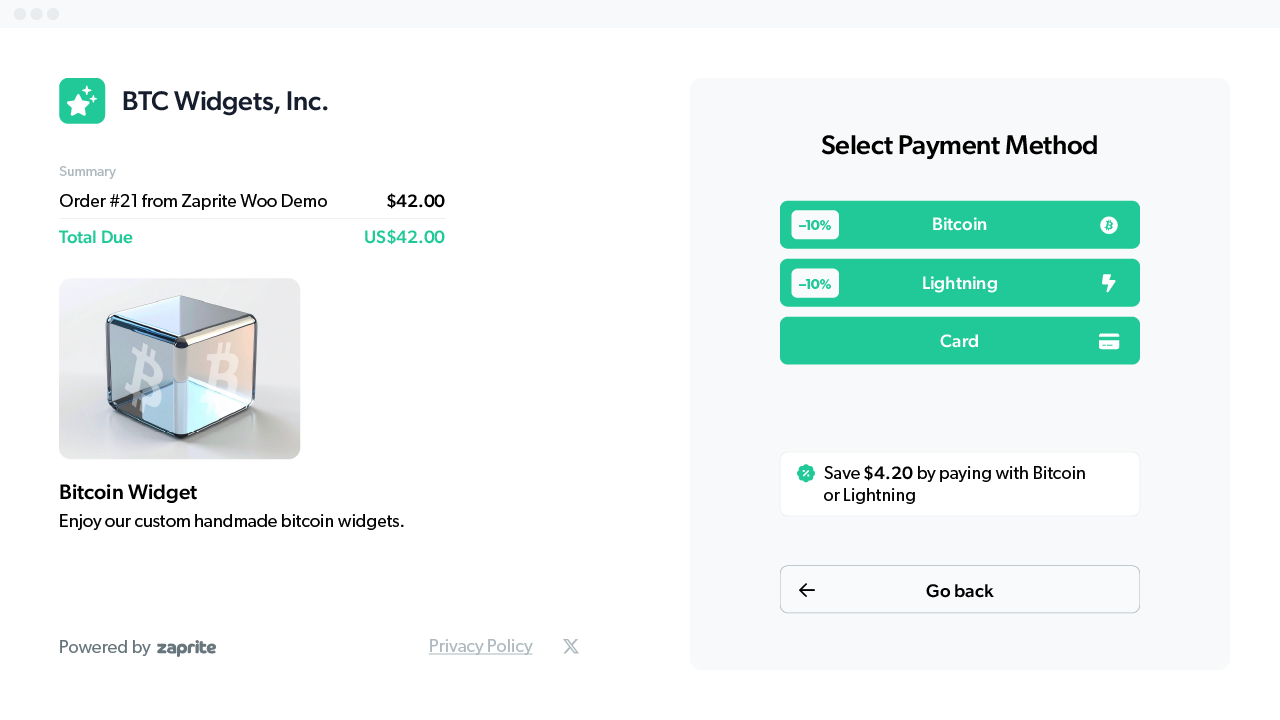
Checkout using Zaprite
Changelog
1.0.7
- Update: Fix order number.
1.0.6
- Update: Bump versions and add pricing link.
1.0.5
- Update: Add discounts.
1.0.4
- Update: Add method to order metadata.
1.0.3
- Update: Add payment info in the order metadata.
1.0.2
- Update: Use standard Authorization header.
1.0.1
- Bug fix: 3 decimal currency support and conversion fix.
1.0.0
- Initial release: Zaprite payment gateway with Bitcoin, Lightning and card Checkout support.