

Custom Term Colors
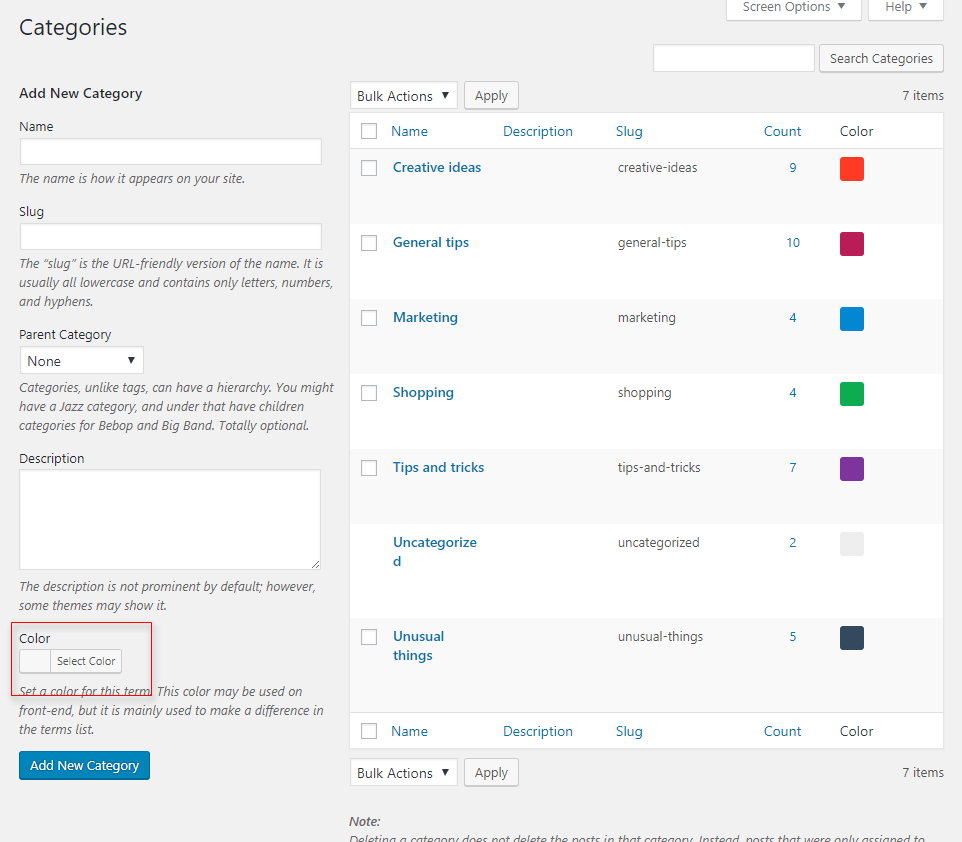
Provides an easy to use interface to assign colors to any term from any taxonomy.
Plugin info
Maintenance & Compatibility
Maintenance score
Possibly abandoned • Last updated 2471 days ago
Is Custom Term Colors abandoned?
Possibly abandoned (last update 2471 days ago).
Compatibility
Similar & Alternatives
Explore plugins with similar tags, and compare key metrics like downloads, ratings, updates, support, and WP/PHP compatibility.
Description
Provides an easy to use interface to assign colors to any term from any taxonomy. Then you can use them on front-end
using the built-in CSS class or just by calling get_term_meta.
Installation
Frequently Asked Questions
Do I have to place some code in my theme?
No or maybe yes. You can use the plugin as it is, just to differentiate terms by color. However, if you want to display
the colors on the front-end, you may need to use the CSS class, that is something like .ztc-term-label-{ID},
or directly get_term_meta to retrieve the meta value.
I want to display the terms on front end how to do it?
The easiest way is to use the built-in function that comes with this plugin:
ztc_colored_labels( $taxonomy, $post_id = false, $links = false, $limit = false );
Review feed
Screenshots

Changelog
1.0
- Initial release.