

Plugin info
Maintenance & Compatibility
Maintenance score
Stale • Last updated 326 days ago
Is Acwpblocks abandoned?
Likely maintained (last update 326 days ago).
Compatibility
Similar & Alternatives
Explore plugins with similar tags, and compare key metrics like downloads, ratings, updates, support, and WP/PHP compatibility.
Description
Acwpblocks – popup block is a Gutenberg block that allows you to create popups that can be triggered by any button or link with the same class as the popup ID.
Features:
– Add a popup block in the editor.
– Set a unique popup ID.
– Use any Gutenberg button or element with the same class to trigger the popup.
– Includes animations and smooth transitions.
– Custom close button and background click-to-close functionality.
Usage
- Insert the Popup Block into your post or page.
- Add any type of inner element inside the Popup Block.
- Enter a unique Popup ID in the block settings.
- Use any button or link and assign the same Popup ID as a class.
- You can use multiple popups on a single page or post.
- Check the front-end for the first popup containing an image.
- Also, check the front-end for the second popup, which contains a paragraph.
Source Code
The source code for this plugin can be found at:
Source Code: GitHub Repository
License
This plugin is licensed under the GPL-2.0-or-later.
Installation
- Upload the plugin files to the
/wp-content/plugins/acwpblocks-popupdirectory, or install the plugin through the WordPress plugins screen directly. - Activate the plugin through the “Plugins” screen in WordPress.
- Add the “Popup Block” from the block editor and configure it.
Frequently Asked Questions
Use any Gutenberg button or link and assign the same popup ID as a class.
Yes, the popup has smooth animations that slide in from the bottom.
Yes, you can modify the CSS to change the popup’s appearance.
Review feed
Screenshots
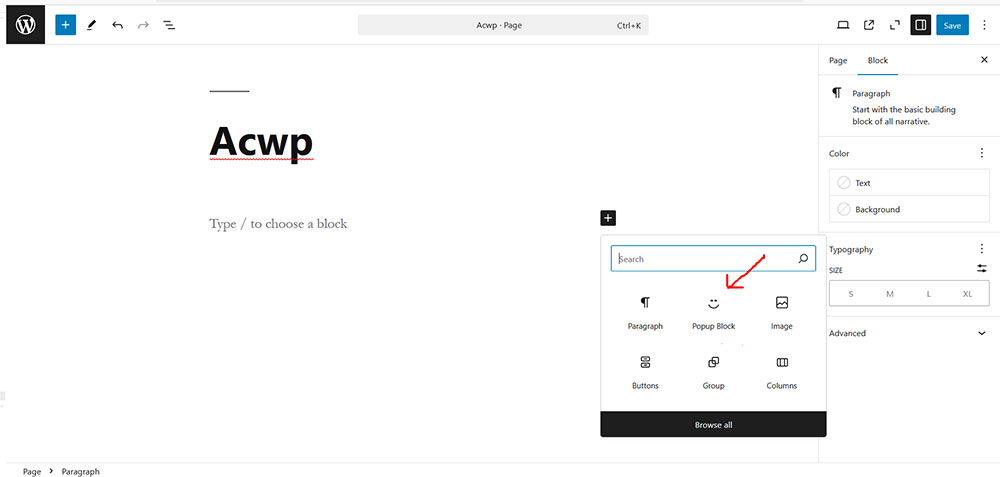
Insert the Popup Block into your post or page.
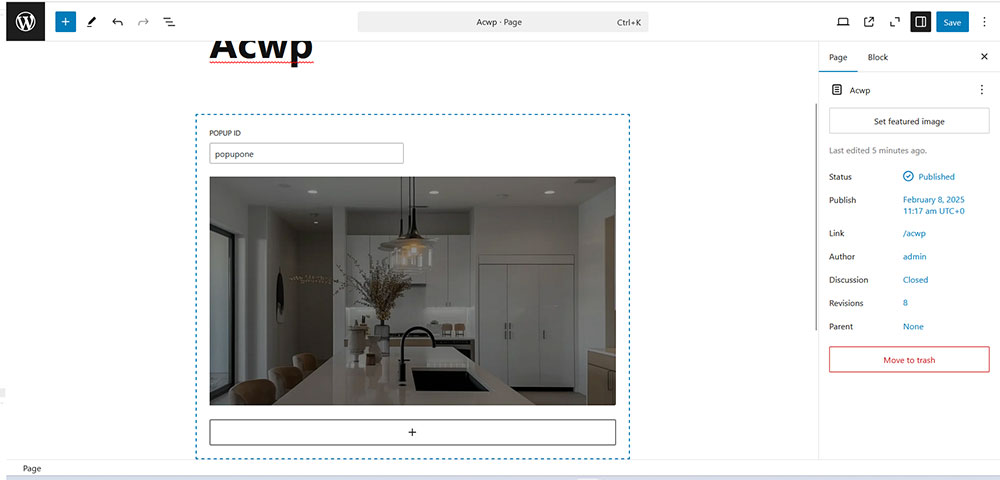
Add any type of inner element inside the Popup Block.
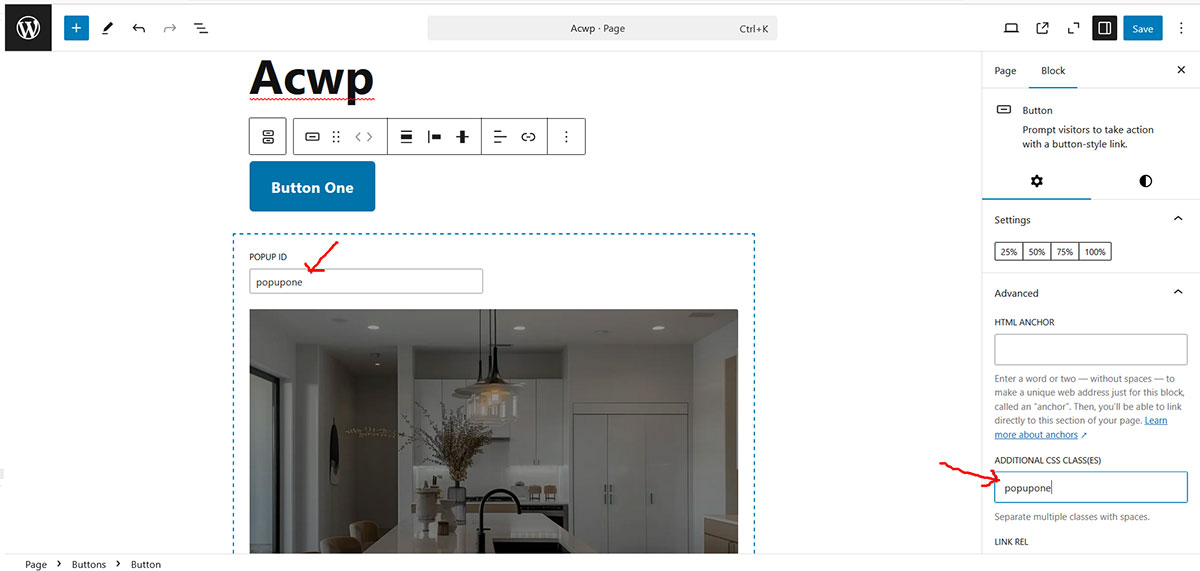
Enter a unique Popup ID in the block settings.
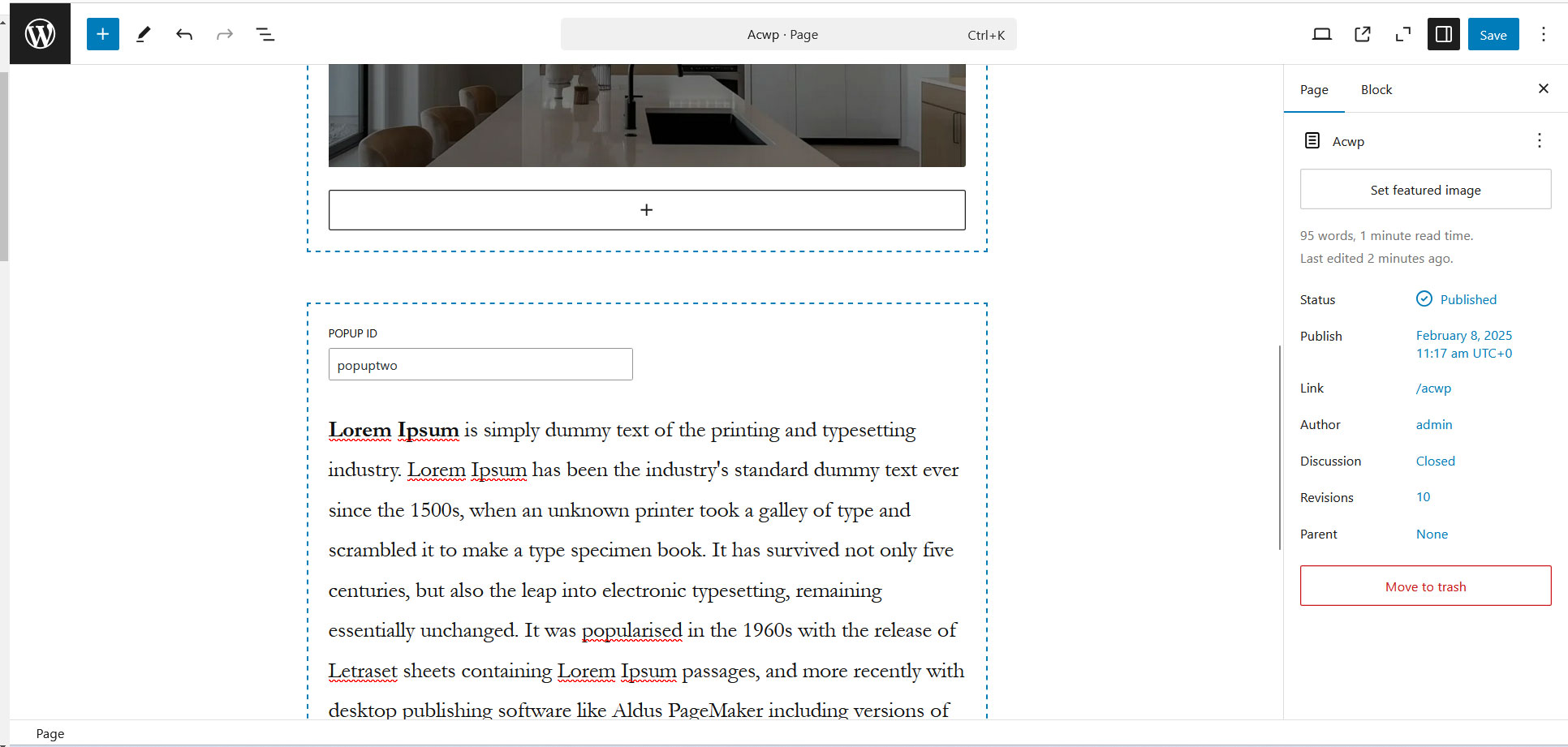
Use any button or link and assign the same Popup ID as a class.
Changelog
0.1.0
- Initial release.