

AWP Disallow Root Control
Disallow access to the root directory via robots.txt with an option to enable or disable.
Plugin info
Maintenance & Compatibility
Maintenance score
Possibly abandoned • Last updated 515 days ago • 4 reviews
Is AWP Disallow Root Control abandoned?
Possibly abandoned (last update 515 days ago).
Compatibility
Similar & Alternatives
Explore plugins with similar tags, and compare key metrics like downloads, ratings, updates, support, and WP/PHP compatibility.
Description
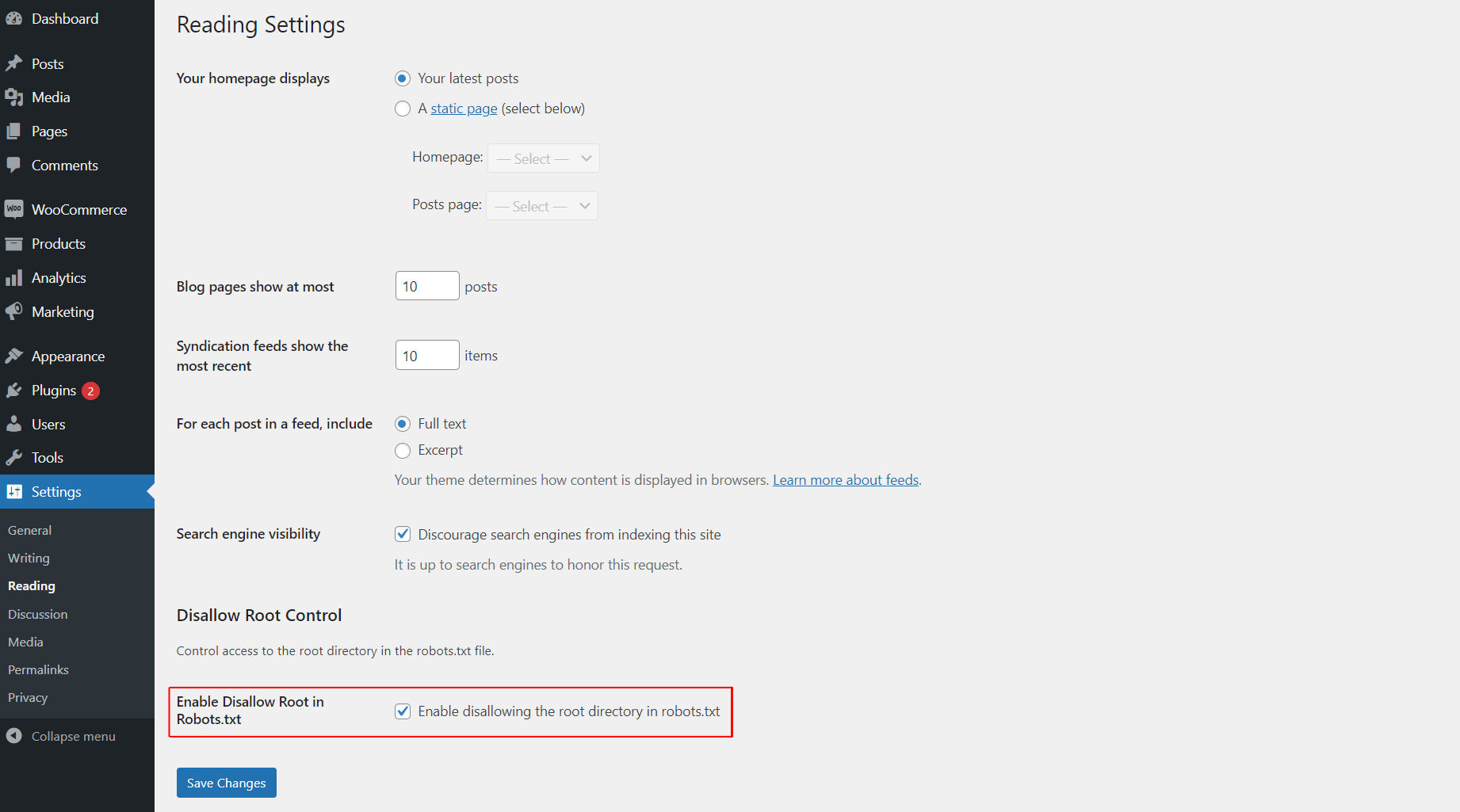
This plugin allows you to easily control whether search engines are disallowed from accessing the root directory of your WordPress site by modifying the robots.txt file. You can enable or disable this functionality from the “Reading” settings page.
Installation
- Upload the
awp-disallow-root-controlfolder to the/wp-content/plugins/directory. - Activate the plugin through the ‘Plugins’ menu in WordPress.
- Go to the “Reading” settings page to enable or disable the disallow root functionality.
Frequently Asked Questions
After activating the plugin, go to the “Reading” settings page in WordPress and check the option to enable disallowing access to the root directory. If unchecked, the functionality will be disabled.
Review feed
Screenshots
Changelog
1.0.0
- Initial release.
1.0.1
- Update plugin comment message, banner and icon.