

Before + After Images for Divi
Create before-and-after image sliders in the Divi Visual Builder easily.
Plugin info
Maintenance & Compatibility
Maintenance score
Possibly abandoned • Last updated 467 days ago • 10 reviews
Is Before + After Images for Divi abandoned?
Possibly abandoned (last update 467 days ago).
Compatibility
Similar & Alternatives
Explore plugins with similar tags, and compare key metrics like downloads, ratings, updates, support, and WP/PHP compatibility.
Description
Create before-and-after image sliders in Divi easily with Before + After Images for Divi.
- Compatible with the Visual Builder.
- Compatible with lazy load plugins (excludes slider images).
- Supports cropped image sizes (image size selection).
- Mobile responsive.
- Lightweight.
Requirements
This plugin is designed to work with the Divi Builder plugin or a theme such as Divi or Extra by Elegant Themes (affiliate link).
My Plugins for Divi
Supporting Before + After Images for Divi
If you found this free plugin helpful, please support the developer with a small donation:
Credit
Plugin created by Aaron Bolton. Before + After Images for Divi brings the power of TwentyTwenty by ZURB to your Divi Builder installation.
Installation
- Upload before-after-images-for-divi to the /wp-content/plugins/ directory.
- Activate the plugin through the Plugins menu in WordPress.
- Add a new **Before + After Images* module to any Page or Post that uses the Divi Builder.
- Add a Before image and an After image to the module.
- Select an image size in the module under the Advanced tab.
- Click the green check to save the module.
- Click the green Save button in the lower right-hand corner of the screen to Save changes.
Frequently Asked Questions
Review feed
Screenshots
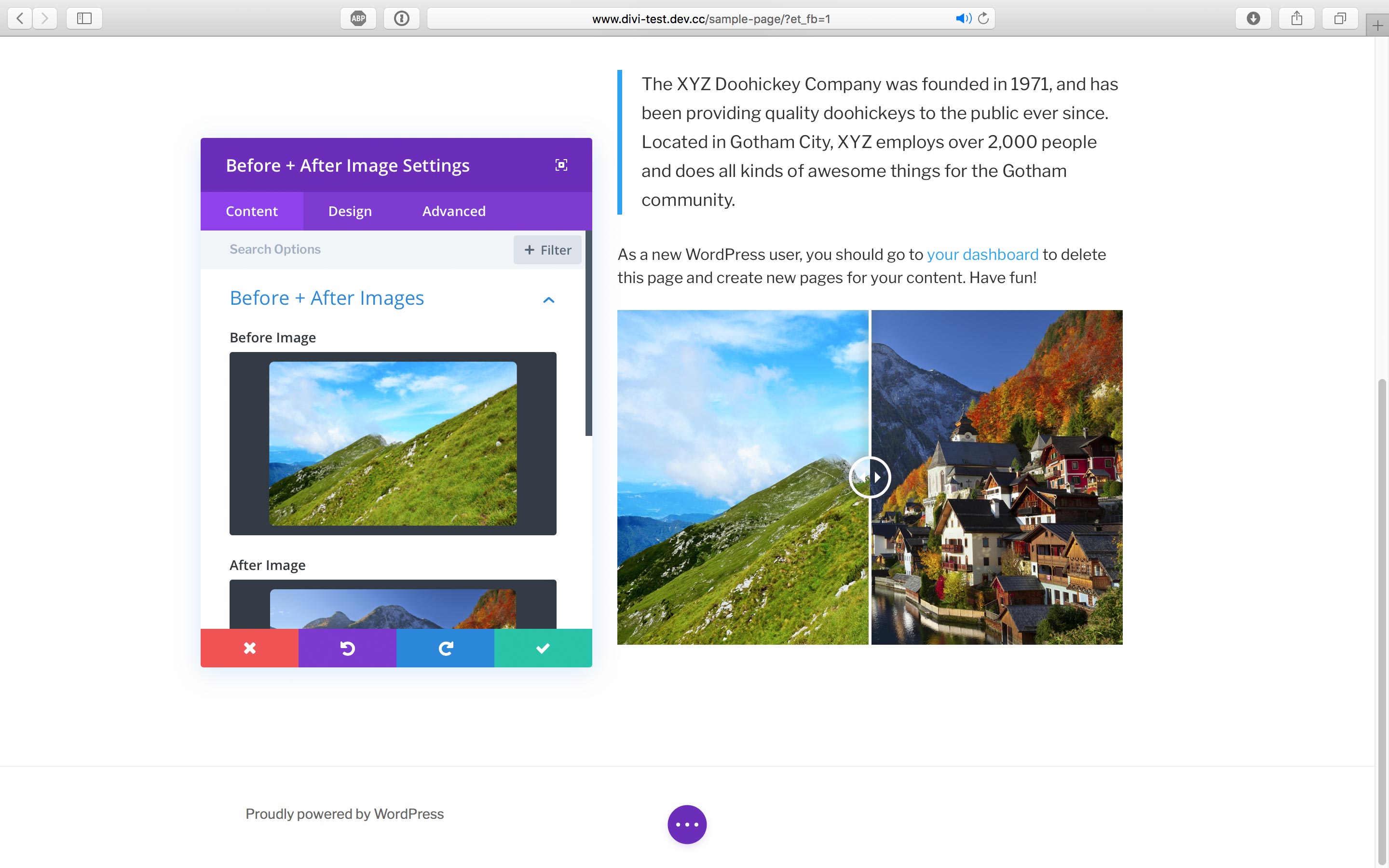
Visual Builder module.
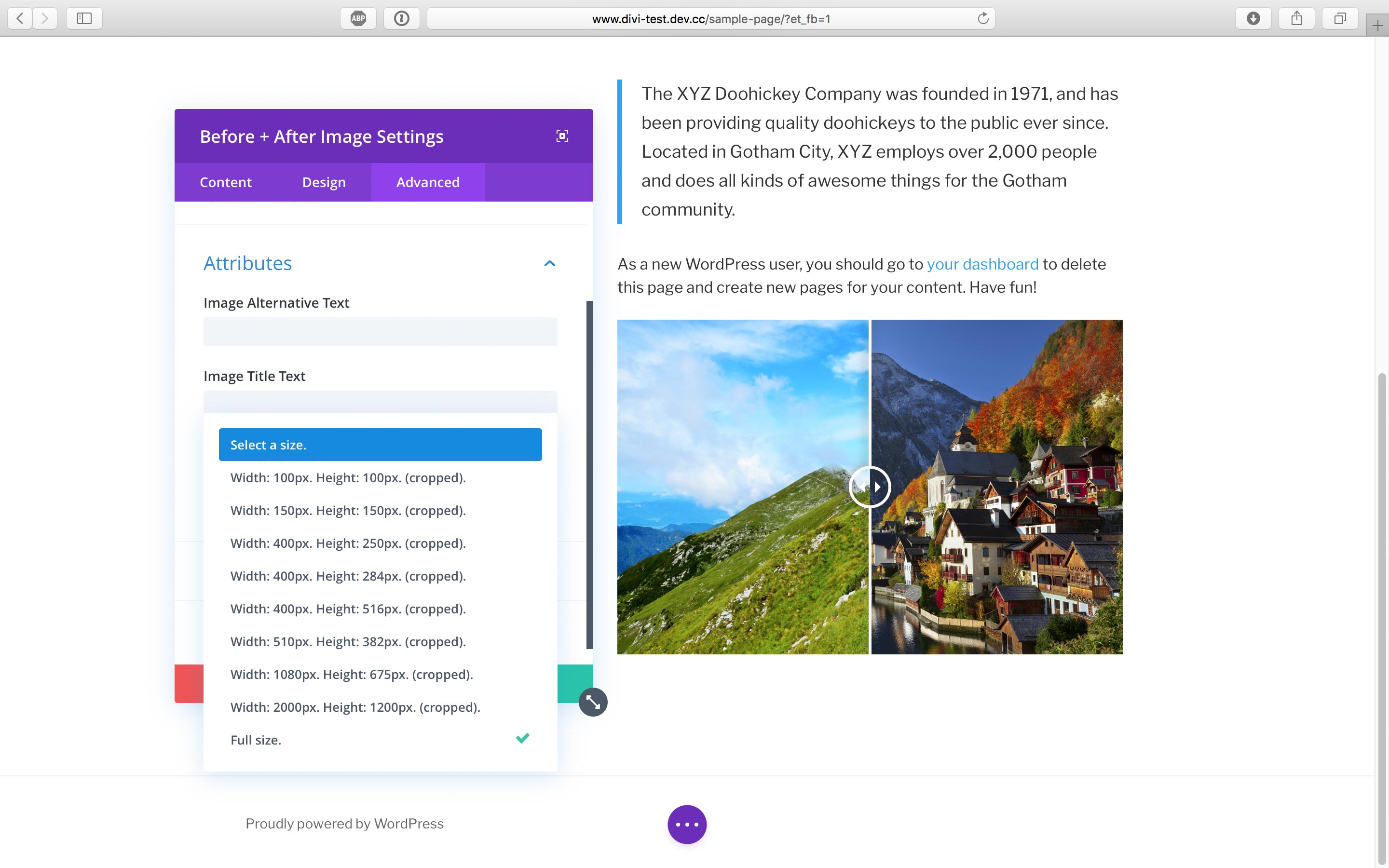
Image size selection.
Changelog
1.3.5
- Date Updated: 2020-06-08
- Bug Fix: Reverted change in maxWidth reference that affected overlay.
1.3.4
- Date Updated: 2020-06-08
- Bug Fix: Changed maxWidth reference in front-end JS function to target the offsetWidth of an object rather than index.
1.3.3
- Date Updated: 2020-05-21
- Bug Fix: Slider will display at default size when the user has not selected a size in the module settings.
- Bug Fix: Visual Builder module will render full-size images on load rather than waiting for the component to re-render.
- Bug Fix: Slider handle will better align with image clipping on the front-end slider.
- Bug Fix: Visual Builder slider images will fall back to full-size when the selected image size is not found.
1.3.2
- Date Updated: 2020-05-05
- Bug Fix: Fixed typos in text domain that affected internationalization.
1.3.1
- Date Updated: 2020-05-04
- Bug Fix: Fixed error that caused overlay to extend beyond images on the front-end.
- Bug Fix: Fixed error affecting extra large (scaled) images in the Visual Builder.
- Bug Fix: Edit miscellaneous functions in BeforeAfterIMages.jsx to improve the plugin’s Visual Builder module.
- Bug Fix: Fixed ‘$size missing index’ error that could appear when WP_DEBUG is true.
- New Feature: Added internationalization for more Visual Builder options.
1.3.0
- Date Updated: 2020-05-02
- Update: Improved stability, readability and organization of codebase by rewriting many functions.
- New Feature: Added attributes to images to support new lazy load exclusions.
- New Feature: Replaced placeholder image with default Divi image SVG placeholder.
- Tested for compatibility with latest versions of Divi and WordPress.
1.2.3
- Date Updated: 2019-03-12
- Bug Fix: Fixed multiple errors shown when WP_DEBUG is set to ‘true’.
1.2.2
- Date Updated: 2019-03-10
- Bug Fix: The composite image will now obey the Image Alignment setting in the Divi module.
1.2.1
- Date Updated: 2019-03-10
- Bug Fix: Fixed image loading order on front-end and back-end (Visual Builder).
- Bug Fix: Hid srcset and size attributes if none are returned to improve W3C validation.
1.2.0
- Date Updated: 2019-03-10
- New Feature: Change the default position of the slider.
- Acknowledgements: Thank you to @jasonbear on WordPress.org for testing, feature feedback and bug reports.
- Bug Fix: Fixed W3C validation error due to a missing numerical value (i.e., “$size_width” is not parsing).
- Bug Fix: Removed http:// prefix on placeholder image URL to prevent non-secure image from breaking SSL in Visual Builder.
- Bug Fix: Miscellaneous fixes related to lazy load support.
1.1.1
- Date Updated: 2018-12-31
- Feature Update: Added support for lazy loading scripts. Loading Before + After images will now be properly deferred.
1.1.0
- Date Updated: 2018-12-31
- New Feature: Change the “Before” and “After” label text
- Bug Fix: Improved compatibility with Jetpack, a3 Lazy Load, and Lazy Load by WP Rocket
1.0.0
- Date Released: 2018-07-18
- Initial Release