

Insert Blocks Before or After Posts Content
Automatically insert blocks of content before and/or after each posts/page content.
Plugin info
Maintenance & Compatibility
Maintenance score
Maintained • Last updated 127 days ago • 6 reviews
Is Insert Blocks Before or After Posts Content abandoned?
Likely maintained (last update 127 days ago).
Compatibility
Similar & Alternatives
Explore plugins with similar tags, and compare key metrics like downloads, ratings, updates, support, and WP/PHP compatibility.
Description
This plugin gives the capability to automatically add content before and/or after your posts, pages, or any public custom post types.
It is also possible to prevent your before/after content from showing on a post or a page directly from the editor screen (works on both Classic Editor and Block Editor). You can also prevent your before/after content from displaying on specific post types or categories.
With this plugin, build your before/after content within the Gutenberg block editor, even if you are using Classic Editor!
Indeed, the block editor is activated for these specific blocks of contents even if Gutenberg is not activated on your website!
I strongly recommend to use it alongside one of my other free plugins, Reusable Blocks Extended. These two plugins are totaly independant, but together they provide a full editorial experience! ⭐️
Installation
- Activate the plugin.
- Go to
Appearance > Before/after contentto create content blocks and to choose your settings. - Save your changes and enjoy 🙂
Frequently Asked Questions
No worries! It will work even with Classic Editor activated!
The plugin restores Gutenberg block editor for the wp_block post type only.
Of course, nothing will change for your other post types.
Review feed
Very handy
Screenshots
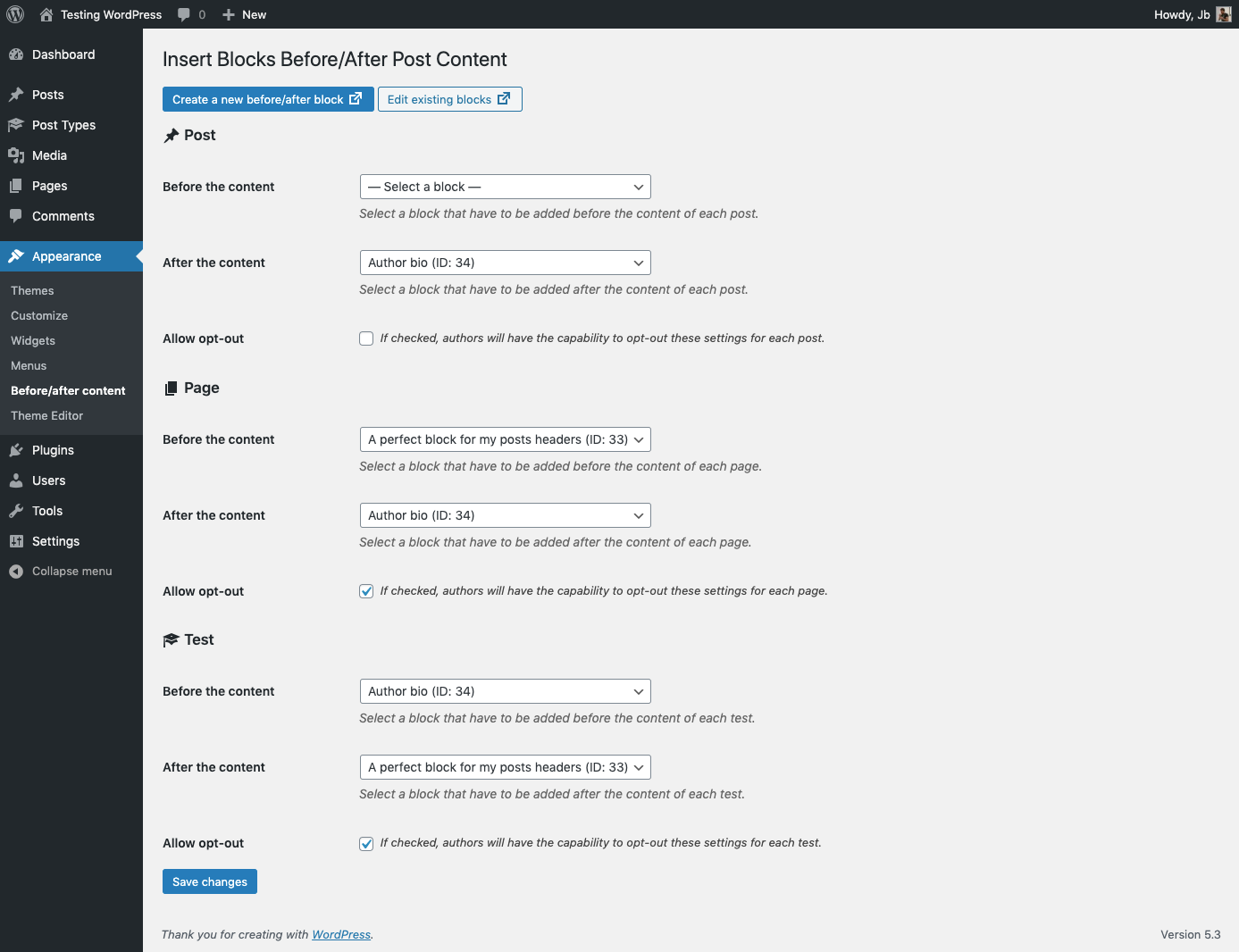
Plugin’s settings page

Use block editor to edit your before/after content, even if you have Classic Editor installed!

Use the post metabox to edit your settings on a post by post basis (works on both Classic and Gutenberg editors)

Front-end result with both before and after content
Changelog
0.3
- Properly parse block. Props @maxpertici and @vinvinXD. See https://twitter.com/vinvinXD/status/1496927854885539851 for context.
0.2.1
- Fixes a PHP warning on front-end. Props Aurélien Denis (@maigret).
0.2
- Internationalization fixes and WP 5.6 compatibility.
0.1
- Plugin initial version. Works fine.