Plugin info

Total downloads: 8,923
Active installs: 10
Total reviews: 0
Average rating: 0
Support threads opened: 0
Support threads resolved: 0 (0%)
Available in: 1 language(s)
Contributors: 5
Last updated: 12/2/2013 (4412 days ago)
Added to WordPress: 12/2/2013 (12 years old)
Minimum WordPress version: f
Tested up to WordPress version: f
Minimum PHP version: f

Maintenance & Compatibility

Maintenance score

Possibly abandoned • Last updated 4412 days ago

20/100

Is BuddyPress Blog Avatar abandoned?

Possibly abandoned (last update 4412 days ago).

Compatibility

Requires WordPress: f
Tested up to: f
Requires PHP: f

Similar & Alternatives

Explore plugins with similar tags, and compare key metrics like downloads, ratings, updates, support, and WP/PHP compatibility.

Simple Local Avatars
Rating 4.6/5 (89 reviews)Active installs 100,000
One User Avatar | User Profile Picture
Rating 4.7/5 (41 reviews)Active installs 100,000
Gravatar Enhanced – Avatars, Profiles, and Privacy
Rating 5.0/5 (3 reviews)Active installs 60,000
User Profile Picture
Rating 4.6/5 (59 reviews)Active installs 50,000
Basic User Avatars
Rating 4.7/5 (41 reviews)Active installs 20,000
WP User Avatars
Rating 4.5/5 (29 reviews)Active installs 20,000

Description

Blog Avatar Plugin allows site admins to upload avatars for their blog

How it works:-

Upload blog avatar from backend settings options.

Help & Support

Please leave a comment on our blog BuddyDev for any suggestions, support request.
Please leave a comment on BuddyDev

Installation

This section describes how to install the plugin and get it working.

e.g.
1. Download the zip file and extract
1. Upload blog-avatar directory to the /wp-content/plugins/ directory
1. Activate the plugin through the ‘Plugins’ menu.
1. Enjoy

Frequently Asked Questions

Does This plugin works without BuddyPress

No, It needs you to have BuddyPress Installed and activated

Review feed

No reviews available

Screenshots

  1. This shows blog avatar upload screen screenshot-1.png

    This shows blog avatar upload screen screenshot-1.png

  2. This shows  crop blog avatar screen screenshot-2.png
    This shows crop blog avatar screen screenshot-2.png

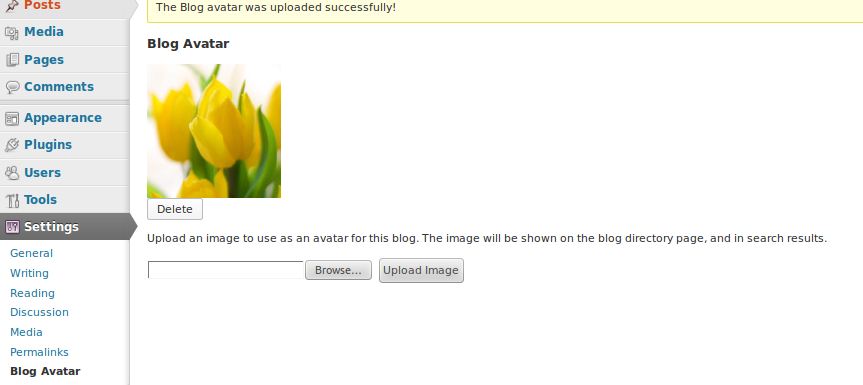
  3. This shows success message screenshot-3.png

    This shows success message screenshot-3.png

  4. This show frontend upload blog avatars screenshot-4.png

    This show frontend upload blog avatars screenshot-4.png

Changelog

1.0

  • Initial release