

Collabora Online WP
The Collabora Online WP plugin allows collaborative editing of office files with other users.
Plugin info
Maintenance & Compatibility
Maintenance score
Stale • Last updated 240 days ago • 1 reviews
Is Collabora Online WP abandoned?
Likely maintained (last update 240 days ago).
Compatibility
Similar & Alternatives
Explore plugins with similar tags, and compare key metrics like downloads, ratings, updates, support, and WP/PHP compatibility.
Description
The Collabora Online WP plugin allows collaborative editing of office files with other users.
This requires a working setup of Collabora Online.
For more information about Collabora Online, see https://collaboraonline.com/
Attaching an office document to a post is simple.
- Upload the document using the media manager
- Insert the
collabora_onlineshortcode or insert a COOL block in the editor.
Installation
Frequently Asked Questions
Yes. It needs to be up and running. It is the sole existence of that plugin.
If you are already a paid customer for Collabora Online, you can use your existing setup. Otherwise you can useCODE (Collabora Online Developer Edition). There is no functional difference.
Review feed
Screenshots

Add a COOL Block to your post.
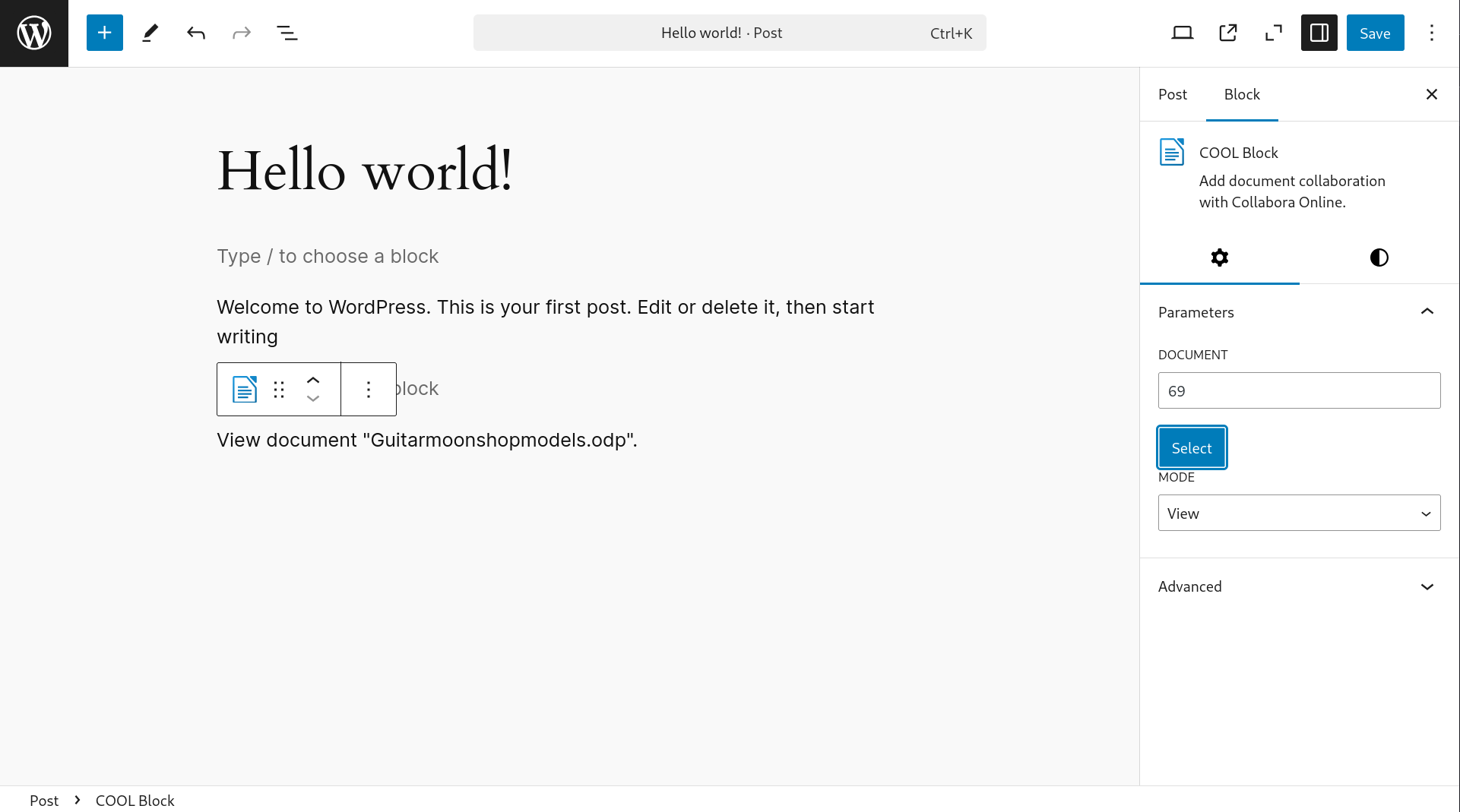
Select a file to view or edit.

In the post click on view or edit.

Enjoy Collaboration with Collabora Online.
Changelog
-
0.9.12 =
-
Make the origin checks more robust.
- Added WOPI support to check against overwriting files. (Issue #16)
0.9.11
- Added mssing
doc.phpfile in archive. - Check the origins for the postmessage interface.
0.9.10
- Added a permalink for documents.
- Better handling of errors in the postmessage interface.
- Increase compatibility to WordPress™ 6.8.1
0.9.9
- Fix permissions to allow saving document in reviewer mode.
0.9.8
- Added a better message if the user needs to login to access documents.
- Added a role for reviewers.
- If user can edit document then open as edit even in reviewer mode.
- Fix missing review mode in COOL block.
0.9.7
- Fix a regression for the collaboration mode. Only “view” would work.
- Added a better error check if SimpleXML isn’t available.
0.9.6
- Fix a fatal syntax error (broken plugin).
0.9.5
- Added support for the “review” mode, ie only allowing comments in the document.
0.9.4
- Improved namespace to limit potential conflict with other plugins
- Require nonce for the COOL frame.
0.9.3
- Fix improper version in plugin file.
0.9.2
- Fix reviewing issues.
- Use more template for the frontend.
- Change the localization text domain.
- More sanitization of parameters.
0.9.1
- Fixing validation issues.
- Added French localization (test quality).
- Fix packaging of localization.
- Return 401 from WOPI if authentication failed.
0.9.0
- Initial release.