

Companion Revision Manager – Revision Control
Lightweight plugin that allows full control over post revisions.
Plugin info
Maintenance & Compatibility
Maintenance score
Stale • Last updated 191 days ago • 3 reviews
Is Companion Revision Manager – Revision Control abandoned?
Likely maintained (last update 191 days ago).
Compatibility
Developers
Similar & Alternatives
Explore plugins with similar tags, and compare key metrics like downloads, ratings, updates, support, and WP/PHP compatibility.
Description
What are revisions?
“The WordPress revisions system stores a record of each saved draft or published update. The revision system allows you to see what changes were made in each revision by dragging a slider (or using the Next/Previous buttons). The display indicates what has changed in each revision – what was added, what remained unchanged, and what was removed. Lines added or removed are highlighted, and individual character changes get additional highlighting.”
– WordPress
Speed up your website
Revisions can be nice to have, but having a lot of revisions may slow down your website. So disabling them can help keep your website fast.
With Companion Revision Manager you can take back control over revisions!
This plugin tells you how many revisions are currently stored and allows you to delete them all at once, and if you want to save less revisions or none at all, we give you an option to change the maximum number of disable them all together.
Plugin features
- Delete all existing revisions
- Turn off revisions completely
- Set a maximum number of revisions that can be stored
Want to know more about revisions?
Installation
Manual install
- Download Companion Revision Manager.
- Upload the ‘Companion Revision Manager’ directory to your ‘/wp-content/plugins/’ directory.
- Activate Companion Revision Manager from your Plugins page.
Via WordPress
- Search for ‘Companion Revision Manager’.
- Click install.
- Activate.
Settings
Settings can be found trough Tools > Revision Manager
Frequently Asked Questions
You can find the settings under Tools > Revision Manager
The WordPress revisions system stores a record of each saved draft or published update. The revision system allows you to see what changes were made in each revision by dragging a slider (or using the Next/Previous buttons). The display indicates what has changed in each revision – what was added, what remained unchanged, and what was removed. Lines added or removed are highlighted, and individual character changes get additional highlighting.
Read more here
Review feed
Almost perfect
Screenshots
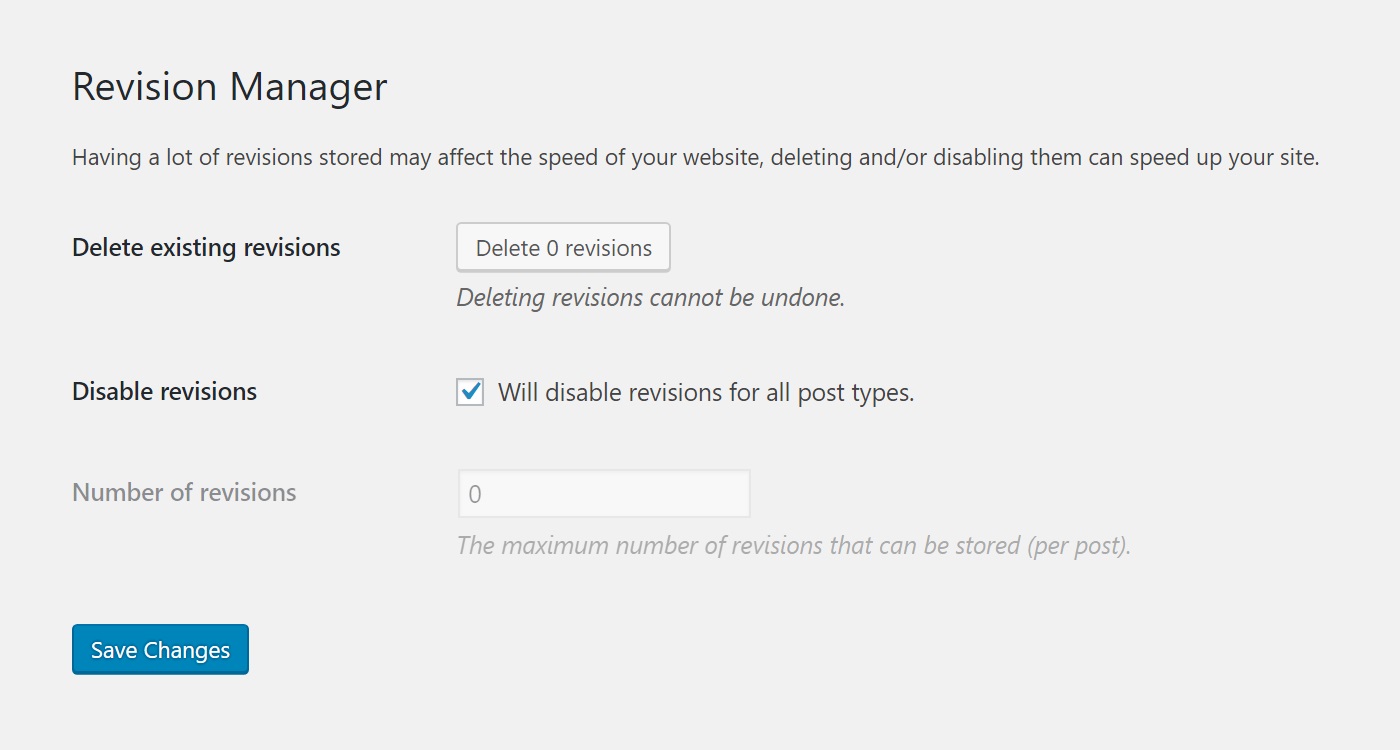
Setting page
Changelog
1.6.3
- Made sure the database version option does not get autoloaded
- Changed plugin URLs to working ones
1.6.2 (November 8, 2019)
- Tweak: crm_database_creation() query is no longer running on every page load, just on activation or updating of the plugin
1.6.1 (Later that same day)
- Fix where sometimes succes messages wouldn’t show up.
1.6.0 (March 1, 2019)
- New: You can disable revisions completely or limit the number of revision stored
1.5.2 (February 28, 2019)
- “Thank you for using Companion Revision Manager” message now only shows on pages of this plugin
1.5.1 (February 27, 2019)
- Security improvements
1.5 (February 22, 2019)
- Security improvements
- Support for WordPress 5.1
1.4.2 (February 4, 2019)
- Fix error: headers already sent
1.4.1 (February 2, 2019)
- Fix error: Undefined index: page
1.4 (January 16, 2019)
- Security update
1.3 (December 18, 2018)
- You no longer need to reload the page to see changed settings.
1.2 (February 9, 2018)
- Fix: Issue where sometimes plugin wouldn’t work.
- Fix: Issue where sometimes plugin would break an entire website.
1.1 (December 8, 2017)
- New: Disable post revisions
1.0 (August 8, 2017)
- Initital release