

Daisy Admin Bar – Hide Admin Toolbar Based on User Roles, Disable Admin Bar from Non-Admins
Control visibility of the admin bar based on user roles.
Plugin info
Maintenance & Compatibility
Maintenance score
Stale • Last updated 218 days ago
Is Daisy Admin Bar – Hide Admin Toolbar Based on User Roles, Disable Admin Bar from Non-Admins abandoned?
Likely maintained (last update 218 days ago).
Compatibility
Similar & Alternatives
Explore plugins with similar tags, and compare key metrics like downloads, ratings, updates, support, and WP/PHP compatibility.
Description
Daisy Admin Bar allows you to selectively hide the WordPress admin bar (toolbar) from the frontend based on user roles.
Features:
– Select which user roles should have the admin bar hidden
– Simple checkbox interface for role selection
– Preserves admin bar visibility in WordPress admin area
– Follows WordPress coding standards
Installation
- Upload the plugin files to the
/wp-content/plugins/daisy-admin-bardirectory - Activate the plugin through the ‘Plugins’ screen in WordPress
- Go to Settings Daisy Admin Bar to configure which roles should have the admin bar hidden
Frequently Asked Questions
Yes! The plugin lets you selectively choose which roles should have the admin bar hidden.
Yes, only users with ‘manage_options’ capability (typically administrators) can access the settings.
No, this only affects the frontend of your site. The admin bar will still appear in the WordPress admin area.
Review feed
Screenshots
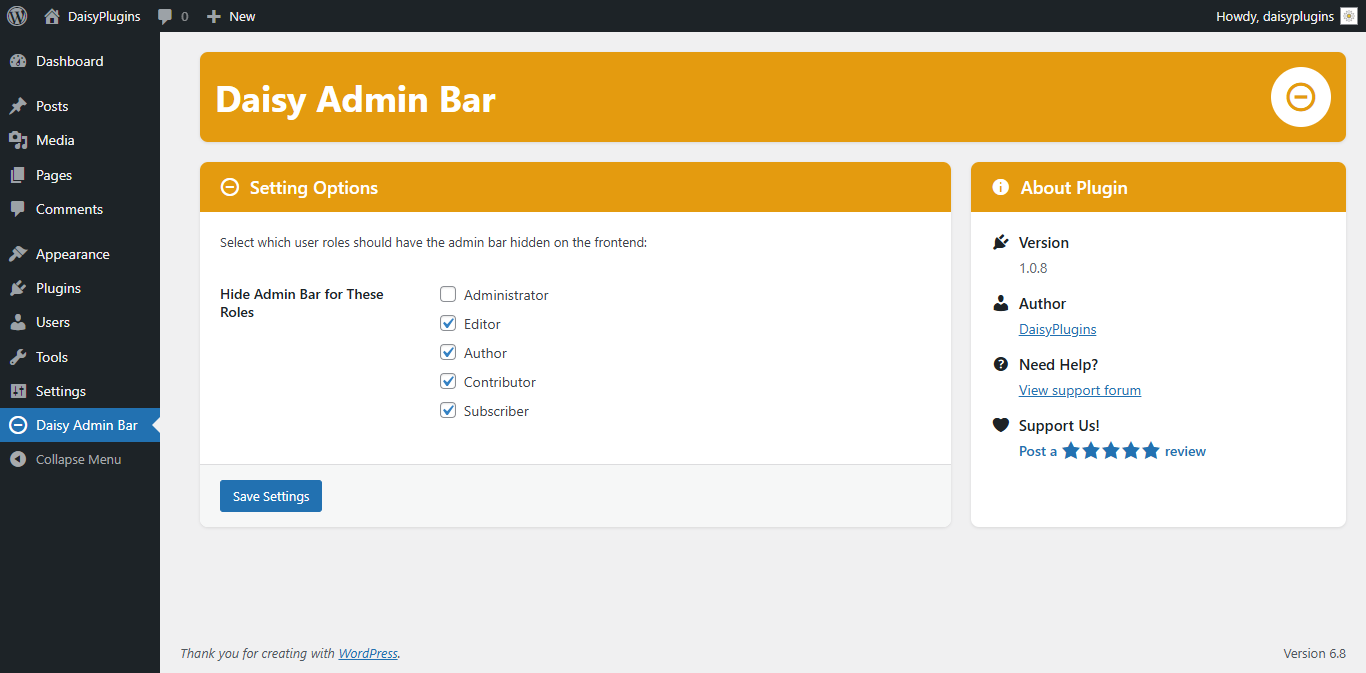
screenshot-1.png
Changelog
1.0.12 – Jun 14, 2025
- routine maintenance
1.0.11 – May 21, 2025
- routine maintenance
1.0.10 – May 11, 2025
- routine maintenance
1.0.9 – May 01, 2025
- routine maintenance
1.0.8 – Apr 19, 2025
- [add] screenshot added
1.0.7 – Apr 19, 2025
- routine maintenance
1.0.6 – Apr 19, 2025
- [imp] code optimized
1.0.5 – Apr 19, 2025
- [fix] fixed unexpected output during activation
1.0.4 – Apr 15, 2025
- Tested with WordPress v6.8
1.0.3 – Apr 08, 2025
- routine maintenance
1.0.2 – Apr 08, 2025
- [imp] Settings Page UI improved
1.0.1 – Apr 04, 2025
- Initial release
1.0.0 – Mar 26, 2025
- Initial submission