

Dynamic Contact Info
A simple wordpress plugin which will make your site's contact info dynamic even if your theme does not support dynamic contact info.
Plugin info
Maintenance & Compatibility
Maintenance score
Possibly abandoned • Last updated 3945 days ago • 1 reviews
Is Dynamic Contact Info abandoned?
Possibly abandoned (last update 3945 days ago).
Compatibility
Similar & Alternatives
Explore plugins with similar tags, and compare key metrics like downloads, ratings, updates, support, and WP/PHP compatibility.
Description
A simple wordpress plugin which will make your site’s contact info dynamic even if your theme does not support dynamic contact info.
Use shortcode [DCI field=”tel”], [DCI field=”mobile”] to display contact info. Now you can add your own custom fields with this plugin.
- MU Compatible
- Dynamic Contact Info including telephone, email, fax, mobile, address, postcode etc
- Use Shortcode [DCI field=”tel”], [DCI field=”mail”] and so on.
Installation
1.Download the plugin from wordpress site
2.Install it from plugins menu
3.You are done
Frequently Asked Questions
Where can i find the nav menu
Once install you can find a new menu on left side with name Dynamic Contact Info.
Review feed
Screenshots

This screenshot will show the location of nav menu on left side in your admin panel
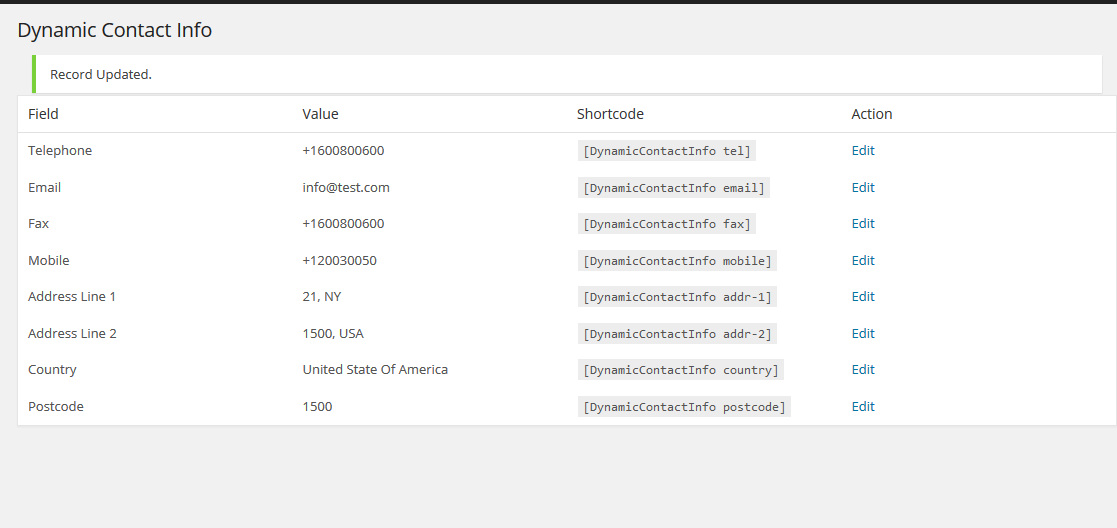
This will show you the actual plugin with shortcodes.

Now you can add your own custom fields with custom shortcode.
Changelog
1.1
- A Change In Author Info