

Format Media Titles
Automatically formats the title (and optionally the ALT field) for new media uploads. No need to manually edit the title anymore every time you upload …
Plugin info
Maintenance & Compatibility
Maintenance score
Possibly abandoned • Last updated 2088 days ago • 18 reviews
Is Format Media Titles abandoned?
Possibly abandoned (last update 2088 days ago).
Compatibility
Languages
Similar & Alternatives
Explore plugins with similar tags, and compare key metrics like downloads, ratings, updates, support, and WP/PHP compatibility.
Description
Format Media Titles WordPress plugin allows you to format titles for newly uploaded media items. It can be pretty tedious to have to manually edit the title for newly uploaded media items. This Plugin automates things by removing and replacing characters from the title such as hyphens, and underscores, with spaces. The title can then be capitalized by a method of your choice:
- First letter of each word capitalized.
- First letter of first word capitalized only.
- All letters made uppercase.
- All letter made lower case.
- No capitalization. Title remains unchanged.
You will especially benefit from this Plugin if your media files have descriptive names, as you won’t have to manually edit them at all after uploading them!
As well as formatting the title for newly uploaded media items, you can also optionally copy the formatted title to the ALT, and description fields too, via plugin settings.
Please rate this Plugin if you find it useful. It only takes a moment but it’s very much appreciated. 🙂
The Pro version of Format Media Titles is now available! Upgrade today for even more flexible plugin options.
Plus, the Pro version includes a batch processor to actively scan and (re)format all existing media as you want! Checkout the screenshots, or click here for more details.
See our WordPress plugin site for more top plugins!
Installation
The Plugin can be installed directly from the main WordPress Plugin page.
- Go to the ‘Plugins => Add New’ page.
- Enter ‘Format Media Titles’ (without quotes) in the textbox and click the ‘Search Plugins’ button.
- In the list of relevant Plugins click the ‘Install’ link for ‘Format Media Titles’ on the right hand side of the page.
- Click the ‘Install Now’ button on the pop-up page.
- Click ‘Activate Plugin’ to finish installation.
- Configure Plugin options from the admin Settings page.
- That’s it!
Frequently Asked Questions
Review feed
Time-saver
Screenshots
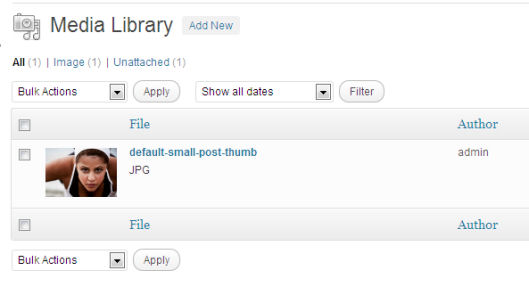
Default WordPress media upload. As you can see, the title needs manual editing.
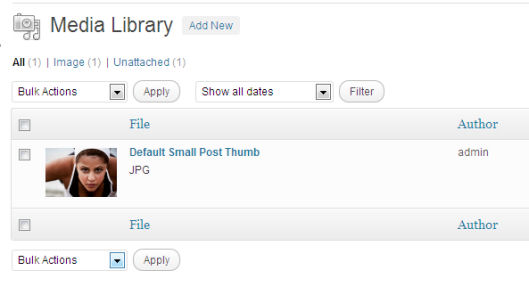
Same media upload with 'Format Media Titles' Plugin activated. No need to manually edit title anymore!
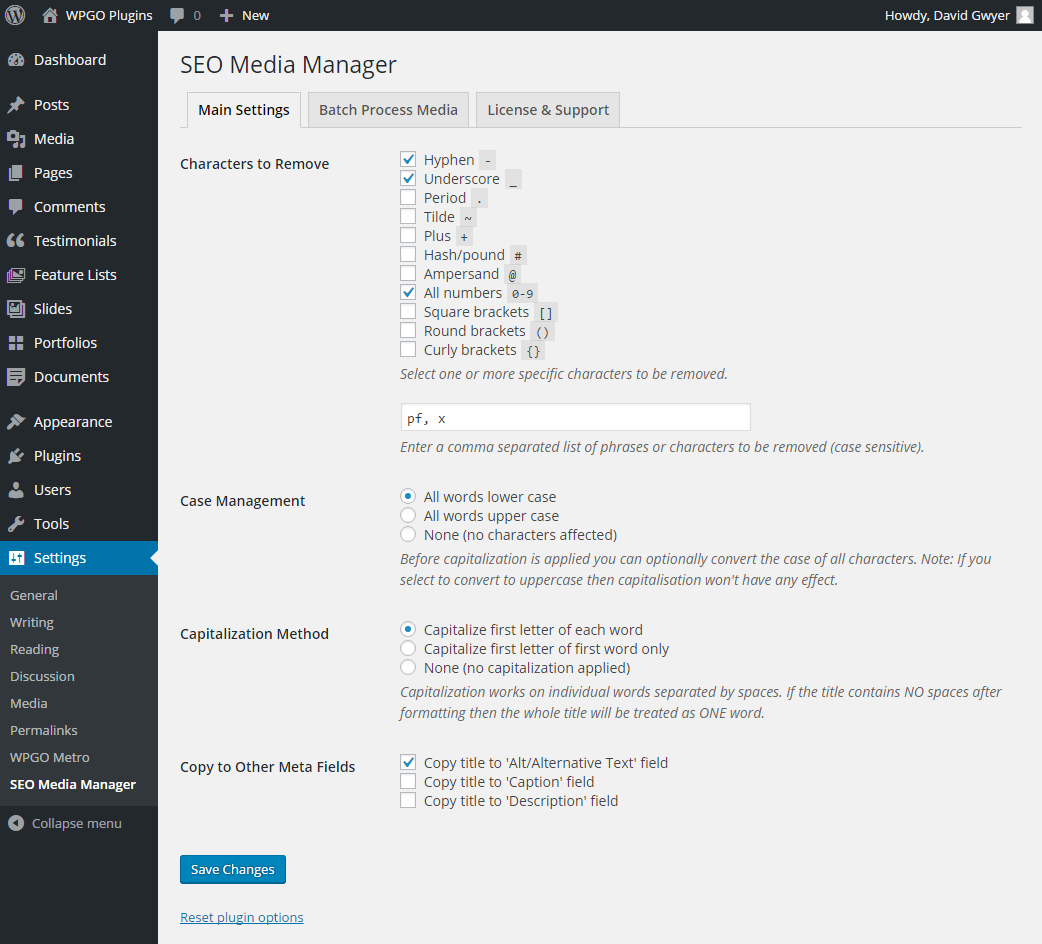
More flexible options now available. (Pro only)
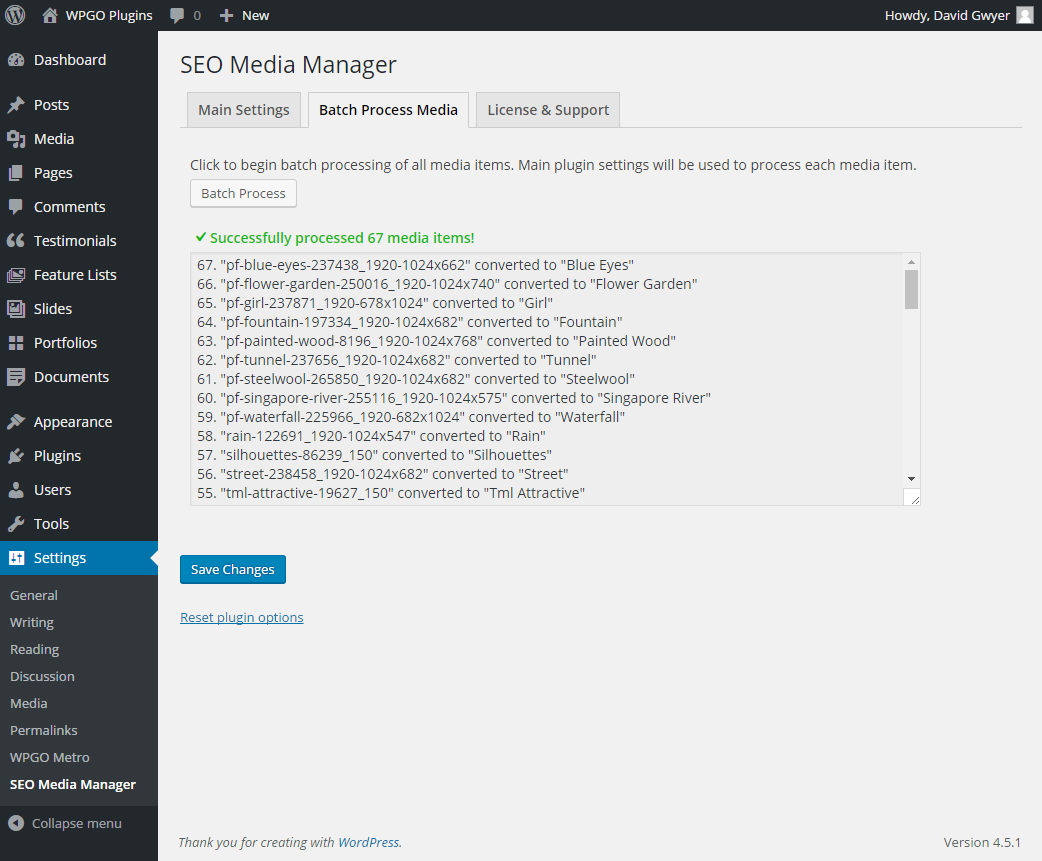
Exclusive batch processor to (re)format existing media items. (Pro only)
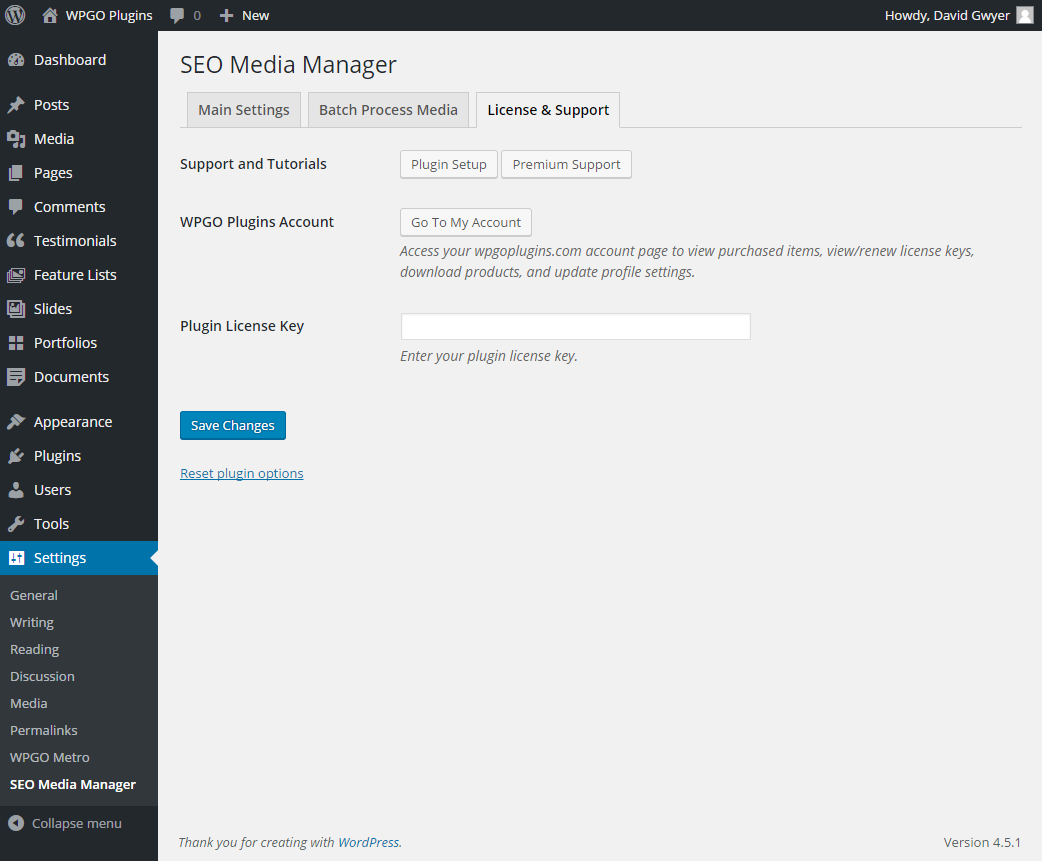
Support and license tab for links to documentation, and support. Enter plugin license key to receive automatic plugin updates. (Pro only)
Changelog
1.0.0, JULY 14, 2020
Updated to work with WordPress 5.4.2.
0.51
- Fully compatible with WordPress 4.9.8.
- Minor updates to plugin settings page.
0.50
- Plugin settings page updated.
0.42
- Broken image links fixed on plugin settings page.
0.41
- Plugin settings page updated.
0.30
- Fixed bug in formatting process (unexpected removal of character).
0.29
- Updated plugin settings links.
0.28
- Fixed broken links and updated plugin icon.
0.27
- Updated plugin with ‘Pro’ links.
0.26
- Added option to automatically add formatted title to the media caption field.
- Added option to automatically add formatted title to the media description field.
0.25
- Added option to automatically add formatted title to the media ALT field.
- Now fully translatable!
- Minor tweaks to the plugin options page.
0.21
- Fixed error when saving plugins settings. This fix may require you to check plugin settings and re-save.
0.2
- Updated plugin settings page.
- Removed redundant code.
- Tested with WordPress 4.0.
0.1 Initial Release