

LuckyWP Table of Contents
Creates SEO-friendly table of contents for your posts/pages. Works automatically or manually (via shortcode, Gutenberg block or widget).
Plugin info
Maintenance & Compatibility
Maintenance score
Stale • Last updated 354 days ago • Support resolved 0% • 861 reviews
Is LuckyWP Table of Contents abandoned?
Likely maintained (last update 354 days ago).
Compatibility
Developers
Languages
Similar & Alternatives
Explore plugins with similar tags, and compare key metrics like downloads, ratings, updates, support, and WP/PHP compatibility.
Description
Creates SEO-friendly table of contents for your posts, pages or custom post types. Great customizable appearance.
Features
- Automatical insertion a table of contents (configure post types and position).
- SEO-friendly: table of contents code is ready to use by Google for snippets on result page.
- Insert by shortcode, Gutenberg block or widget.
- Button on toolbar of the classic editor.
- Gutenberg block into “Common Blocks”.
- Setting the minimum number of headings to display table of contents.
- Setting the depth of headings for table of contents.
- Skip headings by level or text.
- Hierarchical or linear view.
- Numeration items: decimal or roman numbers in order or nested.
- Customizable appearance: width, float, title font size and weight, items font size, colors.
- Color schemes (dark, light, white, transparent, inherit from theme) and the ability to override colors.
- Toggle Show/Hide (optionally)
- Customizable labels.
- Smooth scroll (optionally).
- Setting offset top for smooth scroll.
- Wrap table of contents with tag (optionally).
- Pretty hash in URL (like
example.com/faq/#how_do_this). - RTL support.
- Available override global settings for a particular post.
- Highly compatible with WordPress themes and plugins.
Auto Insert
For automatical insertion a table of contents in a posts, select option “Auto Insert Table of Contents” in the plugin settings (tab “Auto Insert”).
Supported positions:
- before first heading;
- after first heading;
- after first block (paragraph or heading);
- top of post content;
- bottom of post content.
You can also select post types to which the table of contents will be automatically added.
Manual Insert
For manual insertion a table of content in a posts, use one of the ways:
- button “Table of Contents” on toolbar in classic editor;
- gutenberg block “Table of Contents”;
- shortcode
[lwptoc].
Pretty hash in URL
By default, hash generated as heading text (for example, #How_Do_This). You can change hash format in global settings, tab “Misc.”.
For non-English websites it is recommended to enable the Intl PHP extension.
Compatibility
LuckyWP Table of Contents was successfully tested with the following plugins:
- Elementor Page Builder
- Beaver Builder and Beaver Builder Themer Add-On
- WPBakery Page Builder
- Oxygen
- WordPress Multilingual Plugin (WPML), officially confirmed
- Rank Math, officially confirmed
- WP Rocket
- Toolset Views and Toolset Access
Hooks
Filters lwptoc_before, lwptoc_after
Use for add custom HTML before/after the table of contents.
Example:
add_filter('lwptoc_before', function ($before) {
return 'Example text before TOC.
' . $before;
});
Filter lwptoc_shortcode_tag
Use this filter for change shortcode tag name [lwptoc].
Example:
add_filter('lwptoc_shortcode_tag', function ($tag) {
    return 'toc';
});
Filter lwptoc_heading_id
Use for modify heading ID.
Example:
add_filter('lwptoc_heading_id', function ($id, $label) {
    return $id;
}, 10, 2);
Installation
Installing from the WordPress control panel
- Go to the page “Plugins > Add New”.
- Input the name “LuckyWP Table of Contents” in the search field
- Find the “LuckyWP Table of Contents” plugin in the search result and click on the “Install Now” button, the installation process of plugin will begin.
- Click “Activate” when the installation is complete.
Installing with the archive
- Go to the page “Plugins > Add New” on the WordPress control panel
- Click on the “Upload Plugin” button, the form to upload the archive will be opened.
- Select the archive with the plugin and click “Install Now”.
- Click on the “Activate Plugin” button when the installation is complete.
Manual installation
- Upload the folder
luckywp-table-of-contentsto a directory with the plugin, usually it is/wp-content/plugins/. - Go to the page “Plugins > Add New” on the WordPress control panel
- Find “LuckyWP Table of Contents” in the plugins list and click “Activate”.
After activation
Into classic editor will appear button “Table of Contents” (available on edit post/page screen).
Into Gutenberg editor will appear block “Table of Contents” (see “Common Blocks”).
The menu item “Table of Contents” will appear in the menu “Settings” of the WordPress control panel.
For non-English websites it is recommended to enable the Intl PHP extension.
Frequently Asked Questions
Review feed
Really nice
Great plugin!
Great plugin!
Screenshots

Table of Contents
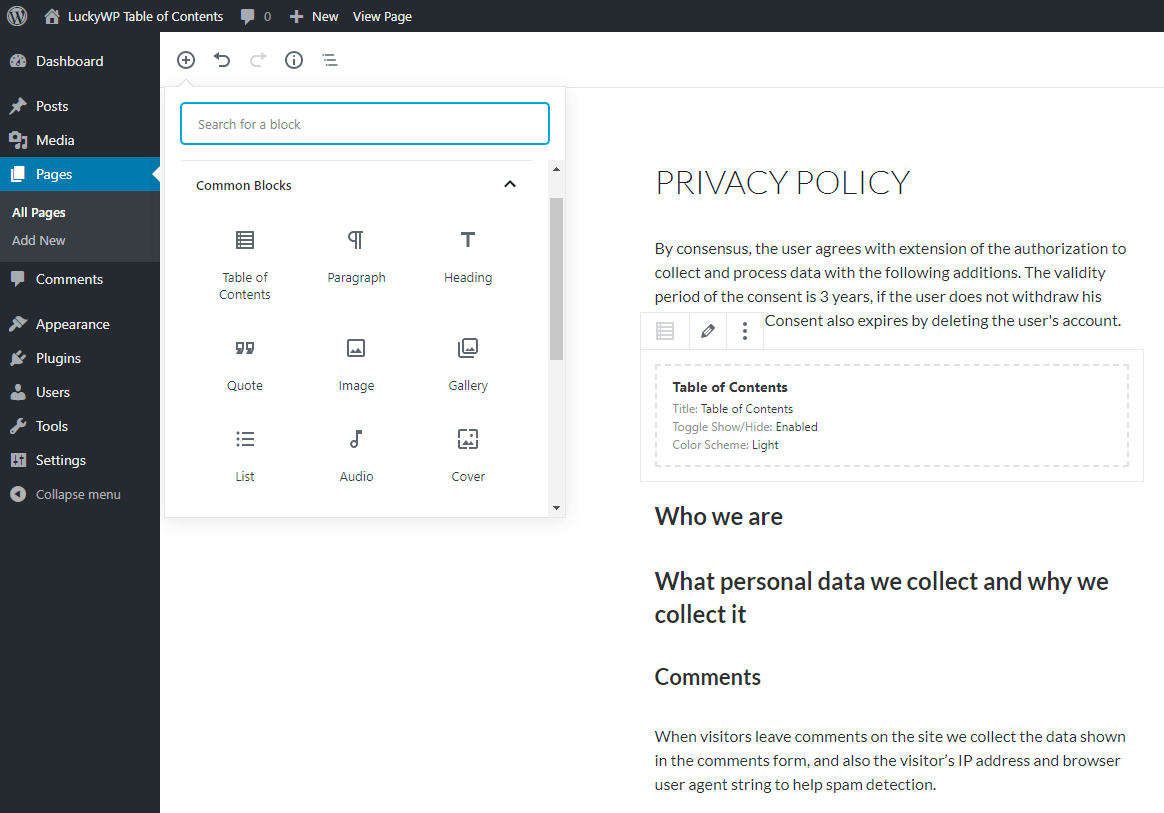
Gutenberg Support
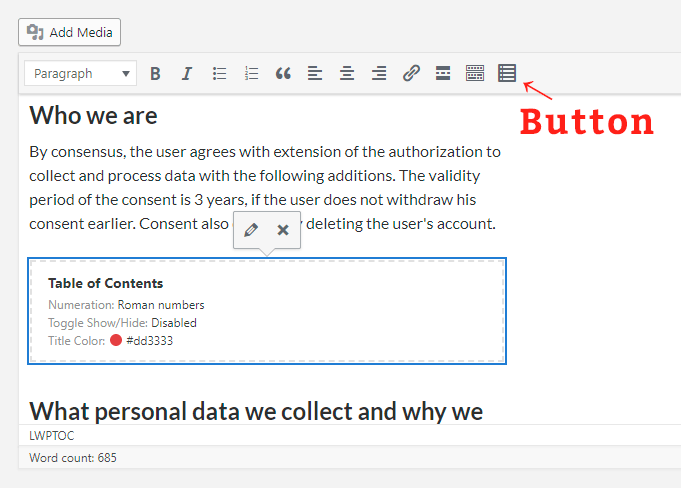
Classic Editor Support
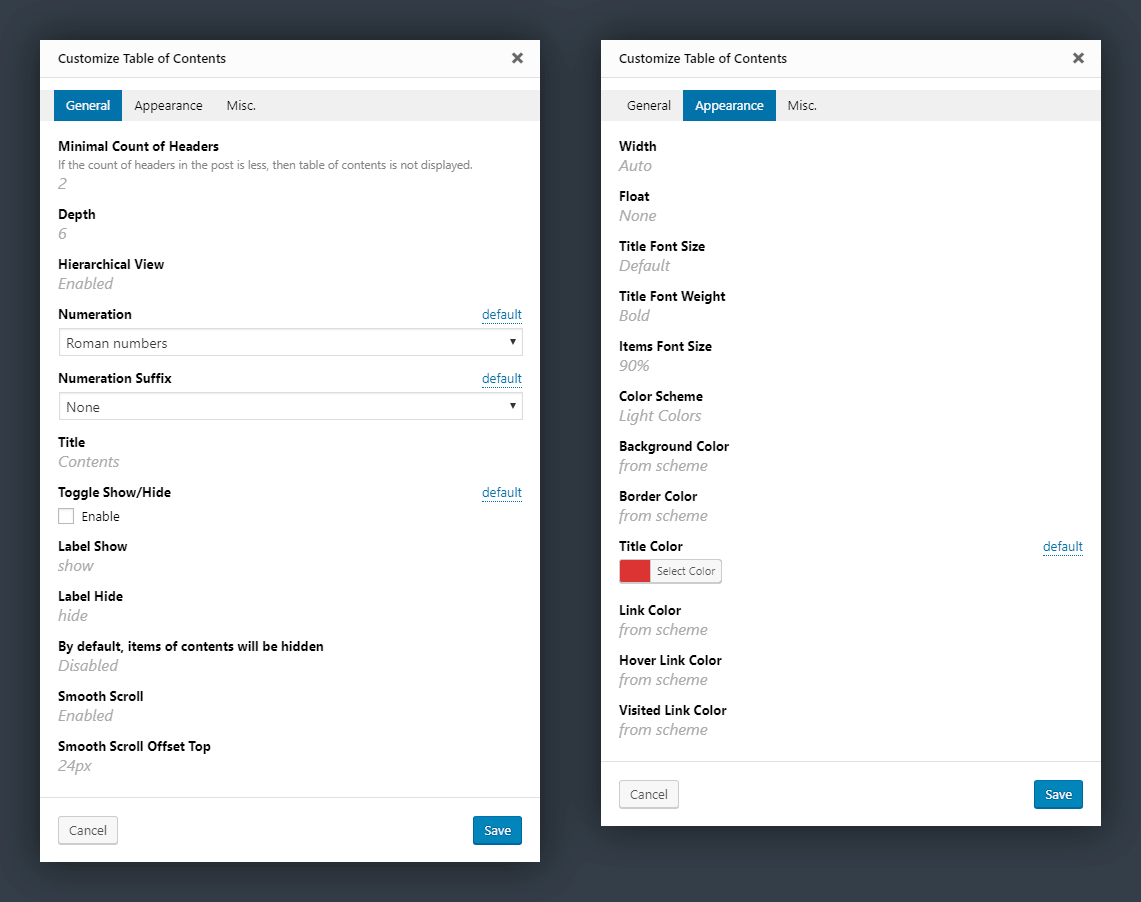
Customize Window
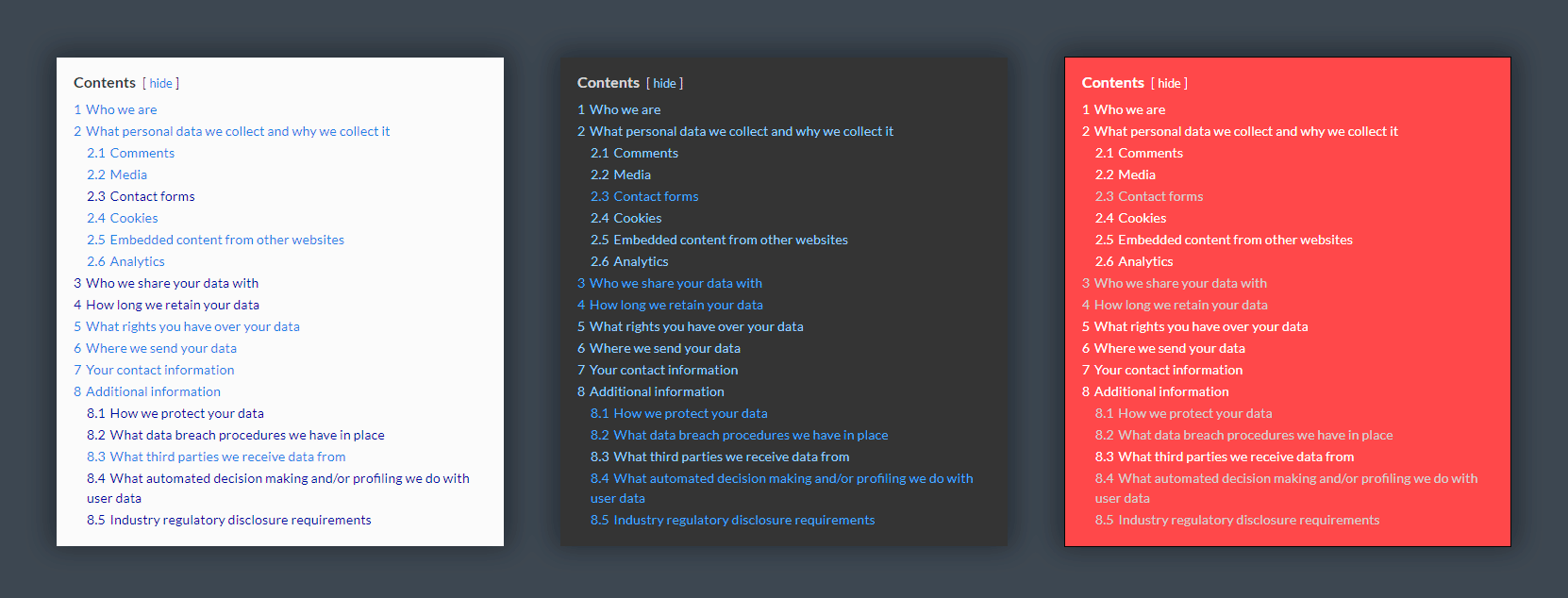
Examples of Color Solutions
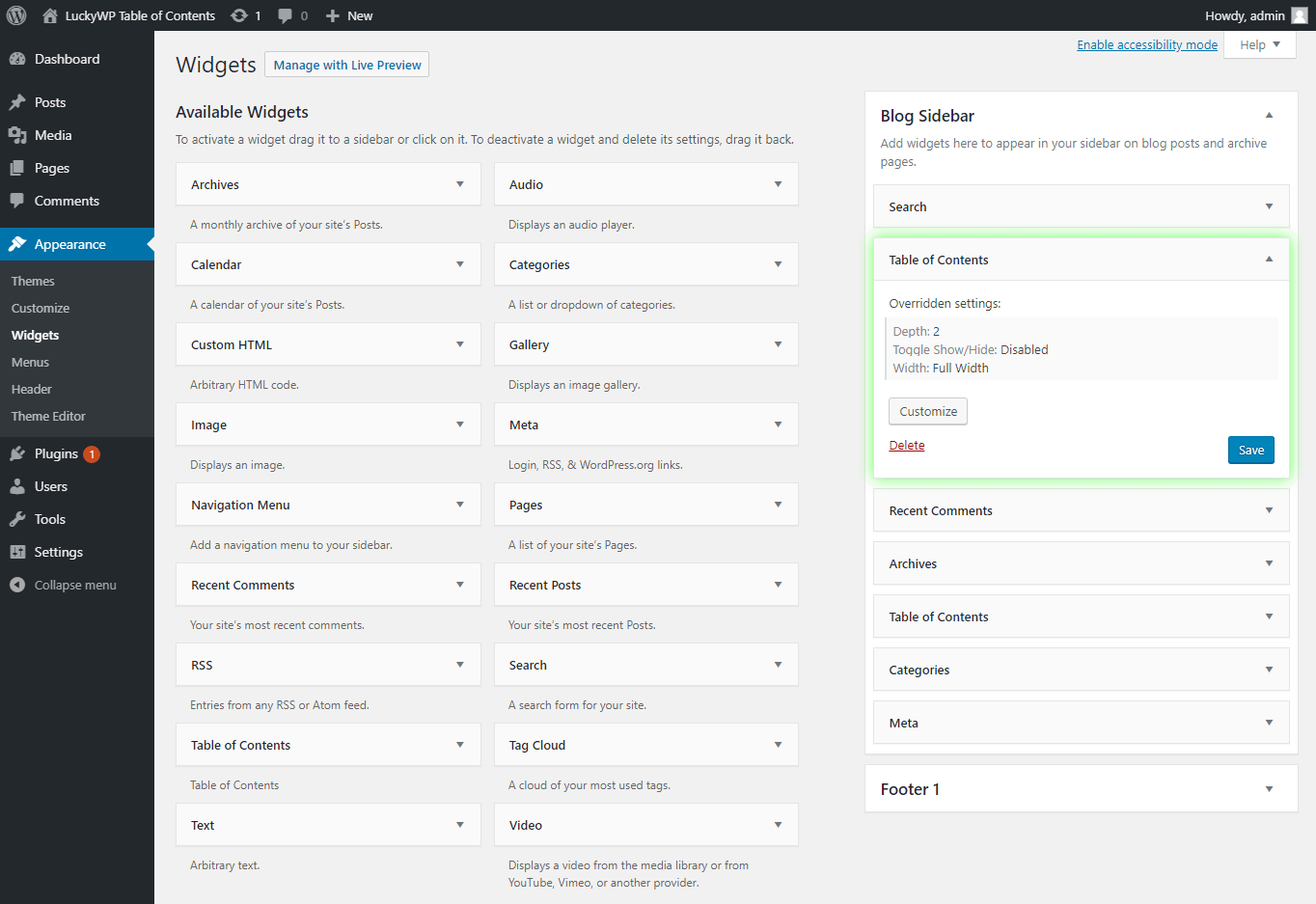
Widget Settings
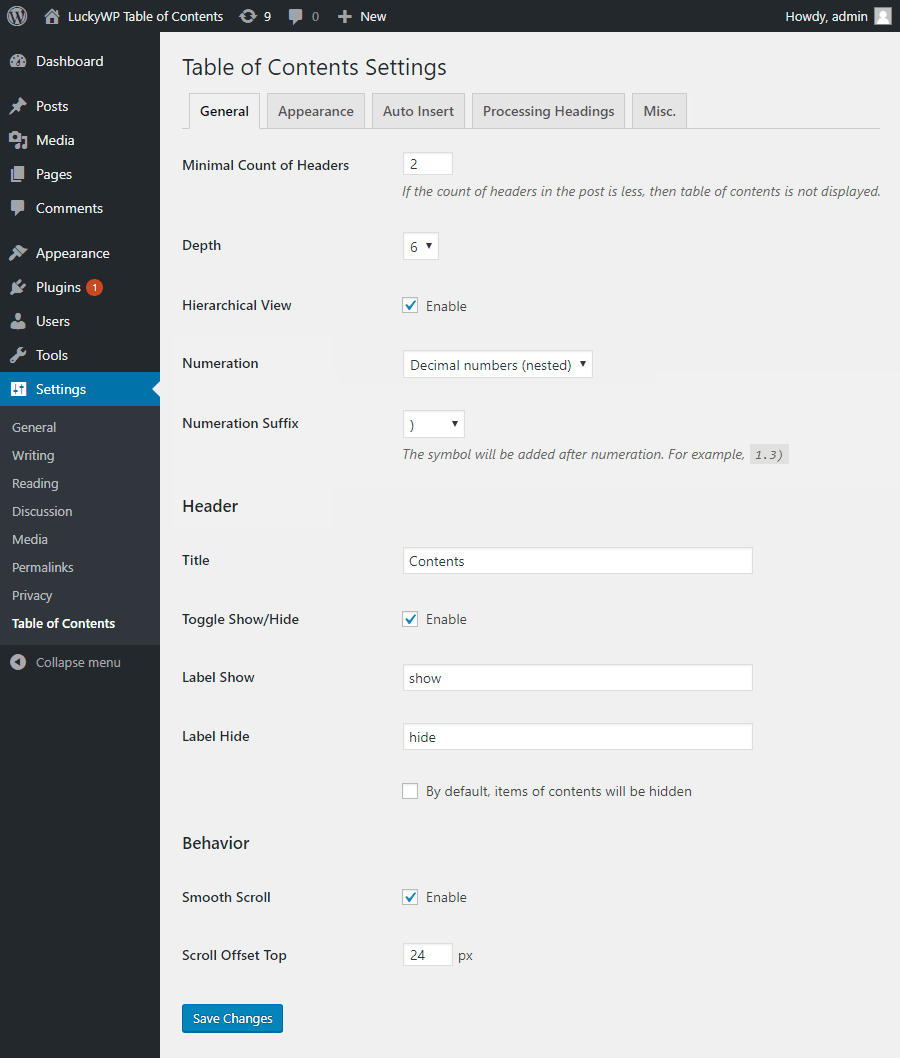
General Settings
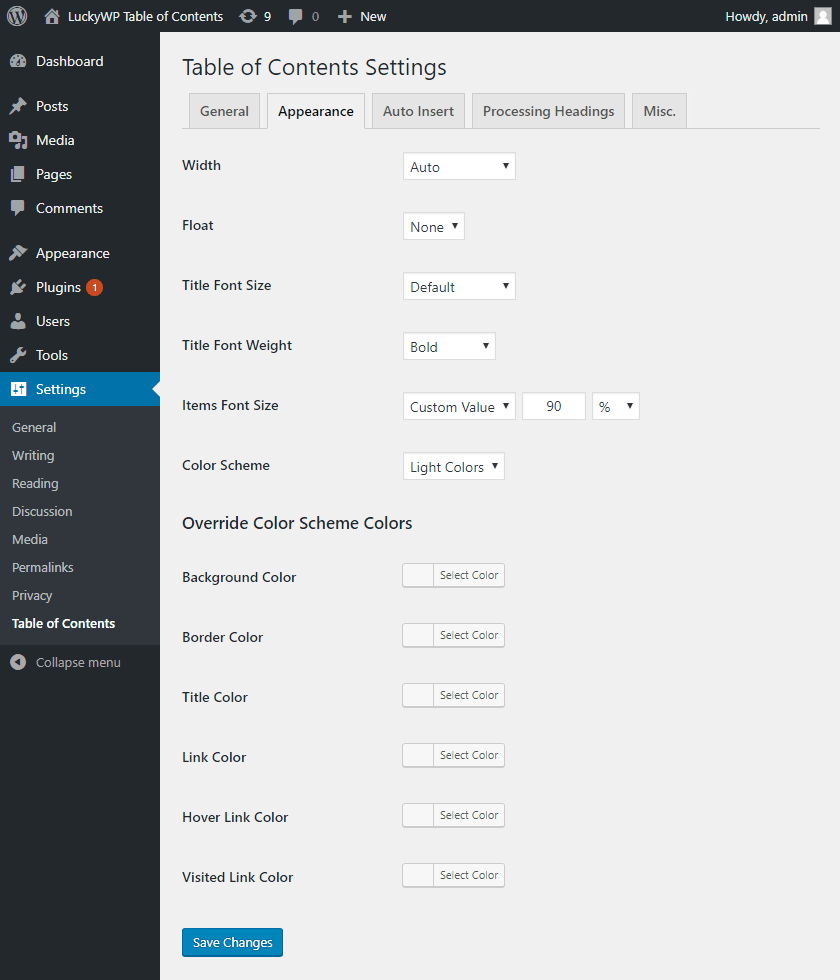
Appearance Settings
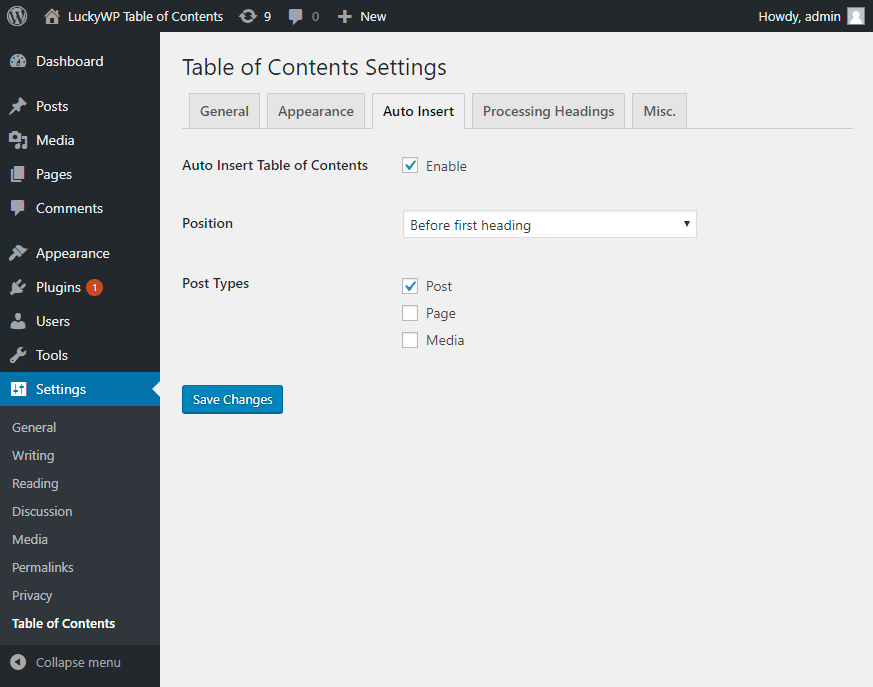
Auto Insert Settings
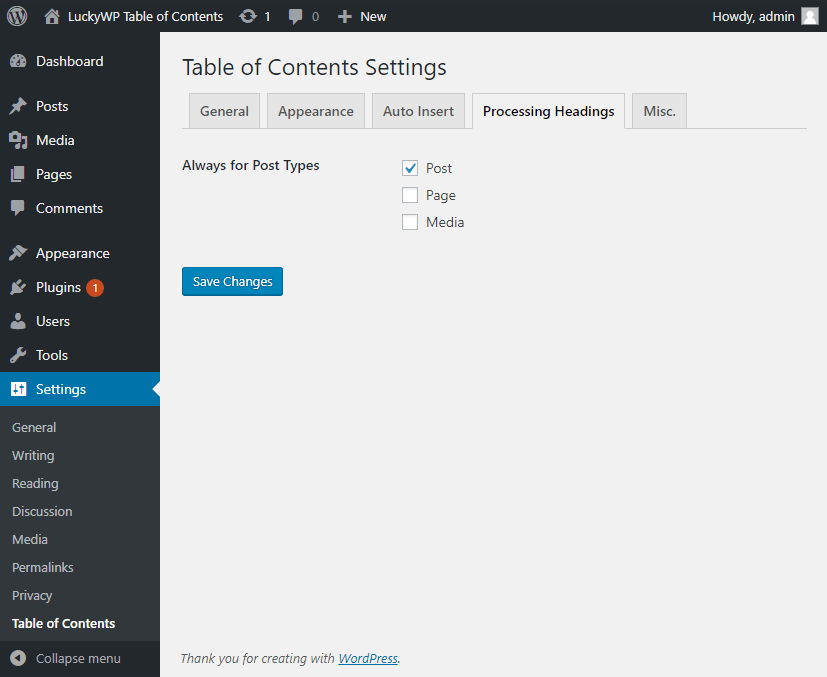
Processing Headings Settings

Miscellaneous Settings
Changelog
2.1.14 — 2025-04-16
- Fix bug with array to string conversion.
2.1.13 — 2025-04-07
- Minor performance improvements.
2.1.12 — 2025-04-07
- Fix problems with square brackets usage in widget options.
2.1.11 — 2025-04-01
- Fix non-critical vulnerability.
2.1.10 — 2025-01-24
- Use in Oxygen Builder only page/post content.
2.1.9 — 2024-11-08
- Fix “LuckyWP Plugins” page.
2.1.8 — 2024-10-28
- Adapt to WordPress 6.7.
2.1.7 — 2024-10-18
- Fix non-critical vulnerability.
2.1.6 — 2024-10-04
- Fix vulnerabilities.
2.1.5 — 2024-09-05
- Minor refactoring.
2.1.4 — 2020-08-03
- Minor refactoring.
2.1.3 — 2020-06-07
- Added hook filter
lwptoc_allow.
2.1.2 — 2020-05-08
- Added hook filter
lwptoc_title_tag.
2.1.1 — 2020-03-15
- In heading ID duplicate hyphens are replaced with one.
- Fixed: content of tags
<style>and<script>was included in heading label.
2.1 — 2020-03-12
- Added option “Additional CSS Class(es)”.
- Added option “OL/LI” to “List Markup Tags”.
- Added support Oxygen Builder.
- Removed class “lwptoc_item” from links.
- Minor fixes for performance.
2.0.9 — 2020-03-07
- Added hook filters
lwptoc_heading_htmlandlwptoc_heading_label. - Fixed: in some cases don’t register JS/CSS files.
- Minor fixes for compatibility with future versions of WordPress.
2.0.8 — 2020-02-23
- Added hook filter
lwptoc_active. - Added tab “LuckyWP Plugins” to settings.
- Improvement work option “Skip headings by text”.
- Fixed: in some cases shortcode incorrectly processed.
- Fixed: in some cases auto insert work incorrectly.
- Fixed: headings in table of contents not escaping.
- Minor fixes in customize window.
2.0.7 — 2020-01-31
- Added support child themes of “Twenty Twenty”.
- Fixed: incorrect smooth scroll behavior when on page use CSS
html {scroll-behavior: smooth;}. - Fixed: in some cases auto insert after first block work incorrectly.
2.0.6 — 2020-01-29
- When enabled smooth scroll hash changed after complete animation.
- Fixed: incorrectly processing conditional comments in content.
- Fixed: JS don’t work on asynchronous loading.
2.0.5 — 2020-01-26
- Fixed: incorrectly processing HTML entities in links.
- Fixed: incorrectly processing scripts, styles and CDATA in content.
2.0.4 — 2020-01-25
- In debugging information for “Site Health” tool added “intl Version” and “ICU Version”.
- From hash is removed colon symbol when used hash format “As heading without transliterate”.
- Fixed: incorrectly processing HTML entities.
2.0.3 — 2020-01-19
- Added support “Twenty Twenty” theme.
- Minor code refactoring.
2.0.2 — 2020-01-10
- Fixed: in some cases plugin incorrectly work with UTF-8.
- Fixed: on automatically insertion table of contents with option “Before/after first heading” to posts without headings occurred error.
- Fixed: if disabled show/hide toggle occured JS error.
2.0.1 — 2020-01-08
- Fixed: in some cases headings processing incorrectly.
2.0 — 2020-01-07
- Added debugging information for “Site Health” tool.
- CSS and JS are included only when table of content is displayed.
- Removed dependency to jQuery on frontend.
- Redesigned automatic insertion of table of contents using the PHP extension DOM (Document Object Model).
- Redesigned processing headings using the PHP extension DOM (Document Object Model).
- Minor enhancements in CSS.
1.9.11 — 2019-11-18
- Added hook filters
lwptoc_force_wp_transliterateandlwptoc_transliterator. - Fixed: in some cases for table of contents used a non-current post.
1.9.10 — 2019-11-10
- Fixed: in some cases hash for heading without transliteration was generated incorrectly.
1.9.9 — 2019-11-06
- Minor fixes for WPML compatibility.
1.9.8 — 2019-10-23
- Minor fixes for compatibility with WordPress 5.3.
1.9.7 — 2019-10-17
- Fixed: in some cases the widget was displayed incorrectly.
1.9.6 — 2019-10-11
- Enhancements for more compatible with themes and plugins.
1.9.5 — 2019-10-09
- Enhancements for more compatible with themes and plugins.
1.9.4 — 2019-09-04
- Enhancements for more compatible with themes and plugins.
1.9.3 — 2019-08-25
- Added WPML compatibility.
1.9.2 — 2019-08-11
- Added support Elementor plugin.
1.9.1 — 2019-08-04
- Added support Toolset Views plugin.
1.9 — 2019-08-04
- Added special color scheme “Inherit from theme”.
- Added option “List Markup Tags”.
- Added support Beaver Builder Themer Add-On.
- Implemented automatic removal of empty headings from table of contents.
- Automatic insertion of table of contents “after first block” takes into account only paragraphs and headings.
- Improved JS code to prevent reinitialization.
- Minor changes in strings, fixed typos.
- Added tips for translators in code.
1.8 — 2019-07-29
- Added option “Use rel=”nofollow” for links”
- Added compatibility with Rank Math SEO plugin.
- Option “Auto Insert Table of Contents” is disabled by default.
- In notice “Rate the plugin” action “I’ve already rated the plugin” replaced to “Don’t show again”.
- Added tips for translators in code.
1.7 — 2019-07-18
- Added option “Replace underscores (_) with dashes (-)” for hash.
- Added option “Convert to lowercase” for hash.
- Minor changes in strings.
- Added tips for translators in code.
- Fixed: in some cases, incorrectly worked skip headings.
1.6.1 — 2019-07-14
- For hash format added option “As heading w/o transliterate”.
- Added hebrew translate, thanks to @cdk-comp and @0enaro.
- Added spanish translate, thanks to @fernandot, @sanbec and @nobnob.
- Improved generate hash with option “As heading”.
1.6 — 2019-07-13
- Added RTL support.
- Added option “Numeration Suffix”.
- Changed text domain to “luckywp-table-of-contents”.
- Improved Beaver Builder plugin support.
1.5.7 — 2019-07-10
- Improvement smooth scroll implementation for support lazy loading images in content.
- Fix: in some cases, incorrectly worked smooth scroll to headings.
1.5.6 — 2019-07-06
- Fix: in some cases, incorrectly worked option “Minimal Count of Headers”.
1.5.5 — 2019-07-06
- Modified code for compatibility with Toolset Access plugin.
1.5.4 — 2019-06-29
- Added support Beaver Builder plugin.
- Fix: in some cases, headings processing did not work correctly.
1.5.3 — 2019-06-27
- Fix: when auto insert TOC do not overrided settings “Wrap table of contents with <!–noindex–> tag” and “Skip headings”.
- Fix: in some cases, auto insert after first block did not work.
1.5.2 — 2019-06-17
- Added hook filter
lwptoc_heading_id. - Implemented classic behavior on click “Back” in browser.
1.5.1 — 2019-06-05
- Bug fix
1.5 — 2019-06-04
- Enhancements for search engines (Google and other).
1.4.1 — 2019-06-01
- Bug fix
1.4 — 2019-06-01
- Added widget “Table of Contents”.
- Added support output table of contents via
do_shortcode('[lwptoc]'). - Enhancements for more compatible with themes.
1.3.1 — 2019-05-09
- Bug fix
1.3.0 — 2019-05-08
- Skip headings by level or text.
1.2.2 — 2019-04-24
- Bug fix
1.2.1 — 2019-04-24
- Enhancements for more compatible with themes.
1.2.0 — 2019-04-23
- Added float options: “Center” and “Right without flow”.
- Added setting “Hash Format”.
- In anchors instead “name” attribute used “id”.
- Minor enhancements in CSS for more compatible with themes.
1.1.1 — 2019-04-15
- Tag <noindex> replaced to <!–noindex–>.
1.1.0 — 2019-04-14
- Added option “Wrap table of contents with <noindex> tag”.
- Added hook filters
lwptoc_before,lwptoc_after,lwptoc_shortcode_tag. - Fix: into Gutenberg editor in block “Classic editor” don’t loaded CSS for shortcode.
1.0.4 — 2019-11-18
- Bug fix
1.0.3 — 2019-11-17
- Minor appearance changes
- Bug fix
1.0.2 — 2019-11-16
- Bug fix
1.0.1 — 2019-11-15
- Bug fix
1.0.0 — 2018-11-14
- Initial release.