

Plugin Status – Export and Import
Export the JSON file of current plugin active and inactive status. And Import the same to to auto activate or deactivate the pluigns from the JSON con …
Plugin info
Maintenance & Compatibility
Maintenance score
Possibly abandoned • Last updated 2035 days ago
Is Plugin Status – Export and Import abandoned?
Possibly abandoned (last update 2035 days ago).
Compatibility
Similar & Alternatives
Explore plugins with similar tags, and compare key metrics like downloads, ratings, updates, support, and WP/PHP compatibility.
Description
Generally while providing the support for the end user most of the times the issue is with 3rd party plugins.
While checking which plugin was creating a conflict, We first note all the active plugins. Then deactivate all plugins, manually activate 1 by 1 plugins. And finally knowing which plugin was creating the cofnlict we activate all the plguins on users website which was we listed before.
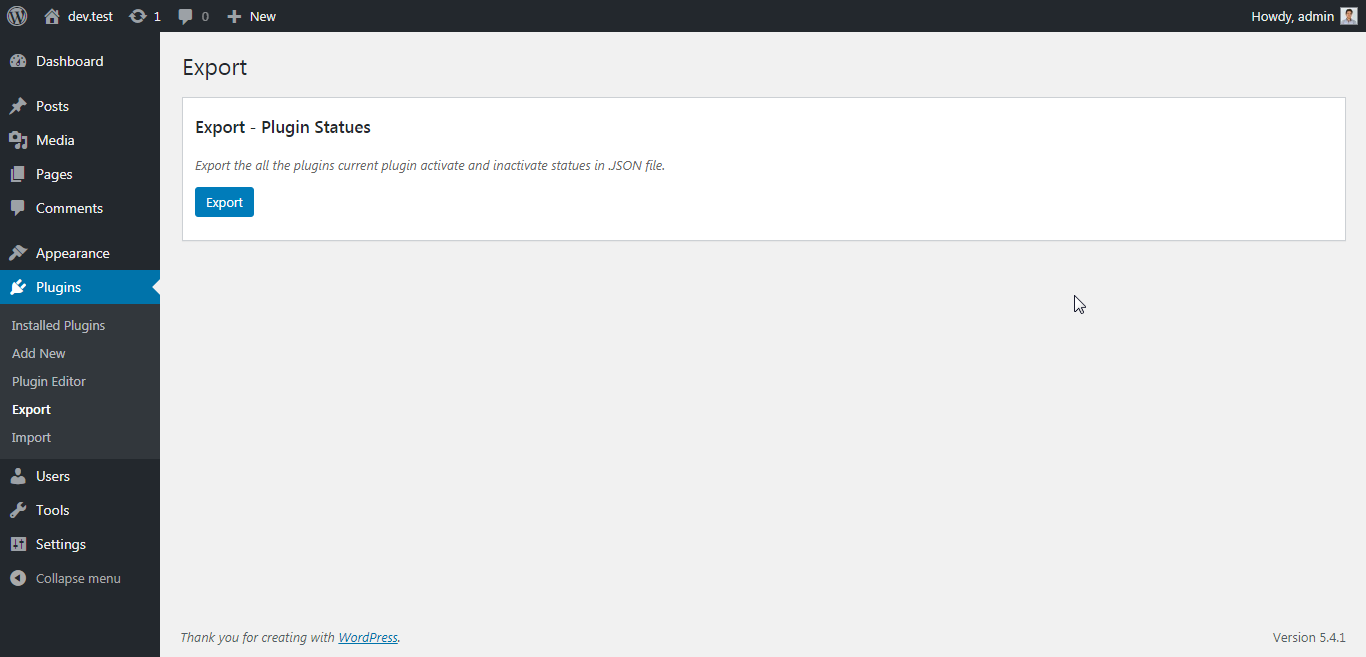
The plugin “Plugin Status – Export and Import” help us to export the list of all plugin with there active and inactive status.
We can use the exported JSON file to re-set the active and inactive plugins.
Read more in one page quick documentation.
Features:
- Zero configuration
- Easy to use
- Quick support
Welcome for featured requests
If you have any suggestion or any featured request then don’t hesitate to contact.
Bug reports
Bug reports for “Plugin Status Export and Import” are welcomed in our repository on GitHub. Please note that GitHub is not a support forum, and that issues that are not properly qualified as bugs will be closed.
Further reading
For more info check out the following:
- The maheshwaghmare.com official website.
- The Contact Me.
- The Getting started guide.
- Other my WordPress Plugins.
- Contribute with development.
- Make a small donation.
Installation
- Install the
Plugin Status - Export and Importplugin either via the WordPress plugin directory, or by uploading the files to your server atwp-content/plugins. - Activate plugin.
Frequently Asked Questions
Review feed
Screenshots


Changelog
1.0.0
- Initial release.