

Maintenance 22/1003933d since update
Active installs
10
Downloads
2,253
Reviews
1
Age
11.0y
Plugin info
Total downloads: 2,253
Active installs: 10
Total reviews: 1
Average rating: 5
Support threads opened: 0
Support threads resolved: 0 (0%)
Available in: 1 language(s)
Contributors: 1
Last updated: 6/25/2015 (3933 days ago)
Added to WordPress: 4/10/2015 (10 years old)
Minimum WordPress version: 3.0.1
Tested up to WordPress version: 4.1.42
Minimum PHP version: f
Maintenance & Compatibility
Maintenance score
Possibly abandoned • Last updated 3933 days ago • 1 reviews
22/100
Is Post Flagger abandoned?
Possibly abandoned (last update 3933 days ago).
Compatibility
Requires WordPress: 3.0.1
Tested up to: 4.1.42
Requires PHP: f
Similar & Alternatives
Explore plugins with similar tags, and compare key metrics like downloads, ratings, updates, support, and WP/PHP compatibility.
SVG Flags – Beautiful Scalable Flags For All Countries!
Rating 4.3/5 (6 reviews) • Active installs 2,000
Country Flags for Elementor
Rating 4.0/5 (3 reviews) • Active installs 1,000
IP Locator
Rating 5.0/5 (1 reviews) • Active installs 600
Safe Report Comments
Rating 3.0/5 (7 reviews) • Active installs 200
Flagged Content
Rating 4.8/5 (4 reviews) • Active installs 100
World Flag
Rating 2.0/5 (2 reviews) • Active installs 100
Description
A WordPress plugin designed to mark posts by logged in users. Allows theme developers and administrators create and edit post flags, like favorites, seen, likes, etc, also provides an easy way to put this flags in your theme via shortcode.
Features:
- Administrators can create flags like ‘Favorites’, ‘Seen’ or ‘Bookmark’ for early use
- You can create as many flags as you want
- Allows customization of HTML code for each flag
- Insert in themes and post via
[shortcode] - This plugin creates favorite flag and button by default
Installation
- Upload
post-flaggerfolder to the/wp-content/plugins/directory - Activate the plugin through the ‘Plugins’ menu in WordPress
- Place
<?php do_shortcode( '[flag slug="flag-slug"]' ); ?>in your templates - Manage flags in
Settings/Post Flags
Frequently Asked Questions
Can i delete ‘Favorites’ flag?
Yes you can
Why my html code for flagged and unflagged is not showing properly?
Try using your html code whitout any quotes. e.g.
Review feed
No reviews available
Screenshots
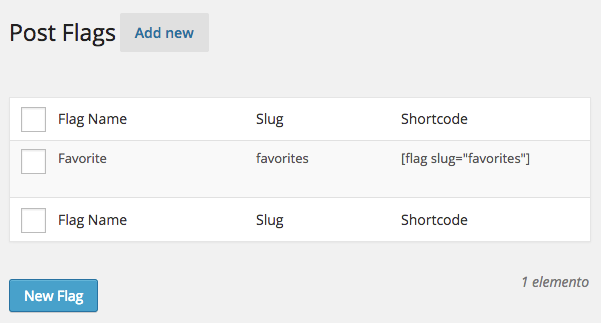
Manage your flags in
Settings/Post Flags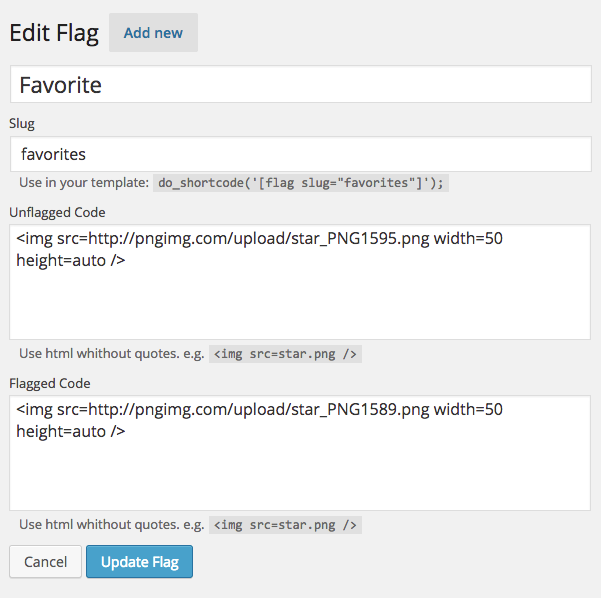
Edit each flag separately. It allows HTML
Changelog
1.1
- Adds unflag posts feature
1.0.1
- Bug fixes
1.0
- Adds support to new language: Spanish
- Allows bulk actions with flags
0.9
- This is the first release of this plugin
- Add / Edit Post flags for themes
- Creates ‘Favorites’ flags automaticlly