

Product Category
Transform your product categories to match your unique style effortlessly using this plugin's advanced customization options—all at no cost.
Plugin info
Maintenance & Compatibility
Maintenance score
Possibly abandoned • Last updated 454 days ago • 2 reviews
Is Product Category abandoned?
Possibly abandoned (last update 454 days ago).
Compatibility
Similar & Alternatives
Explore plugins with similar tags, and compare key metrics like downloads, ratings, updates, support, and WP/PHP compatibility.
Description
In the world of E-Commerce websites, The role of Product Categories listing is very important and crucial. By using this plugin, You can showcased all your product categories under specific pages or posts depending on your requirement.
No matter what editors are you using, It’s compatible with,
- Simple Shortcode for all editors
- Block Editor by it’s unique Block
- SiteOrigin Editor by Widget
- Elementor by Widget
Main Highlight of this Plugin is diversify compatibility with different editors and Easy to Use.
Features
- Set Title of product category.
- Show & Hide Product’s Categories of your choice from the dropdown.
- Select Product’s Categories styles of your choice from the dropdown.
- Set Number of Categories as per Rows and Columns to show.
- Sort & Order your Product’s Categories by their Name and Slug.
- Set Orders of your categories in ASC & DESC Order.
- Show & Hide your Product’s Categories description.
- Show & Hide the Pagination of your page.
- Show & Hide the Category Thumbnail image for your category page.
- Now, “Alt Tag” is available for the Category image.
- New: Introducing new Gutenberg Product category block for Block Editor.
Live Editing with Elementor and Block Editor
This plugin supports live editing with his own Product category Widget/Block. This tool lets you customize your categories and widget settings in real-time. It’s the fastest way to adjust and design your categories quickly and easily.
Installation
Two Way to install
First Way – Via FTP.
1. Download plugin file and unzip it.
2. In the extracted folder you will find product-category.zip file. Extract it.
3. Upload product-category folder into Plugins folder in your WordPress installation (/wp-content/plugins) using an FTP client.
4. Log into your WordPress admin panel and click on the Plugins tab.
5. Find installed plugin from the list and click Activate button.
Second Way – Via WordPress Dashboard.
1. Log into your WordPress admin panel and click on the Plugins tab.
2. Navigate to Add New > Upload
3. Click Choose File and select product-category.zip file on your computer.
4. Then hit Install Now and the plugin will be uploaded and installed.
5. Than click Activate button.
Frequently Asked Questions
Review feed
Very useful plugin
Awesome plugin
Screenshots
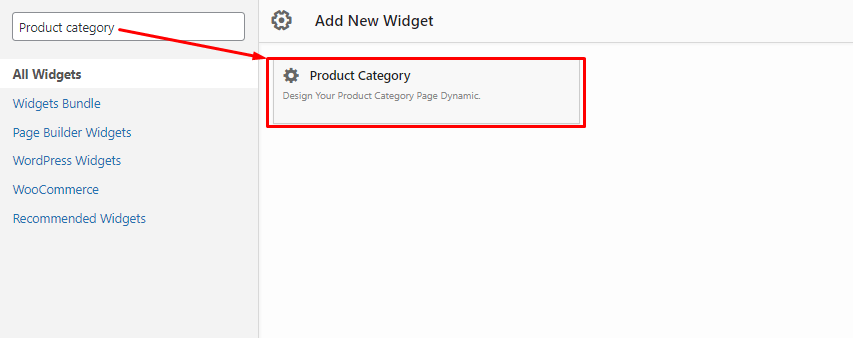
Product category widget for Siteorigin - Backend.

Product category widget settings for Siteorigin - Backend.

Product category widget for Elementor - Backend.

Product category widget Content section in Elementor - Backend.

Product category widget Style section in Elementor - Backend.

Product category Front end Preview - Frontend.

Product category Front end Preview - Frontend.
Changelog
1.5.0
Released January 1 – 2025
- Update: Bug fixed.
- Update: Code Optimized.
- New: Introduced New Gutenberg Product Category Block.
- New: Documentation for adding New Gutenberg Product Category Block.
1.4.0
Released April 16 – 2023
- Update: Bug fixed.
- Update: Code Optimized.
- New: Added Show & Hide option for Category Thumbnail image using Shortcode.
- New: Added the “Alt tag” for your Category image.
1.3.1
Released April 07 – 2022
- Update: Bug fixed.
- Update: Added new block in documentation for
How to use Product category widget in elementor.
1.3
Released April 01 – 2022
- Update: Major bug fixed.
- New: Pagination option.
- New: Product Category widget for Elementor – Now, Customize your product category as you want with Elementor.
1.2
Released March 29 – 2022
- Update: tested upto wordpress latest version 5.9.2
1.1
Released Oct 18 – 2019
- New: Add shortcode (Compatibility with all editor using Shortcode)
- New: Add more features ex. Set column and row, Set order, Display specific id, etc
- Update: Plugins Core
1.0
Released Mar 02 – 2019
-
Fix some css and other bugs
-
Initial Release *