

Restrict WP Upload Type
This plugin is use for to allow and disallow different upload file Mime types to the Wordpress Media Library. Easy to use and flexible.
Plugin info
Maintenance & Compatibility
Maintenance score
Possibly abandoned • Last updated 461 days ago • 4 reviews
Is Restrict WP Upload Type abandoned?
Possibly abandoned (last update 461 days ago).
Compatibility
Similar & Alternatives
Explore plugins with similar tags, and compare key metrics like downloads, ratings, updates, support, and WP/PHP compatibility.
Description
Now manage your Media files security with this plugin. This plugin is provide allow and disallow different upload file Mime types to the WordPress Media Library. In other words, Restrict the Mime types or extensions as per your wish.
Almost 96 extensions and Mime types are available.
Installation
Two Way to install
First Way – Via FTP.
1. Download plugin file and unzip it.
2. In the extracted folder you will find restrict-wp-upload-type.zip file. Extract it.
3. Upload restrict-wp-upload-type folder into Plugins folder in your WordPress installation (/wp-content/plugins) using an FTP client.
4. Log into your WordPress admin panel and click on the Plugins tab.
5. Find installed plugin from the list and click Activate button.
Second Way – Via WordPress Dashboard.
1. Log into your WordPress admin panel and click on the Plugins tab.
2. Navigate to Add New > Upload
3. Click Choose File and select restrict-wp-upload-type.zip file on your computer.
4. Then hit Install Now and the plugin will be uploaded and installed shortly.
5. Than click Activate button.
Frequently Asked Questions
There is total 96 extensions are available with their Mime types. You can choose any of them and ready to rock.
Yes, You can restrict or allow to upload SVG file by using this plugin.
Review feed
Screenshots
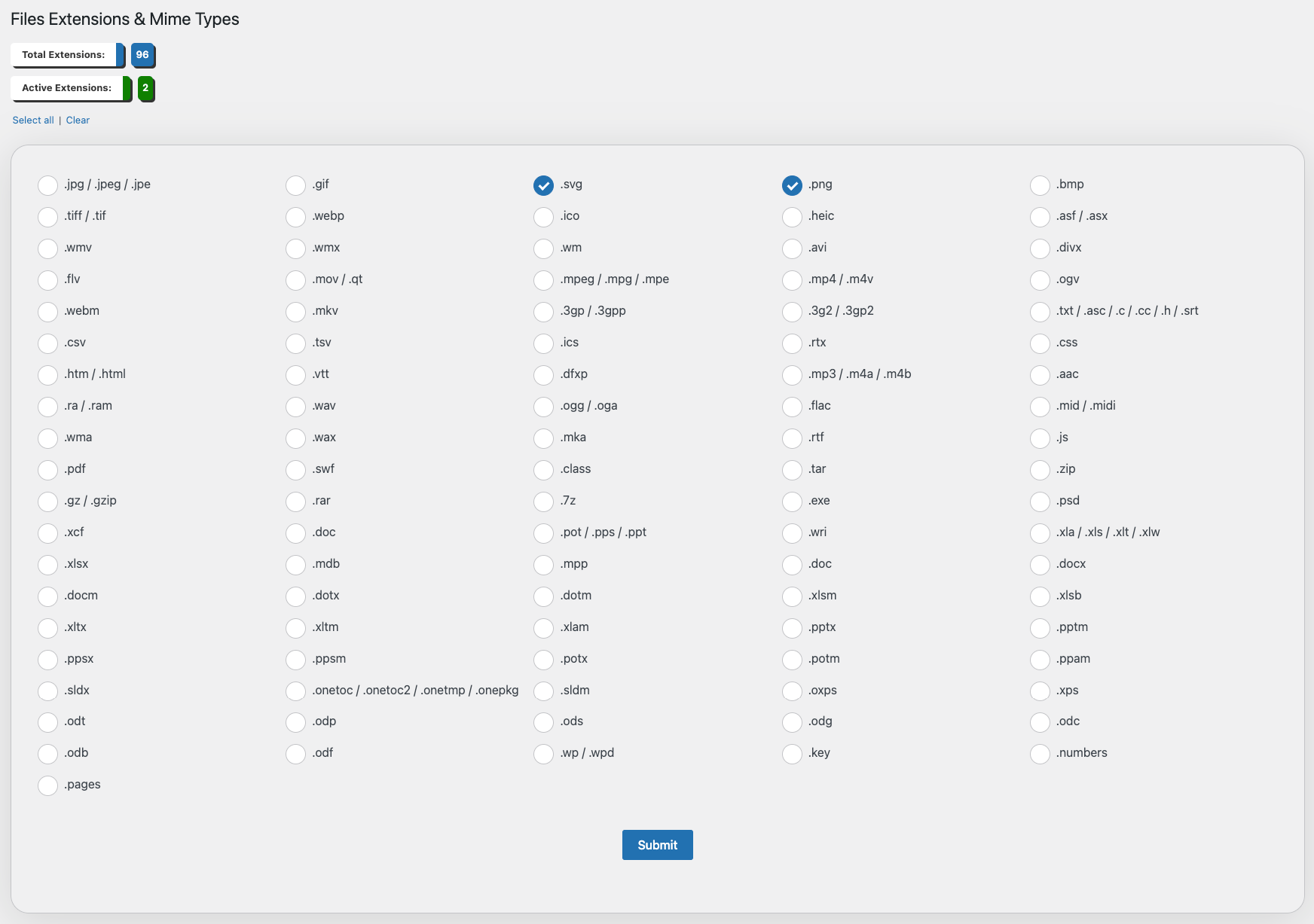
All 96 Extensions with their Mime types.
Changelog
1.0.3
December 27 – 2024
- Fixed issue with checkbox design
- Fixed mime type value selection issue after submit
1.0.2
December 03 – 2023
- Fixed issues with SVG mime type
- Fixed minor bugs
1.0.0
Released April 14 – 2022
- Initial Release