

Rewrite Flush Button
Adds a "Flush Rewrite Rules" button to WP-Admin > Settings > Permalinks.
Maintenance 22/1004679d since update
Active installs
100
Downloads
4,783
Reviews
2
Age
12.8y
Plugin info
Total downloads: 4,783
Active installs: 100
Total reviews: 2
Average rating: 5
Support threads opened: 0
Support threads resolved: 0 (0%)
Available in: 1 language(s)
Contributors: 3
Last updated: 6/10/2013 (4679 days ago)
Added to WordPress: 6/9/2013 (12 years old)
Minimum WordPress version: 3.1
Tested up to WordPress version: 3.5.2
Minimum PHP version: f
Maintenance & Compatibility
Maintenance score
Possibly abandoned • Last updated 4679 days ago • 2 reviews
22/100
Is Rewrite Flush Button abandoned?
Possibly abandoned (last update 4679 days ago).
Compatibility
Requires WordPress: 3.1
Tested up to: 3.5.2
Requires PHP: f
Languages
Similar & Alternatives
Explore plugins with similar tags, and compare key metrics like downloads, ratings, updates, support, and WP/PHP compatibility.
Nginx Cache
Rating 4.6/5 (23 reviews) • Active installs 10,000
WP OPcache
Rating 4.8/5 (20 reviews) • Active installs 10,000
Server-Side Cache AutoPurge
Rating 4.2/5 (5 reviews) • Active installs 10,000
Purge Varnish Cache
Rating 5.0/5 (10 reviews) • Active installs 2,000
Hestia Nginx Cache
Rating 5.0/5 (9 reviews) • Active installs 1,000
Clear cache for Timber
Rating 0.0/5 (0 reviews) • Active installs 500
Description
It was brought to my attention shortly after releasing this plugin that WordPress automatically flushes
rewrite rules when you visit WP-Admin > Settings > Permalinks. Ingenious, right? So don’t bother installing it,
but feel free to check out the code if you are looking for an example of how to:
- Use the WordPress Settings API to add an option to an existing Settings page;
- Use the WordPress AJAX API in conjunction with your plugin options;
- Over-engineer a solution to a problem that has already been solved.
Enjoy! 🙂
Installation
- Don’t install.
- See plugin description.
Frequently Asked Questions
No FAQ available
Review feed
No reviews available
Screenshots
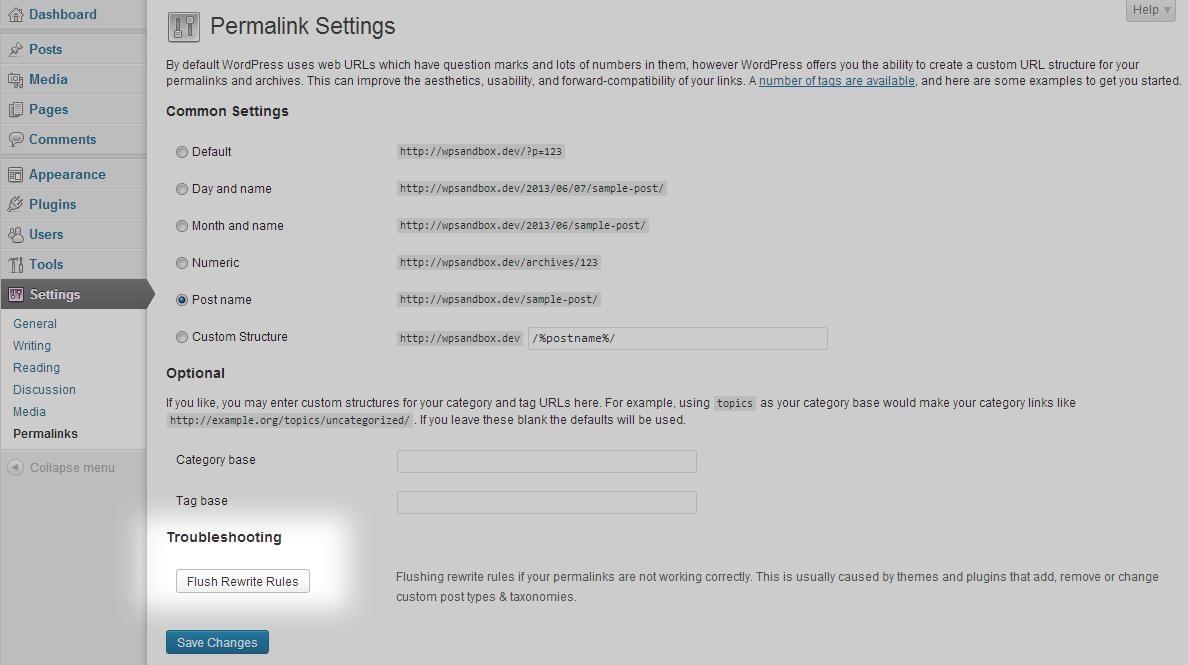
A
Flush Rewrite Rulesbutton is added to WP-Admin > Settings > Permalinks.
Changelog
1.0
- Initial public release.