

Contact Form DB – Elementor
A simple plugin to store Elementor Pro Form submissions
Plugin info
Maintenance & Compatibility
Maintenance score
Possibly abandoned • Last updated 932 days ago • 19 reviews
Is Contact Form DB – Elementor abandoned?
Possibly abandoned (last update 932 days ago).
Compatibility
Similar & Alternatives
Explore plugins with similar tags, and compare key metrics like downloads, ratings, updates, support, and WP/PHP compatibility.
Description
A simple plugin to store Elementor Pro Form submissions
This plugin stores contact form submissions from the Elementor Pro Form Module in a handy interface on the back end of WP.
To make things even better, this plugin both notifies admin users of unread messages via a banner but also allows you to convert these contact form requests into any other post type. This means you could use a contact form to get people to submit testimonials, case studies or even front end submitted content.
It makes a simple contact form into a very versatile module indeed.
You can also export your stored contact form data to a CSV file by page submitted on or by form name (if specified in the form module).
Installation
Install the plugin like any other. All contact forms using the Elementor Pro Form module will thereafter automatically be recorded in the system. Emails will still be sent as normal so don’t worry about that either!
Visit the admin page and you’ll see a list of form submissions with their dates, page they were submitted on, number of times cloned, etc…
Frequently Asked Questions
Review feed
Plugin slows down the admin panel -- solution inside!
Screenshots

Submission List
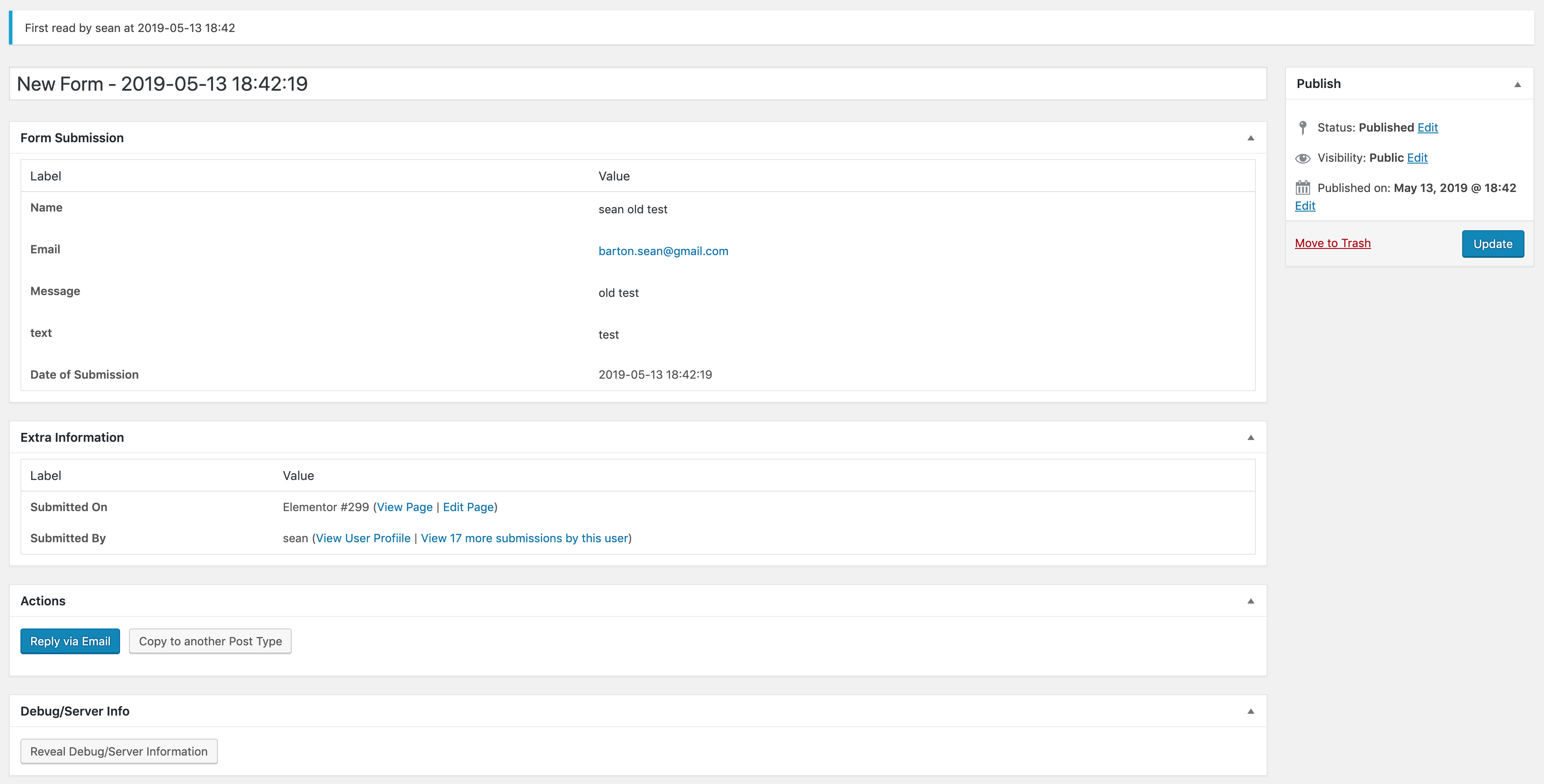
Individual Submission
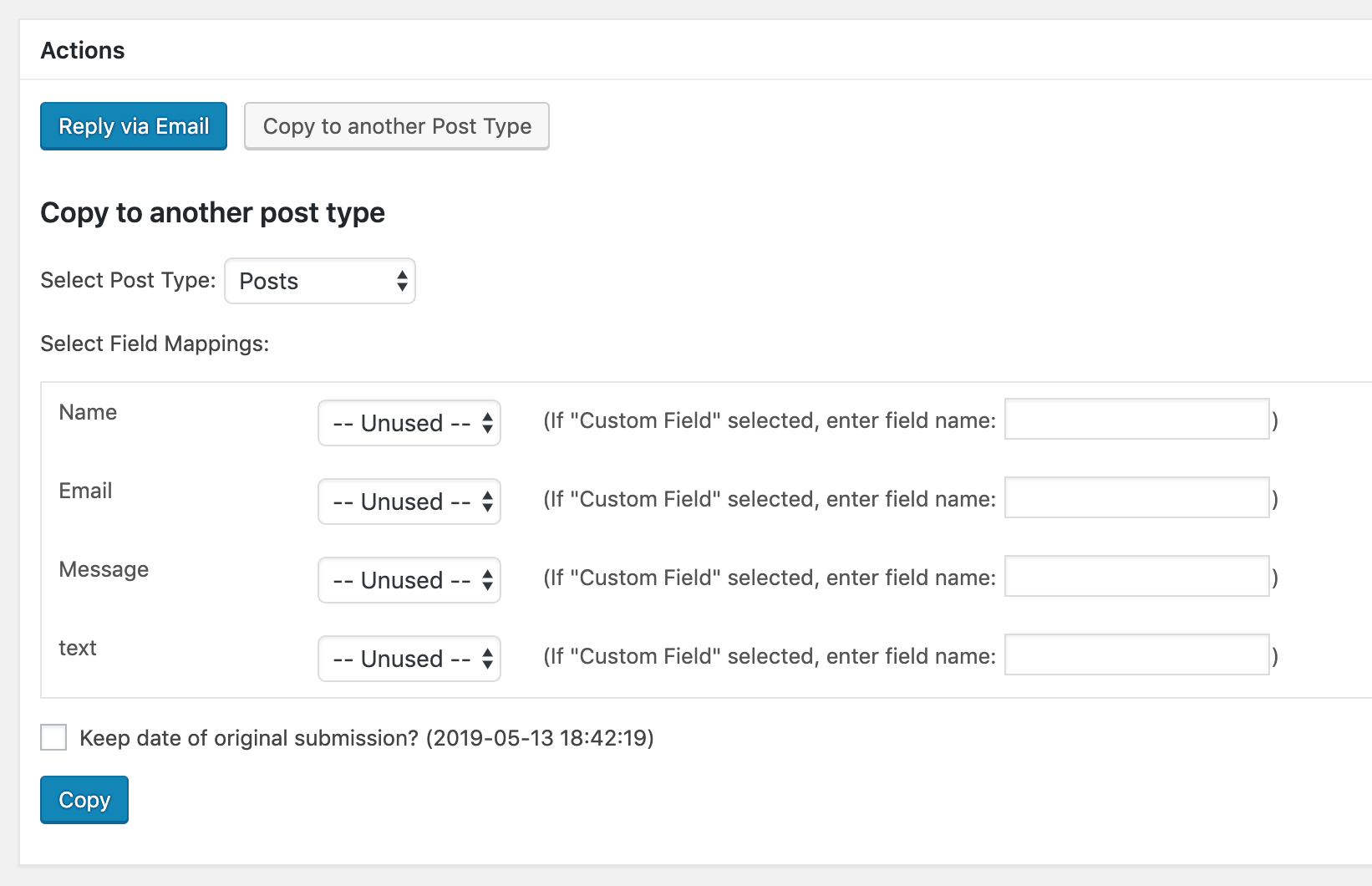
Copy to post type options
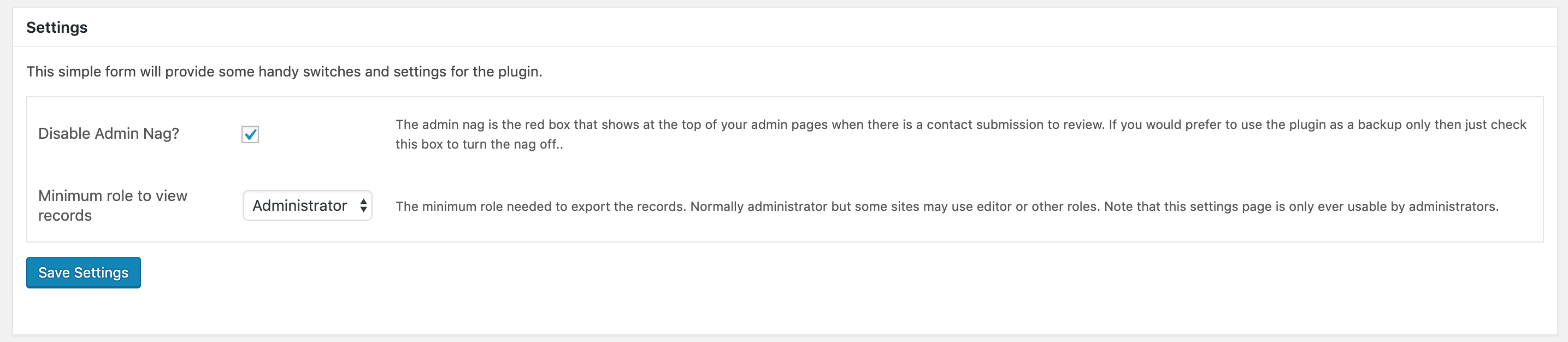
Settings Page

Export Page

Interface
Changelog
V1.8.1 (2023-09-13)
- Bug Fixes
- Updated Compatibility with latest elementor 3.16+
- Updated Compatibility with PHP 8.1+
V1.8.0
- Bug Fixes
V1.7 (2021-02-12)
- Added options to settings page which allow you to change the labels on the admin menu. Better for white labelling
V1.6 (2021-01-12)
- Added better handling of back end admin pages based on a report of a security exploit (CSRF). Suggest update to a minimum of this plugin version asap
V1.5 (2019-11-07)
- Vastly improved the speed of the exports. Better for databases of more than 1000 submissions. Tested on a DB of 37k
V1.4 (2019-05-21)
- Minor preventative security related fixes
V1.3 (2019-05-13)
- Fixed conflict with new Elementor versions
- Added ability to show Export page to non admins (new setting on the settings page)
- Fixed issue whereby if more than one email was specified as an action then it would save two records
V1.2 (2018-09-15)
- Added export functionality by Form ID and by page submitted on
- Removed limiting CSS so that paging and bulk delete is possible
- Added settings page housing an option to hide the “nag”, the red bar notifying of submissions
V1.1
- Fixed for latest version of Elementor Pro