

Subscribr
Allows WordPress users to subscribe to notifications for new posts, pages, and custom types, filterable by taxonomies.
Plugin info
Maintenance & Compatibility
Maintenance score
Possibly abandoned • Last updated 3891 days ago • 5 reviews
Is Subscribr abandoned?
Possibly abandoned (last update 3891 days ago).
Compatibility
Similar & Alternatives
Explore plugins with similar tags, and compare key metrics like downloads, ratings, updates, support, and WP/PHP compatibility.
Description
Allows WordPress users to subscribe to email notifications for new posts, pages, and custom types, filterable by taxonomies. The plugin supports tons of actions and filters too! More documentation will be coming soon.
Features
We are now working on a major rewrite of this plugin which will allow us to more rapidly roll out new features. Stay tuned for version 0.2.
- send mail as plain text or HTML (by user preference)
- integrated email template editor
- option to use PHP template instead of integrated template editor
Upcoming Features
- option to separate different taxonomies on profile update
- widget
- option to post notifications for update as well as new posts
- html/plain text options
- scheduling options / digest mode
- analytics options
- minimum role option for notifications
- double opt-in
- SMS text messages
- integration with 3rd-party SMTP servers and/or advanced SMTP settings
- integration with MailChimp/Mandrill
- integration with Constant Contact
- integration with Aweber
- notification on site (like Facebook)
- subscriber management to settings
- CSV subscriber export
- list management for Roles, use-case wholesale / retail
Support development with a donation and let us know what features are most important to you!
Installation
- Upload the
subscribrfolder to the/wp-content/plugins/directory. - Activate the plugin through the ‘Plugins’ menu in WordPress.
Frequently Asked Questions
How do I use the plugin?
Visit the Subscribr settings page (Settings > Subscribr) to configure plugin options.
By default your WordPress users will be able to setup any subscription choices from their profile page.
Got a question?
Please ask it on the support forum!
Review feed
Screenshots
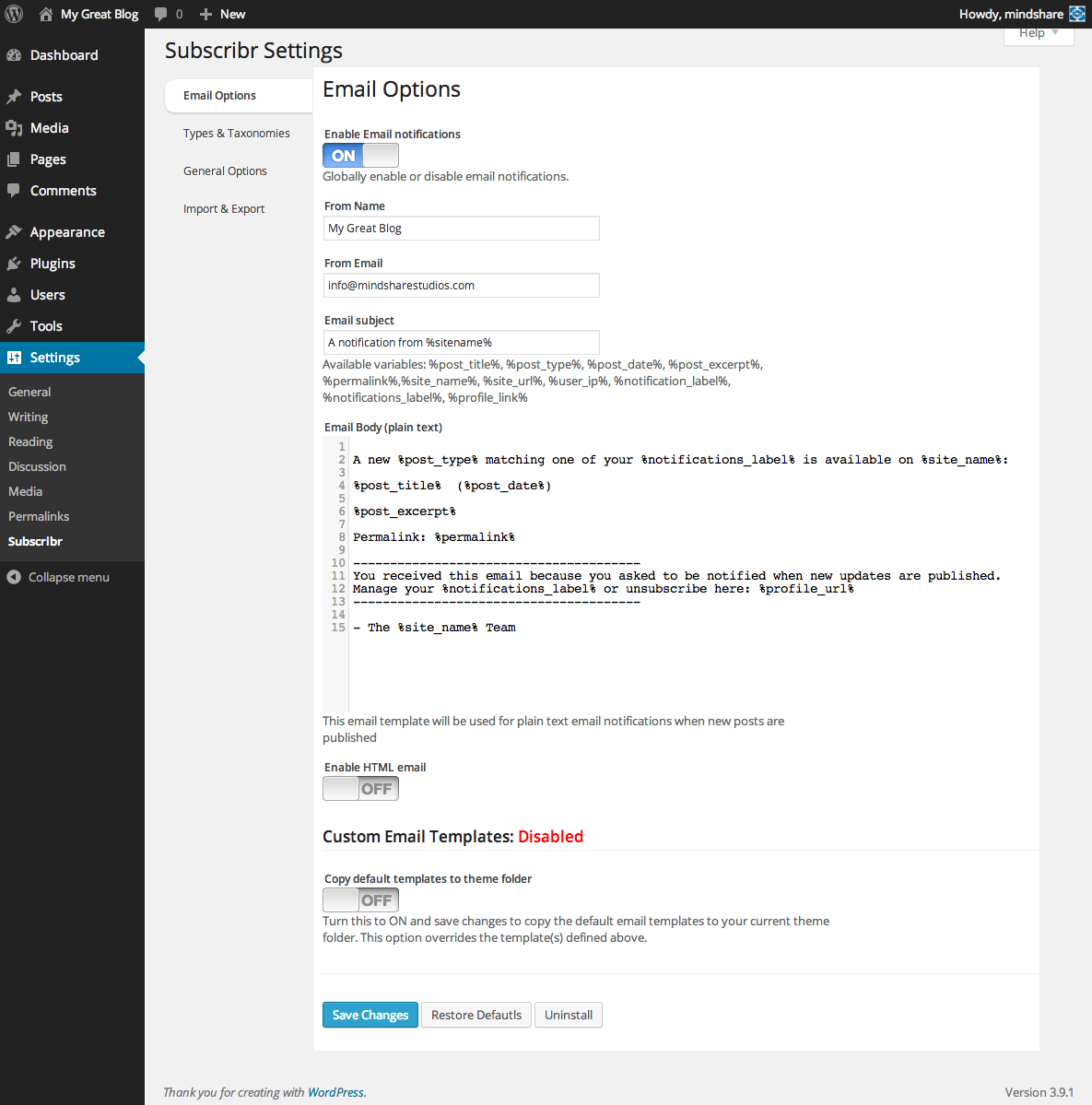
The admin options screen screenshot-1.png

The user profile options screenshot-2.png
Changelog
0.1.9.1
- Bugfixes for terms selctions
- Added subscribr_disabled_terms filter
0.1.9
- Fix for auto-draft status.
0.1.8
- Change default trigger action to fix issue with custom taxonomies
0.1.7
- Bugfix for custom taxonomies
0.1.6
- Fixed fatal error on some PHP installs
- validated HTML on admin screens
- minor bugfixes
0.1.5
- CSS fixes
- updated Chosen JS library
- update screenshots
- bugfix for removing user prefs
- verified support for PHP 5.3+
0.1.4
- Bugfixes for disabled post types
0.1.3
- bugfixes, support for WP 3.8+
- added custom email template options
- added copy to theme folder option
- added import/export options tab
0.1.2
- added html/plain text options
- minor bugfixes
0.1.1
- Updated Readme.txt
- Fixed date_format
- Minor updates
0.1
- Initial release